- Overriding the menu through yaml
- Overriding the menu by service
- Overriding the menu through twig
- Changing the menu orientation
- Changing the title
- Enabling global search
- Switch to dark Mode
- Redirect to a specific route instead of the Dashboard
?> By default, the menu is generated automatically. One menu item will be created for each detected Crud Controllers, and they will be sorted alphabetically.
You can however change how it's done, and even add child items.
in config/qag.yaml (if there is no file, create one), add the following:
arkounay_quick_admin_generator:
    menu:
        items:
            - App\Controller\NewsController
            - App\Controller\CategoryController
            - crud: App\Controller\Admin\AgencyController
              label: 'Item with subitems'
              children:
                - App\Controller\UserController
                - { label: 'google', url: 'https://www.google.com', target: '_blank' }
# etc...- Items specifying a crud controller will still be hidden when their controller's
isEnabledreturns false, and still behave as usual. - If a
crudisn't specified, you can specifiy how an item is renderer through thelabel,url,route,route_params,targetandattrattributes - The
childrenattribute allows adding submenu items.
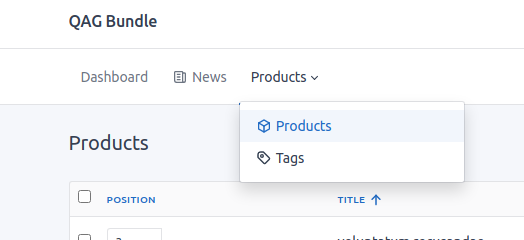
Create a class that implements MenuInterface (or extends Menu).
The easiest way is to extend Menu, and add the proper configuration in services.yaml
    Arkounay\Bundle\QuickAdminGeneratorBundle\Menu\MenuInterface: '@App\Admin\Menu'

    App\Admin\Menu:
        arguments:
            $cruds: !tagged_iterator quickadmin.crud
            $config: '%quick_admin_generator%'
namespace App\Admin;
use Arkounay\Bundle\QuickAdminGeneratorBundle\Menu\Menu as BaseMenu;
use Arkounay\Bundle\QuickAdminGeneratorBundle\Menu\MenuItem;
use Symfony\Component\HttpFoundation\Request;
class Menu extends BaseMenu
{
protected function createMenuItem(array $cruds, $node, Request $request): ?MenuItem
{
$menuItem = parent::createMenuItem($cruds, $node, $request);
// $node will be a crud class or will contain what's in the arkounay_quick_admin_generator.menu.items yaml definition
return $menuItem;
}
protected function createDashboardMenuItem(Request $request): ?MenuItem
{
// returning Null will remove the Dashboard item
return null;
}
}Create the file /templates/bundles/ArkounayQuickAdminGeneratorBundle/base.html.twig
In it, you can override the block menu_items and do what you want there.
{% extends '@!ArkounayQuickAdminGenerator/base.html.twig' %}

{% block menu_items %}
{% endblock %}
If you want to configure how the dashboard item looks, you can override the block menu_items_dashboard.
By default, the menu is horizontal.
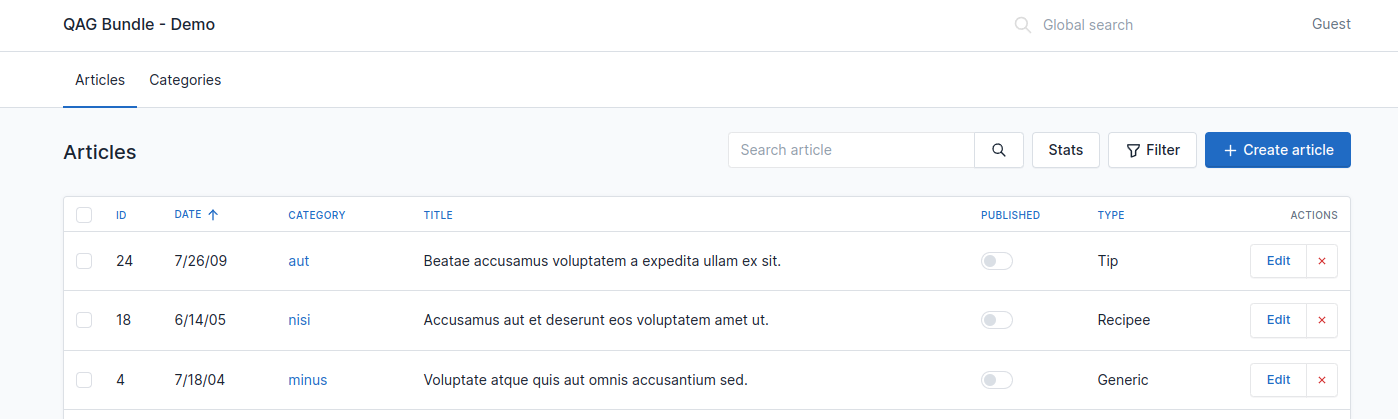
You can make it vertical by editing the yaml:
arkounay_quick_admin_generator:
    menu:
        theme: 'vertical'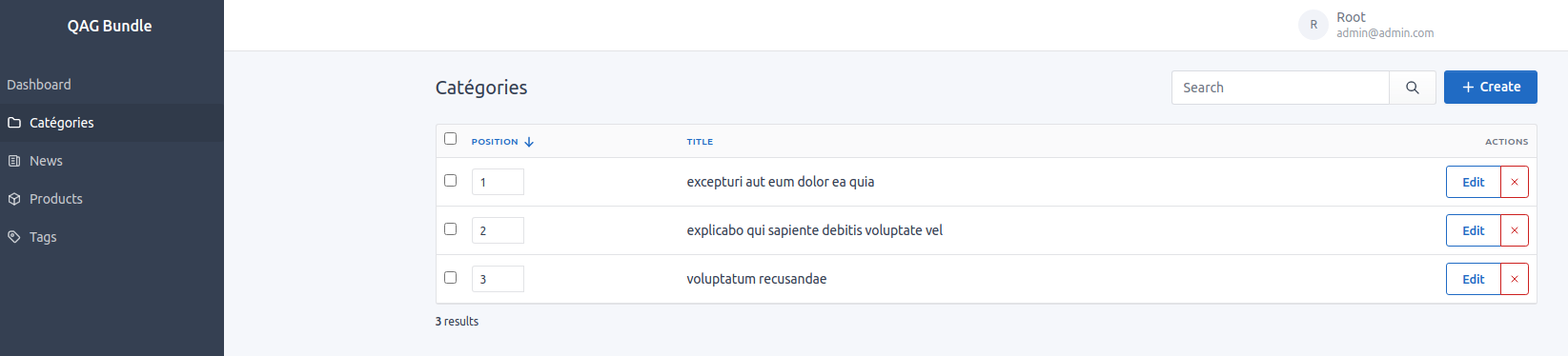
You can change the title by editing the arkounay_quick_admin_generator.title
arkounay_quick_admin_generator:
    title: 'Custom Title'
or override the twig block main_title for more control.
You can enable global search by setting arkounay_quick_admin_generator.global_search to true
arkounay_quick_admin_generator:
    global_search: true
You can modify the results with the qag.events.quick_search_item and qag.events.quick_search_crud events.
You can allow users to switch to dark mode, or set it as default:
arkounay_quick_admin_generator:
    theme:
        default: 'light' # either light / dark / or auto. (auto checks user's preference)
        allow_switch: true # will display a toggle to change the theme on user menu
When switching mode, a customer event theme-switch will be dispatched on the <body>.
This will redirect to a specified route instead of the Dashboard, and will remove the Dashboard menu item automatically:
arkounay_quick_admin_generator:
    dashboard_route_redirection: 'qag.news'