Azure CLI equivalent

Related command
# The az cosmosdb update command documentation does not provide all the capabilities
az cosmosdb update --help
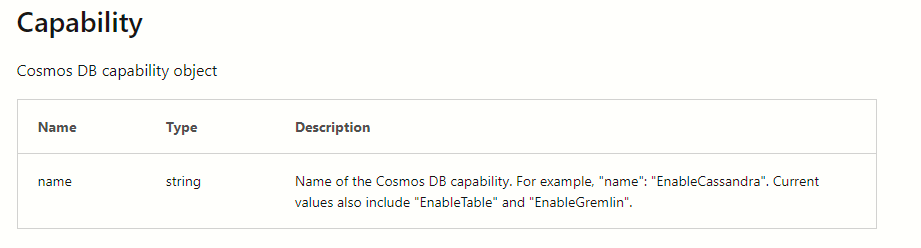
The online documentation on the Azure CLI command az cosmosdb update does not list the options either
https://learn.microsoft.com/en-us/cli/azure/cosmosdb?view=azure-cli-latest#az-cosmosdb-update
#The show command does not list the name of the capability which corresponds to the "Diagnostic full-text query" setting on the portal
az cosmosdb show --name "COSMOS ACCOUNT NAME" --resource-group "RESOURCE GROUP NAME"
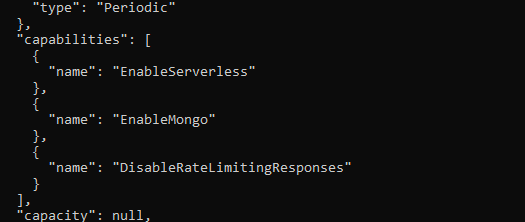
Sample output from az cosmosdb show
Is your feature request related to a problem? Please describe.
I am unable to find the right Azure CLI option which will help me accomplish via scripting that is already possibile via the portal.
T
Describe the solution you'd like
Please list down all the optins that are acceptable by the --capabilities parameter of teh az cosmosdb update command
Describe alternatives you've considered
I have considered Azure REST API. But, did not get much help there either.
https://learn.microsoft.com/en-us/cli/azure/cosmosdb?view=azure-cli-latest#az-cosmosdb-update

Azure CLI equivalent
Related command
The online documentation on the Azure CLI command
az cosmosdb updatedoes not list the options eitherhttps://learn.microsoft.com/en-us/cli/azure/cosmosdb?view=azure-cli-latest#az-cosmosdb-update
Sample output from az cosmosdb show
Is your feature request related to a problem? Please describe.
I am unable to find the right Azure CLI option which will help me accomplish via scripting that is already possibile via the portal.
T
Describe the solution you'd like
Please list down all the optins that are acceptable by the
--capabilitiesparameter of tehaz cosmosdb updatecommandDescribe alternatives you've considered
I have considered Azure REST API. But, did not get much help there either.
https://learn.microsoft.com/en-us/cli/azure/cosmosdb?view=azure-cli-latest#az-cosmosdb-update