Backend Repository: BlogAdmin
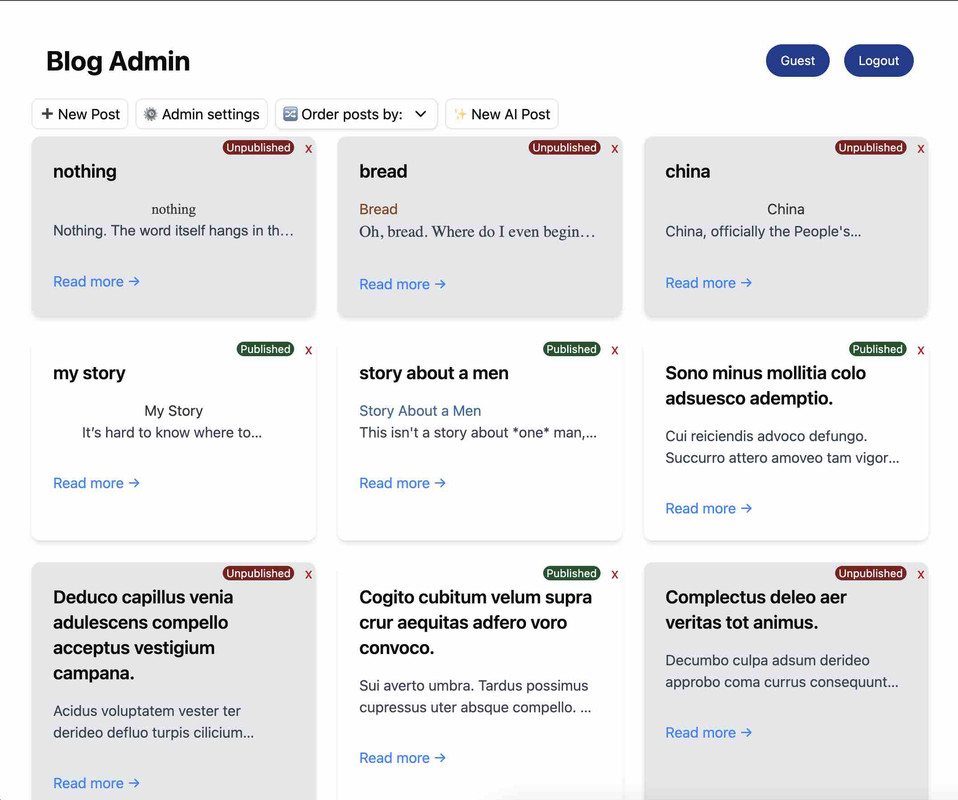
BlogAdmin is a comprehensive blog management application built with React, designed to simplify content creation and management. It provides a clean, intuitive interface for writing, editing, and publishing blog posts, with advanced features including AI-assisted content generation.
- Authentication System - Secure login for blog administrators
- Dashboard - Overview of blog statistics and recent posts
- Post Management - Create, edit, and delete blog posts
- AI Content Generation - Create content with AI assistance
- Admin Settings - Configure blog appearance and functionality
- Responsive Design - Works seamlessly across devices
- React - UI library
- React Router - Navigation and routing
- Context API - State management (Authentication)
- Tailwind CSS - Styling
- AI Integration - For content generation assistance
- Node.js (v14.x or higher)
- npm or yarn
- Clone the repository
git clone https://github.com/Giolii/MSN_front.git
cd msn-front- Install dependencies
npm install
# or
yarn install- Set up environment variables
# Create a .env file in the root directory
touch .env
Add the required environment variables:
VITE_API_URL=your_api_url
VITE_GIPHY_API=your_ai_service_key
- Start the development server
npm start
# or
yarn start- Open your browser and visit
http://localhost:5173/
- Home - Main dashboard displaying blog posts overview
- NavBar - Navigation component for the application
- BlogPost - Displays individual blog posts with full content
- NewPost - Interface for creating new blog posts
- AdminSettings - Control panel for blog configuration
- AIPost - AI-assisted content creation interface
| Path | Component | Description |
|---|---|---|
/ |
Home |
Dashboard/main page |
/posts/:id |
BlogPost |
View individual blog post |
/newPost |
NewPost |
Create a new blog post |
/admin |
AdminSettings |
Admin settings panel |
/AI |
AIPost |
AI-assisted content creation |
npm run build
# or
yarn build
The build files will be created in the build directory, ready to be deployed to your hosting service of choice.
Thank you!