-
Notifications
You must be signed in to change notification settings - Fork 3
icons #4
Copy link
Copy link
Open
Labels
enhancementNew feature or requestNew feature or request
Description
Activity
Metadata
Metadata
Assignees
Labels
enhancementNew feature or requestNew feature or request
here are some icons for the bottom for poster details.
right now i have made.
3d - real d 3d -blu-ray 3d
many dolby
2.0 2.1 5.0 5.1 6.0 6.1 7.0 7.1 for speaker config
imax
dts dts x
g pg pg-13 nc-17 r nr
auro3d
dolby vision
i can also make more
i was thinking that in setting you can setup your setup(theater room)

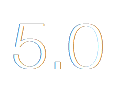
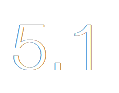
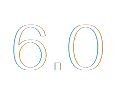
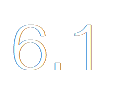
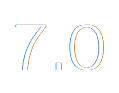
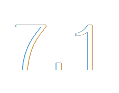



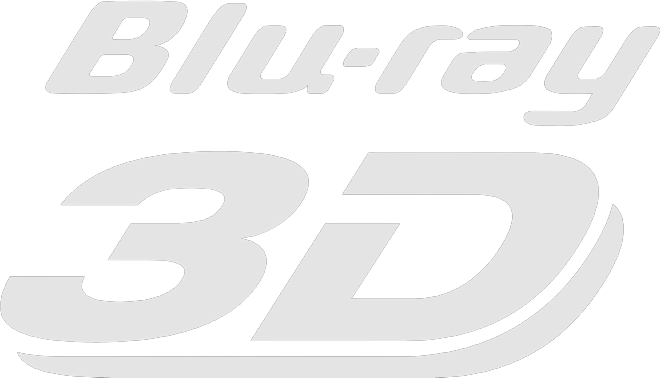





















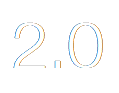
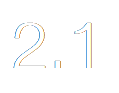
speakers= 5.1 (2.0 2.1 5.0 5.1 6.0 6.1 7.0 7.1) (this gets added on to the dolby logo so dolby 5.1 with be display as logos)
3d=real d 3d (3d - real d 3d - real d 3d color -blu-ray 3d)
3d_library=3d movies (name of 3d library) (all movies from here will auto apply 3d to the logos)
(0-1-2) 0 = off 1 = on 2= extar type
dolby_atmos=1 (0-1)
dolby=1 (0-1)
dolby_3d=1 (0-1)
dts=1 (0-1-2) (2= dts x)
dolby_atmos=1 (0-1)
imax=1 (0-1)
dolby_vision=1 (0-1)
rating=1 (0-1) (0= small just letter 1= big with extra stuff )