
Replies: 2 comments 7 replies

-
|
자세한 설명 감사합니다! 우선, 로봇을 조종하기 위한 커멘드 라인을 입력한 터미널을 지금과 같이 보여주실 수 있을까요?
마지막으로 |
Beta Was this translation helpful? Give feedback.

-
|
해결하셨으면 어떻게 해결하셨는지 알려주실수있으실까요? |
Beta Was this translation helpful? Give feedback.

-
|
lauch.py에서 server, client cmd를 제외하고 주석 처리 한뒤 실행을 해보았는데, __clock이 뜨지 않아 ubuntu와 ros2를 삭제하고 다시 깔아보았습니다. 하지만 이전과 같이 __clock이 뜨질 않고 있습니다. 실행 노드에도 clock이 뜨지 않습니다. |
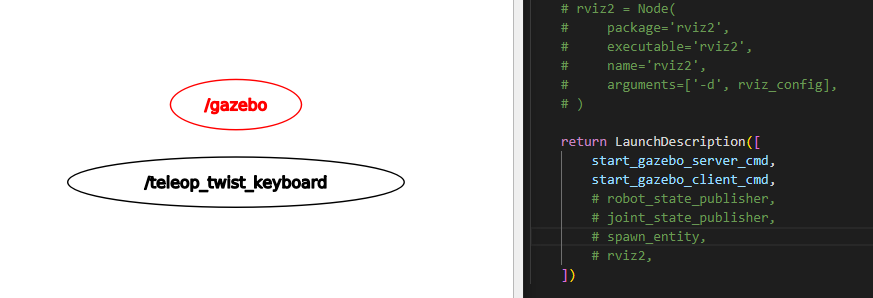
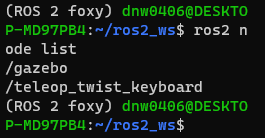
Beta Was this translation helpful? Give feedback.

-
|
혹시 이 오류 기존의 ros1이 깔려있는 상황에서 gazebo를 한번 더 깔으셨나요? |
Beta Was this translation helpful? Give feedback.

-
|
해당 문제로 많은 분들께서 골치를 앓고 계신 것 같습니다. 사실 저 또한 처음 겪어보는 이슈인데 gazebo와 ros 사이 연동에서 문제가 생긴 것 같습니다. 위의 두 커멘드 라인을 실행하신 뒤 결과를 알려주시겠어요? |
Beta Was this translation helpful? Give feedback.
-
|
실행했음에도 결과차이가 없습니다 |
Beta Was this translation helpful? Give feedback.

-
|
노드 리스트: 토픽 리스트 : /teleop_twist_keyboard의 노드 정보 : Publishers: Action Servers: Action Clients:
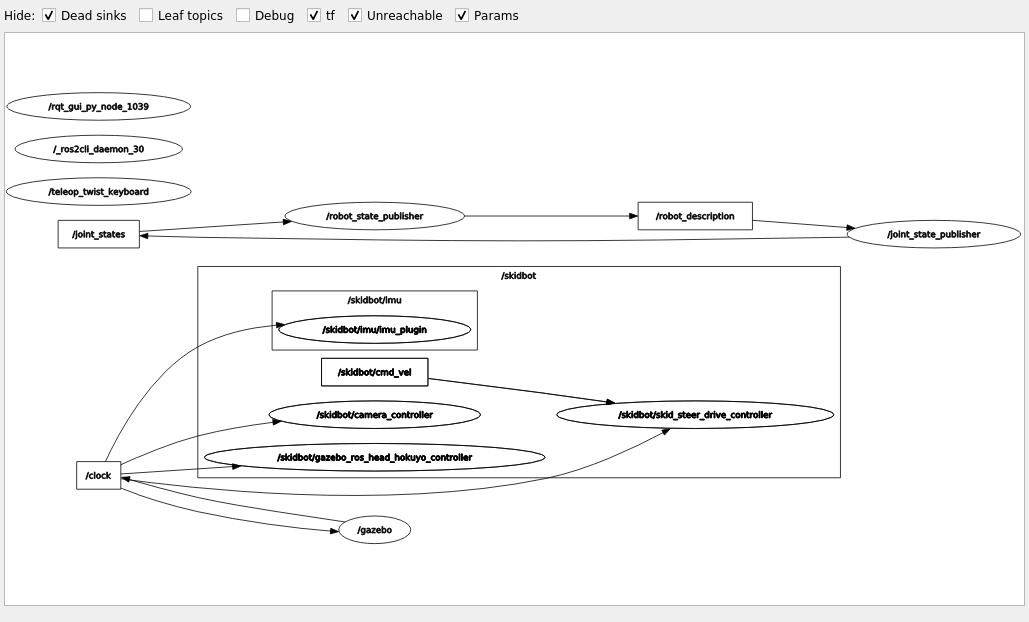
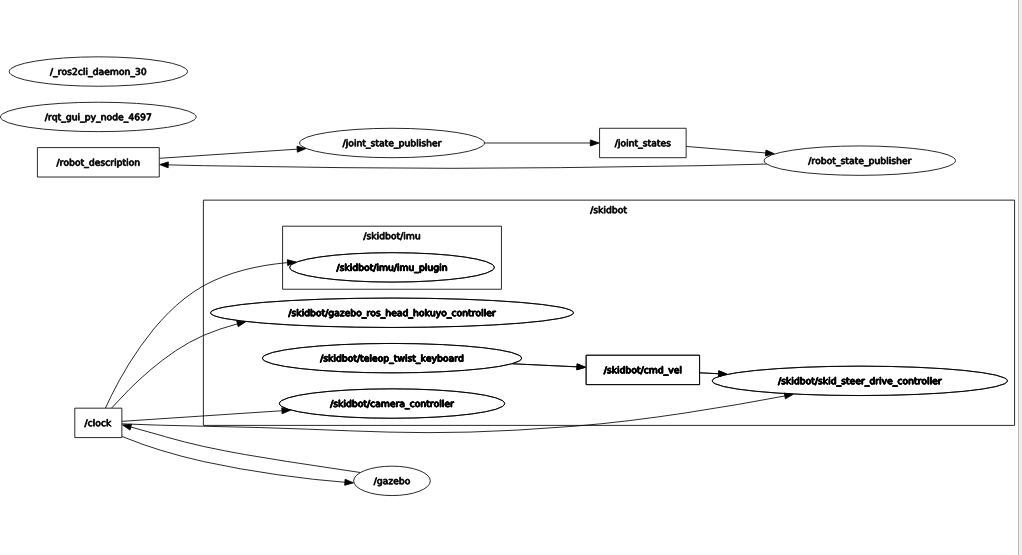
/teleop_twist_keyboard가 /skidbot안에 들어가 있지 않아 /skidbot/cmd_vel로 호출한 것이 아닌 /cmd_vel로 호출하였습니다. 이유는 모르겠지만 /teleop_twist_keyboard가 /skidbot안에 있지 않아 생긴 오류라고 생각합니다. 하지만 /teleop_twist_keyboard가 어디에 있는 파일인지를 찾지 못하여 노드를 수정할 수 는 없었습니다. skidbot의 위치를 알기 위해 인터넷에 검색한 결과 gazebo에서 airobo_gazebo와 똑같은 예제를 다루는 블로그( https://blog.naver.com/hanjiho97/222759661333 )를 찾았습니다. sudo apt install ros-foxy-image-view 설치 결과 토픽 리스트 :
성공적으로 조종이 가능해졌습니다. 하지만 궁금한 것이 있습니다. |
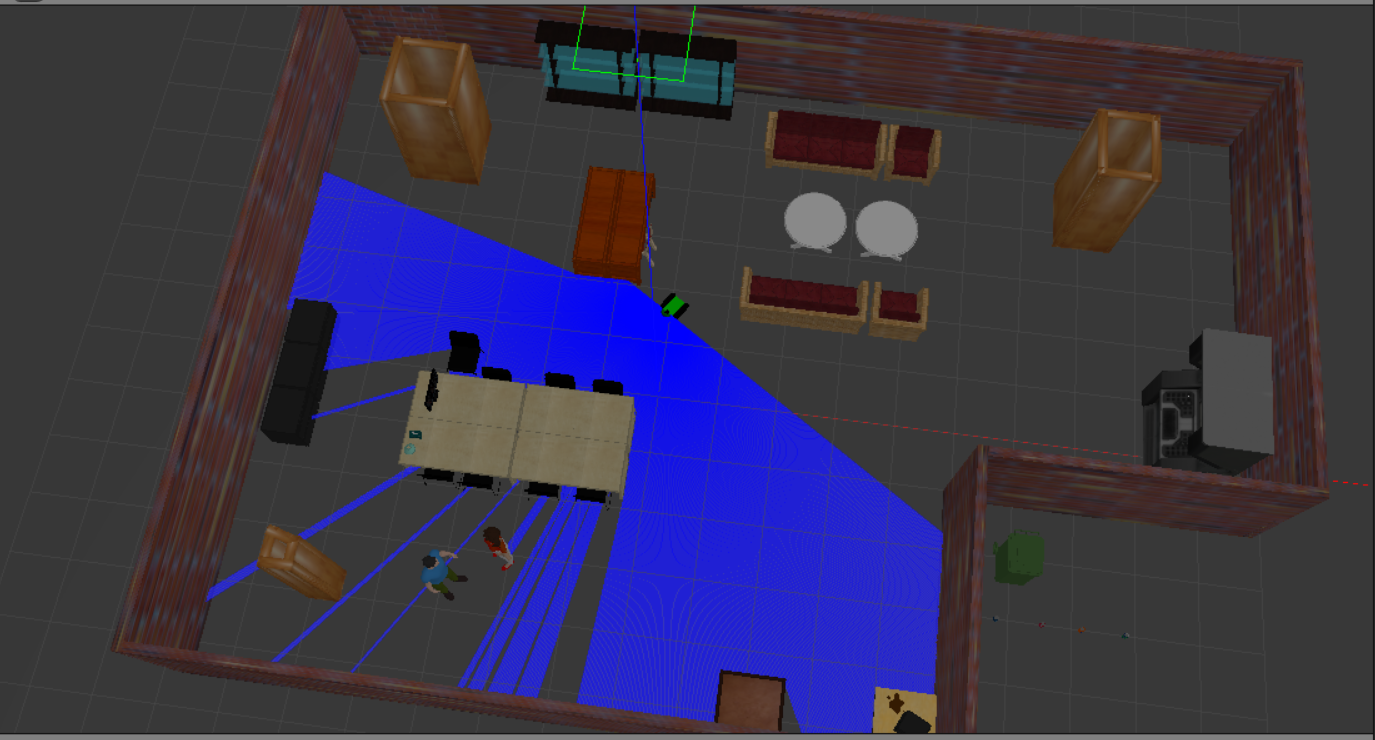
Beta Was this translation helpful? Give feedback.
-
|
해결되셨다니 다행입니다. 다만 image-view와 nav2는 이번 예시와 전혀 상관 없는 것이라 직접적인 관련이 있기보다는 설치 시 꼬여있는 것이 있던 것 같습니다.
|
Beta Was this translation helpful? Give feedback.


Uh oh!
There was an error while loading. Please reload this page.
-
2차 강의에서 나온 airobo_gazebo에서 로봇은 나오나 주행이 되지 않습니다.
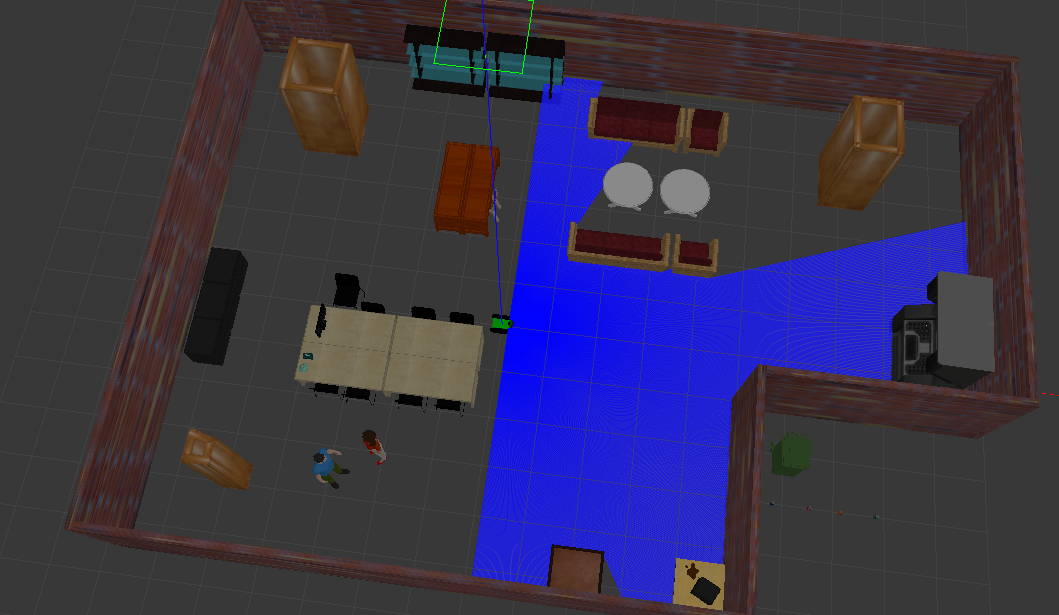
ros2 launch airobo_gazebo gazebo_world.launch.py
를 실행하였을 때 나온 것들입니다.
(ROS 2 foxy) dnw0406@DESKTOP-MD97PB4:
/ros2_ws$/out:=scan'. This syntax is deprecated. Use '--ros-args --remapros2 launch airobo_gazebo gazebo_world.launch.py
[INFO] [launch]: All log files can be found below /home/dnw0406/.ros/log/2022-07-14-22-29-30-630676-DESKTOP-MD97PB4-1452
[INFO] [launch]: Default logging verbosity is set to INFO
If it's your 1st time to download Gazebo model on your computer, it may take few minutes to finish.
[INFO] [gzserver-1]: process started with pid [1454]
[INFO] [gzclient -2]: process started with pid [1457]
[INFO] [robot_state_publisher-3]: process started with pid [1460]
[INFO] [joint_state_publisher-4]: process started with pid [1462]
[INFO] [spawn_entity.py-5]: process started with pid [1464]
[robot_state_publisher-3] Parsing robot urdf xml string.
[robot_state_publisher-3] Link chassis had 9 children
[robot_state_publisher-3] Link back_left_wheel had 0 children
[robot_state_publisher-3] Link back_right_wheel had 0 children
[robot_state_publisher-3] Link camera had 0 children
[robot_state_publisher-3] Link front_left_wheel had 0 children
[robot_state_publisher-3] Link front_right_wheel had 0 children
[robot_state_publisher-3] Link hokuyo had 0 children
[robot_state_publisher-3] Link imu_link had 0 children
[robot_state_publisher-3] Link left_track had 0 children
[robot_state_publisher-3] Link right_track had 0 children
[robot_state_publisher-3] [INFO] [1657805371.091112900] [robot_state_publisher]: got segment back_left_wheel
[robot_state_publisher-3] [INFO] [1657805371.091357900] [robot_state_publisher]: got segment back_right_wheel
[robot_state_publisher-3] [INFO] [1657805371.091380100] [robot_state_publisher]: got segment camera
[robot_state_publisher-3] [INFO] [1657805371.091390700] [robot_state_publisher]: got segment chassis
[robot_state_publisher-3] [INFO] [1657805371.091399800] [robot_state_publisher]: got segment front_left_wheel
[robot_state_publisher-3] [INFO] [1657805371.091409000] [robot_state_publisher]: got segment front_right_wheel
[robot_state_publisher-3] [INFO] [1657805371.091417600] [robot_state_publisher]: got segment hokuyo
[robot_state_publisher-3] [INFO] [1657805371.091426500] [robot_state_publisher]: got segment imu_link
[robot_state_publisher-3] [INFO] [1657805371.091435300] [robot_state_publisher]: got segment left_track
[robot_state_publisher-3] [INFO] [1657805371.091444100] [robot_state_publisher]: got segment right_track
[robot_state_publisher-3] [INFO] [1657805371.091452200] [robot_state_publisher]: got segment robot_footprint
[spawn_entity.py-5] [INFO] [1657805371.534547900] [spawn_entity]: Spawn Entity started
[spawn_entity.py-5] [INFO] [1657805371.535182900] [spawn_entity]: Loading entity published on topic robot_description
[spawn_entity.py-5] [INFO] [1657805371.537033200] [spawn_entity]: Waiting for entity xml on robot_description
[spawn_entity.py-5] [INFO] [1657805371.541310400] [spawn_entity]: Waiting for service /spawn_entity, timeout = 30
[spawn_entity.py-5] [INFO] [1657805371.541762500] [spawn_entity]: Waiting for service /spawn_entity
[joint_state_publisher-4] [INFO] [1657805371.640828600] [joint_state_publisher]: Waiting for robot_description to be published on the robot_description topic...
[spawn_entity.py-5] [INFO] [1657805375.301664500] [spawn_entity]: Calling service /spawn_entity
[gzserver-1] [WARN] [1657805378.119790300] [rcl]: Found remap rule 'camera/image_raw:=/skidbot/camera/image'. This syntax is deprecated. Use '--ros-args --remap camera/image_raw:=/skidbot/camera/image' instead.
[gzserver-1] [WARN] [1657805378.120045400] [rcl]: Found remap rule 'camera/camera_info:=/skidbot/camera/image/camera_info'. This syntax is deprecated. Use '--ros-args --remap camera/camera_info:=/skidbot/camera/image/camera_info' instead.
[gzserver-1] [WARN] [1657805378.124065100] [rcl]: Found remap rule 'camera/image_raw:=/skidbot/camera/image'. This syntax is deprecated. Use '--ros-args --remap camera/image_raw:=/skidbot/camera/image' instead.
[gzserver-1] [WARN] [1657805378.124123200] [rcl]: Found remap rule 'camera/camera_info:=/skidbot/camera/image/camera_info'. This syntax is deprecated. Use '--ros-args --remap camera/camera_info:=/skidbot/camera/image/camera_info' instead.
[gzserver-1] [INFO] [1657805378.138004200] [skidbot.camera_controller]: Publishing camera info to [/skidbot/camera_sensor/camera_info]
[spawn_entity.py-5] [INFO] [1657805378.161223100] [spawn_entity]: Spawn status: SpawnEntity: Successfully spawned entity [fusionbot]
[gzserver-1] [WARN] [1657805378.179615500] [rcl]: Found remap rule '
/out:=scan' instead./out:=scan'. This syntax is deprecated. Use '--ros-args --remap ~/out:=scan' instead.[gzserver-1] [WARN] [1657805378.183462800] [rcl]: Found remap rule '
[gzserver-1] [INFO] [1657805378.199164100] [skidbot.imu.imu_plugin]: <initial_orientation_as_reference> is unset, using default value of false to comply with REP 145 (world as orientation reference)
[gzserver-1] [WARN] [1657805378.287742100] [rcl]: Found remap rule '/cmd_vel:=cmd_vel'. This syntax is deprecated. Use '--ros-args --remap /cmd_vel:=cmd_vel' instead.
[gzserver-1] [WARN] [1657805378.287814900] [rcl]: Found remap rule '/odom:=odom'. This syntax is deprecated. Use '--ros-args --remap /odom:=odom' instead.
[gzserver-1] [INFO] [1657805378.293983200] [skidbot.skid_steer_drive_controller]: Wheel pair 1 separation set to [0.400000m]
[gzserver-1] [INFO] [1657805378.294153600] [skidbot.skid_steer_drive_controller]: Wheel pair 2 separation set to [0.400000m]
[gzserver-1] [INFO] [1657805378.294249600] [skidbot.skid_steer_drive_controller]: Wheel pair 1 diameter set to [0.200000m]
[gzserver-1] [INFO] [1657805378.294273800] [skidbot.skid_steer_drive_controller]: Wheel pair 2 diameter set to [0.200000m]
[gzserver-1] [WARN] [1657805378.294370300] [rcl]: Found remap rule '/cmd_vel:=cmd_vel'. This syntax is deprecated. Use '--ros-args --remap /cmd_vel:=cmd_vel' instead.
[gzserver-1] [WARN] [1657805378.294385300] [rcl]: Found remap rule '/odom:=odom'. This syntax is deprecated. Use '--ros-args --remap /odom:=odom' instead.
[gzserver-1] [INFO] [1657805378.296394300] [skidbot.skid_steer_drive_controller]: Subscribed to [/skidbot/cmd_vel]
[gzserver-1] Error [Param.cc:449] Invalid argument. Unable to set value [world ] for key[odometry_source].
[gzserver-1] [INFO] [1657805378.298116300] [skidbot.skid_steer_drive_controller]: Advertise odometry on [/skidbot/odom]
[gzserver-1] [INFO] [1657805378.299764600] [skidbot.skid_steer_drive_controller]: Publishing odom transforms between [odom] and [robot_footprint]
[gzserver-1] [INFO] [1657805378.299833600] [skidbot.skid_steer_drive_controller]: Publishing wheel transforms between [robot_footprint], [front_left_wheel_joint] and [front_right_wheel_joint]
[gzserver-1] [INFO] [1657805378.299850400] [skidbot.skid_steer_drive_controller]: Publishing wheel transforms between [robot_footprint], [back_left_wheel_joint] and [back_right_wheel_joint]
[INFO] [spawn_entity.py-5]: process has finished cleanly [pid 1464]
밑에서 9번째줄에 [gzserver-1] Error [Param.cc:449] Invalid argument. Unable to set value [world ] for key[odometry_source].
라고 오류가 하나 떴습니다.
그리고 rqt_graph를 실행하였을 때

와 같이 나와야 하지만
와 같이 t__clodck과 /skidbot/cmd_vel 그리고 /skidbot/teleop_twist_keyboard가 없습니다.
현재실행중인 노드는
(ROS 2 foxy) dnw0406@DESKTOP-MD97PB4:~/ros2_ws$
ros2 node list
/gazebo
/joint_state_publisher
/robot_state_publisher
/rqt_gui_py_node_1792
/skidbot/camera_controller
/skidbot/gazebo_ros_head_hokuyo_controller
/skidbot/imu/imu_plugin
/skidbot/skid_steer_drive_controller
/teleop_twist_keyboard
로 떴습니다.
/teleop_twist_keyboard가 실행되고 있지만 rqt_graph에서는 나오지 않습니다.
프로그램은 ros2_ws에서 실행하였습니다.
t__clock은 무엇이고, 로봇 조종을 어떻게 하면 할 수 있을 지 알고 싶습니다.
Beta Was this translation helpful? Give feedback.
All reactions