Hello, when I "Unregister WitchyBND context menu" or "Unregister old Witchy/Yabber context menu", v2.15.0.2 still inside my Open With. After, I tried "Register WitchyBND context menu" before unregister.
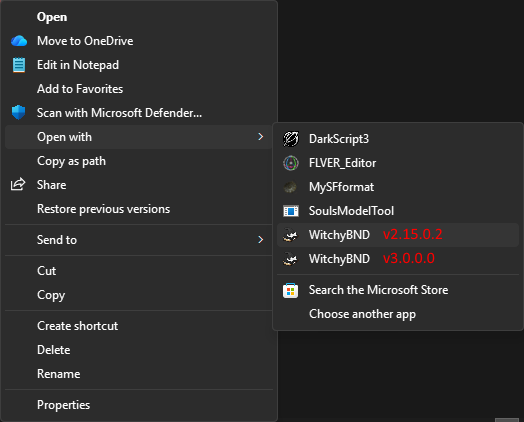
When I "Unregister WitchyBND context menu" for v3.0.0.0, I have Value cannot be null. But I can Unregister v2.15.0.2 again and again no unhandled exception.

I tried deleted "a" from .dcx Registry Editor, then restart Windows Explorer from Task Manager. (Should I restart PC not restart Windows Explorer?)
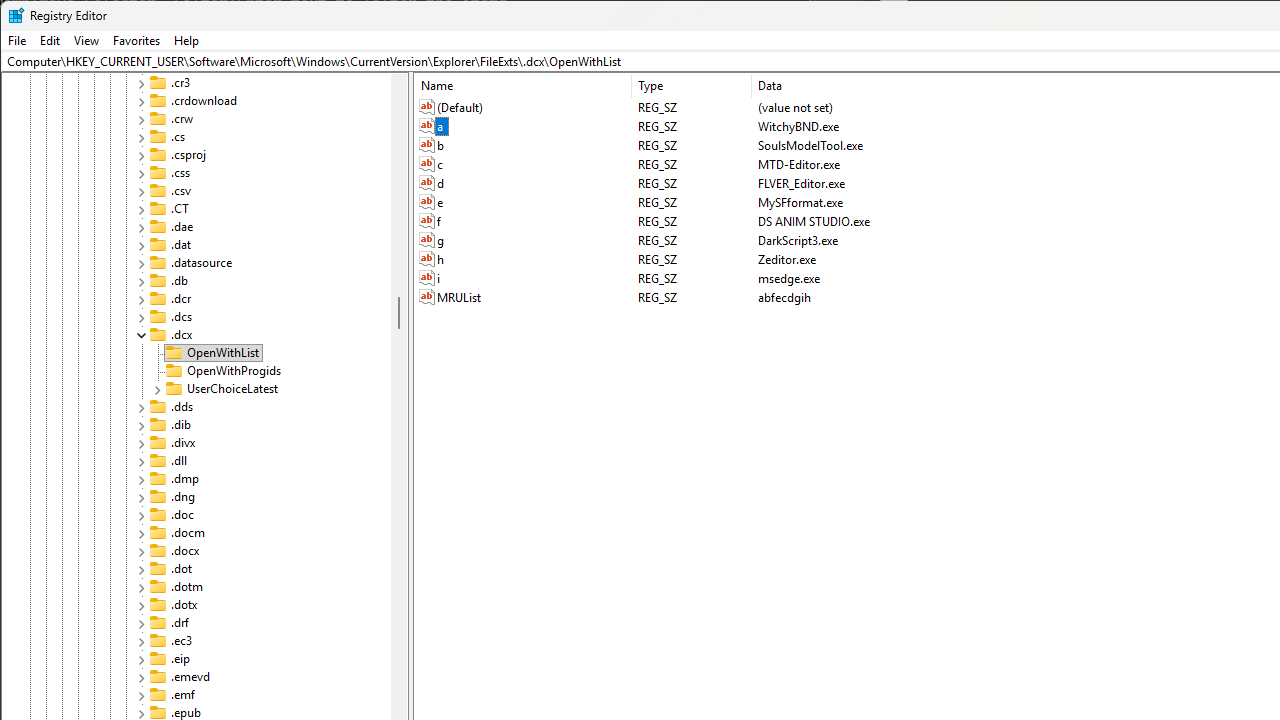
After delete "a", v3.0.0.0 disappeared but v.2.15.0.2 not disappeared. After ran v2.15.0.2, v3.0.0.0 reappeared.
I tried "Unregister old Witchy/Yabber context menu" from v3.0.0.0 but not fixed v2.15.0.2.
Earlier, I "Unregister WitchyBND context menu" for v2.14.4.5, it disappear. If I unregister v3.0.0.0, it disappear too (reappear if run v2.15.0.2). So I don't know how I disappear v2.15.0.2. I'm sorry for the trouble, thank you for your help.
Hello, when I "Unregister WitchyBND context menu" or "Unregister old Witchy/Yabber context menu", v2.15.0.2 still inside my Open With. After, I tried "Register WitchyBND context menu" before unregister.

When I "Unregister WitchyBND context menu" for v3.0.0.0, I have Value cannot be null. But I can Unregister v2.15.0.2 again and again no unhandled exception.

I tried deleted "a" from .dcx Registry Editor, then restart Windows Explorer from Task Manager. (Should I restart PC not restart Windows Explorer?)

After delete "a", v3.0.0.0 disappeared but v.2.15.0.2 not disappeared. After ran v2.15.0.2, v3.0.0.0 reappeared.
I tried "Unregister old Witchy/Yabber context menu" from v3.0.0.0 but not fixed v2.15.0.2.
Earlier, I "Unregister WitchyBND context menu" for v2.14.4.5, it disappear. If I unregister v3.0.0.0, it disappear too (reappear if run v2.15.0.2). So I don't know how I disappear v2.15.0.2. I'm sorry for the trouble, thank you for your help.