背景
JSで音をでるようなスクリプトを作って、browserから音を出るようにしたいだけど、手元のブラウザだと動けるけど、raspberry pi 3のchromiumだと動かなかった。
調査
ブラウザ
まずブラウザの原因だと判断して、サポートしてるブラウザを調査した。
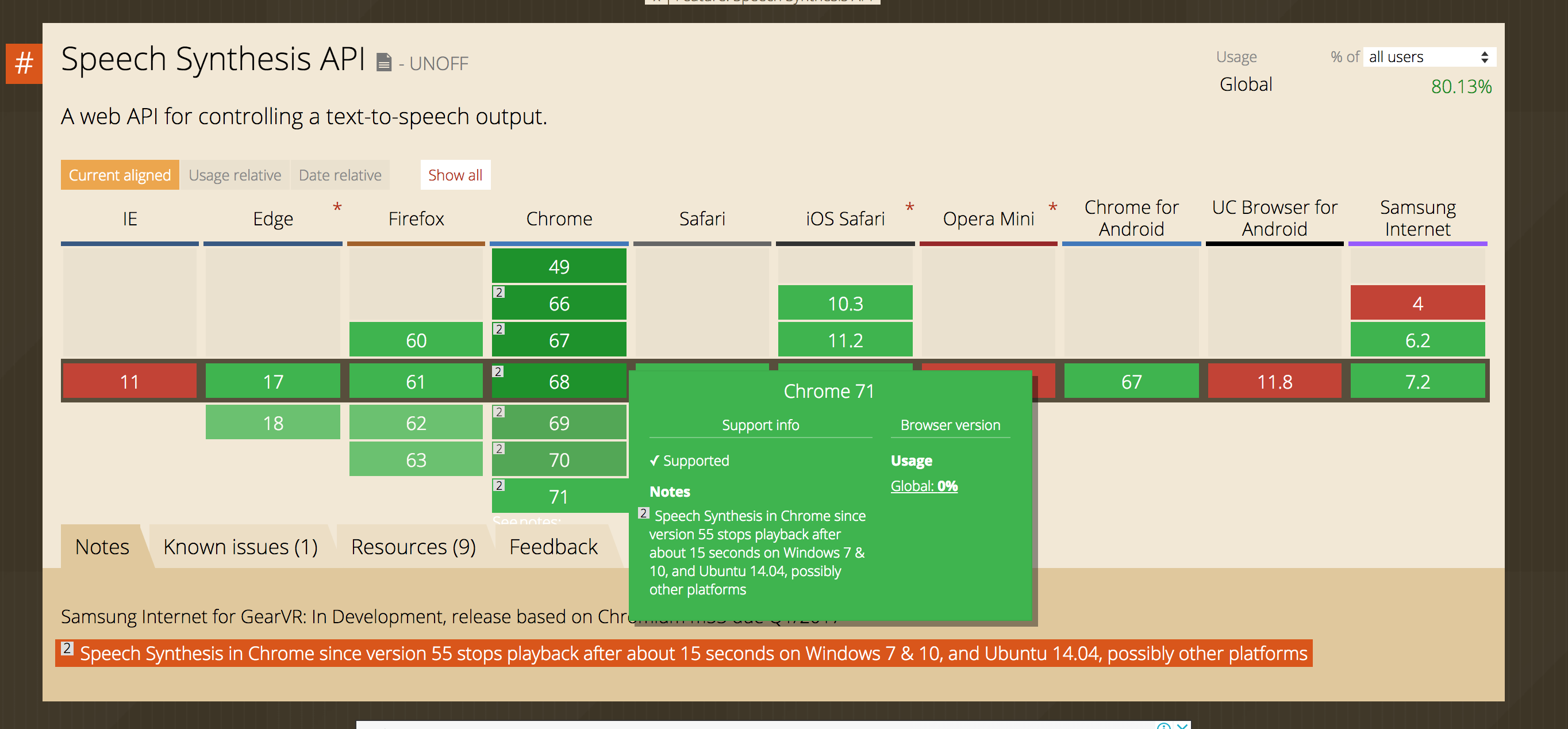
https://caniuse.com/#feat=speech-synthesis
現状は:
pi@raspberrypi:~ $ chromium-browser --version
 --disable-quic --enable-tcp-fast-open --disable-gpu-compositing --ppapi-flash-path=/usr/lib/chromium-browser/libpepflashplayer.so --ppapi-flash-args=enable_stagevideo_auto=0 --ppapi-flash-version=
Chromium 65.0.3325.181 Built on Raspbian , running on Raspbian 9.4
chroimuのバージョンを49にしてみた
/etc/apt/source.listに以下の行を追加した。
sudo apt-get remove chromium-codecs-ffmpeg-extra chromium-browser chromium-browser-l10n
pi@raspberrypi:~ $ sudo apt install  chromium-browser=49.0.2623.108-0ubuntu0.14.04.1.1113  --yes -f
Reading package lists... Done
Building dependency tree
Reading state information... Done
Some packages could not be installed. This may mean that you have
requested an impossible situation or if you are using the unstable
distribution that some required packages have not yet been created
or been moved out of Incoming.
The following information may help to resolve the situation:

The following packages have unmet dependencies:
 chromium-browser : Depends: chromium-codecs-ffmpeg-extra (= 49.0.2623.108-0ubuntu0.14.04.1.1113) but 65.0.3325.181-0+rpt4 is to be installed or
                             chromium-codecs-ffmpeg (= 49.0.2623.108-0ubuntu0.14.04.1.1113) but it is not going to be installed
                    Recommends: chromium-browser-l10n but it is not going to be installed
E: Unable to correct problems, you have held broken packages.
背景
JSで音をでるようなスクリプトを作って、browserから音を出るようにしたいだけど、手元のブラウザだと動けるけど、raspberry pi 3のchromiumだと動かなかった。
調査
ブラウザ
まずブラウザの原因だと判断して、サポートしてるブラウザを調査した。
https://caniuse.com/#feat=speech-synthesis
現状は:
chroimuのバージョンを49にしてみた
/etc/apt/source.listに以下の行を追加した。