Describe the bug
Less of a bug, and more of a UX concern, it's confusing when attempting to setup a new renderer using the 'Internal Deployment' option.
Right now, when setting up a new renderer with the 'Internal Deployment' option selected the user sees the following module:
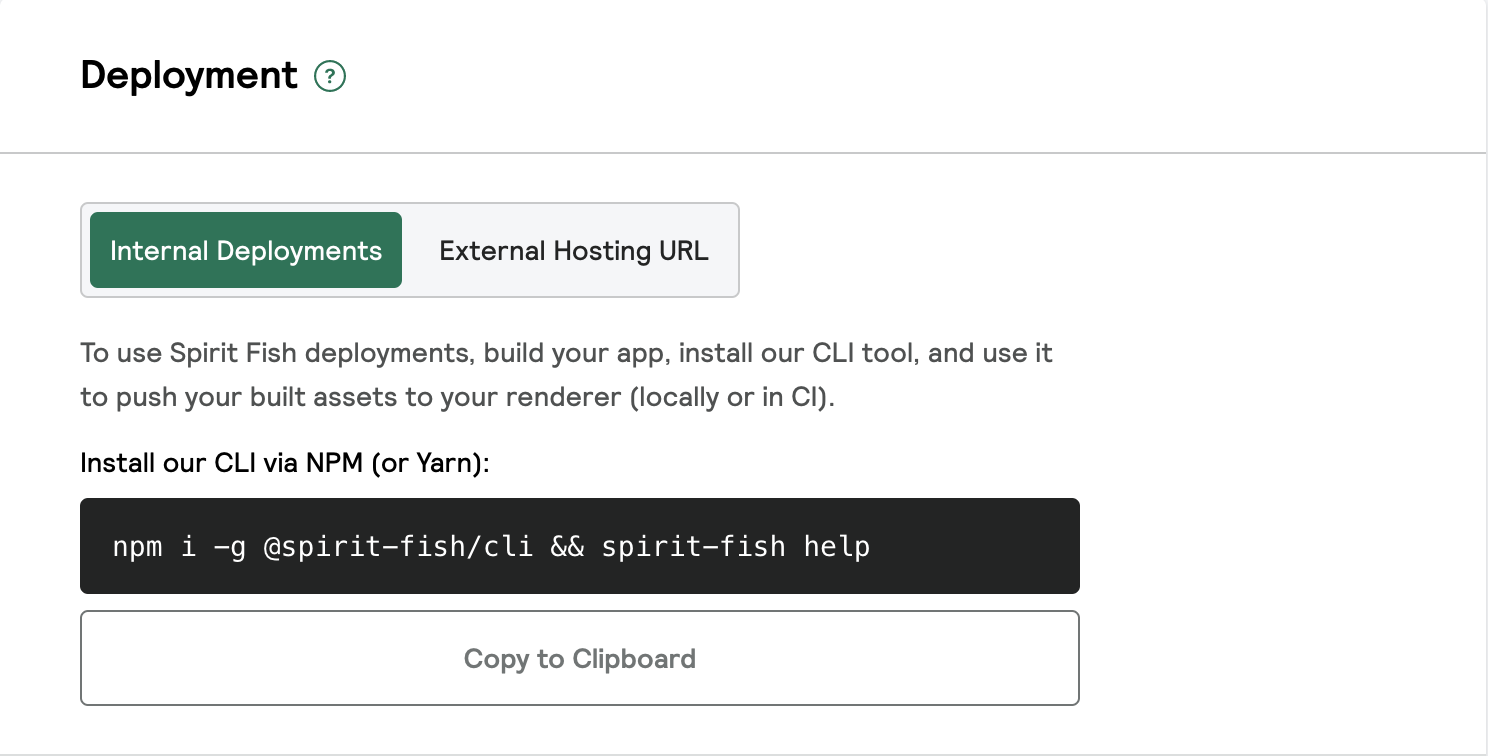
The user cannot take any action until the renderer is deployed, but it is not clear that a first deployment via the spirit-fish CLI is required, before:
- Being able to enter a custom host url
- Being able to "Update Renderer" via the cta at the bottom of the page
To Reproduce
- Create a new renderer, and attempt to follow the instructions when "Internal Deployments" is selected
- Click 'Update Renderer' when 'Internal Deployments' is selected
Expected behavior
- Clear instructions that indicate that an initial deployment via the CLI is required in order to proceed with the 'Internal Deployments' option selected
- A clearer error that states that
Please do you first deploy via our CLI, or if you're using a different hosting provider, select external hosting and enter your host URL. when 'Update Renderer' is triggered

Describe the bug
Less of a bug, and more of a UX concern, it's confusing when attempting to setup a new renderer using the 'Internal Deployment' option.
Right now, when setting up a new renderer with the 'Internal Deployment' option selected the user sees the following module:
The user cannot take any action until the renderer is deployed, but it is not clear that a first deployment via the spirit-fish CLI is required, before:
To Reproduce
Expected behavior
Please do you first deploy via our CLI, or if you're using a different hosting provider, select external hosting and enter your host URL.when 'Update Renderer' is triggered