This project was created by Olga, Sarah and Josh. For more information please check out our githubs :)
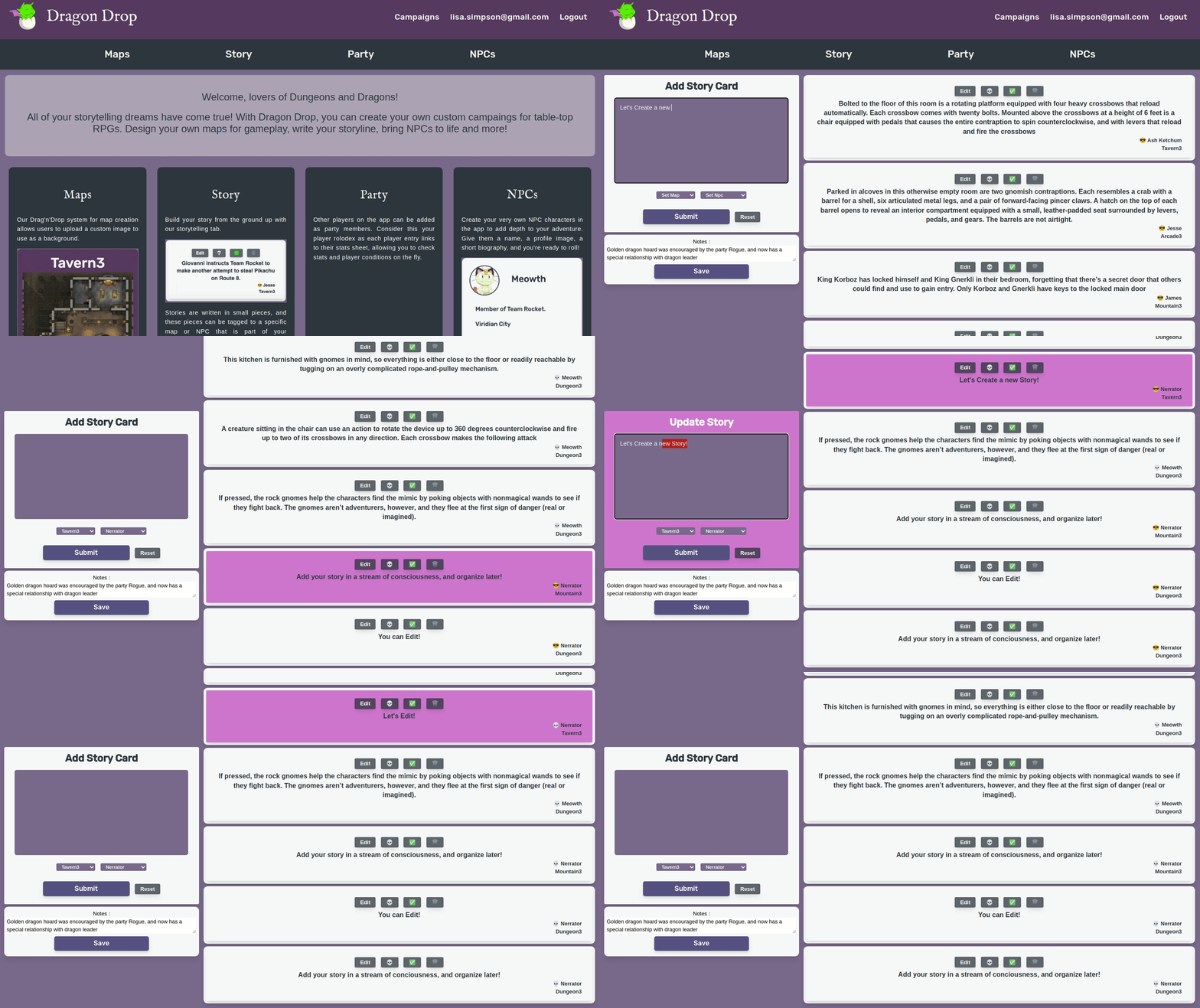
This App is designed for game masters and story tellers. This application serves as an interactive tool for worldbuilding. This app utilises the power of react-dnd library to allow the user to drag and drop various story components inorder to accomodate branching and complex storylines. This is a labour of love, if you are inetrested in contributing to this project, please get in touch!
Breakdown of contributions:
Josh - Maps!
Sarah - NPCs, Campaigns history
Olga - Story, selected art assets, player characters and logo
- Free flowing story management system that integrates Drag and Drop
- Multi Dashboard system for DnD story telling intricacies
- A SQL based data management system for easy campaign wide updates
- Unique Use of react-dnd for a gridless map system
- Story Editor/Maker
- Add Story Cards
- Edit Story Cards
- Link NPCs to Cards
- Mark Cards as Completed
- Toggle NPC Status
- NPC Manager
- Add NPCs
- Update NPCs
- Party(Players) Rolodex style dashboard
- Add registered members
- Add their player sheet for future reference
- Add/Update Player character Icon
- Easy to use Map system with drag and move
- Asset Management
- Add Assets on the Fly
- Remove Assets On the Fly
- Layer Existing Assets
- Story Interaction
- Mark story cards as done
- Toggle NPCs linked to story cards status
- Asset Management
Dragon Drop was Started as a Finals project for Lighthouse Labs full time web dev course
It was designed and developed in 2 weeks We took This opportunity to Apply the skills we learned in ways new to us. This lead us to really understand how to break down problems to engineer solutions


- Clone the repository
- Run
npm installin the\serverand\clientfolders - In the
\servercreate.envbased on our.env.example - On
\serverrunnpm run db:resetthis will seed the database with our pre-made assets - Finally:
On\serverrunnpm run dev
On\client' runnpm start` - Enjoy the app in the browser, when you close the app, your information will be saved, but if ever you need to start over, please run command described in 4 again.
    "@headlessui/react": "^1.5.0",
    "@heroicons/react": "^1.0.6",
    "axios": "^0.26.1",
    "immutability-helper": "^3.1.1",
    "react": "^17.0.2",
    "react-dnd": "^15.1.1",
    "react-dnd-html5-backend": "^15.1.2",
    "react-dom": "^17.0.2",
    "react-router-dom": "^5.3.0",
    "react-scripts": "5.0.0",
    "socket.io-client": "^4.4.1",
    "web-vitals": "^2.1.4"
    "cookie-parser": "~1.4.4",
    "cookie-session": "^2.0.0",
    "debug": "~2.6.9",
    "dotenv": "^16.0.0",
    "express": "~4.16.1",
    "morgan": "~1.9.1",
    "pg": "^8.7.3",
    "socket.io": "^4.4.1",
    "uuid": "^8.3.2"