
Build •
Docker •
Structure •
Snapshot
[Українська] | [česky] | [中文] | [Magyar] | [Español] | [فارسی] | [Français] | [Deutsch] | [Polski] | [Indonesian] | [Suomi] | [മലയാളം] | [日本語] | [Nederlands] | [Italiano] | [Русский] | [Português (Brasil)] | [Esperanto] | [한국어] | [العربي] | [Tiếng Việt] | [Dansk] | [Ελληνικά] | [Türkçe] | [Norsk] | [Română]
We need your help to translate this README, RustDesk UI and RustDesk Doc to your native language
This fork provides unofficial RustDesk client builds for users running self-hosted open-source hbbs / hbbr servers.
It is intended for cases where API login, account, device list, and address book features are needed, but newer RustDesk clients fail to connect to an open-source self-hosted server with errors such as:
Failed to secure tcp: deadline has elapsed
The patch keeps RustDesk API login, account information, device list, address book, custom ID server, relay server, and public key settings. It only prevents the API access_token from being passed into the remote connection setup path, including paths such as Remote::io_loop, Client::start, CLI connect, and port-forward.
Available tokenless builds are published in tokenless-nightly:
- Windows x64 installer and portable package
- Native Windows ARM64 portable package
- Android unsigned APKs, including ARM architectures
The Windows ARM64 package is a native ARM64 client, not an x64 package renamed as ARM64. The workflow verifies rustdesk.exe, librustdesk.dll, flutter_windows.dll, and plugin DLLs as ARM64 PE binaries.
Keywords for search: RustDesk self-hosted server, rustdesk-server, hbbs, hbbr, RustDesk API login, address book, access_token, tokenless client, Failed to secure tcp deadline has elapsed, Windows ARM64 RustDesk, Android RustDesk.
本 fork 提供面向自建 RustDesk 开源 hbbs / hbbr 服务器的非官方兼容版客户端。
适用于你仍然需要 API 登录、账号、设备列表、地址簿功能,但新版 RustDesk 客户端连接自建开源服务器时出现类似错误的场景:
Failed to secure tcp: deadline has elapsed
这个补丁不会移除 RustDesk API 登录、账号信息、设备列表、地址簿、自定义 ID 服务器、中继服务器或公钥配置。它只是在远程连接建立流程中,不再把 API 的 access_token 传入 Remote::io_loop、Client::start、命令行 connect、port-forward 等连接路径。
兼容版构建产物发布在 tokenless-nightly:
- Windows x64 安装包和便携版
- 原生 Windows ARM64 便携版客户端
- Android unsigned APK,包括 ARM 架构版本
其中 Windows ARM64 是原生 ARM64 客户端,不是把 x64 包改名成 ARM64。构建流程会验证 rustdesk.exe、librustdesk.dll、flutter_windows.dll 和插件 DLL 都是 ARM64 PE 二进制文件。
搜索关键词:RustDesk 自建服务器、rustdesk-server、hbbs、hbbr、RustDesk API 登录、地址簿、access_token、tokenless client、Failed to secure tcp deadline has elapsed、Windows ARM64 RustDesk、Android RustDesk。
Caution
Misuse Disclaimer:
The developers of RustDesk do not condone or support any unethical or illegal use of this software. Misuse, such as unauthorized access, control or invasion of privacy, is strictly against our guidelines. The authors are not responsible for any misuse of the application.
Chat with us: Discord | Twitter | Reddit | YouTube

Yet another remote desktop solution, written in Rust. Works out of the box with no configuration required. You have full control of your data, with no concerns about security. You can use our rendezvous/relay server, set up your own, or write your own rendezvous/relay server.
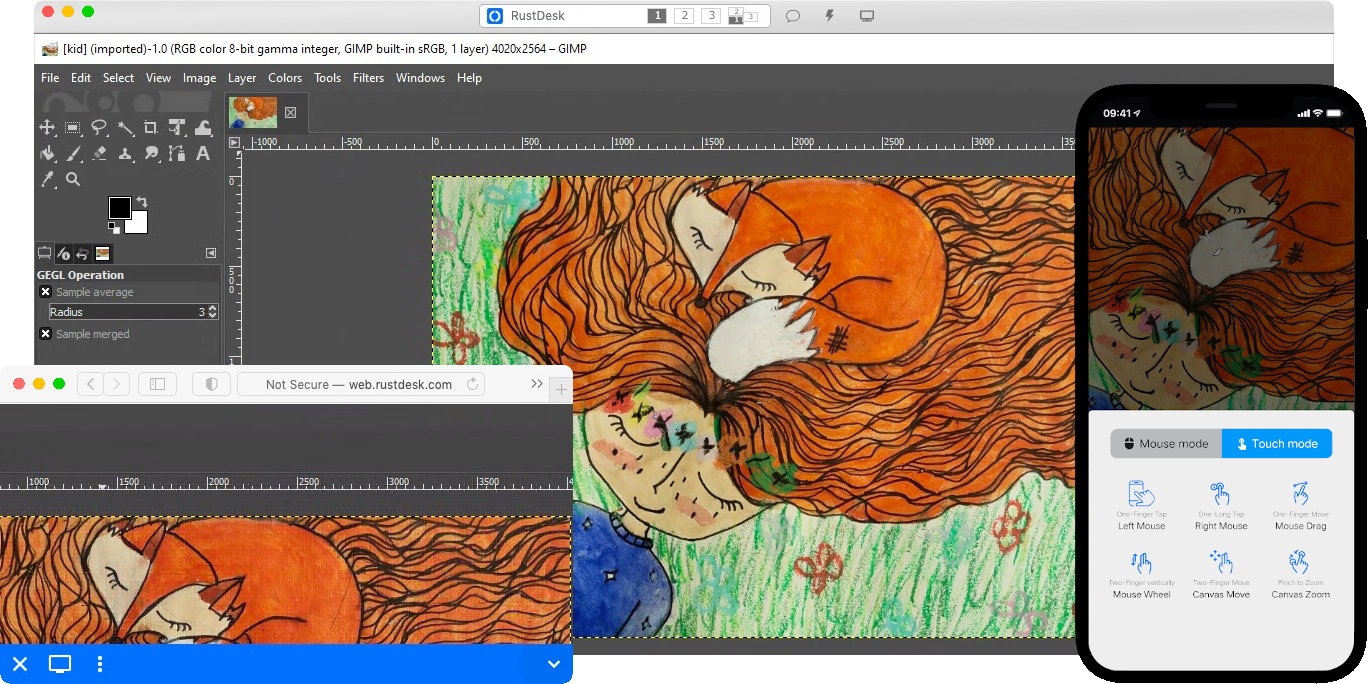
RustDesk welcomes contribution from everyone. See CONTRIBUTING.md for help getting started.

Desktop versions use Flutter or Sciter (deprecated) for GUI, this tutorial is for Sciter only, since it is easier and more friendly to start. Check out our CI for building Flutter version.
Please download Sciter dynamic library yourself.
-
Prepare your Rust development env and C++ build env
-
Install vcpkg, and set
VCPKG_ROOTenv variable correctly- Windows: vcpkg install libvpx:x64-windows-static libyuv:x64-windows-static opus:x64-windows-static aom:x64-windows-static
- Linux/macOS: vcpkg install libvpx libyuv opus aom
-
run
cargo run
sudo apt install -y zip g++ gcc git curl wget nasm yasm libgtk-3-dev clang libxcb-randr0-dev libxdo-dev \
        libxfixes-dev libxcb-shape0-dev libxcb-xfixes0-dev libasound2-dev libpulse-dev cmake make \
libclang-dev ninja-build libgstreamer1.0-dev libgstreamer-plugins-base1.0-dev libpam0g-devsudo zypper install gcc-c++ git curl wget nasm yasm gcc gtk3-devel clang libxcb-devel libXfixes-devel cmake alsa-lib-devel gstreamer-devel gstreamer-plugins-base-devel xdotool-devel pam-develsudo yum -y install gcc-c++ git curl wget nasm yasm gcc gtk3-devel clang libxcb-devel libxdo-devel libXfixes-devel pulseaudio-libs-devel cmake alsa-lib-devel gstreamer1-devel gstreamer1-plugins-base-devel pam-develsudo pacman -Syu --needed unzip git cmake gcc curl wget yasm nasm zip make pkg-config clang gtk3 xdotool libxcb libxfixes alsa-lib pipewiregit clone https://github.com/microsoft/vcpkg
cd vcpkg
git checkout 2023.04.15
cd ..
vcpkg/bootstrap-vcpkg.sh
export VCPKG_ROOT=$HOME/vcpkg
vcpkg/vcpkg install libvpx libyuv opus aomcd vcpkg/buildtrees/libvpx/src
cd *
./configure
sed -i 's/CFLAGS+=-I/CFLAGS+=-fPIC -I/g' Makefile
sed -i 's/CXXFLAGS+=-I/CXXFLAGS+=-fPIC -I/g' Makefile
make
cp libvpx.a $HOME/vcpkg/installed/x64-linux/lib/
cdcurl --proto '=https' --tlsv1.2 -sSf https://sh.rustup.rs | sh
source $HOME/.cargo/env
git clone --recurse-submodules https://github.com/rustdesk/rustdesk
cd rustdesk
mkdir -p target/debug
wget https://raw.githubusercontent.com/c-smile/sciter-sdk/master/bin.lnx/x64/libsciter-gtk.so
mv libsciter-gtk.so target/debug
VCPKG_ROOT=$HOME/vcpkg cargo runBegin by cloning the repository and building the Docker container:
git clone https://github.com/rustdesk/rustdesk
cd rustdesk
git submodule update --init --recursive
docker build -t "rustdesk-builder" .
Then, each time you need to build the application, run the following command:
docker run --rm -it -v $PWD:/home/user/rustdesk -v rustdesk-git-cache:/home/user/.cargo/git -v rustdesk-registry-cache:/home/user/.cargo/registry -e PUID="$(id -u)" -e PGID="$(id -g)" rustdesk-builderNote that the first build may take longer before dependencies are cached, subsequent builds will be faster. Additionally, if you need to specify different arguments to the build command, you may do so at the end of the command in the <OPTIONAL-ARGS> position. For instance, if you wanted to build an optimized release version, you would run the command above followed by --release. The resulting executable will be available in the target folder on your system, and can be run with:
target/debug/rustdeskOr, if you're running a release executable:
target/release/rustdeskPlease ensure that you run these commands from the root of the RustDesk repository, or the application may not find the required resources. Also note that other cargo subcommands such as install or run are not currently supported via this method as they would install or run the program inside the container instead of the host.
- libs/hbb_common: video codec, config, tcp/udp wrapper, protobuf, fs functions for file transfer, and some other utility functions
- libs/scrap: screen capture
- libs/enigo: platform specific keyboard/mouse control
- libs/clipboard: file copy and paste implementation for Windows, Linux, macOS.
- src/ui: obsolete Sciter UI (deprecated)
- src/server: audio/clipboard/input/video services, and network connections
- src/client.rs: start a peer connection
- src/rendezvous_mediator.rs: Communicate with rustdesk-server, wait for remote direct (TCP hole punching) or relayed connection
- src/platform: platform specific code
- flutter: Flutter code for desktop and mobile
- flutter/web/js: JavaScript for Flutter web client


