All code written by Owen Melville with contributions by Ilya Yakavets, Monique Ngan and ChatGPT.
-
Locator.py: Contains a list of physical locations used by the Robot
-
North_Safe.py Contains the reusable code for the control of the North Robot and the North Track which goes between the Cytation 5 and the North Robot. This is the most in-depth file.
-
biotek.py Contains the code for control of the Cytation 5. Ilya has a newer version with more capabilities.
-
master_usdl_coordinator.py Contains reusable workflow code that uses multiple instruments: Cytation 5, North Robot & Track, Photoreactor
-
north_gui.py Mostly written by chatGPT, intended as a base for a resuable gui for different workflows
-
photoreactor_controller Controls the photoreactor via Raspberry Pi Pico. reactor_test.py is the local Pico program.
-
requirements.txt What packages need installation to use all this?
-
slack_agent.txt Controls messages sent to slack from the robot. Mostly written by ChatGPT.
-
analysis : Contains programs that analyze data from the robot to produce a result usable by the recommenders
-
photo-reactor : Contains the RPi program for the photoreactor.
-
recommenders: Contains programs (eg using Baybe) to recommend conditions
-
status: Contains transferrable data structures (eg vial status). In the long run these will represent objects with states that transfer between modules
-
tests: Contains short test or commonly used programs for the setup.
-
workflows: Contains active workflows that are designed for the setup, such as the color matching workflow.
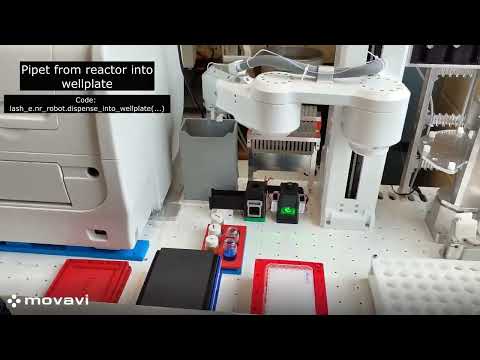
The sample workflow contained in this video is labelled and contains the programming elements in the sample_workflow.py program in the "workflows" directory.
Pipeline components live under research/literature_search/:
- Fetch + extract + score produce
scored_candidates.csvand parsed JSONL. - Gating selects top percentile candidates; exploration sampling can add mid/low segments.
prompt_preview.py(already run) renders offline prompts for inspection.llm_label.pysends prompts to an OpenAI-compatible model and writes JSONL labels.
Create a .env file at repo root (already git-ignored via *.env) with:
OPENAI_API_KEY=sk-...
# Optional self-host / proxy endpoint:
# OPENAI_BASE_URL=https://your-proxy.example.com
Ensure openai and python-dotenv were installed (added to requirements.txt).
python research/literature_search/scripts/llm_label.py --input research/literature_search/data/prompt_preview_new.jsonl --output research/literature_search/data/llm_labels_dry.jsonl --dry-run
python research/literature_search/scripts/llm_label.py --input research/literature_search/data/prompt_preview_new.jsonl --output research/literature_search/data/llm_labels.jsonl --model gpt-4o-mini --rate-limit-per-min 40
--rate-limit-per-min is a client-side throttle; adjust per your quota. Output lines contain:
{"id": "...", "model_output": { ... schema ... }}
- Aggregate labels and fit calibration (logistic) from axis vector -> relevance probability.
- Consider renaming
device_penaltyaxis after initial calibration so all axes share the same directionality (higher=better) before probability fitting.