



Freqtrade is a powerful, free and open source crypto trading bot written in Python. It features:
- 📊 Advanced technical analysis and trading strategies
- 🔧 Support for all major cryptocurrency exchanges
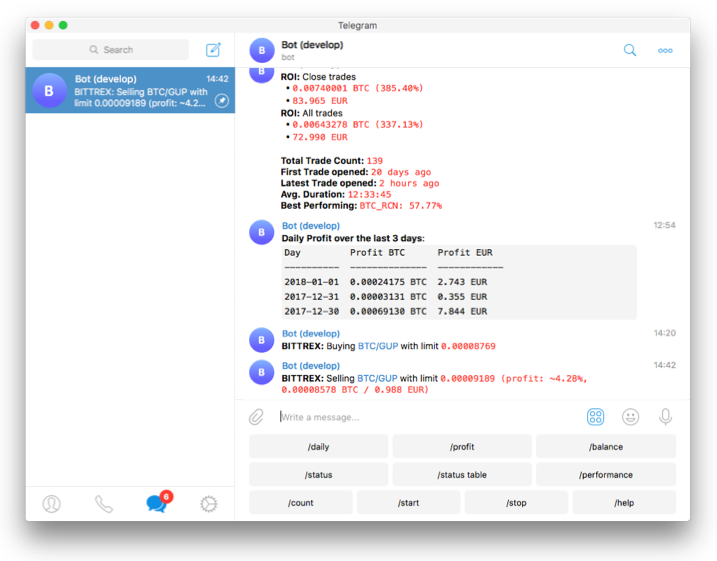
- 📱 Control via Telegram or modern Web UI
- 📈 Comprehensive backtesting and strategy optimization
- 🤓 Machine learning integration for smart trading decisions
This software is for educational purposes only. Do not risk money which you are afraid to lose. USE THE SOFTWARE AT YOUR OWN RISK. THE AUTHORS AND ALL AFFILIATES ASSUME NO RESPONSIBILITY FOR YOUR TRADING RESULTS.
- ✅ Binance
- ✅ Bitmart
- ✅ BingX
- ✅ Bybit
- ✅ Gate.io
- ✅ HTX
- ✅ Hyperliquid (DEX)
- ✅ Kraken
- ✅ OKX
- ✅ MyOKX (OKX EEA)
- ✅ Binance Futures
- ✅ Gate.io Futures
- ✅ Hyperliquid
- ✅ OKX Futures
- ✅ Bybit Futures
View all supported exchanges →
- Using Docker (Recommended)
docker-compose up -d- Manual Installation
git clone https://github.com/Ali-hey-0/Freqtrade.git
cd Freqtrade
pip install -r requirements.txt
View detailed installation guide →
- 🐍 Built with Python 3.10+
- 💾 SQLite persistence
- 🔄 Dry-run testing
- 📊 Advanced backtesting
- 🤖 ML-powered strategy optimization
- 🎯 Edge position sizing
- ⚡ Real-time trading
- 📱 Telegram/Web UI control
- 📈 Profit/loss tracking
- 🔒 Security-focused design
We welcome contributions! Please see our Contributing Guidelines for details.
- Fork the repository
- Create your feature branch (
git checkout -b feature/AmazingFeature) - Commit your changes (
git commit -m 'Add some AmazingFeature') - Push to the branch (
git push origin feature/AmazingFeature) - Open a Pull Request
- Hardware: 2GB RAM, 1GB disk space, 2vCPU (minimum)
- Software: Python 3.10+, pip, git, TA-Lib
- Optional: Docker (recommended)
This project is licensed under the MIT License - see the LICENSE file for details.
⭐️ Star this repository if you found it helpful!