A lightweight, beautiful Docker management panel — built as an alternative to Portainer.






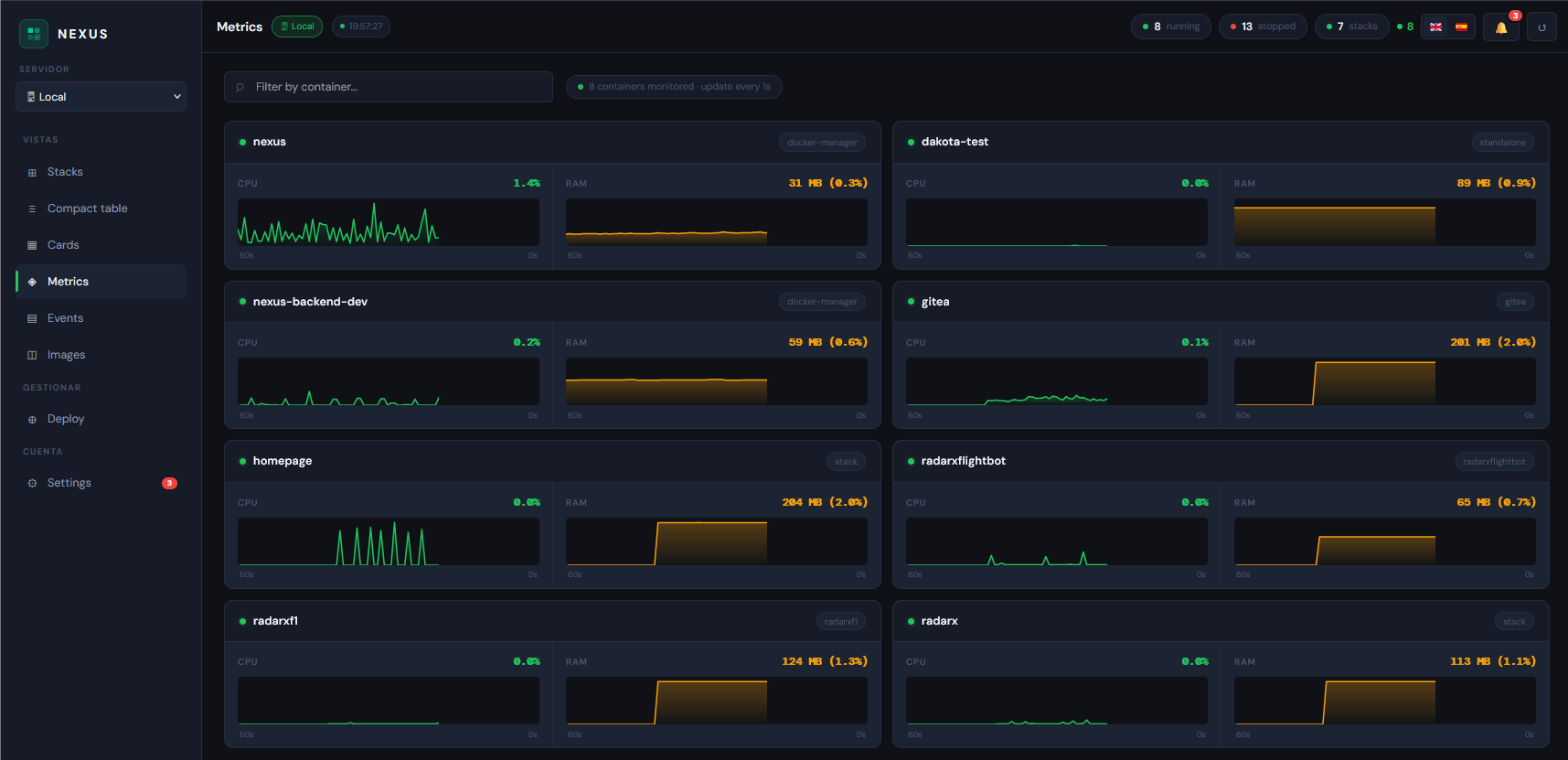
- 📊 Real-time metrics — CPU & RAM per container with 60s sparkline history
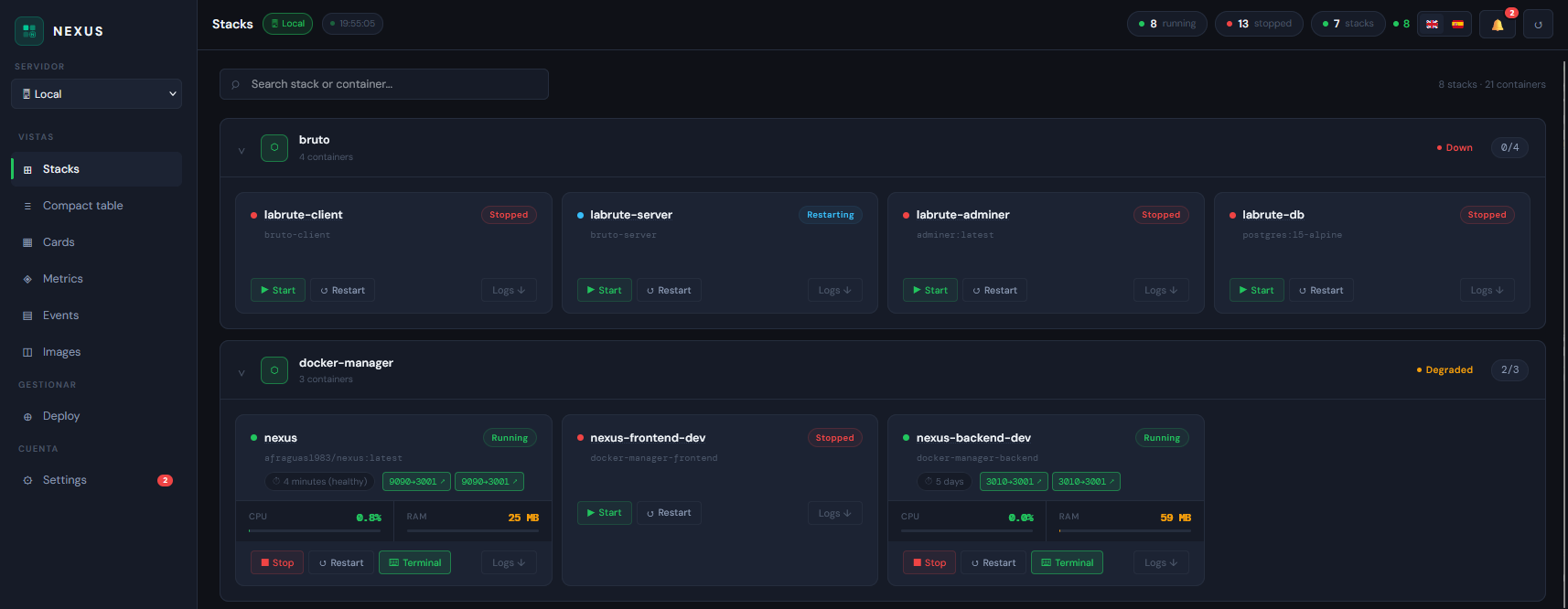
- 📦 Stack view — containers grouped by docker-compose project with health status
- 🗂️ Compact table — dense
docker ps-style view with sortable columns - 💻 Integrated terminal —
docker execshell directly from the browser - 🖼️ Image management — list, inspect, pull from Docker Hub, delete
- 🌐 Network management — list, create, delete, inspect Docker networks
- 💾 Volume management — list, create, delete, inspect Docker volumes
- 🔒 Multi-user — Admin and Viewer roles with JWT authentication
- 🌍 Full EN/ES i18n — English and Spanish UI
- 📱 PWA + mobile responsive — works on phone and tablet
- 🔔 Telegram alerts — instant notifications on container down events
- 📋 Event history — full log of container lifecycle events
- 🚀 Stack deploy — deploy docker-compose stacks from the UI with YAML editor
- 🔍 Docker Scout — CVE scanning integrated directly in image management
- 🖥️ Multi-host — manage multiple Docker hosts via NEXUS Agent (Windows, Linux, macOS)
docker run -d \
  --name nexus \
  -p 9090:3001 \
  -v /var/run/docker.sock:/var/run/docker.sock \
  afraguas1983/nexus:latest
Or with Docker Compose:
git clone https://github.com/Alvarito1983/NEXUS.git
cd NEXUS
cp .env.example .env
docker compose up -d
Open http://localhost:9090 — default credentials: admin / admin
NEXUS works fully standalone — no Hub required. Hub is an optional add-on that adds:
- Centralised login — one user database for all NEXUS ecosystem tools
- SSO — click "Open" in Hub to jump straight into NEXUS without re-logging in
- Service registry — Hub shows a live overview of all connected tools and their stats
- Host directory — hosts added in NEXUS are shared with Watcher, Pulse, etc.
To connect NEXUS to Hub, set these variables in your .env:
NEXUS_HUB_URL=http://nexus-hub:3003        # internal Docker network address of Hub
NEXUS_API_KEY=your-shared-secret           # must match Hub's NEXUS_API_KEY
NEXUS_URL=http://nexus:3001                # internal address Hub uses to poll /health
NEXUS_PUBLIC_URL=http://your-server:9090   # browser-accessible URL shown in Hub
NEXUS_PUBLIC_HUB_URL=http://your-server:9095
Leave NEXUS_HUB_URL empty (the default) to run in standalone mode.
- In NEXUS go to Settings → Hosts and click + Add remote host
- Give the host a name (e.g.
My Server,NAS,VPS) - Select the OS running on the remote machine (Windows, Ubuntu, Debian, Fedora, Red Hat, Rocky Linux, Alpine, or Other Linux)
- Click Generate token → — NEXUS generates a token and shows a ready-to-use
docker-compose.ymlwith everything pre-filled - Copy the
docker-compose.ymlto your remote machine and run:
docker compose up -d=======
The agent connects automatically to NEXUS and the remote host appears in the server selector. No firewall rules, no port forwarding, no manual .env files — the connection is always outbound from the agent.
⚠️ Windows only: Before running the agent, enable the Docker daemon TCP port in Docker Desktop → Settings → General → ✅ Expose daemon on tcp://localhost:2375 without TLS
- Vite migration (eliminated all frontend CVEs)
- node:24-alpine base image
- Networks & Volumes management
- Docker Scout CVE integration
- Full EN/ES i18n
- PWA support
- NEXUS Agent — universal multi-host support via WebSocket
- Works on Windows, Linux, and macOS — with or without Docker Desktop
- Outbound connection only — no open ports on the client
- Token-based authentication
- Auto-reconnect on network interruption
- Login card redesign
- Sidebar logo and subtitle update
- i18n improvements
- Add host wizard — 3-step guided flow in Settings → Hosts
- Step 1: name the host
- Step 2: select OS (Windows, Ubuntu, Debian, Fedora, Red Hat, Rocky Linux, Alpine, Other Linux)
- Step 3: NEXUS generates a ready-to-use
docker-compose.ymlwith token pre-filled
- OS logos in host selector and host list
- Custom dropdown server selector with OS icons
- One-command agent deployment — no manual
.envrequired
- Agent install script — wizard step 3 now downloads a ready-to-run bash script instead of showing a compose snippet to copy
- Script creates
docker-compose.yml(env-var based) and.envwith real credentials, runsdocker compose up -d, then tails logs - Download uses a pre-rendered
<a download>with a data URI — no async onClick
- Script creates
- Non-root agent container —
agent/Dockerfilenow runs as usernexus(added todockergroup, GID 999) - Version bump to 1.5.4
- Complete UI overhaul — Dark Premium design language (Linear / Vercel aesthetic)
- New design system: Inter + JetBrains Mono, layered dark backgrounds, accent-driven colour system
- Sidebar with Lucide React icons and proper active/hover states
- Stat cards on dashboard (Total, Running, Stopped, Images) with skeleton loading
- Login page redesigned: centred card with radial accent glow, fadeSlideUp animation
- Shared component library: Button, Badge, Card, Input, EmptyState, Skeleton
- Watcher integration — updates widget on dashboard showing pending image updates
- One-click update and rollback from NEXUS UI
The big one. NEXUS becomes the central hub of the NEXUS Ecosystem — a suite of modular, standalone Docker management tools that integrate seamlessly when used together.
"Each tool works. Together, they think."
Inspired by the Apple ecosystem philosophy: every product is complete on its own, but together they create an experience no competitor can replicate. A single environment variable (NEXUS_URL) is all it takes to activate full integration.
NEXUS OS              — Unified dashboard, SSO, service registry
├── NEXUS             — Docker manager          :9090  ✅ live
├── NEXUS Watcher     — Update detection        :9091  ✅ live
├── NEXUS Pulse       — Uptime & health         :9092  🔜 Q3 2026
├── NEXUS Security    — CVEs, SSL, 2FA, audit   :9093  🔜 Q3 2026
├── NEXUS Notify      — Unified alert router    :9094  🔜 Q2 2026
└── NEXUS Proxy       — Docker socket proxy     :2375  ✅ live
NEXUS OS sits above all tools as the unified control plane:
- Single dashboard aggregating data from all ecosystem tools
- Single sign-on — one login for everything
- Centralised configuration propagated to all tools
- Service registry — automatic discovery of running ecosystem components
- Health overview of the entire homelab at a glance
Each tool is standalone. No tool requires another to function. Integration activates automatically when NEXUS_URL is set.
- Cloud-hosted NEXUS OS
- Multiple organisations and teams
- Free / Pro / Business plans
- Managed updates and SLA guarantee
- Usage-based billing
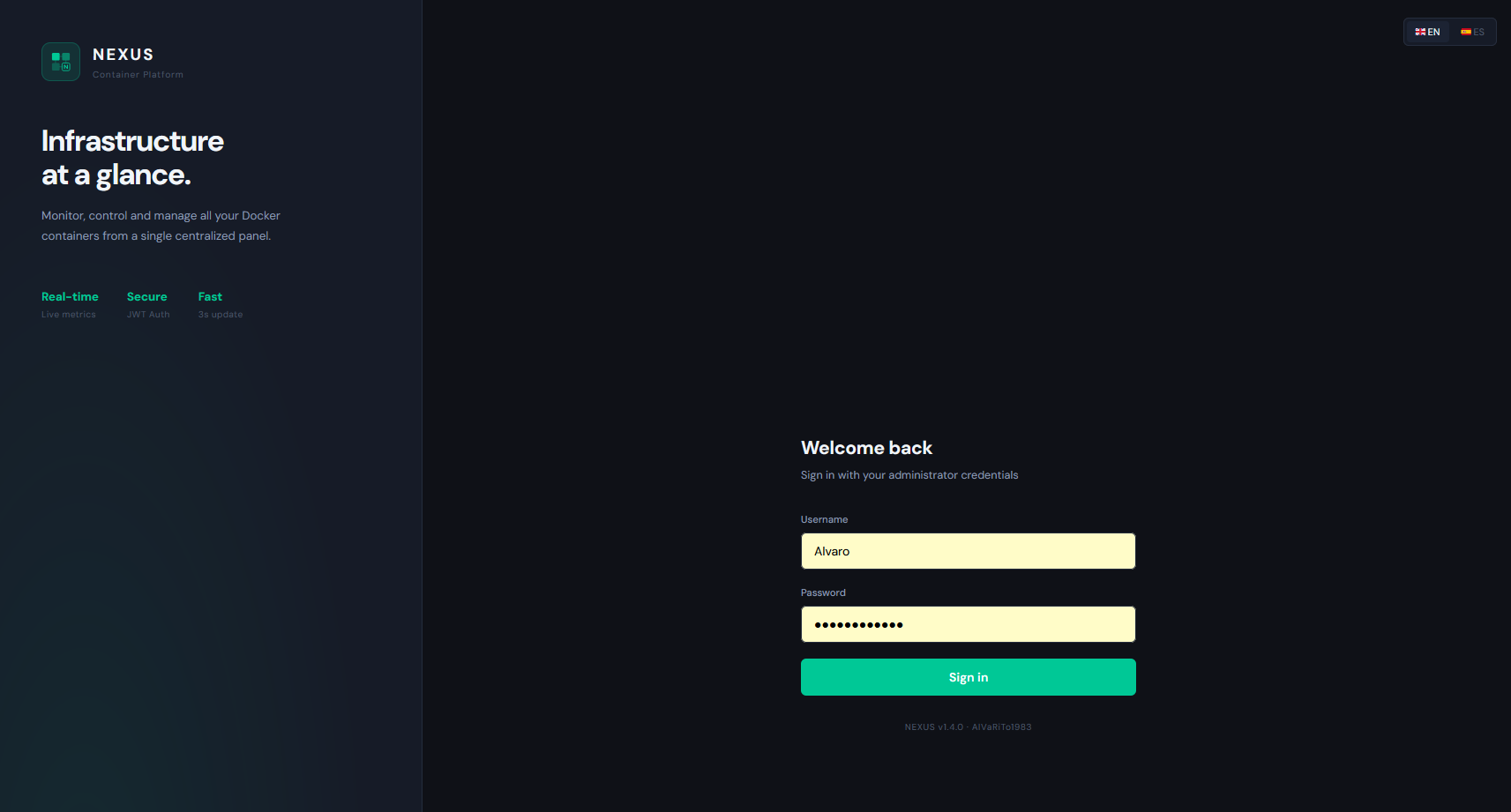
| Login | Dashboard |
|---|---|
 |
 |
| Metrics | Images |
|---|---|
 |
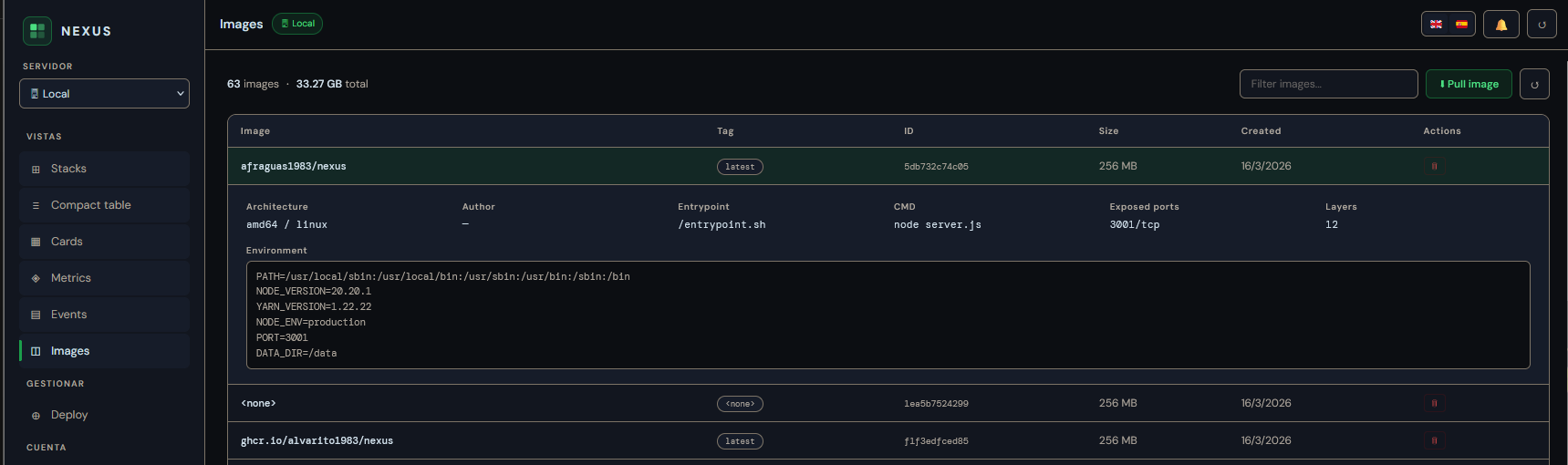 |
| Networks | Volumes |
|---|---|
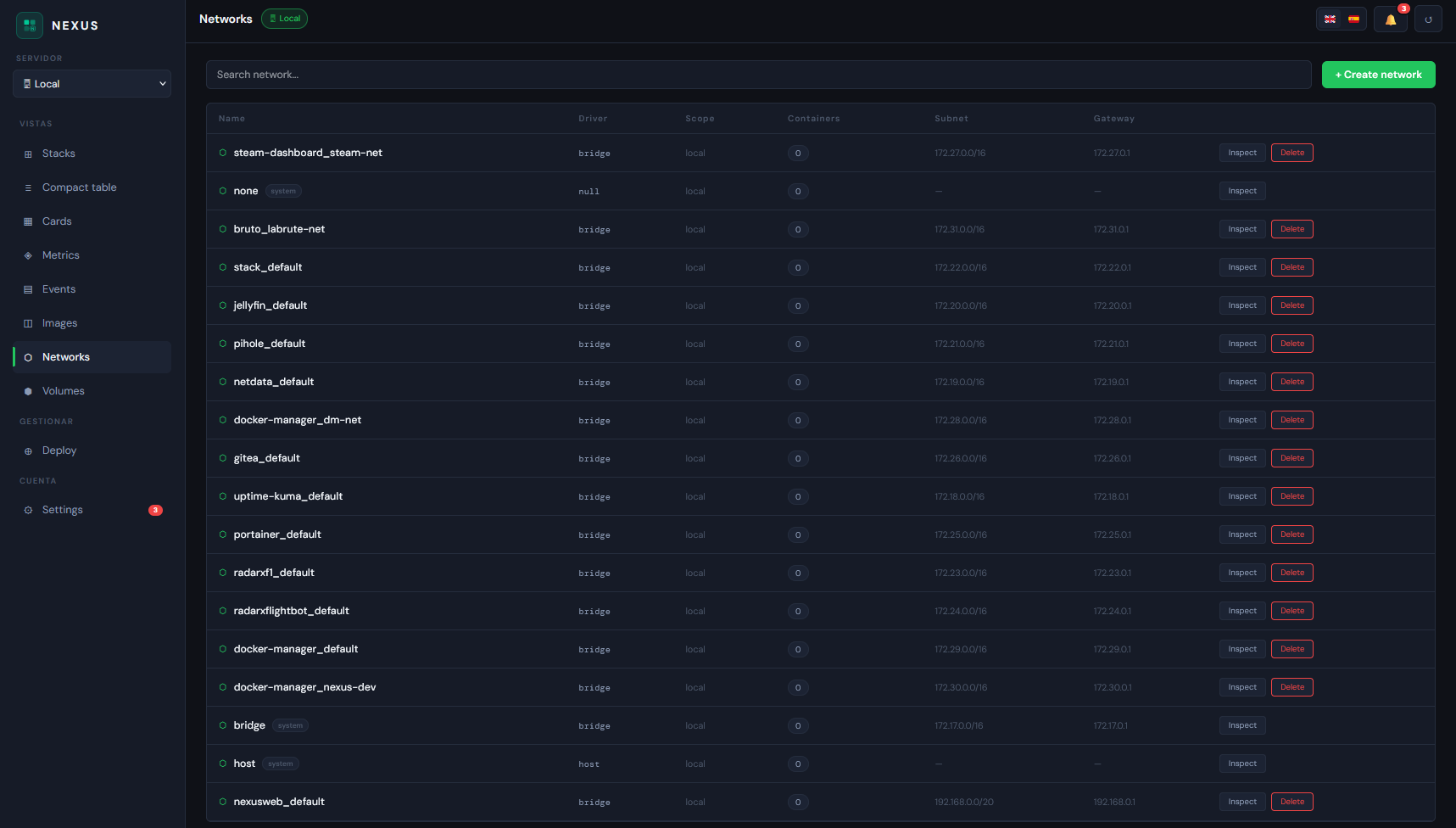 |
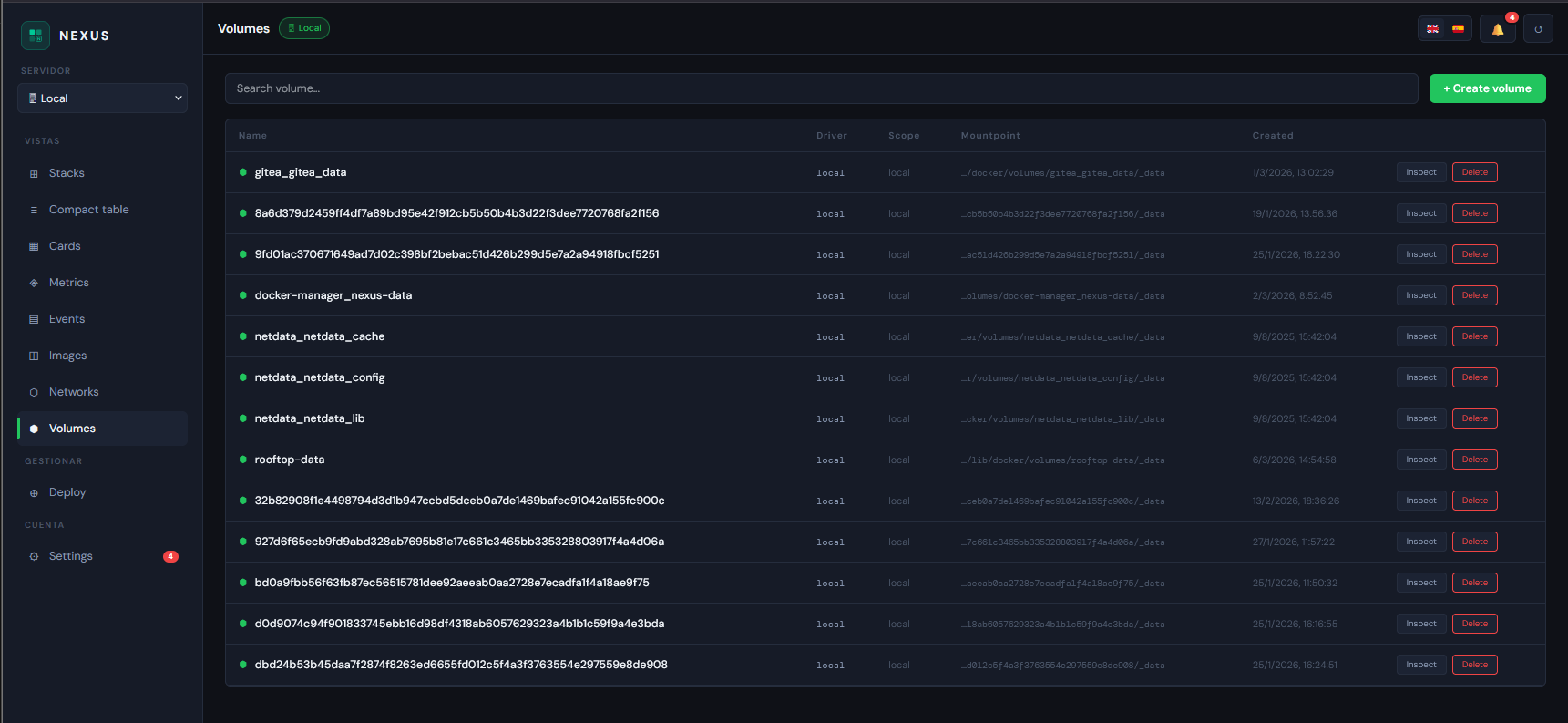 |
| Terminal | Deploy |
|---|---|
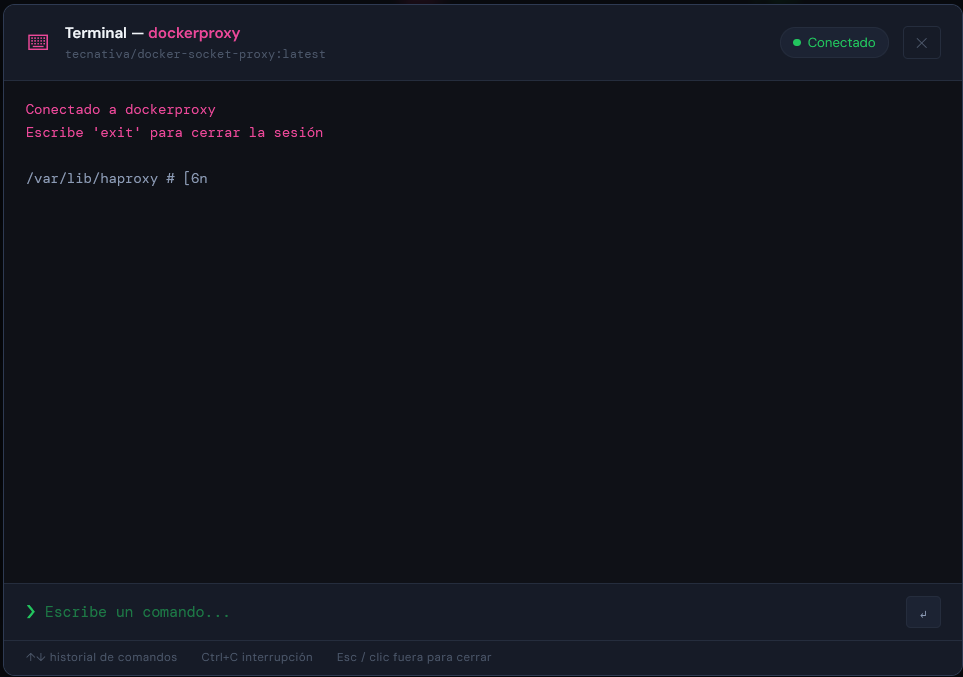 |
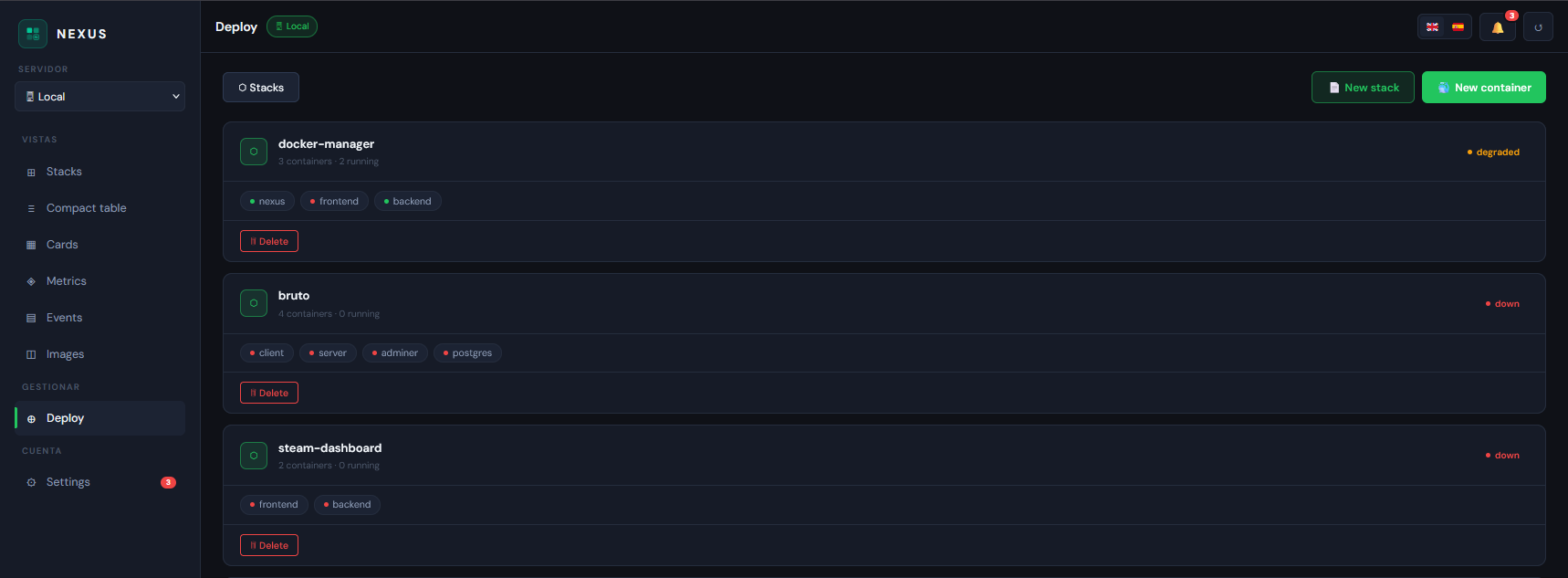 |
- Backend — Node.js 24, Express, Socket.io, Dockerode
- Frontend — React 18, Vite
- Base image —
node:24-alpine - Auth — JWT, multi-user with Admin/Viewer roles
MIT © Alvarito1983
Made with ☕ by Alvarito1983