Releases: Chartres/markdusk
Release list
Markdusk 0.1.0

Markdusk 0.1.0
A Mac-native markdown editor. It just opens the file — no account, no cloud,
no plugins, no knowledge-management religion. Built because the default .md
experience on macOS is TextEdit showing raw asterisks, and everything better is
either paid or asks you to move in.
What's in it
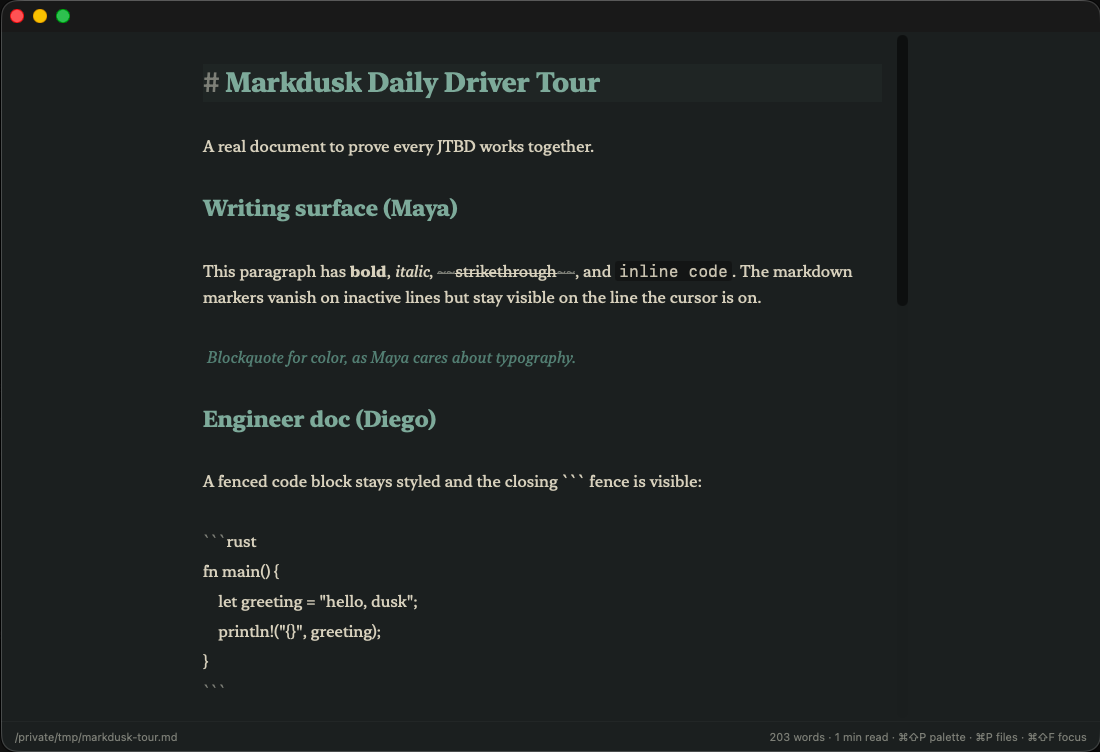
Writing surface
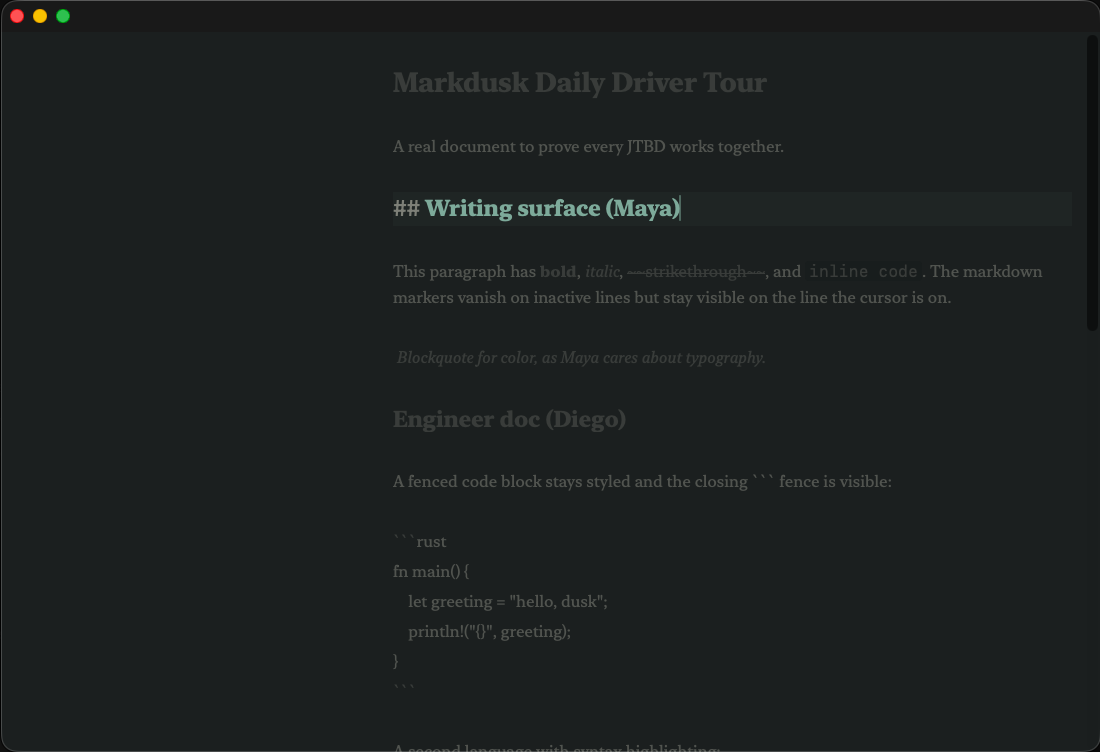
- Soft WYSIWYG — markdown markers hide on inactive lines, stay on the line you're editing.
- Inline KaTeX math and Mermaid diagrams rendered live in the buffer.
- Focus Mode with iA-style paragraph/sentence dim and typewriter scroll.
- Smart punctuation (curly quotes, em-dashes) — off by default, never rewrites silently.
Getting around
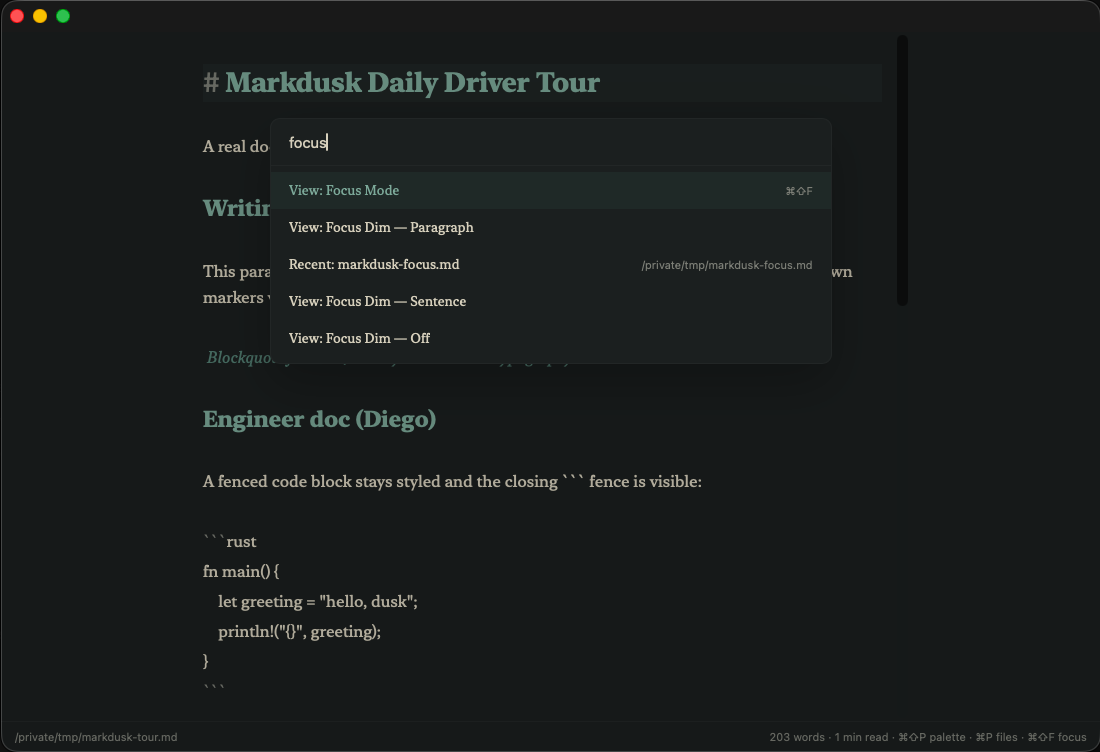
- Command palette (⌘⇧P) and quick file switcher (⌘P) with fuzzy search.
- Jump to heading (⌘⇧G), click-to-jump outline, sticky section heading.
- Wikilinks —
[[file]]autocompletes from the workspace, ⌘-click follows it.
Editor muscle
- Find & Replace with regex, multi-cursor (Alt-click, ⌘D), smart list continuation, bracket auto-pair.
- Keyboard-first table tools — Tab walks cells and keeps the pipes aligned; insert row/column, cycle alignment.
- Front matter collapses to a quiet pill and is never mangled byte-for-byte.
- Syntax highlighting for ~25 languages; line-number and soft-wrap toggles.
Themes & export
- Smoke (sage), Amber (paper), and Verdure — a herbal Art Nouveau theme, each with light/dark/system.
- Export HTML, PDF, and DOCX (via
pandoc); copy as Rich Text for paste into Mail/Slack.
Install
- Download Markdusk.dmg below.
- Open it, drag Markdusk into Applications.
- Launch it. It's signed with a Developer ID and notarized by Apple, so it
opens with no right-click dance.
Requires macOS 12 or later (Apple Silicon and Intel). DOCX export needs
pandoc on your PATH (brew install pandoc).
What it isn't
Not Obsidian — no graph view, no plugin marketplace, no backlinks, no
daily-notes ritual. Not a publishing CMS, not collaborative, not cross-platform
(Mac-only on purpose), not AI-first. It opens the file and gets out of the way.
Honesty
Free and open-source (MIT). No telemetry, no account, no network calls except
the optional update check. Pre-1.0 — if something breaks, open an issue with
the file that broke it.
SHA256 (Markdusk.dmg): 87adc269305cd6d7d8cb7db31b211c9ac55d8e4aaff4ecab18adc572a24f6512
🌿 Built with a herbal Art Nouveau twist.