You signed in with another tab or window. Reload to refresh your session.You signed out in another tab or window. Reload to refresh your session.You switched accounts on another tab or window. Reload to refresh your session.Dismiss alert
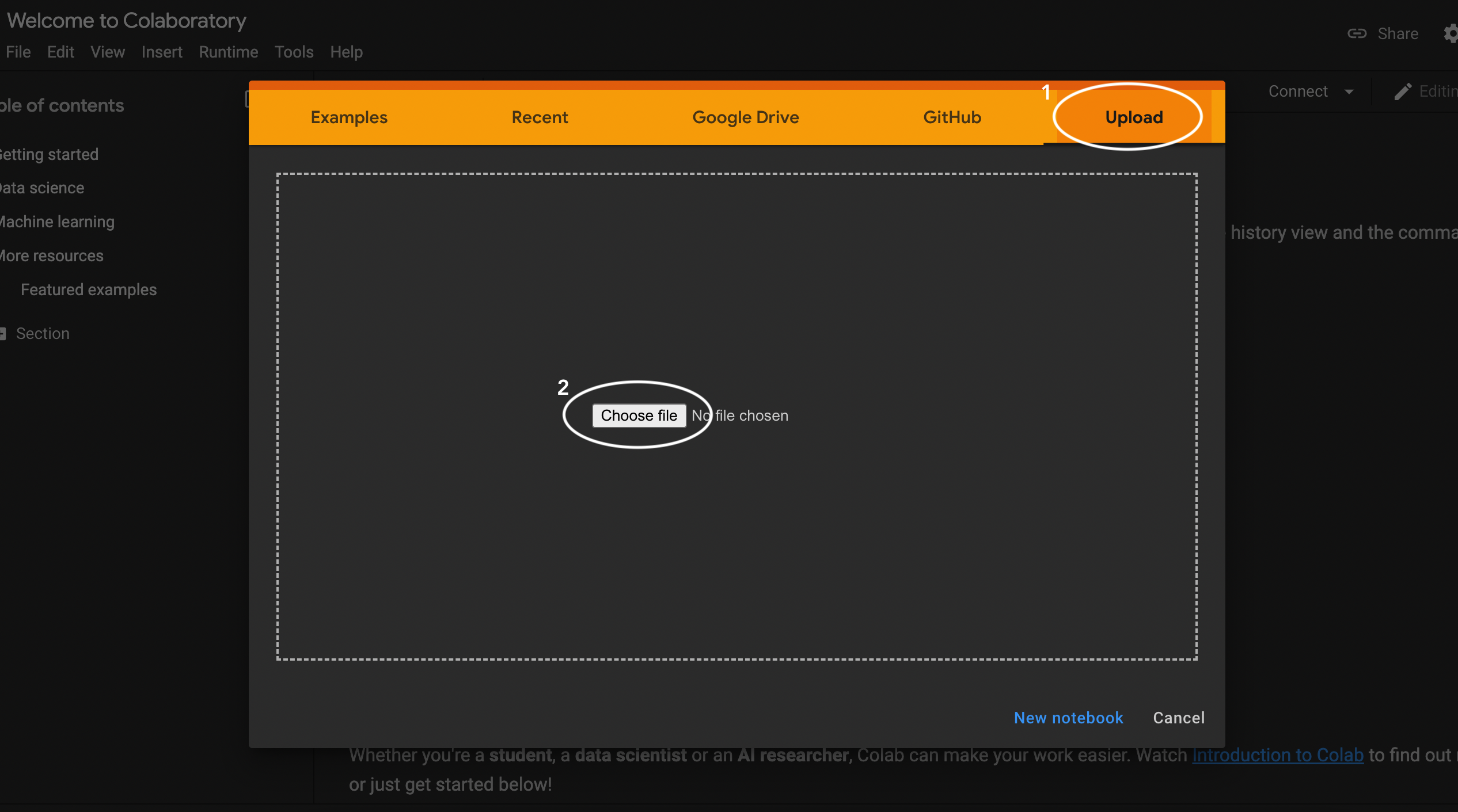
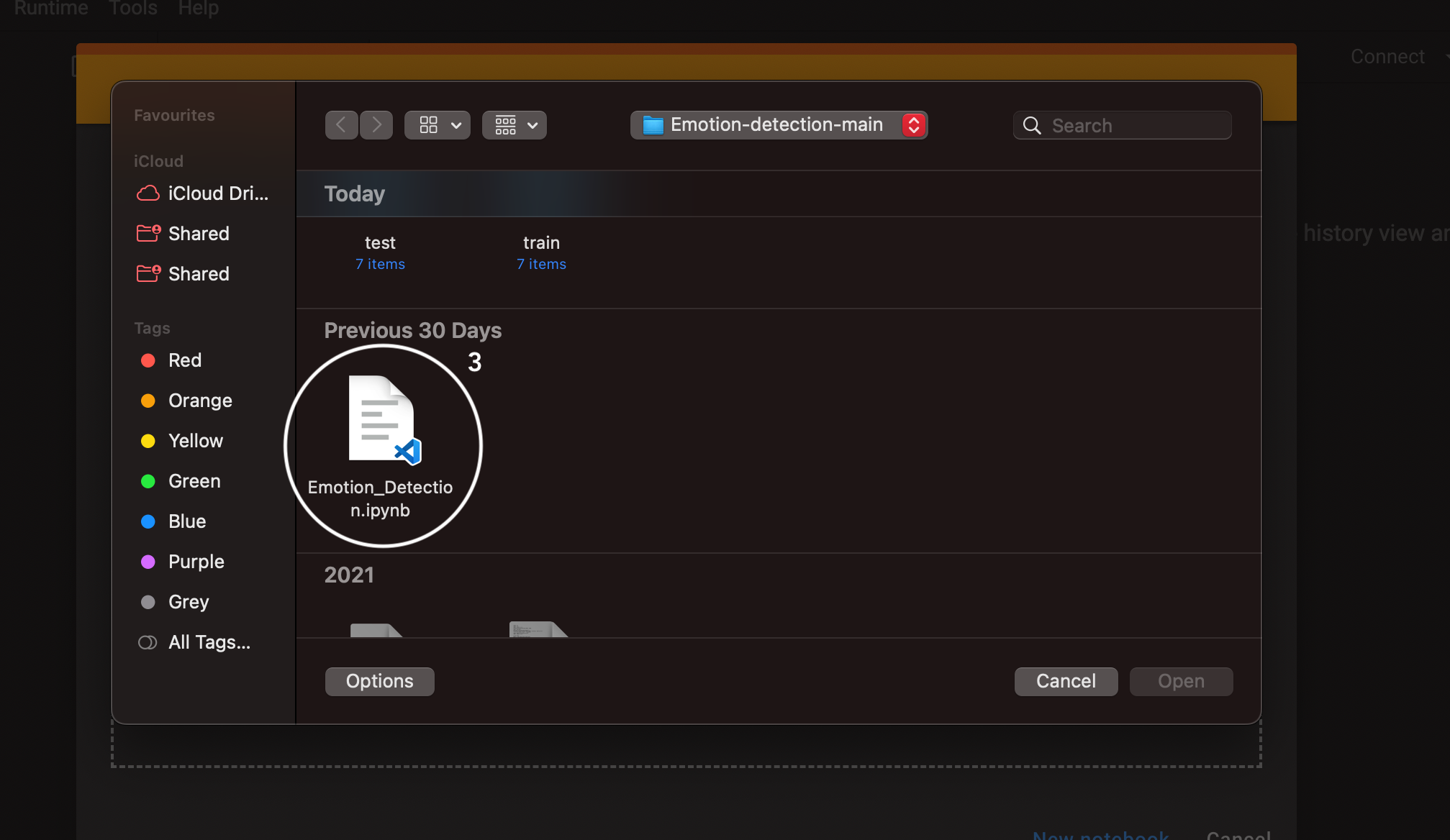
Navigate to the Downloaded File and Choose the Emotion_Detection.ipynb file and Select Open
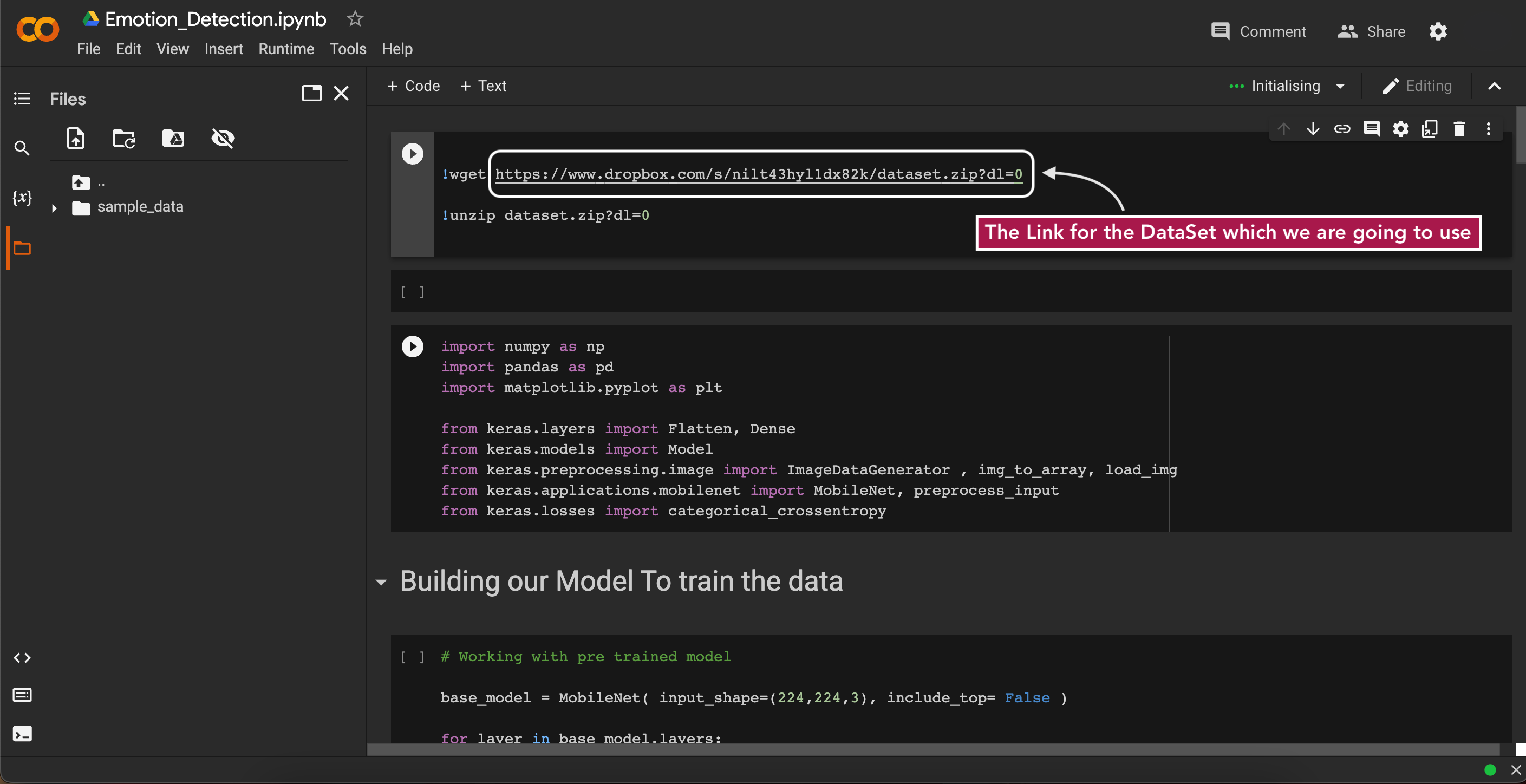
After Opening the Code looks like This
Here the First Section is to download the DataSet from the DropBox and Unzip it.
If you want you can download it Seperatly for External Use
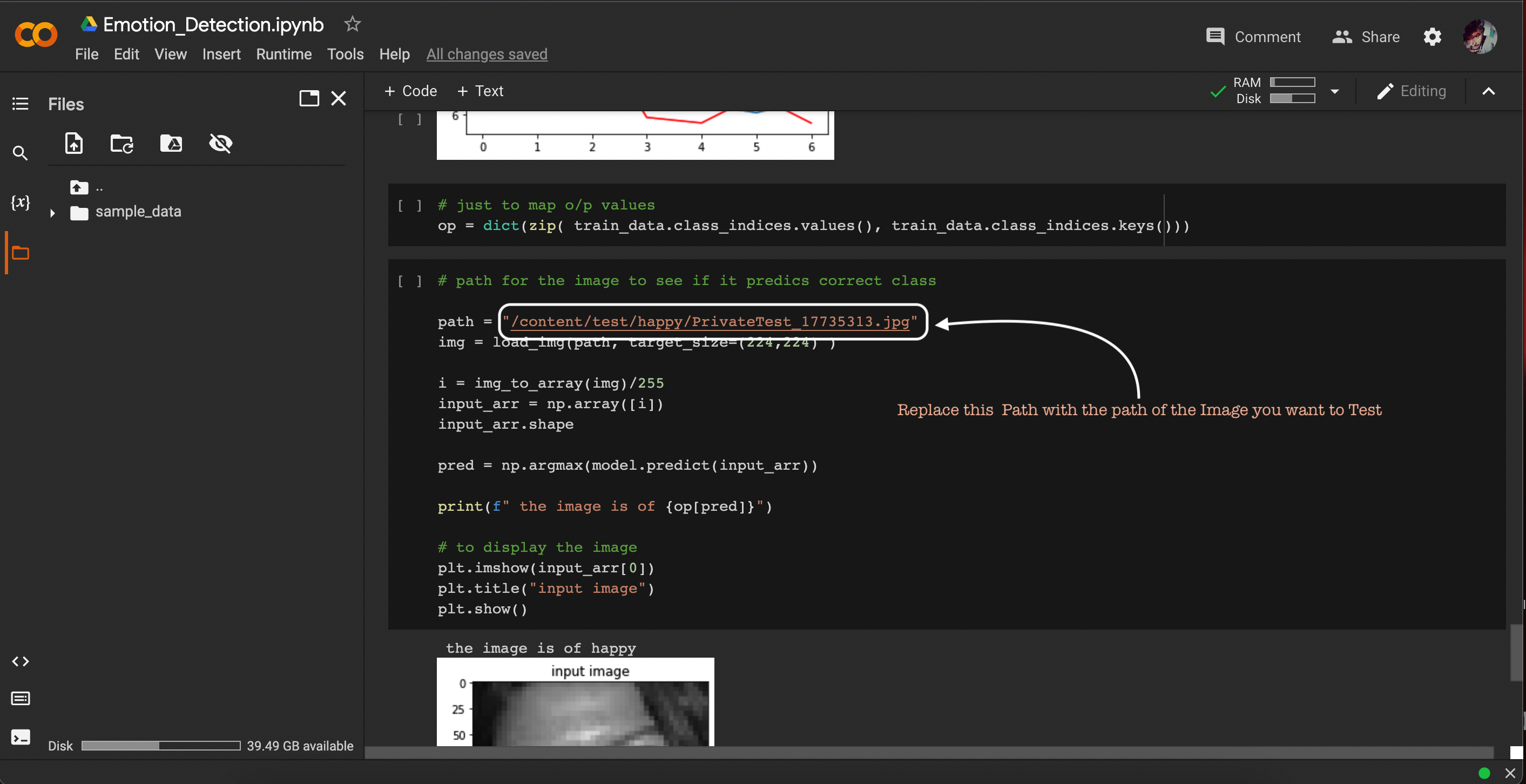
In the Section Just Change the Path with your Image Path
Running The Instance
# Just Click the PLAY button in the Section

## Wait Till the Process is Finished... Continue till the last Section

### The Output will be Displayed with the Image and its Categorie