Authors: Eduardo Martin Pavez Fabriani and Martin Tous.
This repository contains the Archimedes project.
The functionality demo is available in this video.
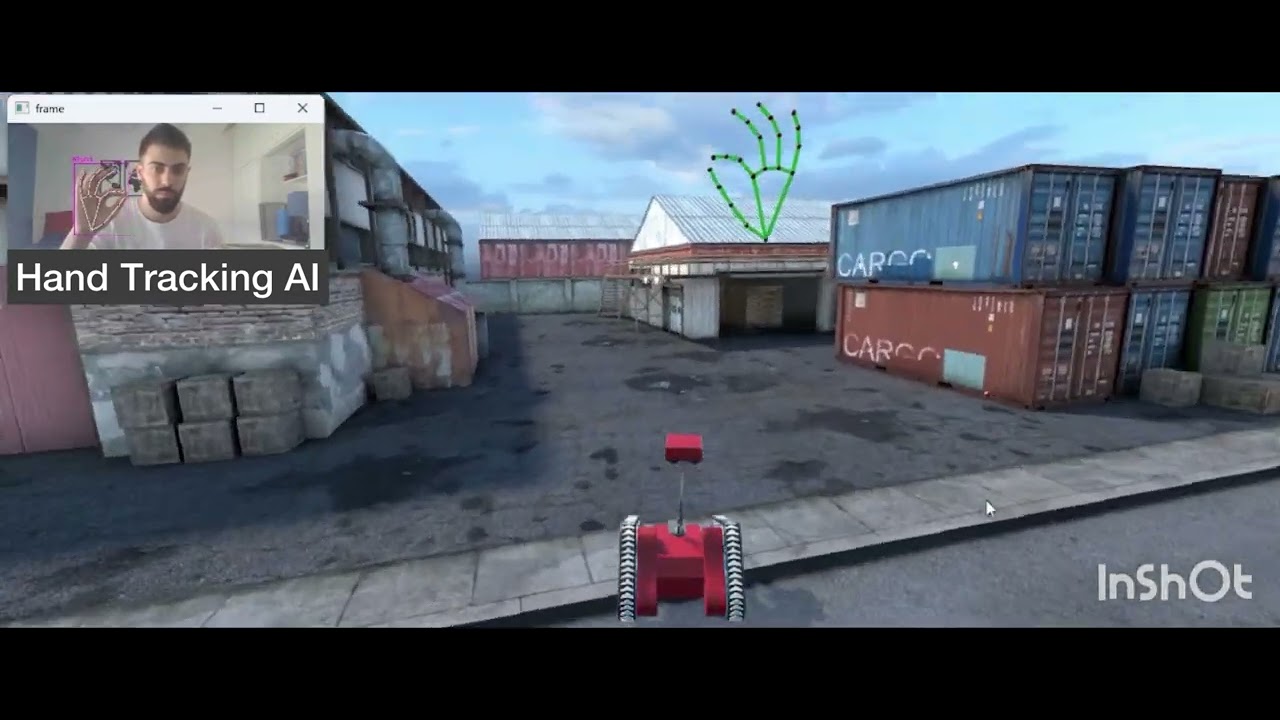
Unity files can be found here.
In case they are not available there, contact me at edumarpav@yahoo.com.ar
The Archimedes project aims to provide an intuitive adaptable remote control system for exploratory robots. We modelled a virtual reality version of a robot in Unity. This simulation could also be used to train a robot operator without risking real equipment.
The project consists of 3 scenes designed in 2 versions. Some features that you can find in these 2 versions are:
- Welcome: Starting scene for a computer or a mobile phone.
- Register: You can register using an RFID card, or an augmented reality marker with a password.
- Town: You can control the robot using either a combination of gestures and a joystick or a full gesture control.
The Handtracking script is shown to run in a Cloud server and your local machine, but any other alternative via TCP/IP is possible.


A detailed explanation about the project development can be found in the project report. Currently it is only available in Spanish.
- Download Unity project files here. You will want to set your own credential's in the AR scene "Register". It was done using Vuforia package.
- Build into an Android device.
- Run the server application either in the cloud or any alternative. You can refer to the instructions file on this repository for a tutorial.
- Run the Mobile Client in your android device and set the server ip in the "Welcome" Scene.
- Proceed to register with your credential and password in the "Register Scene".
- When the last scene loads, touch the screen ideally looking to a not so heterogeneous background. Program will be initialized and you will be ready to put on the VR headset and start interacting with the robot. Handtracking server should print the fps in the console if everything is working properly.
- Download Unity project files here.
- Build a compatible hardware device. You can find the 3D model design here
- Load the arduino script in a compatible hardware device. You will want to define your own RFID devices in the desiredCode variable on the Arduino File.
- Run the Python server locally.
- Run the Unity project locally.
- When succesfully registered in the second scene you will be able to interact with the robot using the hardware device and the hand tracking capabilities. FPS will be printed in the server console if everything is working properly.
This project is licensed under the MIT License.
Special thanks to Murtaza's Workshop - Robotics and AI YouTube channel, which provided the cvzone library, and the base ideas behind the handtracking and the depth estimation, along with the Unity Hands game object design. Link to cvzone repository here