SHT31-D Sensor nagios plugin for Single Board Computers
Copyright (c) 2017 Frostbyte frostbytegr@gmail.com
Check environment temperature and humidity with SHT31-D via I2C
- github.com/sfeakes - adafruit sht31 for raspberry pi code
- devel@nagios-plugins.org - plugin development guidelines
- Output includes perfdata
- Threshold ranges (min/max) for both temperature and humidity
- Both warning and critical thresholds may be fully or partially omitted
- Anything that has not been explicitly specified will be disabled
- Only allows for threshold ranges that are within the sensor's documented capabilities
- Temperature: from -40 to 125 °C
- Humidity: from 0 to 100 % RH
- Output validation against the sensor's CRC values and documented capabilities
- If measured data are invalid, will retry every 1 second for a maximum of 3 times
- Execution of additional sensor commands
- getEnvData, getSerial, getStatus, clearStatus, softReset, heaterEnable, heaterDisable
- Raspberry Pi
- Raspberry Pi 2
- Raspberry Pi 3
- ASUS Tinker Board
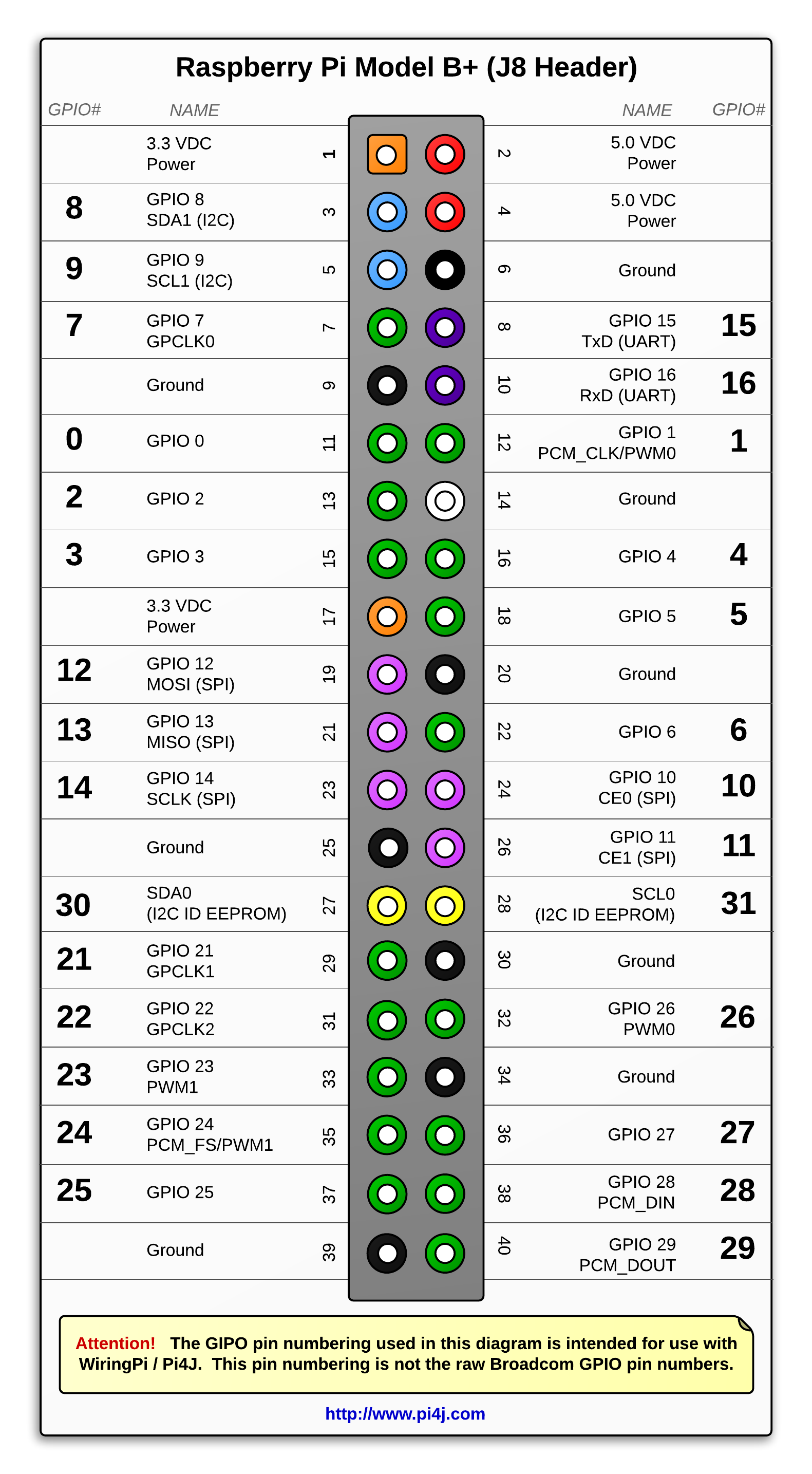
- Give execution permissions to the build script and execute it:
- chmod u+x build && ./build
- Copy the compiled plugin to the nagios plugins directory:
- sudo cp bin/check_sht31 /usr/local/lib/nagios/plugins/check_sht31
- Allow nagios/icinga to execute the plugin as sudo, by adding this entry to the sudoers file:
- nagios ALL=(ALL) NOPASSWD: /usr/local/lib/nagios/plugins/check_sht31
- Figure out from which bus you can access the sensor:
- ls -la /dev/i2c-*
- apt-get install i2c-tools libi2c-dev
- sudo i2cdetect -r <bus_number> (a value of 44 should exist in the table)
- sudo check_sht31 -b <i2c_bus_num> [-w tmp_warn_range,hum_warn_range] [-c tmp_crit_range,hum_crit_range]
- example: sudo check_sht31 -b 1 -w 10:40,30:70 -c 5:45,25:75