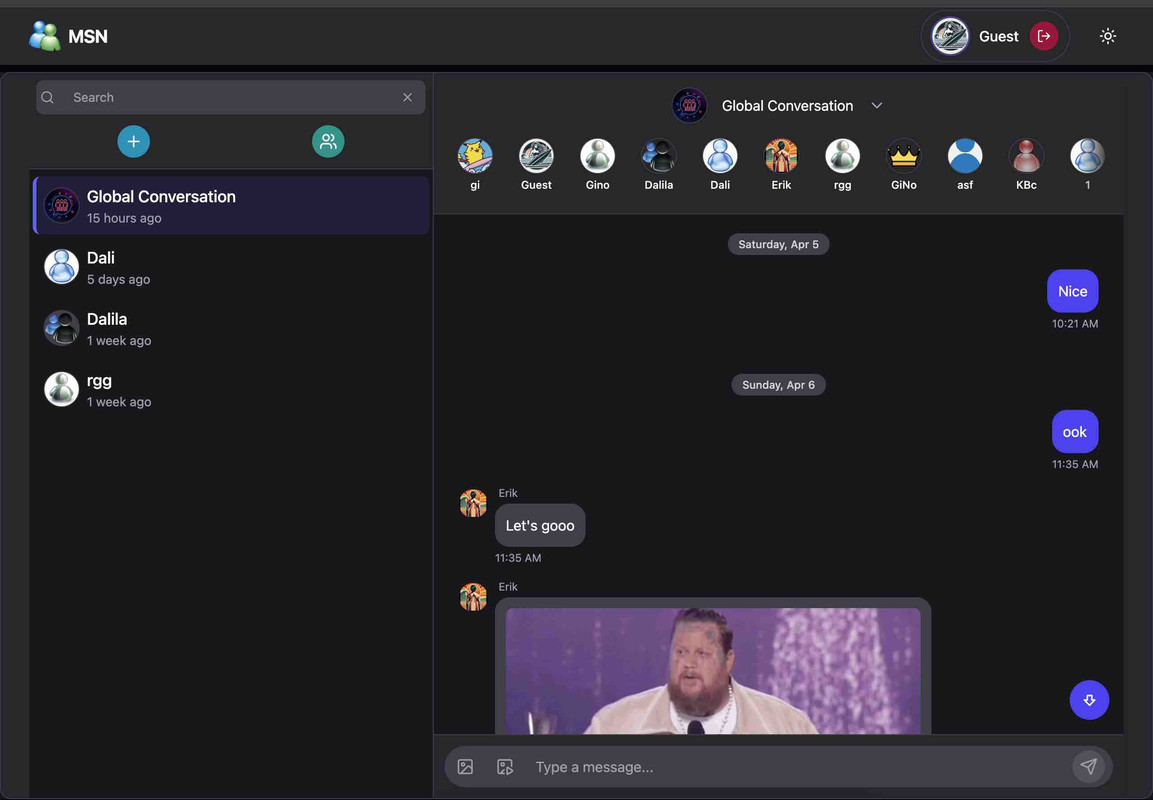
MSN_front is a nostalgic yet modern implementation of the classic MSN Messenger interface.
- User Authentication - Register and login functionality
- Theme Support - Light/dark mode and customizable themes
- Responsive Design - Works on desktop and mobile devices
- Contact Management - Add, remove, and organize contacts
- React - UI library
- React Router - Navigation and routing
- Context API - State management (Theme, Auth)
- CSS/TAILWIND - Styling
- Node.js (v14.x or higher)
- npm or yarn
- Backend server running (MSN_back)
- Clone the repository
git clone https://github.com/Giolii/MSN_front.git
cd MSN_front- Install dependencies
npm install
# or
yarn install- Set up environment variables
# Create a .env file in the root directory
touch .env
Add the required environment variables:
VITE_API_URL
VITE_GIPHY_API
- Start the development server
npm start
# or
yarn start- Open your browser and visit
http://localhost:5173/
- Chat - Main chat interface where conversations happen
- Login - User login page
- Register - New user registration page
- NotFound - 404 error page for invalid routes
- HomeLayout - Protected layout for authenticated users
- MainLayout - Public layout for non-authenticated pages
| Path | Component | Layout | Authentication |
|---|---|---|---|
/ |
Chat |
HomeLayout |
Required |
/login |
Login |
MainLayout |
Not required |
/register |
Register |
MainLayout |
Not required |
* |
NotFound |
MainLayout |
Not required |
Dark / Light Theme
This frontend application connects to the MSN_back backend repository, which handles:
- User authentication and session management
- Storing and retrieving chat messages
- Managing user contacts and relationships
npm run build
# or
yarn build
The build files will be created in the build directory, ready to be deployed to your hosting service of choice.
The frontend can be deployed on various platforms including:
- Netlify
- Vercel
- GitHub Pages
- Firebase Hosting
Thank You!