A single line of code to play the iconic
Bad Apple!!animation on your GitHub activity graph!
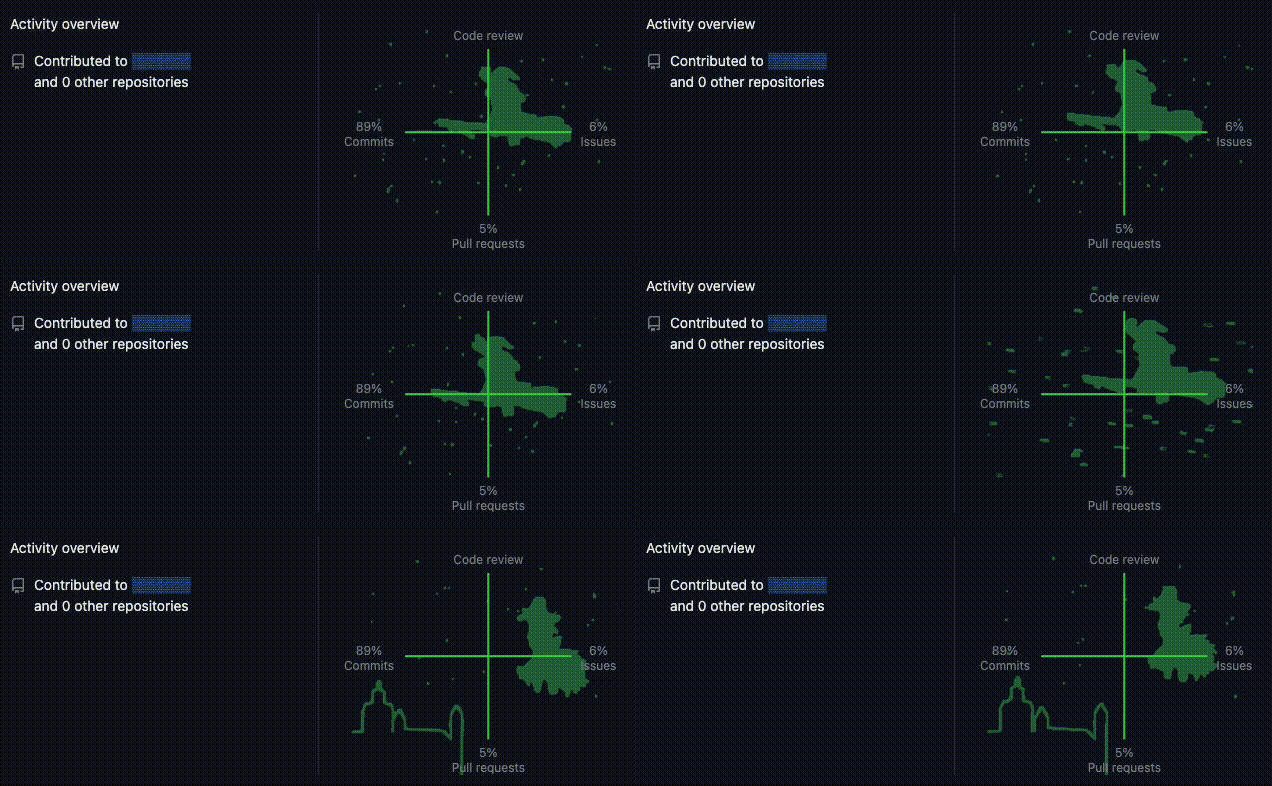
- Clone the repository:
git clone https://github.com/GuillaumeMCK/BadApple-On-Github-Activity-Graph.git- Open the
index.htmlfile located in thesrcdirectory.
- Copy the minified script shown below (or download it from the raw file here.
let t,e;const a=document.querySelector(".js-activity-overview-graph"),r=a.querySelector("path"),n=a.querySelectorAll("ellipse");let c=0,i=!1;const o=1e3/30;async function l(){if(!l.cachedData){let t=await fetch("https://raw.githubusercontent.com/GuillaumeMCK/BadApple-On-Github-Activity-Graph/main/src/data/frames.json");if(!t.ok)throw Error(t.status);l.cachedData=await t.json()}return l.cachedData}async function u(){if(!u.cachedData){let t=await fetch("https://raw.githubusercontent.com/GuillaumeMCK/BadApple-On-Github-Activity-Graph/main/src/data/track.ogg");if(!t.ok)throw Error(t.status);u.cachedData=await t.arrayBuffer()}return u.cachedData}async function s(){if(i)return;i=!0;let[s,h]=await Promise.all([u(),l()]);(function(){let t=a.querySelector("g").getCTM().inverse();r.setAttribute("transform",`translate(${t.e+8}, ${t.f})`),r.setAttribute("stroke-width",".5"),n.forEach(t=>t.style.display="none")})(),(await d(s)).start(),e=setInterval(()=>{var n;n=h[c],r.setAttribute("d",n.polygons.map(t=>`M${t.join(" L")} Z`).join(" ")),0==(c=(c+1)%h.length)&&(e&&(clearInterval(e),e=null),t&&a.parentNode&&a.parentNode.replaceChild(t.cloneNode(!0),a),i=!1,c=0)},o)}async function d(t,e=.25){let a=new window.AudioContext,r=await a.decodeAudioData(t),n=a.createBufferSource();n.buffer=r;let c=a.createGain();return c.gain.value=e,n.connect(c),c.connect(a.destination),n}t||(t=a.cloneNode(!0)),s();SHA-256: d69d03b206587d2705dc85a2d6f70022362fbc7689526a09326e60e31f808a20
- Go to your GitHub profile page and open the browser’s developer console (Ctrl + Shift + I or F12).
- Paste the script into the console and press Enter to start the animation.
Audio & Animation Data: Bad Apple!!