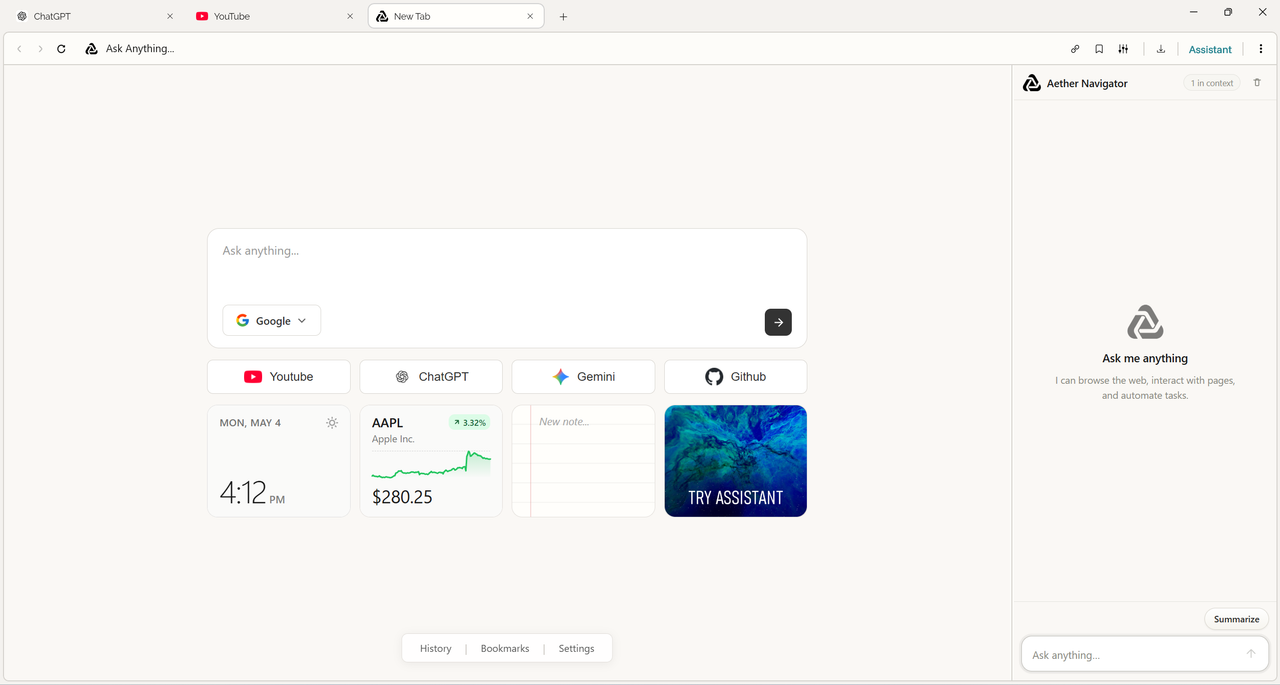
Aether is a minimalist, AI-first browser designed for speed, clarity, and intelligent navigation. A native Windows shell pairs with modular React frontends to deliver a focused, distraction-free browsing experience.
Status: Active Development
Aether combines a high-performance C++ native shell with modern React frontends to create an intelligent browsing platform. The architecture cleanly separates the native browser core from AI-powered UI modules, enabling rapid iteration and seamless integration.
- Native Performance — High-speed C++ WinUI 3 shell with OS-level integration and minimal overhead
- Intelligent Navigation — Agentic UI that assists with browsing workflows and smart actions
- Modular Architecture — Independent React frontends for navigation and home page
- Clean Visual Design — Refined typography, grid system, and intuitive layout
- Search Capabilities — Multi-engine search with quick switching and AI-driven options
- Extensible — Backend architecture for expanding functionality through extensions
Aether-Agentic-Browser/
├── Agentic Browser/          # Native C++ WinUI 3 shell (core application)
├── Agentic AI/
│   ├── aether-navigator/     # Navigation UI frontend (React + Vite)
│   │   ├── backend/          # Navigation backend services
│   │   └── frontend/         # React application
│   └── aether-home/          # Home page frontend (React + Vite)
│       ├── backend/          # Home page backend services
│       └── frontend/         # React application
├── Backend/                  # Extensions and core services
└── WorkSpace/                # Utilities and assets
- Windows 10/11 with latest updates
- Visual Studio 2022 with these workloads:
- Desktop development with C++
- Universal Windows Platform development
- Node.js 18+ and npm
- Git
git clone https://github.com/HariomJangra/Aether-Agentic-Browser.git
cd Aether-Agentic-Browser# Build aether-home frontend
cd "Agentic AI/aether-home/frontend"
npm install
npm run build
# Build aether-navigator frontend
cd "../../../Agentic AI/aether-navigator/frontend"
npm install
npm run build- Open
Agentic Browser/Agentic Browser.slnxin Visual Studio 2022 - Select your target architecture (x64 recommended)
- Restore NuGet packages
- Build the solution (Ctrl + Shift + B)
The compiled application will be available in the build output directory.
- Agentic Browser — Win32/UWP application shell, window management, and native rendering
- aether-navigator — Core browsing interface, tab management, and navigation assistance
- aether-home — Start page, widgets, and quick actions
- Backend — Extension system, API services, and data management
- Extensions — Third-party extensibility and plugins
Contributions are welcome. Please ensure:
- Code follows the project's minimalist design philosophy
- Performance impact is minimal, especially for the native shell
- Pull requests include clear descriptions of changes
This project is licensed under the terms specified in LICENSE.txt.