


An express ordering tool for online stores that automatically fills in the buyer's payment and delivery details.
Every business that sells physical goods requiring delivery (or pickup) and has the capability for online payment on the website.
There are two options:
- Full integration - All orders are processed through Mono Checkout, and the store doesn't need to set up a separate checkout process on the site.
- One of the purchase buttons - Your customer can choose how to place the order: through the traditional path of entering all data, or use the Mono Checkout button to make an order in a few clicks. The button is added to product pages and in the cart.
 Full Integration
 One of the purchase buttons
In each of these options, the subsequent steps from the customer's side will look like this:
Mono Checkout works for customers of any bank, and at the authorization step, two methods are available:
- Via the Monobank app (for those who have it)
- Via phone number (for everyone else)

The seller can add various options - pickup, Nova Poshta mail terminals, Nova Poshta branches, or address delivery.
✅ Mono Checkout will suggest the nearest post office branch to the customer, making the order even simpler.
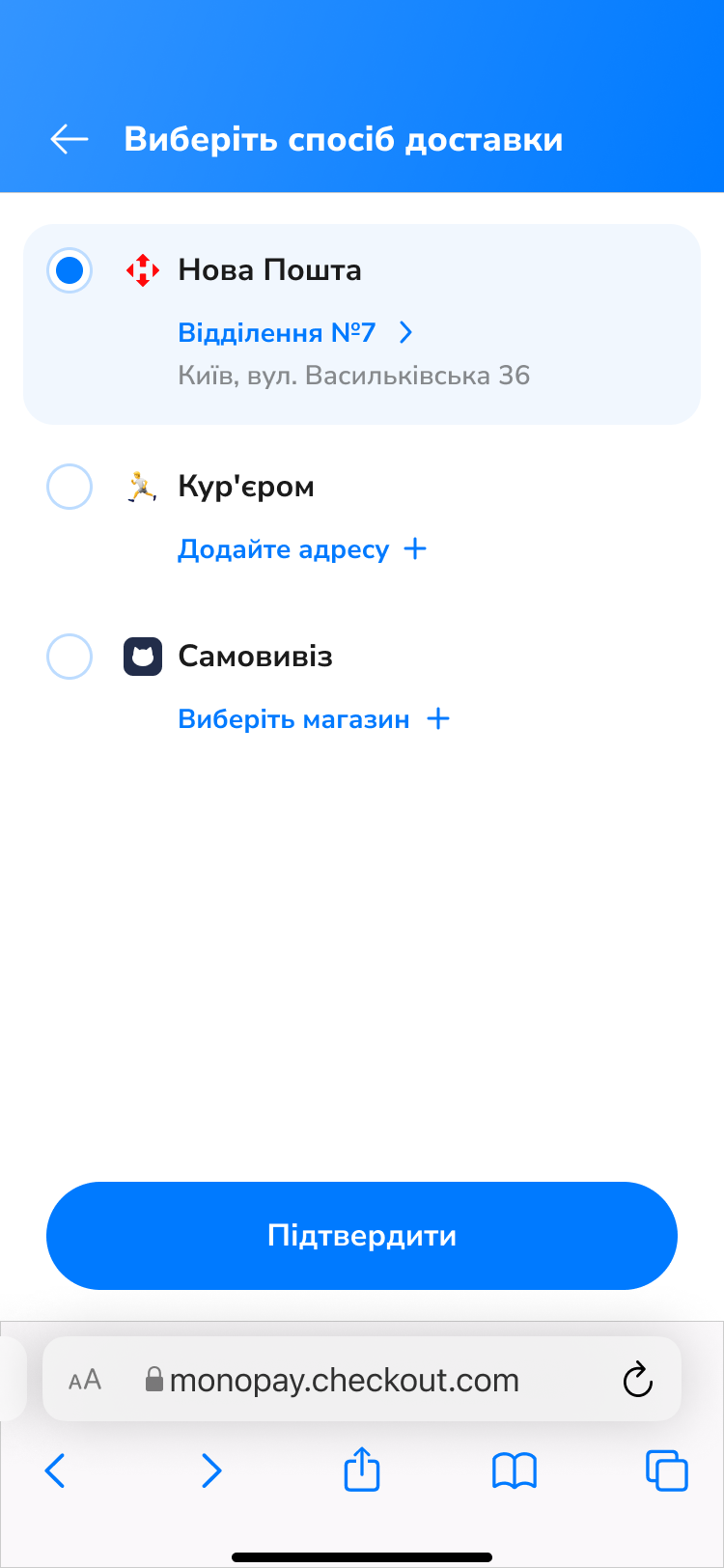
The seller can add different payment methods for the goods. There are options to pay in full or in parts.
- Online card payment
- Payment upon receipt of the order
- Purchase in Parts by Mono (commission on the seller's side)
.png?alt=media&token=bb4af44a-7ba0-435b-b182-b85eda204cdf)
With Mono Checkout, the seller can add age restrictions to orders. If the goods are not intended for minors, we will verify the buyer's age.
.png?alt=media&token=141b6d0b-a279-4ced-a05e-5316deda0387)
- Email: maguru.sup@gmail.com
- Issues: GitHub Issues
✅ Note
Mono Checkout can be used by customers of any bank.
❗ Important
Mono Checkout only supports payments in Ukrainian Hryvnia (UAH). If your online store uses a different currency, you must change it to Hryvnia to use mono checkout (and accordingly adjust product prices by setting them in Hryvnia).
❗ Important
The Mono Checkout button is an alternative to your online store's regular shopping cart. This means that if a customer chooses to create an order using mono checkout, any data entered in the fields of the regular cart will not be taken into account during order placement.