A fully functional Gemini backend prototype, developed as an assignment for { Confidential Company Name }.
Develop a Gemini-style backend system that enables user-specific chatrooms, OTP-based login, Gemini API-powered AI conversations, and subscription handling via Stripe.
- Node.js - For Main Backend Runtime needed to run JavaScript.
- Express.js - REST API framework for handling HTTP Requests.
- PostgreSQL - Powerful Relational Database Management System for data storage.
- Stripe - Payments platform integrated via stripe sandbox.
To run it locally follow the given instructions below:
PRE-REQUISITES : Node.js, PostgreSQL and stripe CLI installed in system. OPTIONAL : Redis installed on system for local in memory storage storage.
- Clone the repository
git clone https://github.com/NexusWasLost/Gemini-Backend-Clone.git- Navigate into the repo
cd Gemini-Backend-Clone- Install the dependecies
npm install- Install nodemon globally
npm i -g nodemon- Create a
.envfile and add your own environment variables, here is the template for all required variables:
DB_NAME=
DB_USER=
DB_PASS=
DB_PORT=5432
DB_HOST=
SERVER_PORT=3000
JWT_SECRET_KEY=
STRIPE_SECRET_KEY=
PRO_PRICE_ID=
STRIPE_WEBHOOK_SIGNING_SECRET=
GEMINI_API_KEY=
UPSTASH_URL=
UPSTASH_URL_HTTP=
UPSTASH_URL_TOKEN=- Forward stripe webhook to localhost, open terminal and navigate to where the stripe CLI is and run this command. This will give the
STRIPE_WEBHOOK_SIGNING_SECRET
stripe listen --forward-to localhost:3000/v1/webhook/stripe- Run the server
npm run devServer Runs on PORT 3000 by default ! Postman can be used to hit endpoints.
- The application has 3 main parts - Authentication via OTP, Gemini Chatrooms and Payments via Stripe.
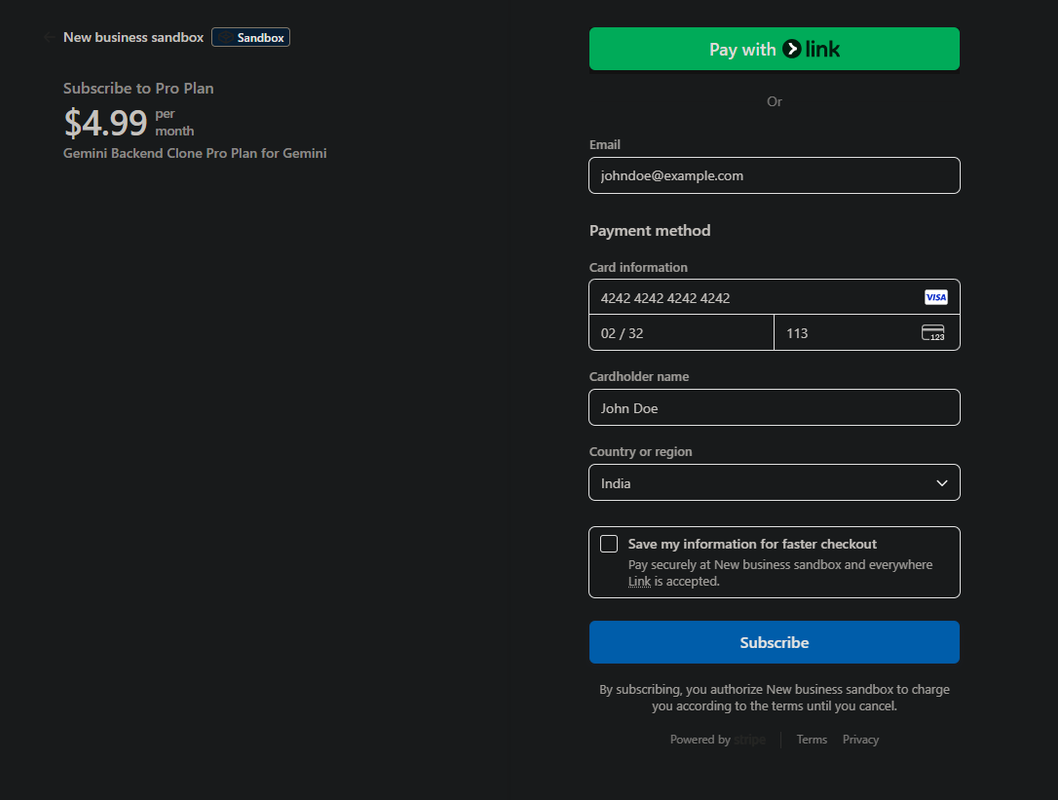
- Stripe Sandbox is used as needed by The assignment to initiate mock payments with mock details.
- The Database consists of 3 tables - users, - chatrooms_metadata, -chatrooms_messages.
- The
userstable store data about the user like phone number and name and password. - The
chatrooms_metadatastores data about each chatroom and has a FK touserstable. - The
chatrooms_messagestable stores all the messages from user and assistant and has a FK to metadata table. - Passwords are hashed using argon2 before storing in database which makes it more secure.
- Message ids are extracted from Gemini responses and are suffixed with
_Afor assistant and_Ufor user and stored in the database. - Caching is used while retrieveing all the chatrooms created by a user and are cached to reduce DB load.
- User's data are also cached while verifying OTP during login so that it can be used to actively rate limit on each AI prompt.
- Basic users are limited to only 5 prompts per day while Pro users have unlimited prompts per day. This is done via rate limiting.
- Cloud based PostgreSQL has been used alongside cloud based Redis server.
- As required by the assignment, A message queue has been implemented to handle Gemini request asynchronously.
- JWT is always sent as bearer token and expires within 20 minutes of creation.
- Gemini is contextless i.e. does not persists context between responses. I avoided context due to added complexity.
- An idea to handle context is a sliding window where messages within a window are passed and it moves per request and response.
- BullMQ - Message Queue.
- Upstash - Redis Cloud Server.
- Render PostgreSQL - Cloud Based PostgreSQL for data storage.
- Stripe - For Payment Integration (Sandbox mode).
- JWT - For Secure Authentication.
- Google Gemini - The AI integrate in this project.
- Node Cache - Used as caching library for efficient caching.
- Stripe CLI - Needed to forward webhooks to localhost.
Below are all the valid endpoints and can be easily hit using the correct HTTP method. Bootup postman type the correct URL and HTTP method and press SEND.
| Endpoint | Method | Auth Required | Description |
|---|---|---|---|
| /v1/auth/signup | POST | ❌ | Registers a new user with mobile number and optional info. |
| /v1/auth/send-otp | POST | ❌ | Sends an OTP to the user’s mobile number (mocked, returned in response). |
| /v1/auth/verify-otp | POST | ❌ | Verifies the OTP and returns a JWT token for the session. |
| /v1/auth/forgot-password | POST | ❌ | Sends OTP for password reset. |
| /v1/auth/change-password | POST | ✅ | Allows the user to change password while logged in. |
| /v1/user/me | GET | ✅ | Returns details about the currently authenticated user. |
| /v1/chatroom | POST | ✅ | Creates a new chatroom for the authenticated user. |
| /v1/chatroom | GET | ✅ | Lists all chatrooms for the user. |
| /v1/chatroom/:id | GET | ✅ | Retrieves detailed information about a specific chatroom. |
| /v1/chatroom/:id/me ssage |
POST | ✅ | Sends a message and receives a Gemini response (via queue/async call). |
| /v1/chatroom/:id/message | GET | ✅ | Get the Last Message from interacting with Gemini. |
| /v1/chatroom/:id/message/all | GET | ✅ | Display all Messages for a specific chatroom |
| /v1/subscribe/pro | POST | ✅ | Initiates a Pro subscription |
| /v1/webhook/stripe | POST | ❌ (Stripe only) |
Handles Stripe webhook events (e.g., payment success/failure). |
| /v1/subscription/status | GET | ✅ | Checks the user's current subscription tier (Basic or Pro). |
Gemini is integrated in this project using the @google/generative-ai library for Node.js.
The Gemini model used for this Project is : Gemini 2.5 Flash Lite
This model is chose primarily for speed and efficiency, since its a smaller model compared to other models this keep the responses concise and lightweight. Moreover as a part of pre instruction is always sent via the API:
{
	role: 'model',
	 parts: [
	      { text: "Keep the response short" }
	]
}
This ensures that the response received is concise and Direct.
Pretty rough on this one, I didn't knew what a queue is 3 days ago but managed to use it in my assignment as required.
I have used BullMQ which runs on redis. For the redis server I used Upstash.
The basic flow is user send a prompt -> The prompt is received and a pushed to the message queue. A message queue is basically storing a process in memory for async execution so that it does not block the execution of the main program.
Once the task is successfully added to the queue the user is returned with a prompt of the task being accepted. A Worker process runs in the background that then handles the tasks in the active queue. Once finished the worker stores both the prompt and response received from Gemini in Database. The user can then hit /v1/chatroom/:id/message endpoint to get the response or just hit /v1/chatroom/:id/message/all to get all the messages.
Sadly I was not able to deploy it due to money concerns. I primarily tried to host it on Render but the project consists of a background process, The Worker for handling Queued Tasks and sadly deploying a worker process on Render is not free so I decided not to deploy.