This script automates typing tests on Monkeytype.com using Selenium WebDriver. You can log in with your email and password or start typing without logging in.
- Login with Email and Password: Automate typing tests while logged in.
- Start Without Login: Directly start typing tests without authentication.
- Accurate WPM Estimation: Calculates and displays estimated WPM before the test starts, with detection warnings.
- Dynamic Word Fetching: Re-fetches words from the DOM in real time to handle unlimited word modes.
- Customizable Typing Speed: Set the delay between each character with live WPM feedback.
- Mode Switching: Specify wait time before the test starts so you can manually switch modes.
- Python 3.x
- Selenium WebDriver
- Firefox or Chrome browser
- Clone the Repository:
   git clone https://github.com/OTAKUWeBer/MonkeyTypeBot.git
cd MonkeyTypeBot- Install Dependencies:
pip install -r requirements.txt-
WebDriver Setup: Modern versions of Selenium (4.x+) manage drivers automatically. If you face issues, install manually:
-
Select Your Browser: Edit
main.pyand set your preferred browser:
   # Specify the browser to use: "Firefox" or "Chrome"
browser = "Firefox"python main.pyFollow the prompts to choose login method, typing speed, and mode-switch delay.
| Delay (s) | Estimated WPM | Status |
|---|---|---|
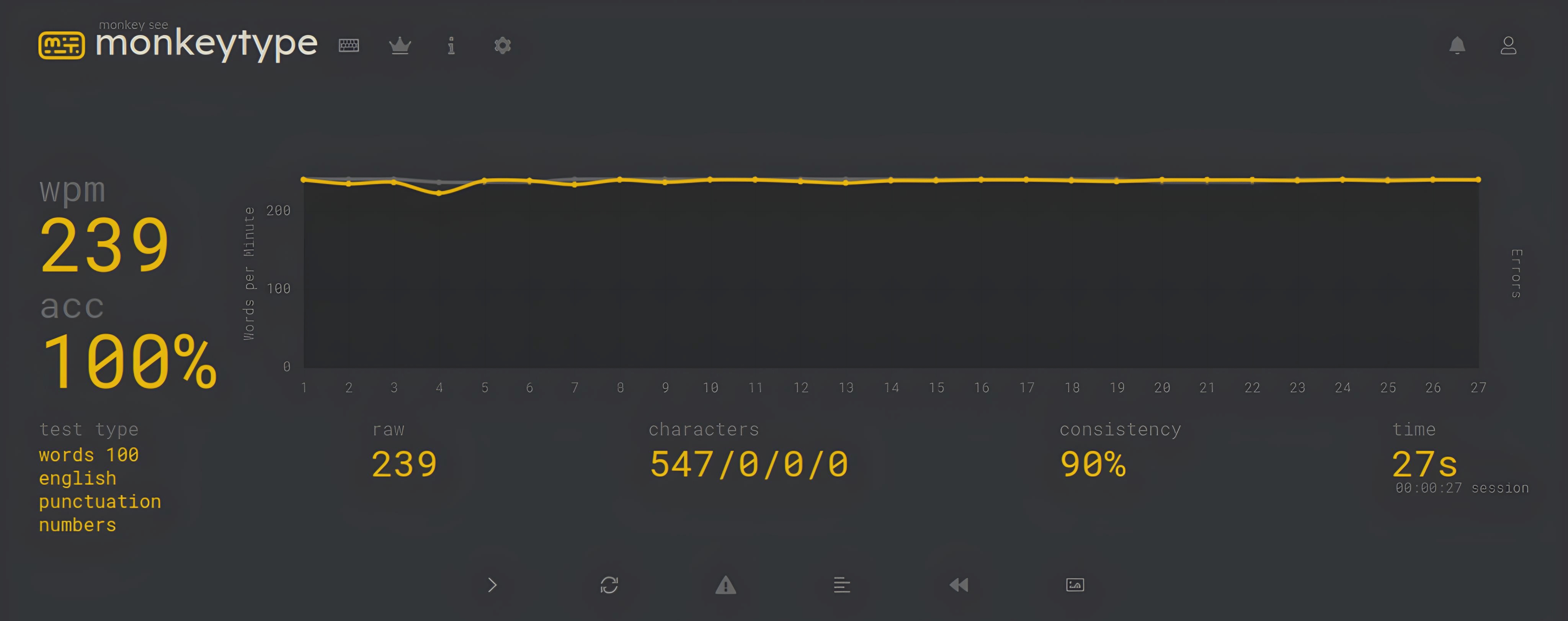
| 0.05 | ~240 WPM | ❌ Gets detected |
| 0.06 | ~200 WPM | |
| 0.08 | ~150 WPM | ✅ Safe |
| 0.10 | ~120 WPM | ✅ Safe |
| 0.15 | ~80 WPM | ✅ Safe |
Recommended: Use
0.08or higher to avoid bot detection (~150 WPM).
- Make sure your WebDriver version matches your installed browser version.
- If the bot stops mid-test in Time Mode, switch to Text Mode for best results.
- If the input field is not interacting, try running the script again — the page may not have fully loaded.
- Educational Use Only: This script is provided for educational purposes. Automating typing tests may violate Monkeytype's terms of service.
- Risk of Ban: Using this tool on your account may result in penalties or bans. Use responsibly.
- No Liability: The author is not responsible for any consequences resulting from the use of this script.