Releases: QoderAI/changelog
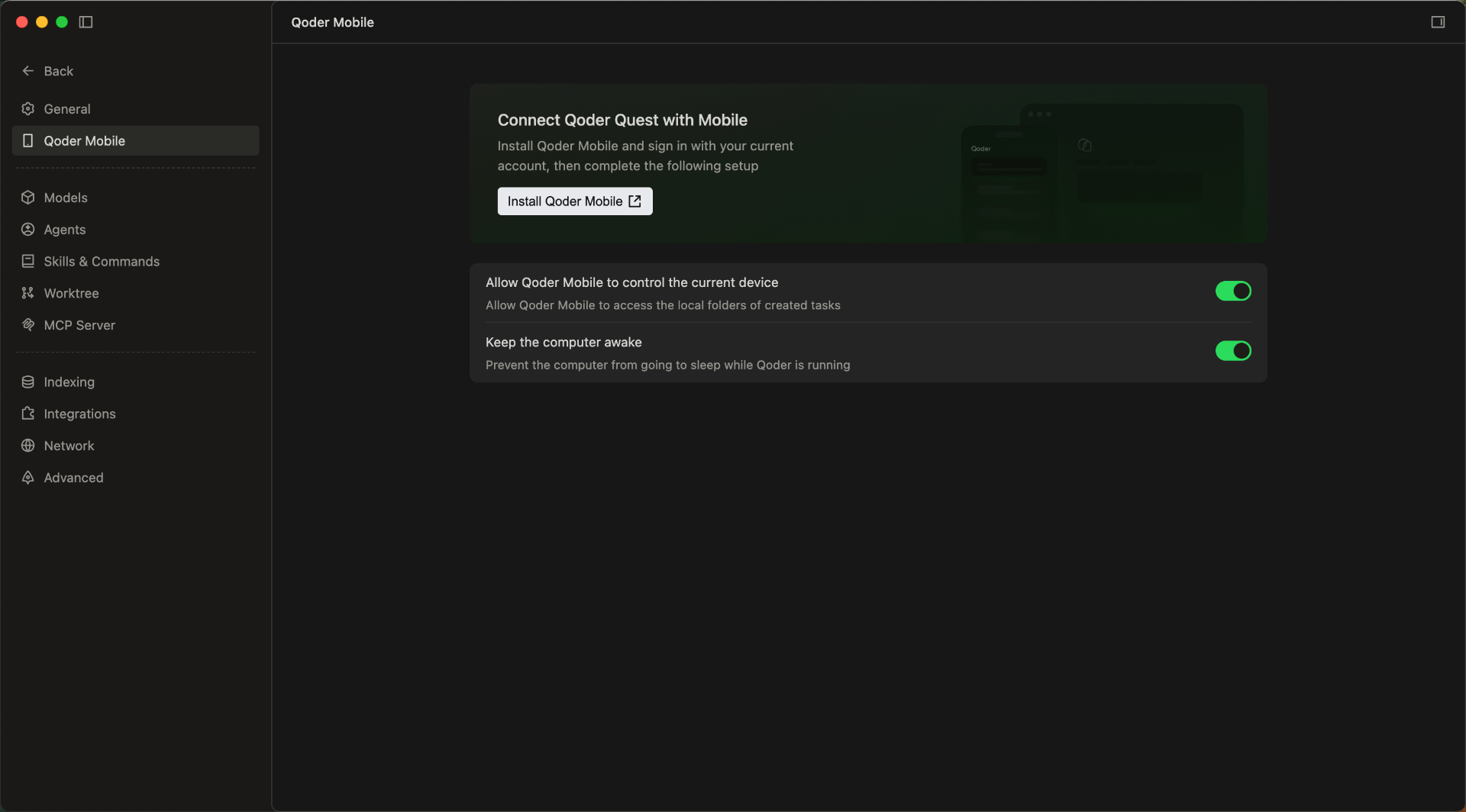
Quest Window Supports Mobile Remote Control

Features
- Quest Window Mobile Access Support: Users can view and process tasks anytime, anywhere, enabling flexible and convenient remote operations.
-
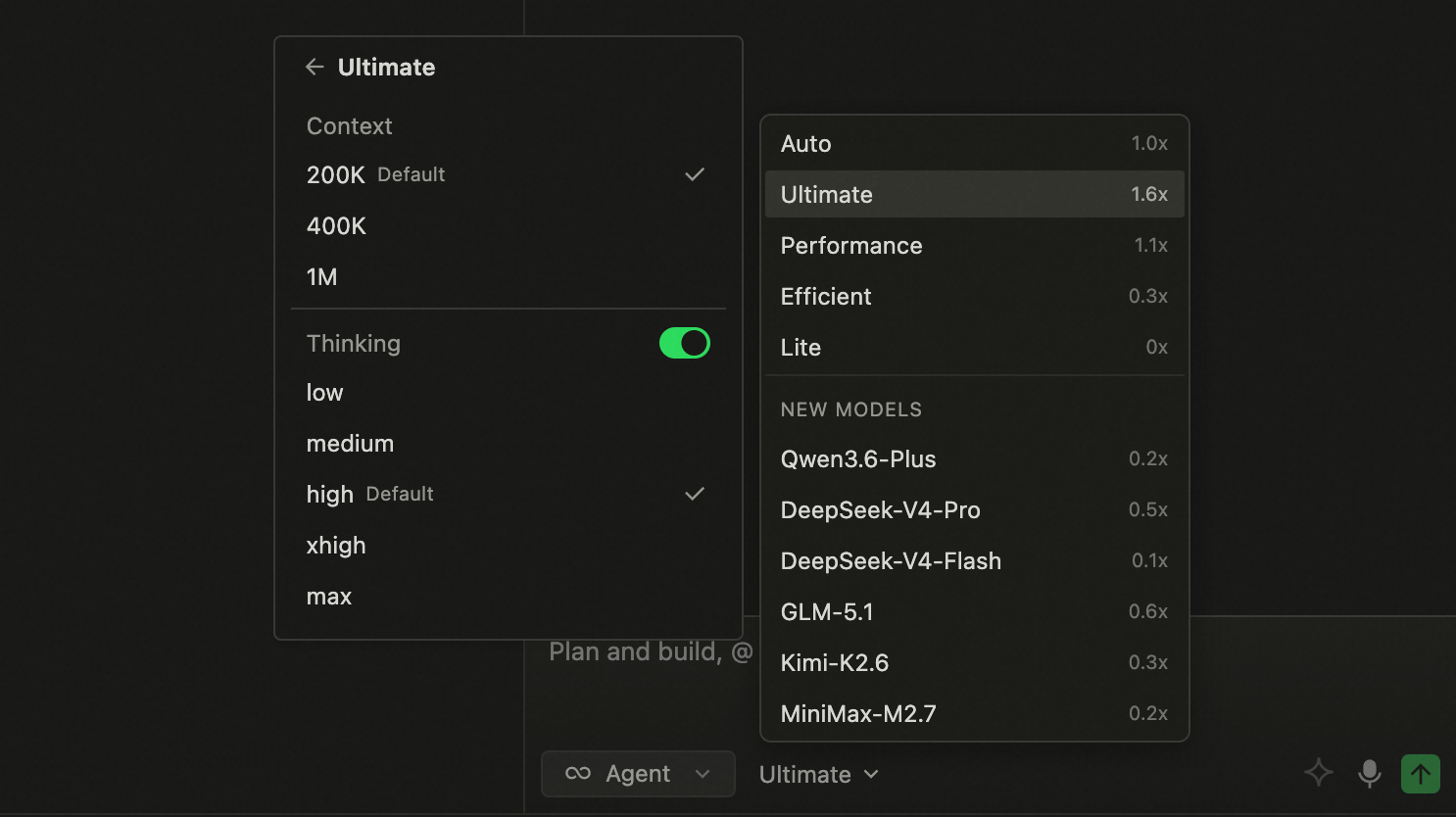
More Model Tiers in Quest Window: The model selector in Agent mode now offers three tiers (Performance, Efficient, and Lite) for clearer, more intuitive model selection.
-
Enhanced Expert Team and Sub-Agent Personalization: Built-in expert agents now support custom prompts to better align with your team's standards and personal preferences. Custom sub-agents also support model configuration, making it easier to match the right capabilities to each task.
Improvements
- Improved onboarding for the App Window Snapshot feature, helping you set up shortcuts faster.
- Improved file drag-and-drop in Quest window, expanding the droppable area for easier uploads.
- Updated the Credits usage panel with promotional activity details, including quota, usage count, and remaining balance.
- Improved knowledge retrieval accuracy and efficiency.
- Optimized local index cleanup to reduce unnecessary index overhead and improve resource utilization.
- Optimized the reporting logic to reduce sync stuttering and improve overall smoothness.
Team Knowledge Engine and Voice Input Upgrades
Features
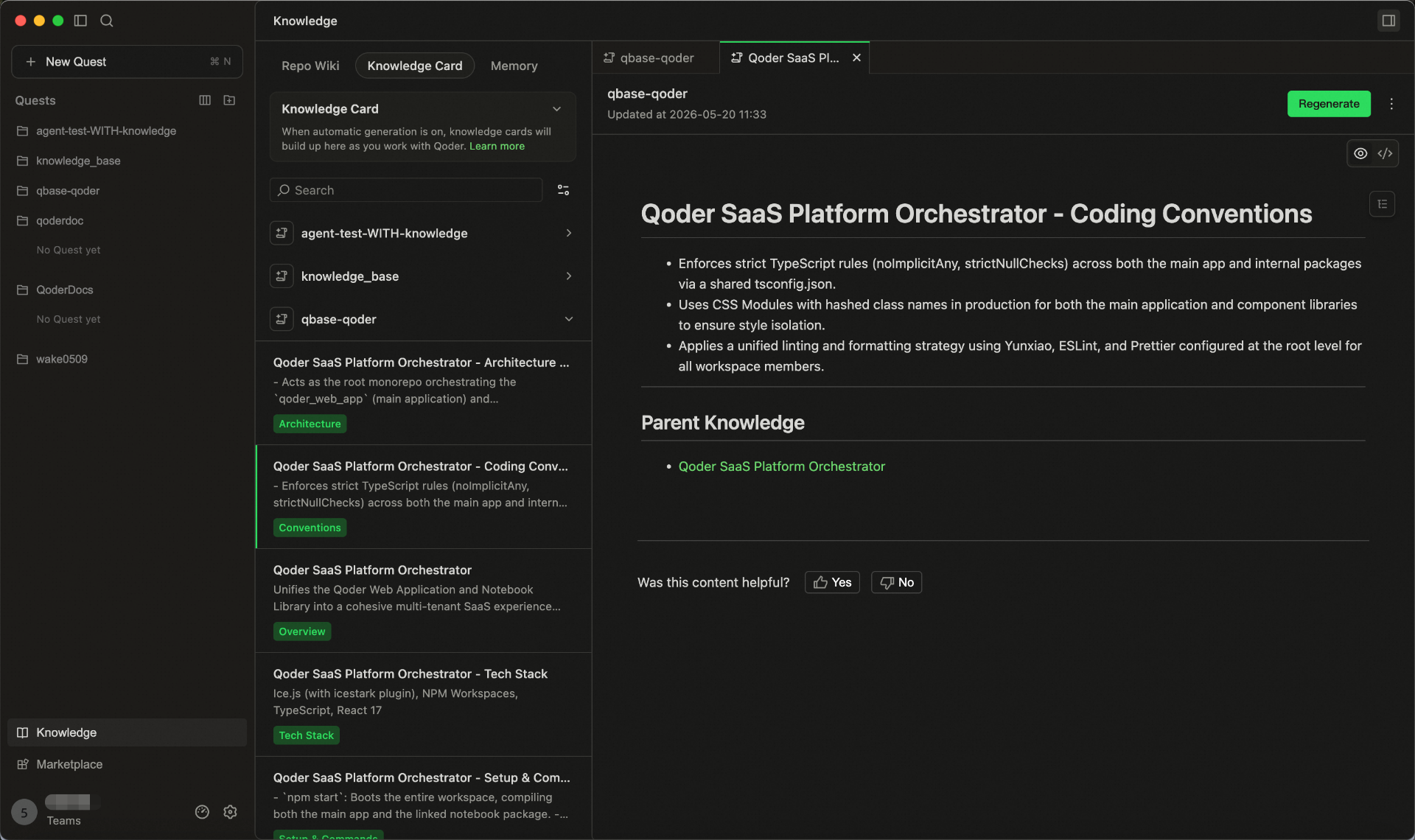
- Team Shared Knowledge Engine is now live
- Bring User Memory, RepoWiki, and Knowledge Cards into one shared system.
- Enter /knowledge in the chat box to update knowledge anytime.
- Knowledge is stored in the cloud, maintained by the team, and used by Agents in real time.
- Smart Polishing for Voice Input: Automatically refines colloquial speech after transcription, making your input clearer and more natural for higher-quality interactions with Agent.
Improvements
- Optimized generation and update performance of RepoWiki and knowledge cards in large repositories.
- Improved knowledge hit efficiency in code change scenarios.
- Improved the performance and experience of Agent Mode in Quest Window.
- Streamlined the knowledge usage workflow, reducing the effort required to supplement project background information.
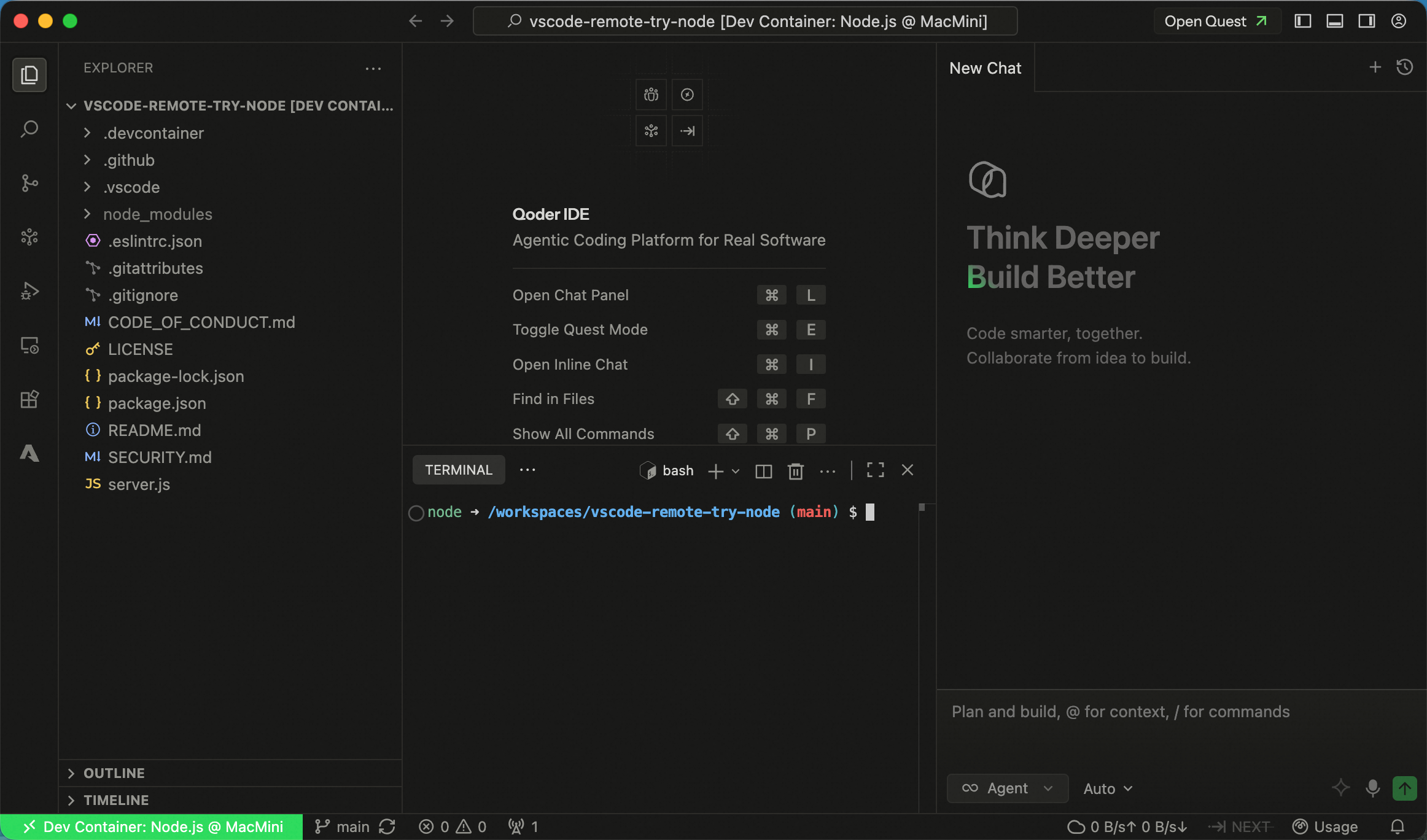
Support for Using Dev Container in SSH Remote
Features
- Support for using Dev Container in SSH Remote: Added Dev Container support for SSH Remote environments, along with the ability to attach to any Docker container, improving flexibility and consistency of remote development setups.
Improvements
- More keyboard shortcut options are now available for App Window Snapshot, configurable in Settings → Integration → App Window Snapshot.
- Added a clearer entry point to sub-agent settings in the Experts model selector in the Quest Window, helping users configure sub-agents more quickly.
- Optimized the experience for handling long history sessions, maintaining more stable and smoother interactions in ultra-long context scenarios.
Better Quest Multitasking, plus Customizable Expert Agent Models
Features
-
Custom Tiled Layout for Quest Window: Split the Quest window into multiple panes to handle several Quest tasks at once, with less tab switching.
-
New "My Quests" Dashboard: Track all your tasks in one centralized view, monitoring progress across statuses to stay on top of your workload.
-
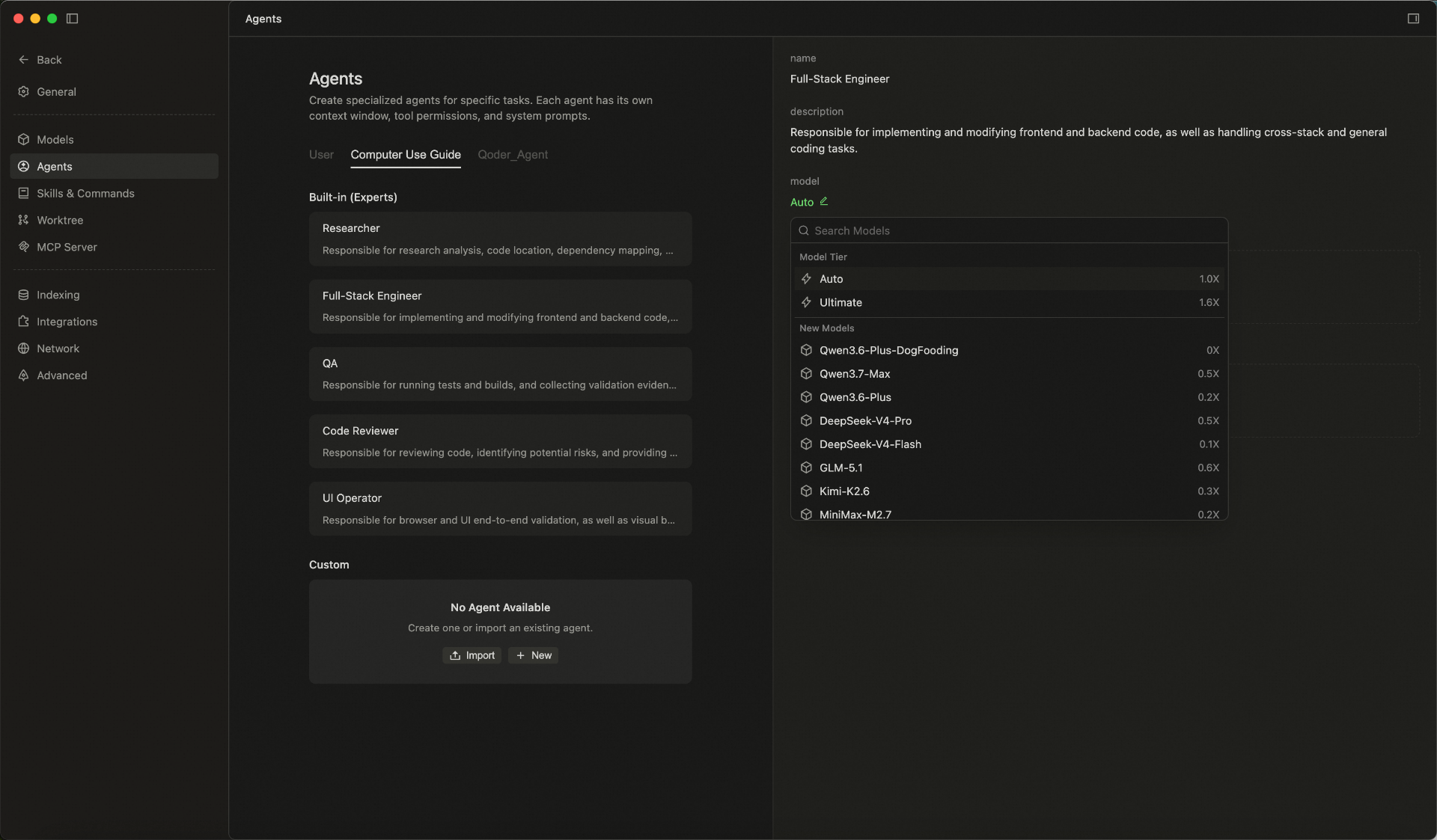
Custom Models for Experts: Customize the models used by Expert agents in Expert Mode, choosing from built-in or custom models to fit different scenarios.
- Code Review capability enhanced: Run /ultra review for deeper analysis and higher-quality suggestions, helping you spot potential issues faster and improve your implementation.
Improvements
- Optimized preview display effect of cards in conversation flow, making key information clearer to view.
- Optimized knowledge engine retrieval and intervention strategies before generation, improving answer relevance and hit effectiveness.
- Optimized retrieval agent memory writing logic, reducing interference from duplicate content on conversation results.
- Optimized memory agent intent recognition, retrieval recall and reflection effects, improving long-term conversation quality.
- Optimized session storage capabilities, enhancing historical content management and session continuity experience.
New App Window Snapshot
Feature
- Capture the current window with a double press:Double-press the Command (⌘) key to quickly capture a screenshot of the frontmost app window and use it as context for the agent, helping it understand what you're viewing faster. Currently available on macOS only.
Improvements
- Performance Optimization of Knowledge Engine Generation
Added Support for Computer Use Capability
Features
- Computer Use Capability Supported on Mac: Once authorized, Agent can invoke computer operation capabilities on macOS, operate apps in the background, and complete more complex automation tasks.
Improvements
- Relaxed file type restrictions for input box drag-and-drop, reduced file format limitations for smoother operations.
- Optimized execution methods for multiple Hooks, supporting concurrent processing to improve overall response efficiency.
- Enhanced knowledge retrieval effectiveness, helping tasks more accurately hit relevant knowledge content during the process.
- Improved LSP tool capabilities, supporting third-party package calls to enhance code retrieval and comprehension completeness.
Knowledge Engine Optimization
Improvements
- Optimize the overall capabilities of the knowledge engine to improve the experience of knowledge retrieval, comprehension, and result presentation;
- Refine the details after the knowledge engine's release to enhance stability and usability in daily operations;
- Enhance the quality of responses based on knowledge content, reduce interference from irrelevant information, and improve result relevance.
Bug Fixes
- Fix potential layout misalignment issues in Markdown preview
Model Selector Feature Enhancement
Features
- Model Selector: Support for adjusting Context and Thinking Effort parameters.
Improvements
- Improved behavior recommendation generation strategy for better accuracy.
Quest mode now supports WSL connections.
Features
- Added support for WSL connections in Quest mode.
Improvements
- Improved code review performance in Quest mode.
Fixes
- Fixed an issue where Do Not Disturb mode was enabled by default in Quest mode.
- Fixed an issue with incorrect background rendering in editor WebViews.
- Fixed an intermittent issue where context buttons in the input box were not displayed.