This project is to visualize the graph network corresponding to a gremlin query. The project forked from https://github.com/prabushitha/gremlin-visualizer
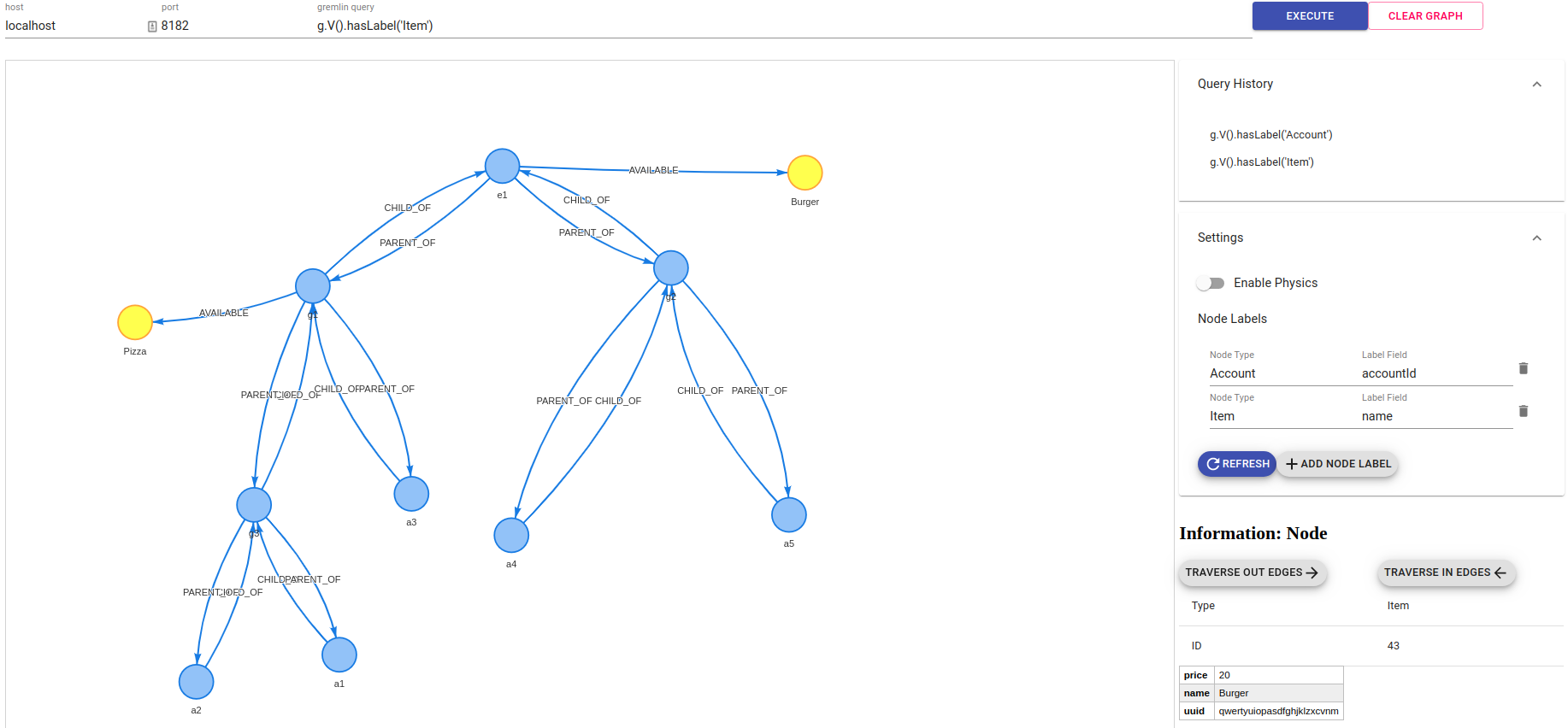
To setup gremlin visualizer, you need to have node.js and npm installed in your system.
- Clone the project
git clone git@github.com:RecoLabs/gremlin-visualizer.git- Install dependencies
npm install- Run the project
npm start- Open the browser and navigate to
http://localhost:3000Note - Frontend starts on port 3000 and simple Node.js server also starts on port 3001. If you need to change the ports, configure in package.json, proxy-server.js, src/constants
You can build a Docker image of the gremlin visualizer with the included Dockerfile.
This will use the current version of the master branch of the source GitHub repository.
The Docker image can be built by calling the docker build command, for example:
docker pull galnakash/recolabs

#Or
docker build --tag=recolabs/gremlin-visualizer:latest .
The Docker image can then be run by calling docker run and exposing the necessary ports for communication. See Docker's documentation for more options on how to run the image.
# if you built the image yourself
docker run --rm -d -p 3000:3000 -p 3001:3001 --name=gremlin-visualizer recolabs/gremlin-visualizer:latest
The Docker container can be stopped by calling docker stop recolabs/gremlin-visualizer.
- Start Gremlin-Visualizer as mentioned above
- Start or tunnel a gremlin server
- Specify the host and port of the gremlin server
- Write an gremlin query to retrieve a set of nodes (eg.
g.V())
Add feature to extract params from the URL. http://localhost:3000/index.html?host={host}&port={port}&query=g.V() Once the page finishes loading, the query will be executed. Params :
- host: localhost / host.docker.internal
- port: 8182
- query: g.V() -> the query to execute
This feature will be used as part of our notebook. We will extract the query from the cell and set it as part of the url.
- If you don't clear the graph and execute another gremlin query, results of previous query and new query will be merged and be shown.
- Node and edge properties are shown once you click on a node/edge
- Change the labels of nodes to any property
- View the set of queries executed to generate the graph
- Traverse in/out from the selected node
- Umesh Jayasinghe (Github: prabushitha)
If you have new ideas to improve please create a issue and make a pull request