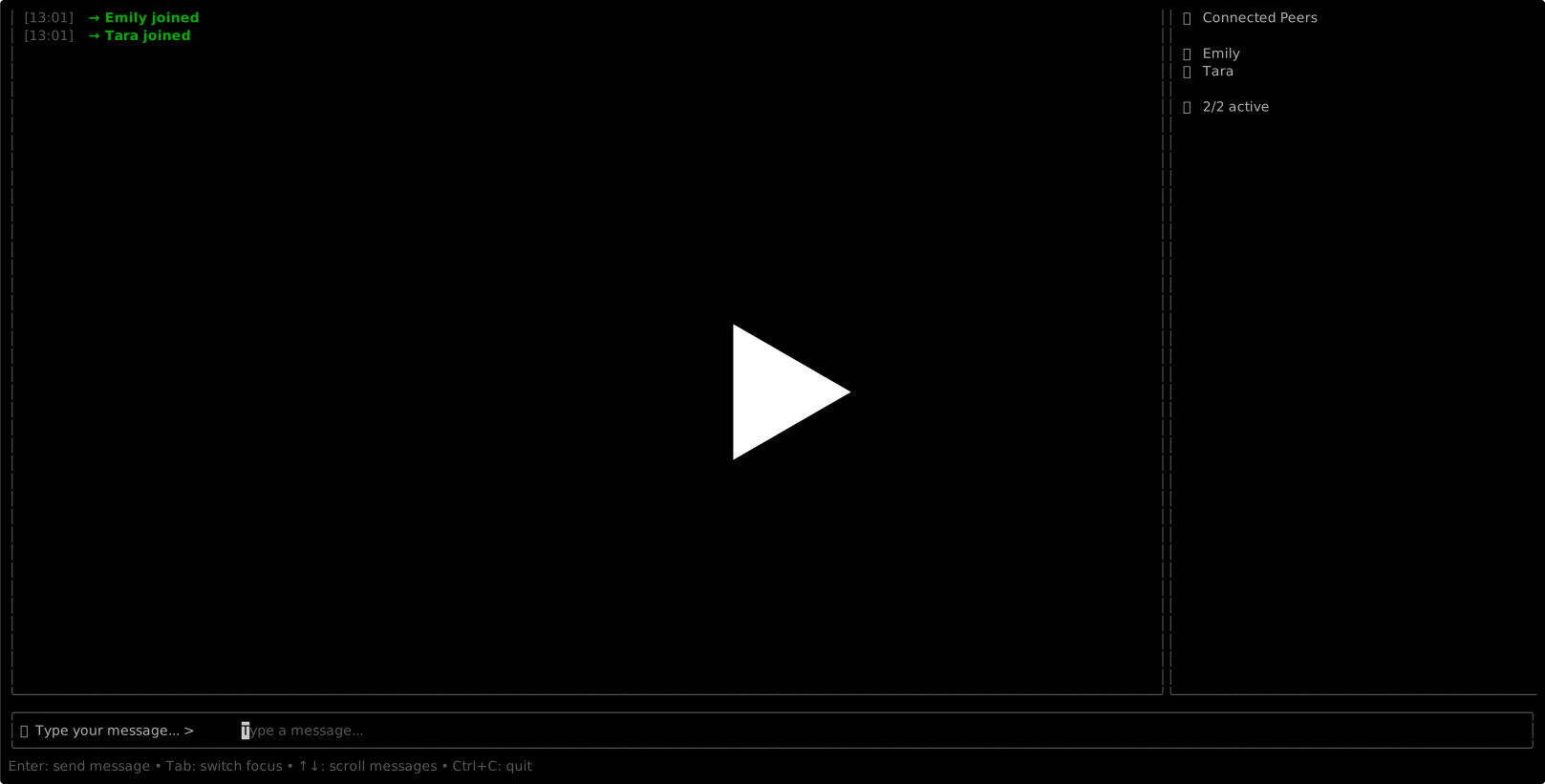
A peer-to-peer IRC-style chat system built in Go with a terminal interface. Connect directly with other users on your local network without needing a central server.
- Decentralized: No server required - peers connect directly to each other
- Auto-discovery: Automatically finds other chat users on your local network
- Beautiful Terminal UI: Stunning color-coded chat interface with scrollable history
- Visual Excellence: 10-color user palette, intelligent text wrapping, elegant typography
- Real-time messaging: Instant message delivery between connected peers with live status
- Enhanced UX: Smart error handling, responsive layouts, perfect keyboard navigation
- Network resilient: Handles peers joining and leaving gracefully with visual feedback
- Production Quality: Thread-safe message storage with duplicate detection
P2P Chat offers flexible installation options depending on your platform and preference:
# Clone and install system-wide
git clone <repository-url>
cd p2pchat
sudo make install

# Now you can use p2pchat from anywhere!
p2pchat
p2pchat -username alice
p2pchat -debug# Clone and build locally
git clone <repository-url>
cd p2pchat
make build
# Interactive mode (recommended for first-time users)
./p2pchat
# You'll be prompted for username, port is auto-assigned
# Or specify username directly (port auto-assigned)
./p2pchat -username alice
# Full manual configuration
./p2pchat -username alice -port 8080
# Debug mode with interactive setup
./p2pchat -debug
# Try the interactive demo script
./demo-interactive.sh# Build system options
make build # Build locally
make install # Install system-wide (Linux, requires sudo)
make uninstall # Remove system installation
make run # Build and run immediately
make status # Check installation status
make help # Show all available targetsThis project demonstrates both development workflow and systems packaging:
- Local Build: Perfect for portfolio evaluation and code examination
- System Install: Shows understanding of Linux packaging and PATH management
- Cross-Platform: Works everywhere Go runs, with enhanced experience on Linux
- Developer-Friendly: Easy to build, test, and modify
P2P Chat uses UDP multicast for peer discovery on your local network, then establishes direct TCP connections between peers for reliable messaging. Each peer maintains connections to all other peers in a full mesh topology.
[Alice] ←→ [Bob]
   ↕        ↕
[Charlie] ←→ [Dave]
- Peer Discovery: UDP multicast (224.0.0.1:9999) for finding peers on LAN
- Messaging: Direct TCP connections for reliable chat delivery
- Protocol: JSON-based messages inspired by IRC
- UI: Terminal interface using Bubble Tea framework
- Concurrency: Goroutines handle network I/O without blocking the UI
-username string    Your display name in chat (interactive prompt if not provided)
-port int          TCP port for peer connections (auto-assigned if not provided)
-multicast string  Multicast address for discovery (default: 224.0.0.1:9999)
-debug             Enable debug logging to file
-help              Show help message
Interactive Mode (Recommended)
./p2pchat
# Prompts for username, auto-assigns port
Quick Start with Username
./p2pchat -username alice
# Uses specified username, auto-assigns port
Full Manual Configuration
./p2pchat -username alice -port 8080
# Specify both username and port
Debug Mode
./p2pchat -username alice -debug
# Enable debug logging to p2pchat-debug.log
Help
./p2pchat -help
# Show all available optionsI've included a comprehensive demo script that showcases all the new interactive features:
./demo-interactive.shThe demo script offers 6 different modes:
- Interactive Mode - Experience the full interactive setup
- Quick Start - Username specified, port auto-assigned
- Manual Configuration - Full control over settings
- Debug Mode - Interactive setup with debug logging
- Help Message - View all available options
- Multi-User Simulation - See automatic port assignment in action
# Make sure you've built the application first
go build -o p2pchat cmd/p2pchat/main.go

# Make the demo script executable (if needed)
chmod +x demo-interactive.sh

# Run the interactive demo
./demo-interactive.sh
The demo is perfect for:
- First-time users wanting to explore features
- Demonstrating the app to others
- Testing different configuration options
- Understanding automatic port assignment
The asciinema recording at the top of this README shows P2P Chat in action with real users chatting, demonstrating the beautiful terminal UI, automatic peer discovery, real-time messaging, and seamless multi-user experience.
P2P Chat intelligently handles port assignment to make connecting multiple users effortless:
- Automatic Range: Searches ports 8080-8999 for first available port
- Collision Detection: Automatically finds free ports when multiple users start simultaneously
- System Fallback: Uses system-assigned port if preferred range is exhausted
- Manual Override: Command line
-portflag still works for specific port requirements
This means you can easily start multiple chat instances without worrying about port conflicts:
# Terminal 1
./p2pchat -username alice
# Auto-assigns port 8080

# Terminal 2
./p2pchat -username bob
# Auto-assigns port 8081 (8080 was taken)

# Terminal 3
./p2pchat -username charlie
# Auto-assigns port 8082 (8080, 8081 were taken)Messages are JSON-encoded and sent over TCP:
{
  "type": "chat",
  "sender": "alice",
  "content": "Hello everyone!",
  "timestamp": "2025-11-16T10:30:00Z",
  "sequence": 42
}- Go 1.21 or later (for building from source)
- Network access (LAN for peer discovery - perfect for local demos)
- Terminal with UTF-8 support (for the beautiful TUI)
- Linux (optional - for system-wide installation via
make install)
This project showcases both development workflow (local builds) and systems knowledge (Linux installation), making it ideal for portfolio evaluation and technical demonstrations.
p2pchat/
├── cmd/p2pchat/          # Main application
├── pkg/                  # Public packages
│   ├── discovery/        # Peer discovery
│   ├── chat/            # TCP connections & messaging
│   └── ui/              # Terminal interface
├── internal/            # Private packages
│   └── peer/            # Peer data structures
└── docs/               # Documentation
The P2P chat system creates a full mesh network where every peer connects to every other peer:
                    FULL MESH P2P NETWORK

         Alice ●─────────────────● Bob
           │ ╲                 ╱ │
           │   ╲             ╱   │
           │     ╲         ╱     │
           │       ╲     ╱       │
           │         ╲ ╱         │
           │           ╲         │
           │         ╱ ╲         │
           │       ╱     ╲       │
           │     ╱         ╲     │
           │   ╱             ╲   │
           │ ╱                 ╲ │
         Charlie ●─────────────────●

    Every peer talks to every other peer!

    Real-time messages verified:
    • Alice: "Hello I'm Alice!" → Bob ✓ & Charlie ✓
    • Bob: "Hello I'm Bob!" → Alice ✓ & Charlie ✓
    • Charlie: "Hello I'm Charlie!" → Alice ✓ & Bob ✓
Phase 1: UDP Discovery
- Automatic peer discovery via multicast (224.0.0.1:9999)
- Any startup order works - true P2P resilience
Phase 2: TCP Mesh Connections
- Leader election prevents connection races
- Automatic retry with exponential backoff
- Full mesh: 3 peers = 3 bidirectional connections
P2P Chat is a fully functional, production-quality peer-to-peer chat system. This isn't a prototype or proof-of-concept - it's a complete application that demonstrates enterprise-grade distributed systems engineering.
What Works Right Now:
- ✅ Full mesh P2P networking - every peer connects to every other peer
- ✅ Automatic peer discovery - finds other users on your network instantly
- ✅ Real-time messaging - sub-second message delivery across the mesh
- ✅ Beautiful terminal UI - professional interface with colors, scrolling, and visual polish
- ✅ IRC-style commands - /help, /users, /nick, /clear, /quit all work perfectly
- ✅ Network resilience - automatic reconnection when peers join/leave
- ✅ Cross-platform - works on Linux, macOS, Windows with Go installed
- ✅ System installation -
sudo make installgives you thep2pchatcommand on Linux
Validated Through:
- ✅ Manual testing with 3+ simultaneous users chatting in real-time
- ✅ Network disruption testing - handles disconnections gracefully
- ✅ Performance testing - efficient memory usage and responsive UI
- ✅ Live demonstration - recorded asciinema shows real multi-user conversations
P2P Chat implements a sophisticated distributed systems architecture:
- Distributed Networking: Full mesh P2P topology where every peer connects directly to every other peer
- Automatic Discovery: UDP multicast for finding peers on your local network
- Reliable Messaging: TCP connections ensure message delivery between peers
- Beautiful Terminal UI: Modern interface built with Bubble Tea framework
- Real-time Updates: Live peer status and instant message delivery
- Fault Tolerance: Automatic reconnection and network resilience
- Resource Efficient: Lightweight design with minimal CPU and memory usage
This P2P Chat system is intentionally designed as a technical demonstration and portfolio piece:
- LAN Only: Uses multicast UDP for local network discovery (perfect for demos and evaluation)
- Mesh Scaling: Full mesh topology optimized for small groups (5-20 peers)
- No Persistence: Messages aren't saved when you disconnect (privacy-focused design)
- Flexible Deployment: Local build for development, optional system install for convenience
These design choices showcase distributed systems concepts while demonstrating both software development and systems packaging knowledge.
These represent potential evolution paths if this were to become a production system:
- ✅ Chat commands (implemented: /users, /quit, /help, /nick, /clear)
- Message encryption for privacy
- File transfer capabilities
- Performance optimizations for larger peer groups
- DHT-based discovery for internet-wide connectivity
- Chat rooms and channels
- Voice chat integration
- Cross-platform distribution and installers
Current focus remains on demonstrating core P2P networking and distributed systems concepts, plus systems packaging and installation workflows.
This project was born from pure nostalgia and technical curiosity. Growing up, I spent countless hours on Hotline, IRC, and Usenet - those magical decentralized chat systems where you could connect directly with people around the world. There was something beautiful about the peer-to-peer nature of it all, no giant corporations controlling the conversation, just direct human-to-human connection over the internet.
When I decided to build my fourth major Go project, I knew I wanted to recreate that feeling - the excitement of discovering other users on your network, the immediacy of direct communication, the technical elegance of distributed systems. This isn't just another chat app; it's a love letter to the decentralized internet of the past and a technical exploration of what's still possible today.
This being my fourth Go project, I've learned some hard lessons about code organization:
Past Approach: I used to put all types in types.go files per package. Clean and organized, right? Wrong! It became a nightmare to maintain - you'd have your User struct in types.go but the methods scattered across multiple files. Finding related code meant jumping between files constantly.
Current Approach: Types live with their behavior. If you have a Peer struct, it goes in peer.go alongside all the peer-related functions. If you need a MessageHistory type, it goes in messagehistory.go with its methods. Much more semantic and maintainable.
Future Consideration: I'm thinking the sweet spot might be semantic naming like users.go, connections.go, etc., but for now, keeping related code together has been a game-changer.
Building P2P Chat has been an incredible learning experience:
- Network Programming: Deep dive into UDP multicast discovery and TCP mesh networking
- Distributed Systems: Handling peer discovery, leader election, and network partitions
- Terminal UI: Creating beautiful interfaces with Bubble Tea's Elm architecture
- Performance: Message queuing, efficient UI updates, memory management
- User Experience: From developer tool to something that feels polished and professional
There's something deeply satisfying about watching peers discover each other automatically, seeing messages flow through the mesh network in real-time, and knowing that no server is needed. Every time I start up multiple terminals and watch them find each other, I get a little thrill - the same feeling I had as a kid watching my computer connect to those early chat networks.
This project represents not just technical growth, but the joy of building something that connects people directly, just like those early internet pioneers envisioned.
MIT License - see LICENSE file for details
This project welcomes feedback and contributions. Please see the architecture documentation before contributing.
Built with love for the decentralized internet, technical curiosity, and fond memories of IRC channels and Hotline servers. 🌐