Add dark mode for Settings (unauthenticated) - #14
Draft
anamhira47 wants to merge 6 commits into
Draft
Conversation


- Remove forced light mode from app entry and Info.plist
- Add SweepColors with adaptive ink/muted text tokens
- Update SettingsScreen to use semantic colors for dark mode

Co-authored-by: Anam Hira <anam@revyl.ai>
Co-authored-by: Anam Hira <anam@revyl.ai>
Co-authored-by: Anam Hira <anam@revyl.ai>
Co-authored-by: Anam Hira <anam@revyl.ai>
Settings (including signed-out state) now renders with a dark color scheme
using adaptive text colors and system backgrounds.

Co-authored-by: Anam Hira <anam@revyl.ai>
Co-authored-by: Anam Hira <anam@revyl.ai>
This file contains hidden or bidirectional Unicode text that may be interpreted or compiled differently than what appears below. To review, open the file in an editor that reveals hidden Unicode characters.
Learn more about bidirectional Unicode characters
Sign up for free
to join this conversation on GitHub.
Already have an account?
Sign in to comment
2 participants


Add this suggestion to a batch that can be applied as a single commit.This suggestion is invalid because no changes were made to the code.Suggestions cannot be applied while the pull request is closed.Suggestions cannot be applied while viewing a subset of changes.Only one suggestion per line can be applied in a batch.Add this suggestion to a batch that can be applied as a single commit.Applying suggestions on deleted lines is not supported.You must change the existing code in this line in order to create a valid suggestion.Outdated suggestions cannot be applied.This suggestion has been applied or marked resolved.Suggestions cannot be applied from pending reviews.Suggestions cannot be applied on multi-line comments.Suggestions cannot be applied while the pull request is queued to merge.Suggestion cannot be applied right now. Please check back later.
Summary
Adds dark mode support for the Settings (unauthenticated) screen in SweepAlert Swift.
Changes
preferredColorScheme(.light)) andInfo.plist(UIUserInterfaceStyle→Automatic).SweepColorswith adaptiveink/mutedtext tokens (Color.primary/Color.secondary).SettingsScreento use adaptive colors for headings, labels, and section text..preferredColorScheme(.dark)onSettingsScreenso the signed-out settings experience renders with a dark grouped background and readable light text.Device verification
Verify the signed-out Settings screen uses dark mode: dark grouped background, light readable text in Account and Crew sections, and a blue Log in button.→ passedScreenshots
Before (light mode):
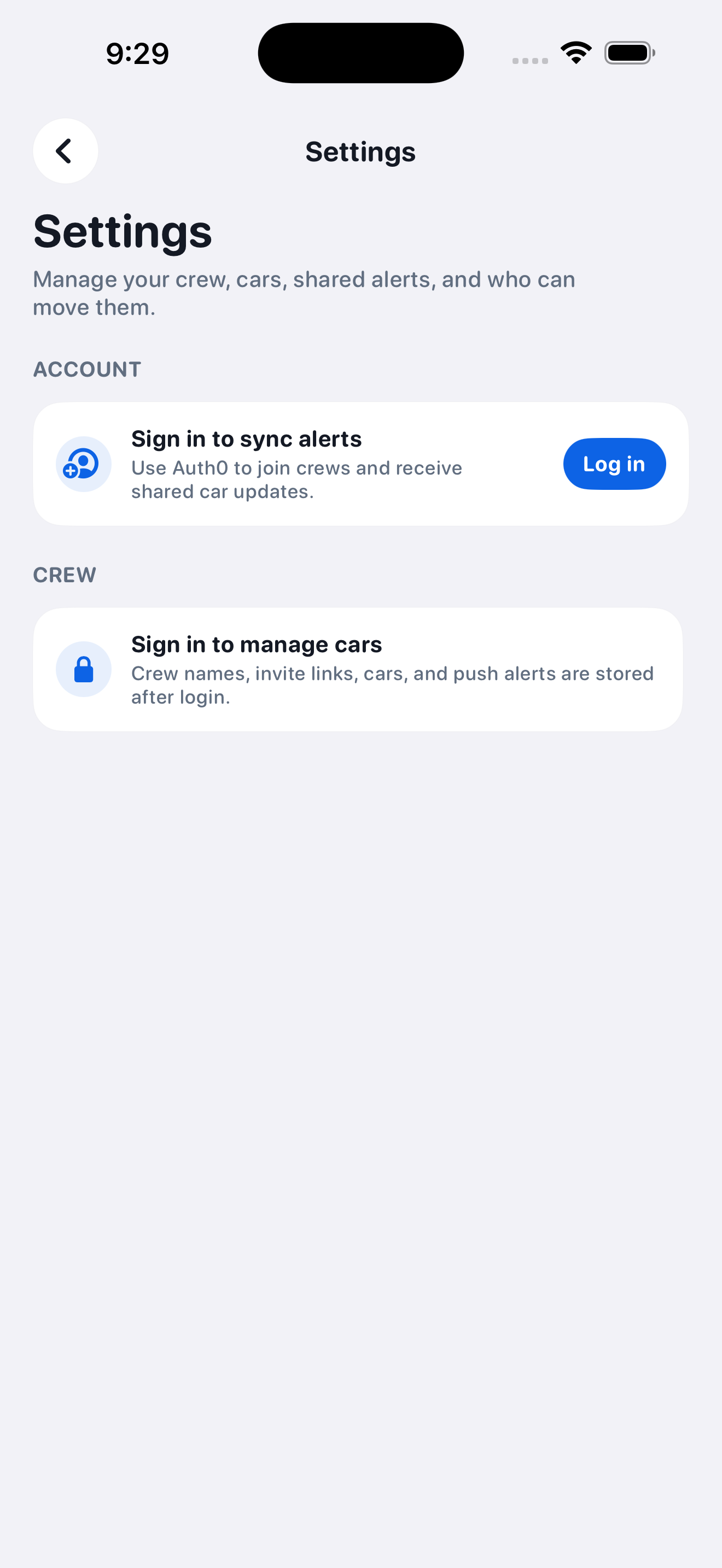
After (dark mode):
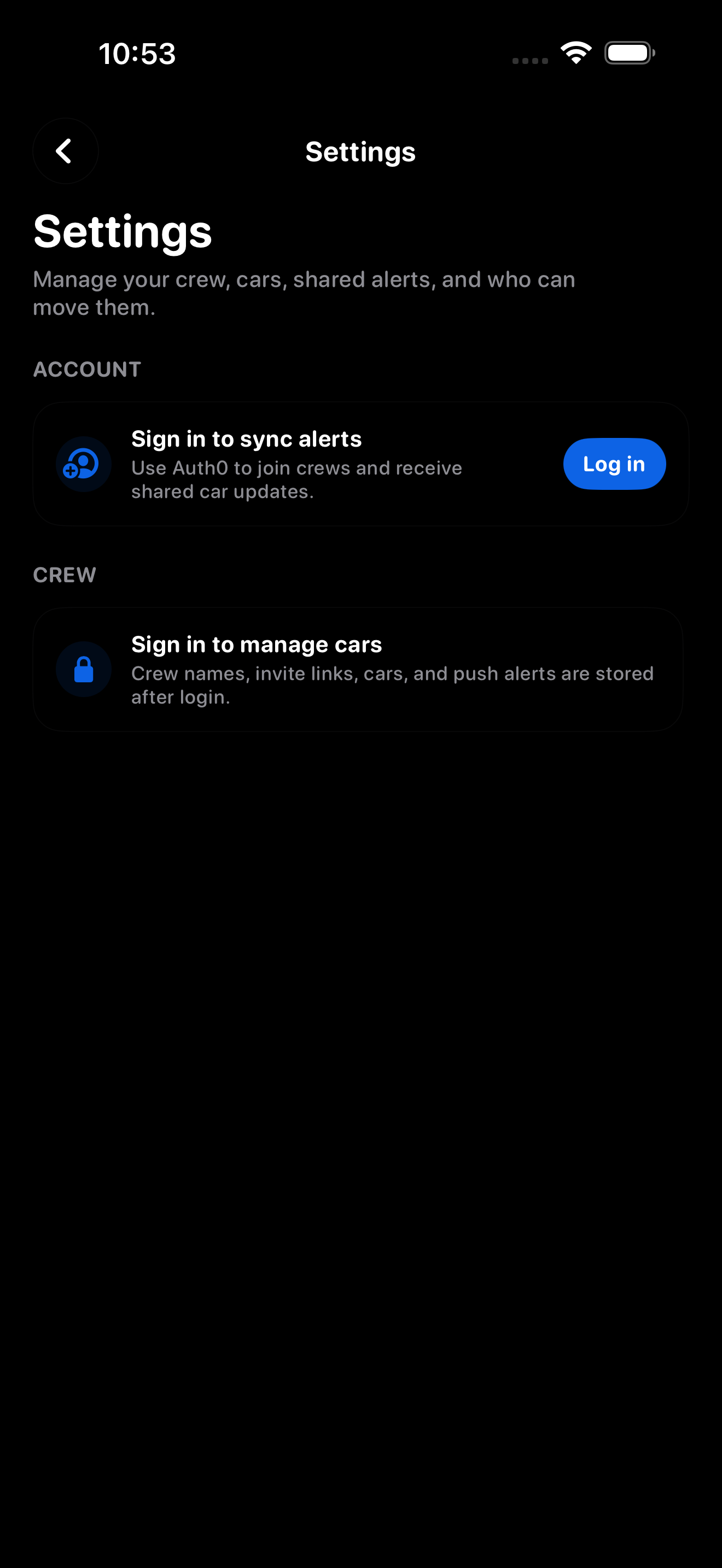
Test plan