This README provides an overview of the implementation of certain parts of the project "Orientable Dense Cyclic Infill for Anisotropic Appearance Fabrication" in C++. The project, initially introduced by researchers affiliated with Inria and showcased at the SIGGRAPH 2023 conference, this project forms the basis for the content discussed here.
The primary goal of this project is to facilitate the use of the algorithm by migrating its code from Python to C++.
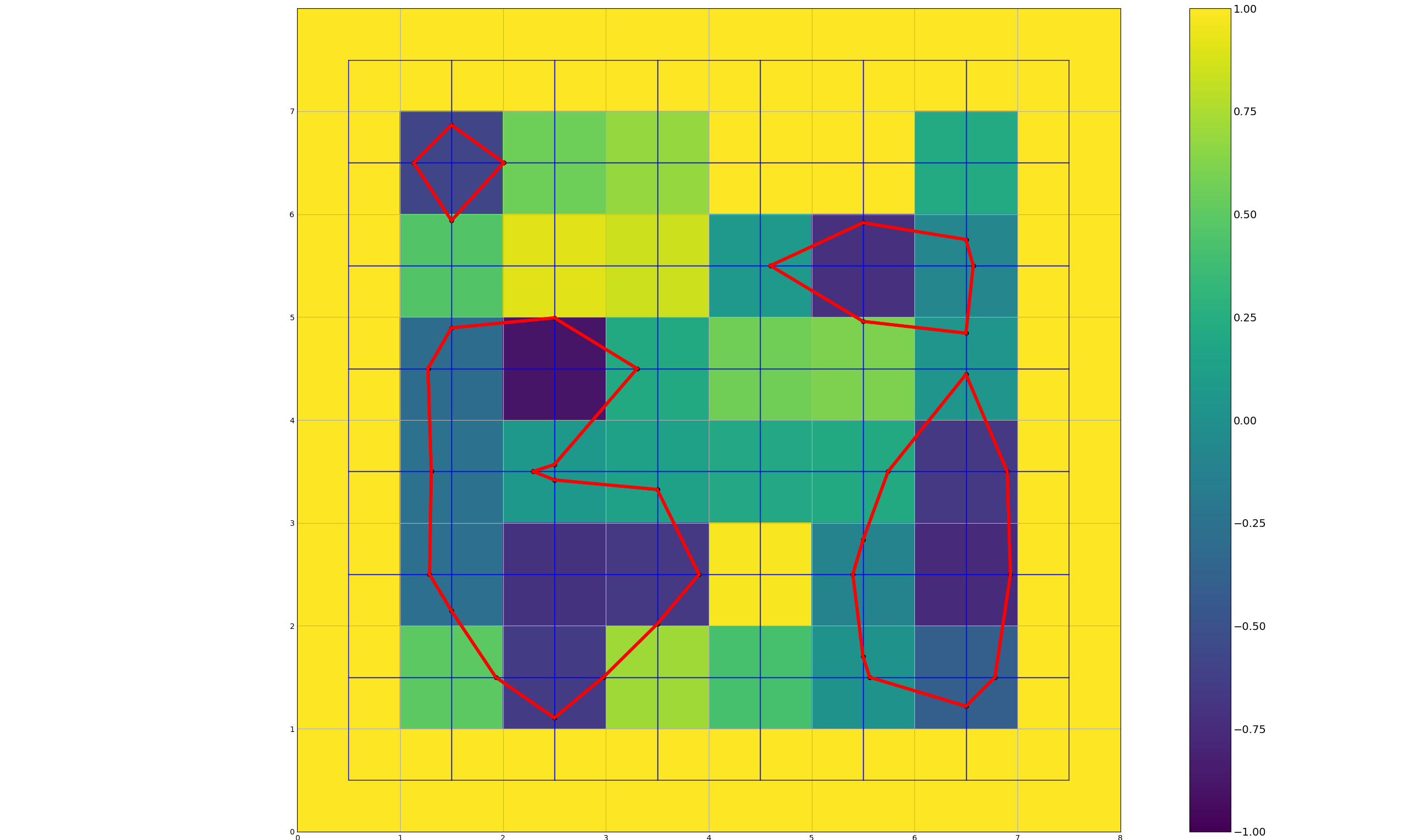
This project contains a C++ library. This library extracts contours from scalar fields, cycles them and then creates polylines.
There are also multiples executables that can be used individualy.
This projectrequire:
- C++ 11
- CMake 3.28.1 (or later)
- Eigen 3.4.0
git clone https://github.com/RitterAntoine/fdm_aa_cpp.git
This project uses CMake and require the version 3.28.1 minimum.
Here is the oficial website: here
If you want to build the project yourself using cmake, download the repository and enter this command into your terminal in the main folder
cmake --build . --config Release
This project require Eigen 3.4.0. Eigen is a C++ numerical analysis library consisting of template headers, developed by Benoît Jacob and Gaël Guennebaud at INRIA. It is open-source software under the MPL2 license and is multi-platform.
Here is the oficial website: here
I created multiples executables to use the library. Here is the list of the executables:
Cycle_Creator is an executable to extract Cycles from a scalar field To use it you need to download the executable and have an input file.
The input file is a .txt document, it needs to contains the dimension of your scalar field (rows and colomns) in the first row, then all the values (between -1 and 1).
here is an exemple of InputFile.txt:
4 4
1 1 1 1
1 -1 -1 1
1 -1 -1 1
1 1 1 1
After the installation run this in you terminal where the executable is located
./Cycle_Creator.exe InputFile.txt OutputFile.txt
This will write in the OutputFile all the information that has been created using your Scalar Field.
Performance_Tester is an executable to test the performance of the library. It will test a multiple size of scalar field and write the time it took to extract the cycles in a .csv file.
To use it you need to download the executable, then output file will be created in the same folder.
After the installation run this in you terminal where the executable is located
./Performance_Tester.exe
This part will show you how to use the library in your code.
Here is an exemple of code for contour extraction
// Import the library
#include <cglib/scalar.h>

// Create a scalar field
Eigen::Array<int, 2, 1> cell_2dcount(2);
cell_2dcount << cols, rows;

Eigen::Array<int, 2, 1> origin(2);
origin << 0, 0;

float cell_sides_length = 1;

Grid grid(cell_2dcount, origin, cell_sides_length);

Eigen::Array<double, Eigen::Dynamic, 1> flattened_scalar_field = graph.cast<double>().matrix().transpose();

// Extract the contours
Graph res = grid2_contour(flattened_scalar_field, cell_2dcount, grid);

// Get the result
Eigen::Array<float, Eigen::Dynamic, 2> list_point = res.getListPoint();
Eigen::Array<int, Eigen::Dynamic, 2> list_adjacency = res.getListAdjacency();
Here is an exemple of code for cycle extraction
// Import the library
#include <cglib/cycle.h>

// Create a scalar field
Eigen::Array<int, 2, 1> cell_2dcount(2);
cell_2dcount << cols, rows;

Eigen::Array<int, 2, 1> origin(2);
origin << 0, 0;

float cell_sides_length = 1;

Grid grid(cell_2dcount, origin, cell_sides_length);

Eigen::Array<double, Eigen::Dynamic, 1> flattened_scalar_field = graph.cast<double>().matrix().transpose();

// Extract the contours
Graph res = grid2_contour(flattened_scalar_field, cell_2dcount, grid);

// Extract the cycles
Cycle cycle = create_from_graph(res);
For this project I used GTest(Google test). All the test are in the folder test. Most of the functions have at least one test.
To run the unit tests you need to have Build the project using CMake. Then you can run this command in the folder where the executable is located
./cglib_tests.exe
This project is licensed under the BSD 3-Clause License - see the LICENSE file for details.