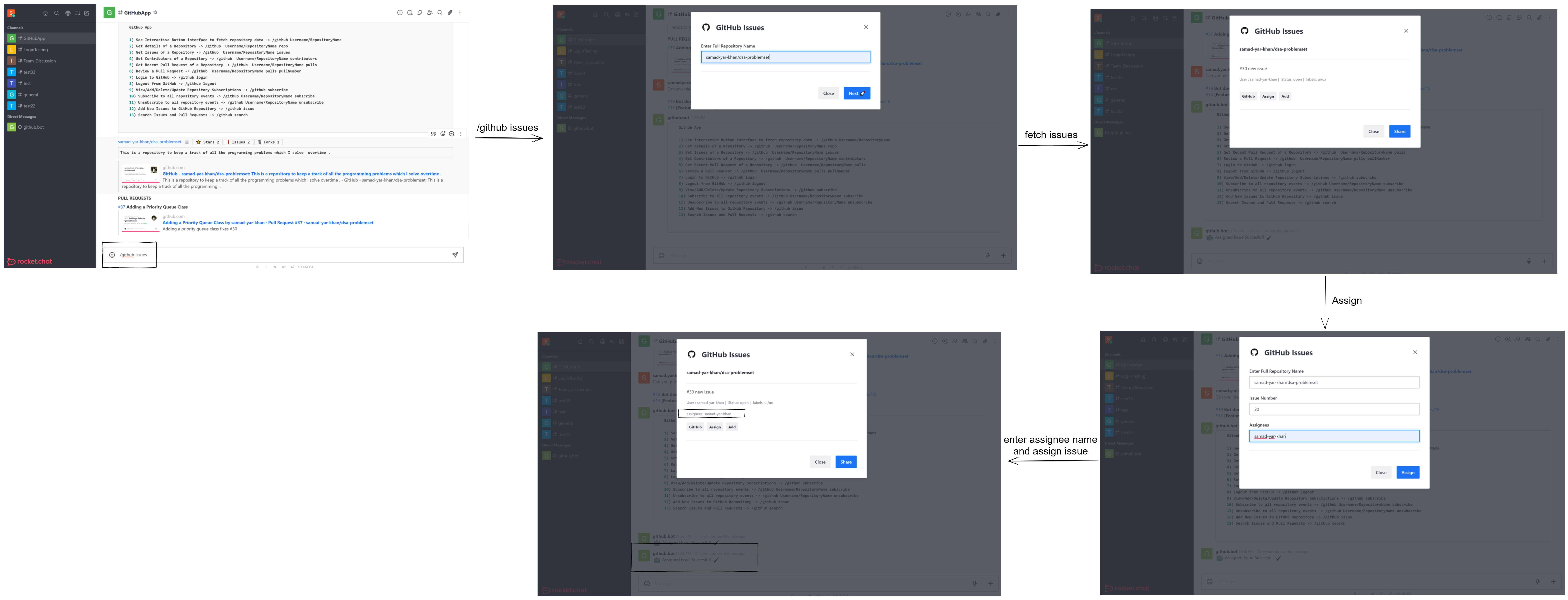
Assigning issues from Rocket.Chat
- GitHub App allows users to fetch repository issues.
- Fetched Issues can be assigned from Rocket.Chat.
- Multiple issues can be shared in the channel at once.
- Enter
/github issues - This triggers the
githubIssuesStarterModal. After entering the repository name, the repository issues are fetched and displayed ingithubIssueListModalusing thegetRepositoryIssuesmethod from thegithubSDK. - Authorized users with push access to the repository will see
Assignbutton along with the listed issue. - Clicking on
Assignwill trigger theaddIssueAssigneeModalusing theExecuteBlockActionHandler. -
addIssueAssigneeModalwill have prepopulated input fields. - If assignees already exist on an issues, those assignees usernames will be prepopulated in
ISSUE_ASSIGNEE_INPUTfield. - Existing assignees can be removed, edited or new assignees can be added to the issue.
- Clicking assign will trigger the
ExecuteViewSubmitHandler, which triggersupdateGithubIssuesmethod fromgithubSDKand updates the issues assignees.
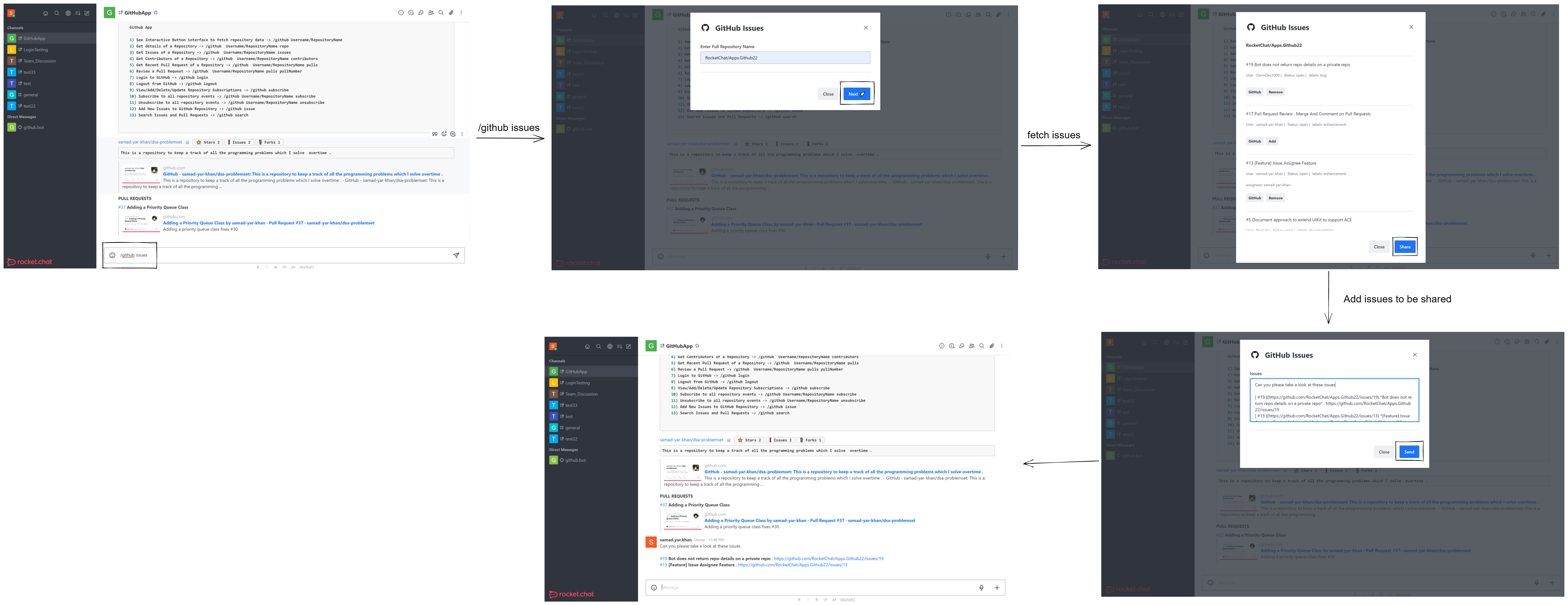
- In
githubIssueListModal, users canAddissues to be shared and share multiple issues. - The issues are stored using
GithubRepoIssuesStorage, which stores the repository issues as an array ofIGitHubIssueinsideIGitHubIssueData. - Issues are stored in the Apps persistent storage in the form of Association Records.
- The issue sharing feature works similar to Search Result Sharing Feature.