Hi,
first of all, great project! thanks for sharing!
I've noticed that the visual feedback window is not particularly DPI-aware / HiDPI-compatible as you can see here:
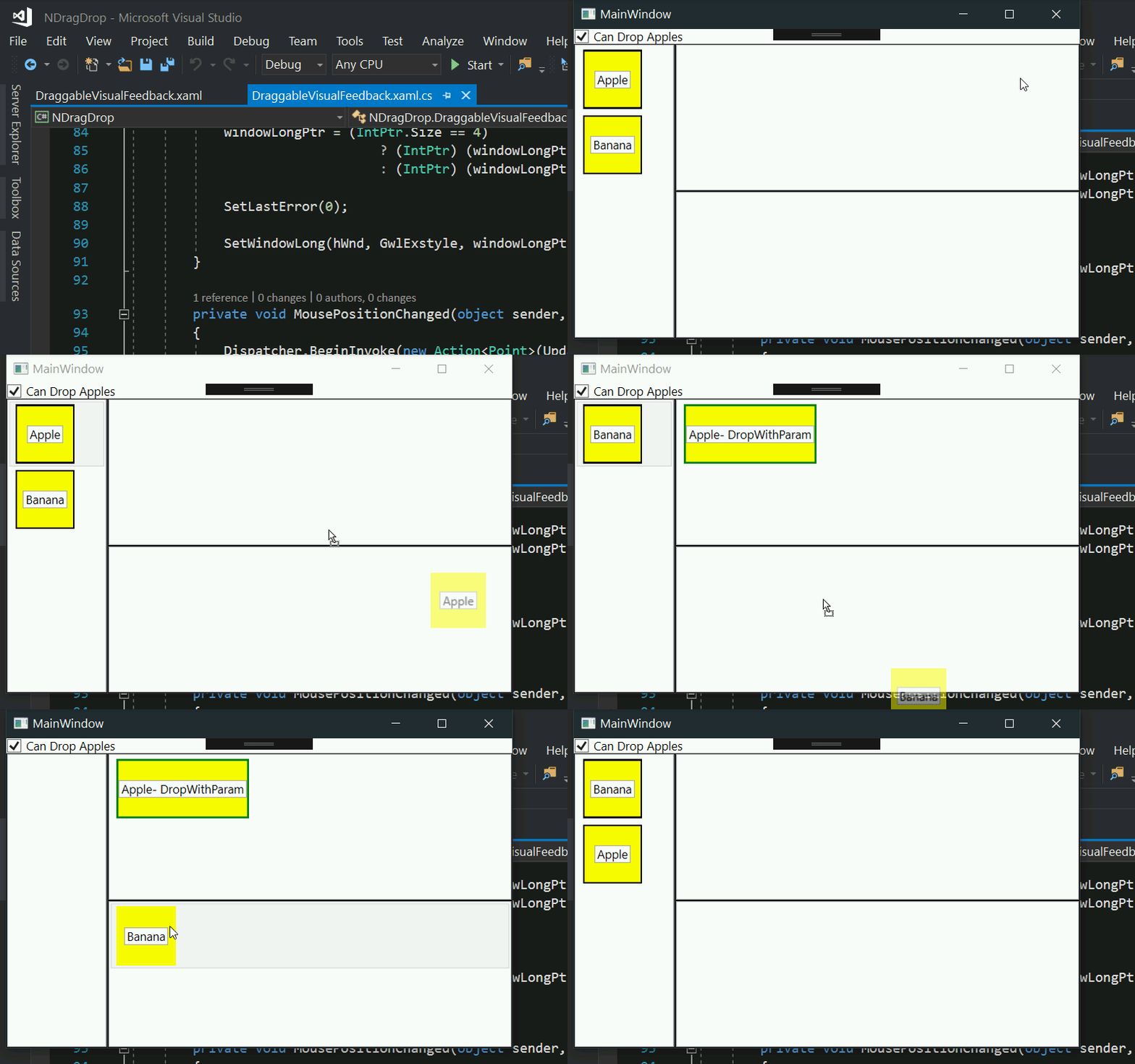
The problem lies within the use of GetCursorPos(out Point lpPoint) which returns the unscaled on-screen mouse position, but WPF applications are setup to be dpi-aware by default, so Window.Left and .Top are scaled coordinates that don't map to screen coordinates 1:1.
I have improved this, as well as the hard-coded resolution for the rendered bitmap of the ghost element (see #5) and it now works with any scaling factor, as well as for multiple differently sized / scaled monitors, check it out 😃
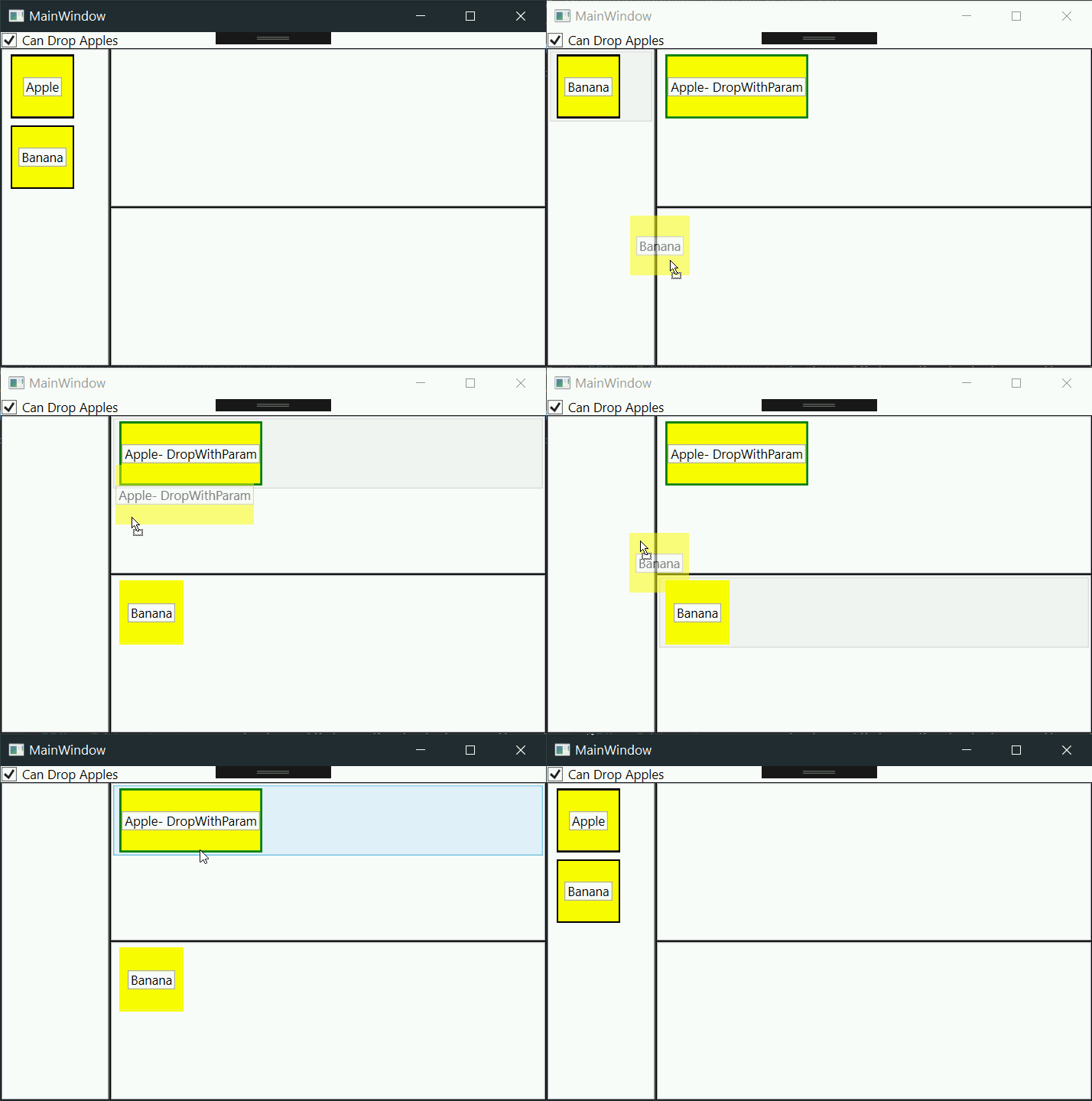
Cheers!
Hi,
first of all, great project! thanks for sharing!
I've noticed that the visual feedback window is not particularly DPI-aware / HiDPI-compatible as you can see here:
The problem lies within the use of
GetCursorPos(out Point lpPoint)which returns the unscaled on-screen mouse position, but WPF applications are setup to be dpi-aware by default, soWindow.Leftand.Topare scaled coordinates that don't map to screen coordinates 1:1.I have improved this, as well as the hard-coded resolution for the rendered bitmap of the ghost element (see #5) and it now works with any scaling factor, as well as for multiple differently sized / scaled monitors, check it out 😃
Cheers!