Nice to have - Postman
IMPORTANT:
Server runs on port 8000
Be sure port is available
$ git clone https://github.com/SantGT5/kubes-server.git
$ cd kubes-server
$ npm install

--- node ---
$ npm run dev

--- docker ---
$ npm run docker:compose

--> for more details, check "Available Scripts"
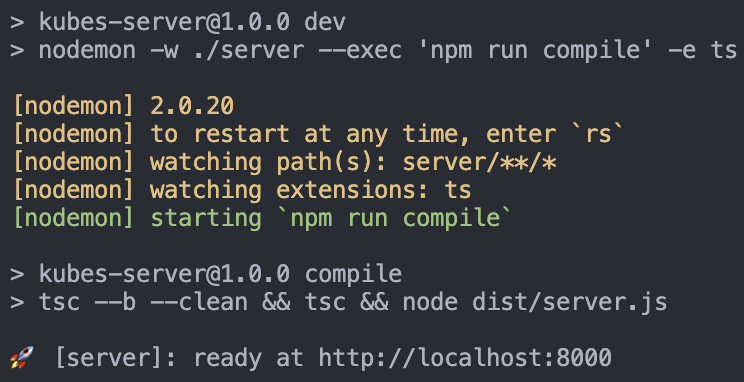
After server starts ( using node or docker ), the following success message appears from sever:
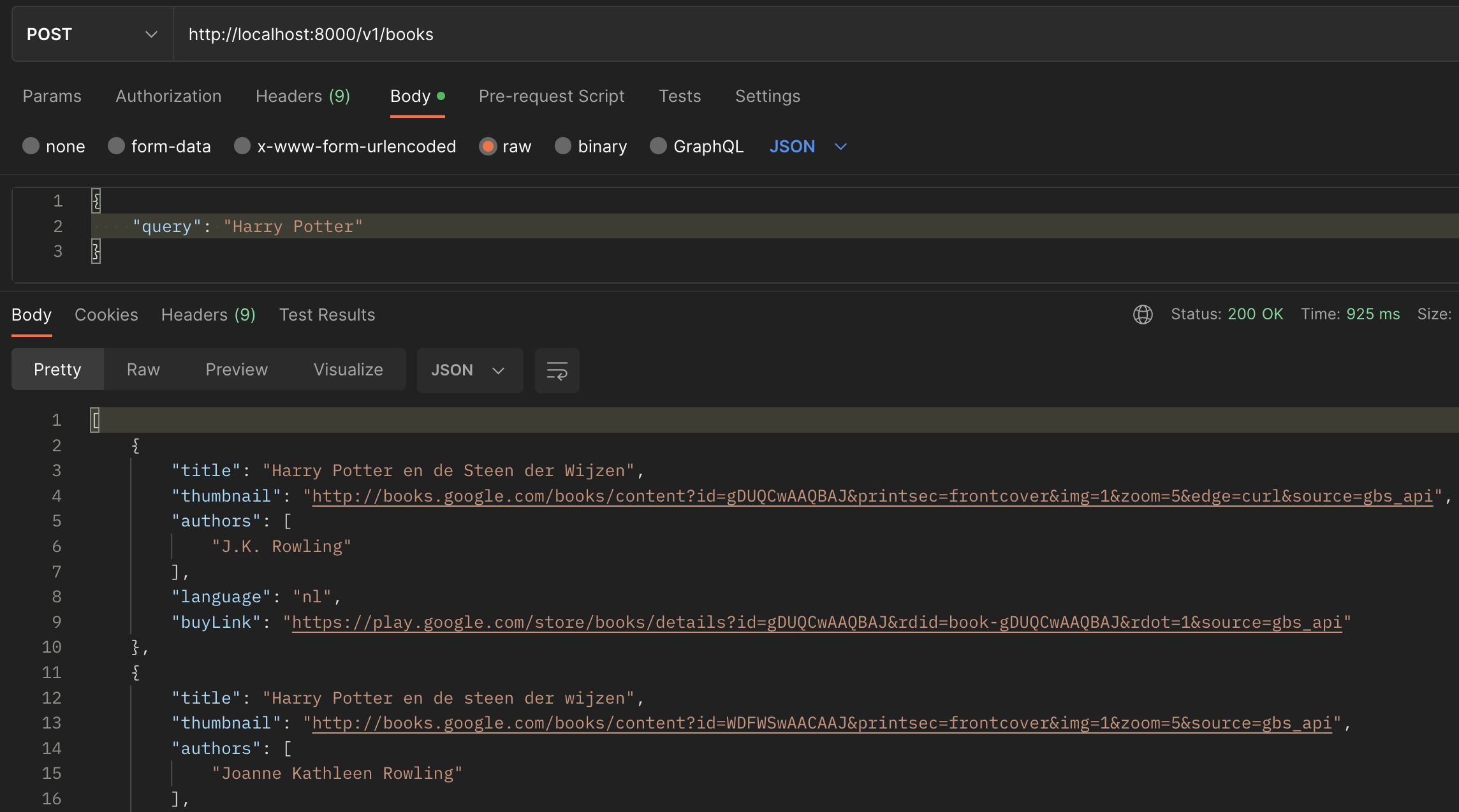
Having server running, Postman will help us to use our API.
To do so, open a new POST request using the following URL & Body:
URL -->
http://localhost:8000/v1/books

Json Body -->
{
	"query":  "Harry Potter"
}
-
$ npm run compileclean the atual build & compile TypeScript project in the ./dist directory. -
$ npm run devmonitors project, using nodemon, in the ./server directory & automatically restart application when it detects changes. -
$ npm run docker:buildbuilds a Docker image from a Dockerfile naming santgt5/kubes-server -
$ npm run docker:runcreate a running container from the build image santgt5/kubes-server -
$ npm run docker:composebuild & run image exposing on port 8000 -
$ npm run prettier:formatcode formatter