



Hermes Volta is an autonomous circuit design agent built natively on Hermes Agent by Nous Research. Powered by Kimi K2.6.
Say a circuit in plain English — by voice, text, or photo of a hand-drawn schematic — and Hermes Volta computes the components, runs a real PySpice/Ngspice simulation, generates KiCad artifacts and Gerbers, and delivers everything to your Telegram. The agent learns from every design, patches its own skill file, and gets measurably faster over time.
Try:
design a 1kHz low-pass filter at 5V·I'm building an ECG sensor·simulate this circuit(send with hand-drawn photo)
Built for The Hermes Agent Creative Hackathon by Nous Research.
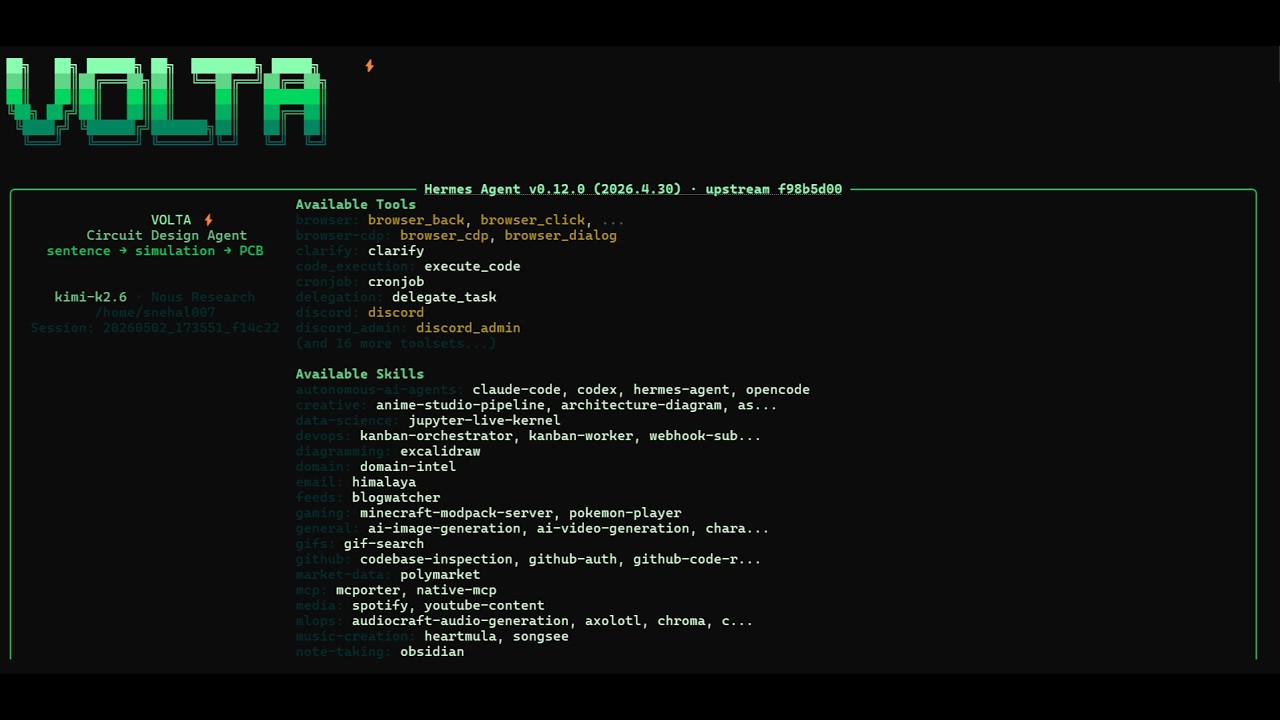
20-minute full demo: CLI (skills, learning loop, batch + delegation, session search + memory, autonomous web search, context references, RL trajectories, skill growth), Telegram (voice, vision, autonomous mode, cron scheduling, background session, PCB render, rollback), and live dashboard run (4 panels, design history, Hermes stream, audit log).
User sends a photo of a hand-drawn RC circuit on paper to Telegram. Volta recognizes the topology and values using vision analysis: "Schematic recognized: RC_LOWPASS — series R (1 kΩ), shunt C (100 nF)" Memory match found: fc = 1.59 kHz, error = 0.004% — essentially perfect. Delivers full simulation artifacts back to Telegram automatically.

Theory fc = 1591.55 Hz | Actual fc = 1591.49 Hz | Error = 0.004%

159Hz signal passes (VOUT/VIN = 1.00x) | 16kHz signal rejected (VOUT/VIN = 0.10x)

fc = 1591Hz | R1 = 1kΩ | C1 = 100nF | 0402 SMD

Top: noisy input | Middle: filtered output (real PySpice simulation) | Bottom: high-frequency noise blocked by filter

This repository packages the Volta skill, simulation and EDA pipeline (sim/), dashboard API (dashboard/), tests, and tooling. Hermes Agent is the orchestrator at runtime.
flowchart TB
    subgraph ctrl["Control Layer"]
        CLI[Hermes CLI]
        TG[Telegram voice text vision]
        DPrompt[Dashboard prompt]
        DashAPI["FastAPI dashboard api.py\n(dashboard/)"]
    end

    subgraph hermes["Hermes Agent"]
        HAR[Hermes Agent runtime]
        KIMI[Kimi K2.6]
        VOLTA_SKILL["Volta skill\nskills/volta/SKILL.md"]
        MEMORY[Memory + session search]
        TOOLS["Tools — execute_code, send_message,\ncron, background, rollback"]
    end

    subgraph pipe["Faraday Pipeline"]
        FP[faraday_pipeline.py]
        SIM["PySpice + Ngspice\nsim/simulate.py"]
        NET["KiCad netlist\nsim/netlist.py"]
        PCBEXP["KiCad CLI export\nsim/pcb_export.py"]
        RPT["Report\nsim/report.py"]
        CMP["Compare plot\nsim/compare_plot.py"]
    end

    subgraph deliver["Artifacts and Delivery"]
        PLOTS["Plots + metrics\nfrequency / transient / compare"]
        EDA[EDA — netlist, PCB starter, Gerbers]
        DASHPAN[Dashboard artifact panels]
        TGRAM[Telegram delivery]
        OUTDIR[outputs/]
    end

    DPrompt --> DashAPI
    CLI --> HAR
    TG --> HAR
    DashAPI --> HAR

    HAR --- KIMI
    HAR --- VOLTA_SKILL
    HAR --- MEMORY
    HAR --- TOOLS

    HAR --> FP
    VOLTA_SKILL --> FP

    FP --> SIM
    FP --> NET
    FP --> PCBEXP
    FP --> RPT
    FP --> CMP

    SIM --> PLOTS
    CMP --> PLOTS
    NET --> EDA
    PCBEXP --> EDA

    RPT --> OUTDIR

    PLOTS --> DASHPAN

    PLOTS --> TGRAM
    PLOTS --> OUTDIR
    EDA --> TGRAM
    EDA --> OUTDIR
Accuracy note: sim/sweep_optimizer.py and sim/monte_carlo.py are separate CLIs the agent invokes through Hermes tooling; they are not called inside faraday_pipeline.run(). sim/compare_plot.py is invoked at the end of run() (after reports) so compare_plot.png lands with each design bundle.
The diagram summarizes how control surfaces, Hermes/Kimi, and the Volta pipeline connect to inspectable outputs. For the feature-level breakdown, see Skills And Tools below.
More detail: docs/ARCHITECTURE.md
Public demo docs:
hermes-agent/ is a git submodule that pins Nous Research Hermes Agent next to Volta sources. Hermes-local virtual environments under hermes-agent/.venv/ stay untracked (see root .gitignore).
Bring it in after clone:
git clone --recurse-submodules <repo-url>Or on an existing clone:
git submodule update --init --recursiveThe repo integrates with Hermes Agent through:
skills/volta/SKILL.mdandskills/volta/references/- Hermes tool calls such as
execute_code,send_message, cron, background sessions, rollback, memory, and session search sim/faraday_pipeline.py, the main executable design pipelinedashboard/api.py, which exposes the Volta pipeline through the dashboard/API
The Volta skill is a custom Hermes skill that teaches the agent to design circuits. It defines:
- Circuit topology selection (RC_LOWPASS, RC_HIGHPASS, RLC_BANDPASS, RLC_NOTCH)
- E24 component value computation using verified filter math
- PySpice/Ngspice simulation and cutoff validation
- KiCad netlist, PCB, Gerber generation
- 8-message Telegram delivery bundle
- Learning loop — patches itself with verified recipes
Reference files in skills/volta/references/:
| File | Purpose |
|---|---|
| filter_math.md | RC and RLC filter equations |
| component_recipes.md | Verified E24 component pairs |
| kicad_footprints.md | JLCPCB 0402 footprint rules |
| extended_docs.md | Extended design guidance |
| Tool | Purpose |
|---|---|
| rl_trajectory.py | Records design trajectories for RL training |
| submit_trajectory.py | Bundles and submits trajectories |
| check_bom_prices.py | Checks live JLCPCB/LCSC component prices |
| component_search.py | Searches components by value and footprint |
| webhook.py | Webhook handler for external integrations |
Hermes Volta is designed as a Hermes Agent capability showcase. The circuit pipeline is only one layer; the demo also exercises Hermes skills, memory, messaging, multimodal input, scheduling, background execution, and tool-driven engineering work.
| Skill / capability | What it does in Volta |
|---|---|
| Skill growth | The agent updates skill/reference guidance when a design reveals a durable workflow improvement. |
| Memory | Verified recipes are saved so future requests can reuse known-good component values and simulation results. |
| Session search | Prior designs can be recalled and scaled, for example taking the most accurate design and retargeting it to 8 kHz. |
| Context references | Prompts such as @MEMORY.md which design should I use for a guitar pedal? use project context directly. |
| Tool / surface | What it does in Volta |
|---|---|
execute_code / terminal |
Runs PySpice, Ngspice, KiCad CLI, E24 sweeps, Monte Carlo checks, and report generation. |
send_message |
Delivers summaries, plots, reports, Gerbers, and engineering notes to Telegram. |
| Voice mode | Telegram voice prompts can trigger circuit generation. |
| Vision analysis | Hand-drawn schematic photos can be interpreted and mapped to supported circuit types. |
| Web search / Firecrawl | Autonomous mode researches project domains such as ECG, drone vibration, or guitar pedal filtering. |
| Cron jobs | BOM checks can be scheduled, such as weekly JLCPCB/LCSC review. |
| Background sessions | Longer designs can run without blocking the chat. |
| Rollback / history | Previous designs can be restored for comparison or recovery. |
| RL trajectory logging | tools/rl_trajectory.py records learned design trajectories under outputs/trajectories/. |
| Dashboard/API | FastAPI dashboard streams pipeline progress and serves an OpenAI-compatible /v1 endpoint. |
Most AI circuit demos stop at explanation. Hermes Volta produces artifacts an engineer can inspect:
- Simulation accuracy down to 0.004% error — the 1 kΩ + 100 nF recipe hits theory to within 0.006 Hz
- Theory values and practical E24 component choices
- Real AC and transient simulation through PySpice/Ngspice
- Bode response, transient validation, and VIN vs VOUT effect plots
- KiCad legacy netlist, starter
.kicad_pcb, Gerber zip, and PCB preview - Text report with cutoff error, BOM strings, and output paths
- Telegram delivery and an OpenAI-compatible dashboard API
The submitted demo video shows CLI, Telegram, and dashboard surfaces:
- CLI: skills, learning loop, batch design, delegation, memory/session search, autonomous web search, context references, RL trajectories, and skill-file growth.
- Telegram: voice, vision, autonomous mode, cron scheduling, background design, PCB render, and rollback.
- Dashboard: live run design, four artifact panels, design history navigation, and streamed Hermes progress.
-
Open the live dashboard at
http://localhost:8765. -
Enter a prompt such as:
design a 7kHz low-pass filter at 3.3V -
Watch the Hermes Stream panel show pipeline progress:
[Volta] Starting RC_LOWPASS... [Volta] Running PySpice/Ngspice simulation... [Volta] Simulation actual_fc=7234.21 Hz, error=3.346% [Volta] Generating KiCad netlist... [Volta] Exporting PCB artifacts with kicad-cli... [Volta] Writing cutoff report... [Volta] Done. -
The dashboard refreshes with:
- Bode plot
- PCB visual
- Full-width transient validation plot
- Filter effect plot showing VIN, VOUT, and rejected/difference content
- Cutoff report
-
If Hermes Telegram is configured, Volta also sends the summary and artifacts to Telegram.
Hermes Volta currently generates KiCad-compatible starter artifacts, not a production-routed PCB.
Generated EDA artifacts include:
circuit.net: KiCad legacy XML netlist with components, footprints, and netscircuit.kicad_pcb: minimal starter board file with board outlinegerbers.zip: Gerbers exported bykicad-clipcb_view.png: Matplotlib PCB preview generated from the netlist
Generated boards are starting points for engineering review, not production-approved layouts.
| Circuit type | Purpose | Formula |
|---|---|---|
RC_LOWPASS |
Pass low frequencies, attenuate high-frequency noise | fc = 1 / (2*pi*R*C) |
RC_HIGHPASS |
Block DC/slow drift, pass higher-frequency signals | fc = 1 / (2*pi*R*C) |
RLC_BANDPASS |
Pass a resonant center frequency | f0 = 1 / (2*pi*sqrt(L*C)) |
RLC_NOTCH |
Reject a resonant center frequency | f0 = 1 / (2*pi*sqrt(L*C)) |
docs/             Architecture, hackathon, and demo notes
docs/demo_artifacts/
                  Curated demo images for GitHub browsing
dashboard/       FastAPI dashboard and live artifact UI
hermes-agent/    Hermes Agent (git submodule → NousResearch/hermes-agent)
plugins/         Custom Hermes plugins (volta_audit.py — design audit and trajectory logging)
sim/             Simulation, netlist, PCB export, report, compare plots
skills/volta/    Hermes Agent skill and references
tests/           Smoke test suite
tools/           Trajectory, webhook, BOM helper tools
outputs/         Generated artifacts, ignored by git
requirements.txt Pinned pip dependencies (dashboard + simulation stack)
Designed for Linux, macOS, or WSL2 with Ngspice and optionally KiCad CLI. Python packages are pinned in requirements.txt. skills/volta/scripts/install_deps.sh installs system deps where it can (apt/brew), creates ./.venv, and pip-installs Volta stacks. Override VOLTA_PROJECT_ROOT only if paths are unconventional; use VOLTA_PYTHON only if plain python3 is not the interpreter you populated.
git clone --recurse-submodules https://github.com/Snehal707/Hermes-volta.git hermes-volta
cd hermes-volta
# If you cloned without --recurse-submodules: git submodule update --init --recursive
bash skills/volta/scripts/install_deps.sh
python3 dashboard/api.py
If python3 does not see packages after install_deps.sh, run the dashboard with the interpreter that script populated (for example .venv/bin/python3).
Open:
http://localhost:8765
For a fresh install on another machine:
git clone --recurse-submodules https://github.com/Snehal707/Hermes-volta.git hermes-volta
cd hermes-volta
git submodule update --init --recursive
bash skills/volta/scripts/install_deps.shUse PySpice-capable python3 (override with $VOLTA_PYTHON if needed):
PY="${VOLTA_PYTHON:-python3}"
"$PY" - <<'PY'
from sim.faraday_pipeline import run

result = run(
    circuit_type="RC_LOWPASS",
    R=1600,
    C=1e-7,
    supply_v=5.0,
    L=None,
    fc=1000,
    description="1kHz audio low-pass filter",
)
print(result)
PYSet once: PY="${VOLTA_PYTHON:-python3}".
E24 resistor sweep:
$PY sim/sweep_optimizer.py --fc 1000 --C 1e-7Monte Carlo tolerance check:
$PY sim/monte_carlo.py --R 1600 --C 1e-7 --fc 1000 --n 1000Full smoke test:
$PY tests/smoke_test.pyVolta exposes both a browser dashboard and an OpenAI-compatible API:
Dashboard: http://localhost:8765
OpenAI-compatible base URL: http://localhost:8765/v1
Model: volta-1.0
The /design endpoint streams deterministic Volta pipeline progress directly to the dashboard.
Hermes Volta is model-agnostic through Hermes Agent. The hackathon demo was run with Kimi K2.6, while the circuit pipeline itself remains deterministic and auditable.
| Layer | Technology |
|---|---|
| Agent Runtime | Hermes Agent by Nous Research |
| LLM | Kimi K2.6 by Moonshot AI |
| Circuit Simulation | PySpice + Ngspice |
| EDA / PCB | KiCad + kicad-cli + SKiDL |
| Dashboard | FastAPI + Matplotlib |
| Delivery | Telegram Bot API |
| Web Search | Firecrawl |
| Language | Python 3.11+ |
13/13 smoke tests pass locally, covering simulation, batch runs, optimizer, Monte Carlo, compare plot, netlist, PCB export, report generation, Telegram delivery, math accuracy, and Firecrawl availability.
- Hermes Agent — orchestration runtime from Nous Research (
execute_code, memory, Telegram, cron, dashboards). Hermes Volta plugs into these surfaces. - Kimi K2.6 — Moonshot AI foundation model cited for the Hermes Agent Creative Hackathon demo; Volta remains model-agnostic and the deterministic
sim/pipeline is independent of LLM choice. - Circuit simulation & EDA — PySpice, Ngspice, KiCad (including
kicad-cli), and SKiDL for netlisting (with KiCad fallback where needed). - Dashboard — FastAPI, Matplotlib (Agg plots under
outputs/), plus the broader Python Scientific stack inrequirements.txt.
Built by Snehal.
- GitHub:
Snehal707 - X:
@SnehalRekt - Telegram:
@Snehal_7
MIT