SwiftUI semantics, drawn in terminal cells.


SwiftTUI is a Swift framework for building terminal user interfaces on macOS,
Linux, and Windows. You write View types with @State, stacks, controls,
focus, gestures, and animation — the declarative model SwiftUI has proven at
platform scale — and the framework owns layout, input, redraw, and the
terminal itself. The result is a native executable for the platform you build for.
Important
Public beta. The API is still being proven, and breaking changes can occur.
All changes are documented in the CHANGELOG.
Pin with .upToNextMinor.

- Try it first
-
This is a real SwiftTUI app, compiled to WebAssembly and running live.
The guided introduction and API reference are at SwiftTUI.sh
This is the app behind the live demo, without the demo's ripple animation (full source):
import SwiftTUI

struct CounterView: View {
  @State private var count = 0

  var body: some View {
    VStack(spacing: 1) {
      TextFigure("\(count)", font: .future)
        .frame(minWidth: 14, alignment: .center)
      Button("Increment") { count += 1 }
        .buttonStyle(.bordered)
    }
    .frame(maxWidth: .infinity, maxHeight: .infinity)
  }
}

@main
struct CounterApp: App {
  var body: some Scene {
    WindowGroup("Counter") { CounterView() }
  }
}
Render a deterministic snapshot of a view at a chosen size. This is the
counter at 40 columns
(RenderOnce.print(CounterView(), width: 40), color off):
                  ┏━┓
                  ┃┃┃
                  ┗━┛

               ╭─────────╮
               │Increment│
               ╰─────────╯
Space activates the focused button and the figure redraws — only the cells that changed. Ctrl-C quits and restores your shell.
Any Swift 6.4+ toolchain builds and runs SwiftTUI apps from the command line on
macOS 15+, Linux, and Windows 10 1809+ (swiftly,
a current Xcode, or the swift.org installer).
Add the package, depend on its SwiftTUI product, and swift run:
// Package.swift
.package(url: "https://github.com/SwiftTUI/swift-tui", .upToNextMinor(from: "0.13.5")),
// in your executable target:
.product(name: "SwiftTUI", package: "swift-tui"),
Or clone the demo's repo and run its terminal target:
git clone https://github.com/SwiftTUI/swift-tui-counter-demo
cd swift-tui-counter-demo
swift run --package-path counter counter- State in, screen out. Views are a pure function of your app's state: change a value and the runtime recomputes layout and rewrites exactly the cells that changed. No draw loop, no buffer diffing, no repaint bookkeeping.
- Real components, open styles. Buttons, text fields, pickers, sliders, lists, tables, tabs, sheets, and command palettes ship with built-in styles, and every one of the 28 style families is an open protocol: conform, then restyle a control, a subtree, or the whole app with one modifier. That includes the families SwiftUI keeps closed. See The Style System.
- The terminal, negotiated for you. Truecolor, Kitty and Sixel images,
OSC 8 hyperlinks, and mouse reporting are probed per session and degrade
gracefully: one binary is correct in kitty, a bare SSH session, or CI. Every
app also ships
--accessible,--cursor-follows-focus,--reduce-motion,--no-color, and--ascii. You write views, not escape codes. - One compiled binary, testable without a TTY. Swift 6 compiles your interface into a single executable with checked concurrency, and tests render and compare integer-cell frames like the one above with no terminal attached.
Coming from SwiftUI? The shape is the same; the terminal-native differences are deliberate and recorded — read Coming from SwiftUI and the divergence register. Choosing between TUI frameworks? See the comparison on swifttui.sh.
Shapes and images share the same layout and modifier model as controls. Draw
arcs with Angle and Path, clip a subtree with clipShape, morph compatible
paths, and layer images in authored order. Animated GIFs preserve frame timing
and finite or continuous playback. See
Shapes and
Animated Images.
Build larger interfaces from compositional lazy stacks, data-backed lists and tables, nested scroll panes, and tabs that retain authored model state. Animated presence changes fade by default; numeric text, keyframes, and matched geometry make changes visible while respecting reduced motion. Explore the building blocks or go directly to Scrolling, Animating Views, and Commands and Key Input.
 |
 |
|---|---|
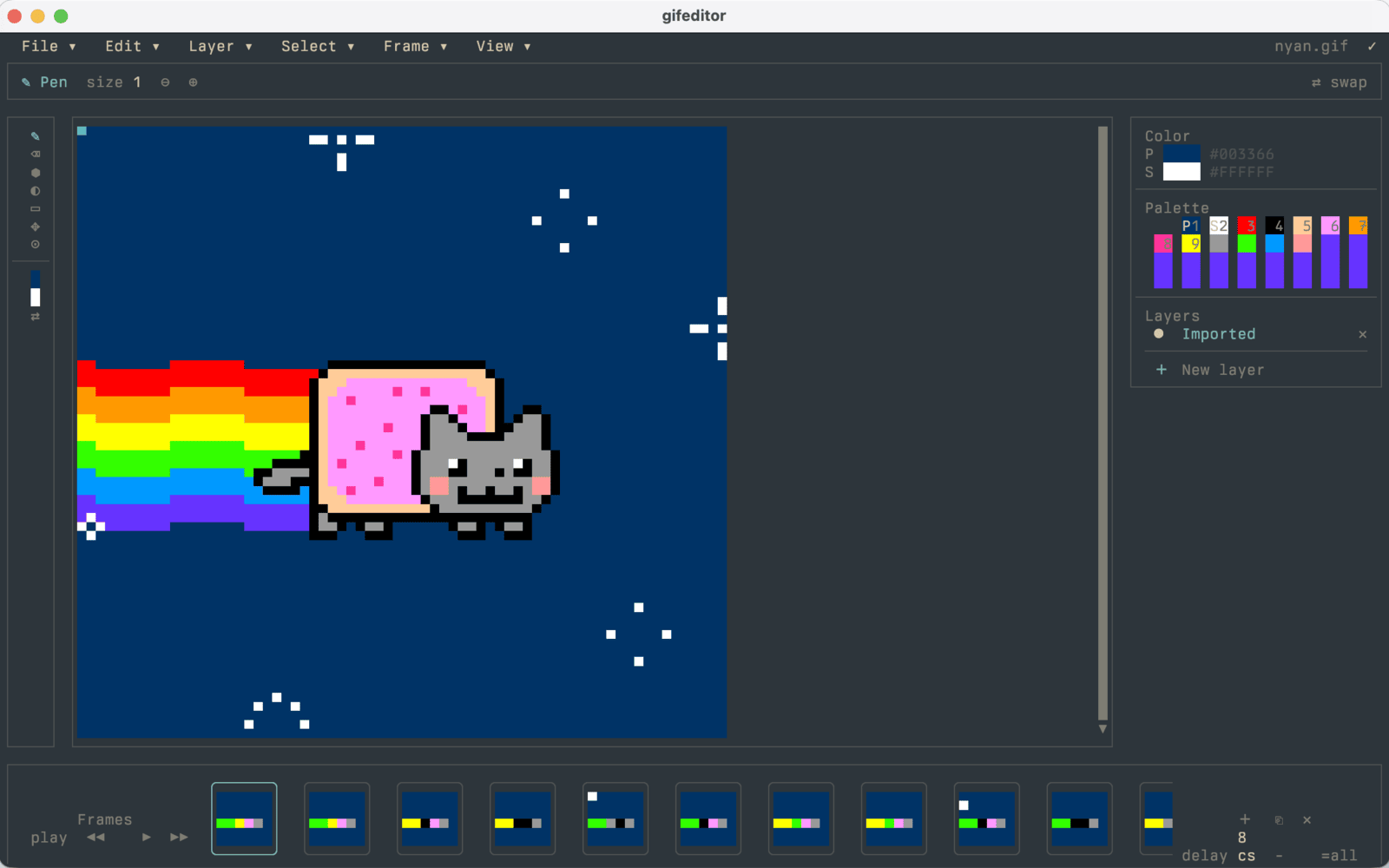
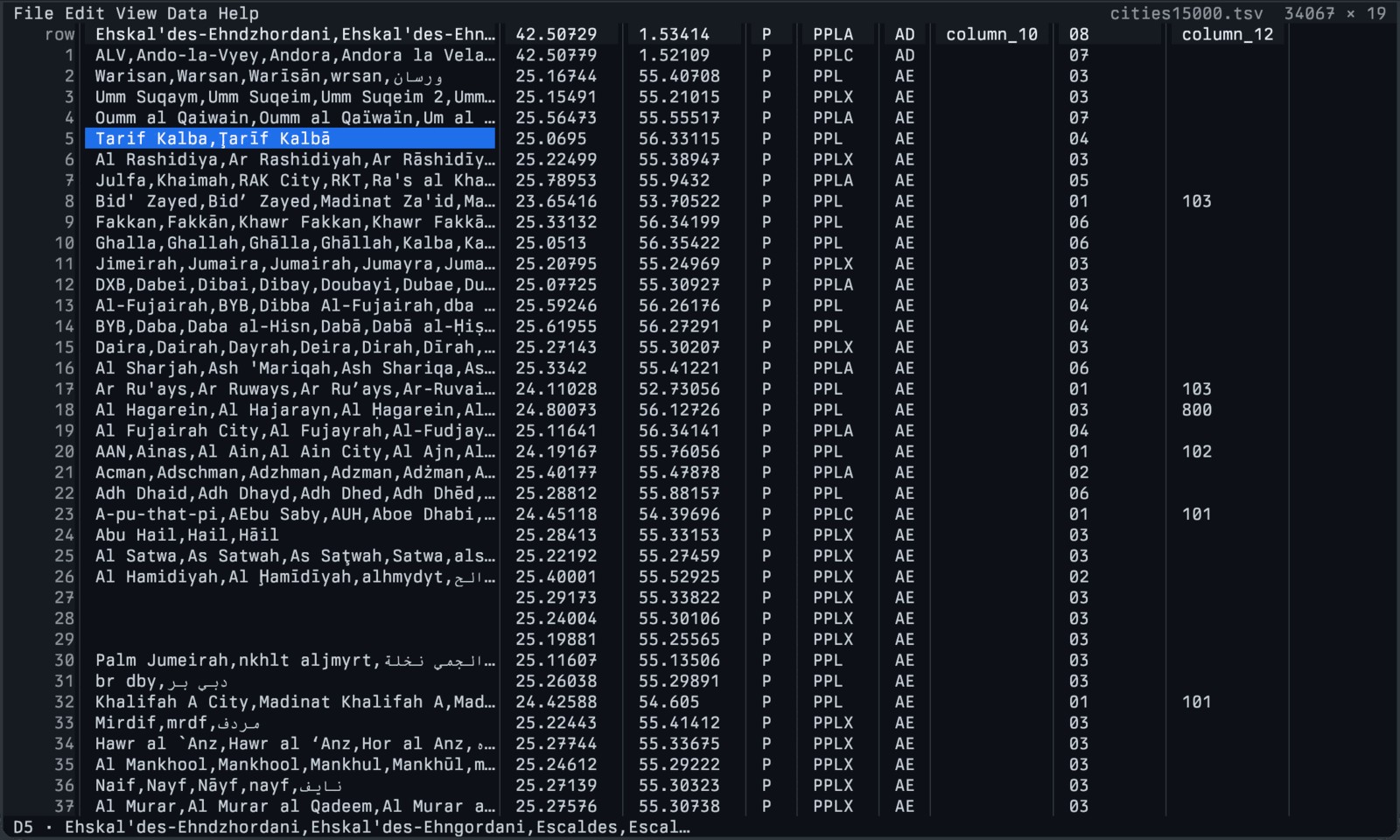
| GIF Editor — canvas, layers, a scrubbable timeline, pointer tools, undo, export | csvui — a 34,000-row table browsed and edited in place |
 |
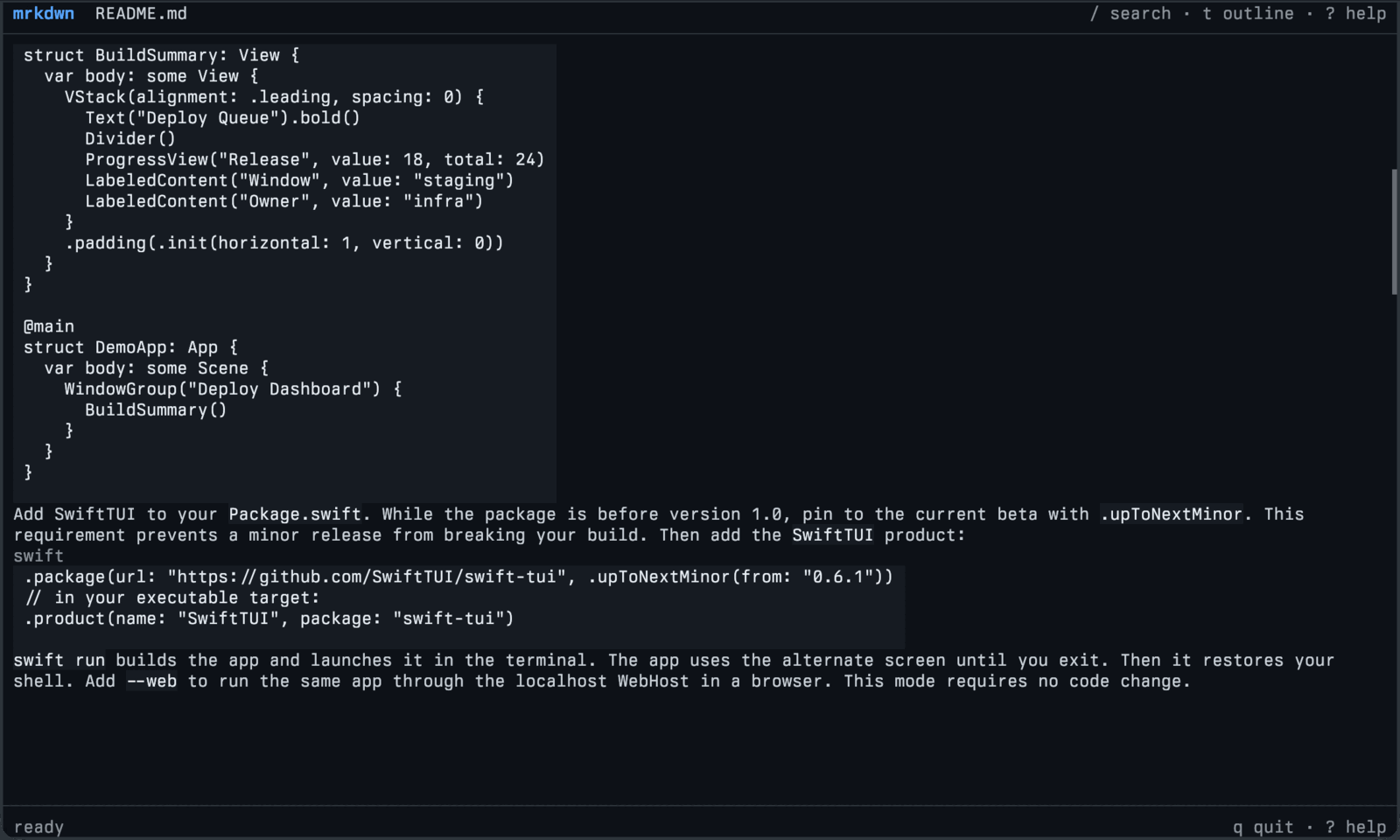 |
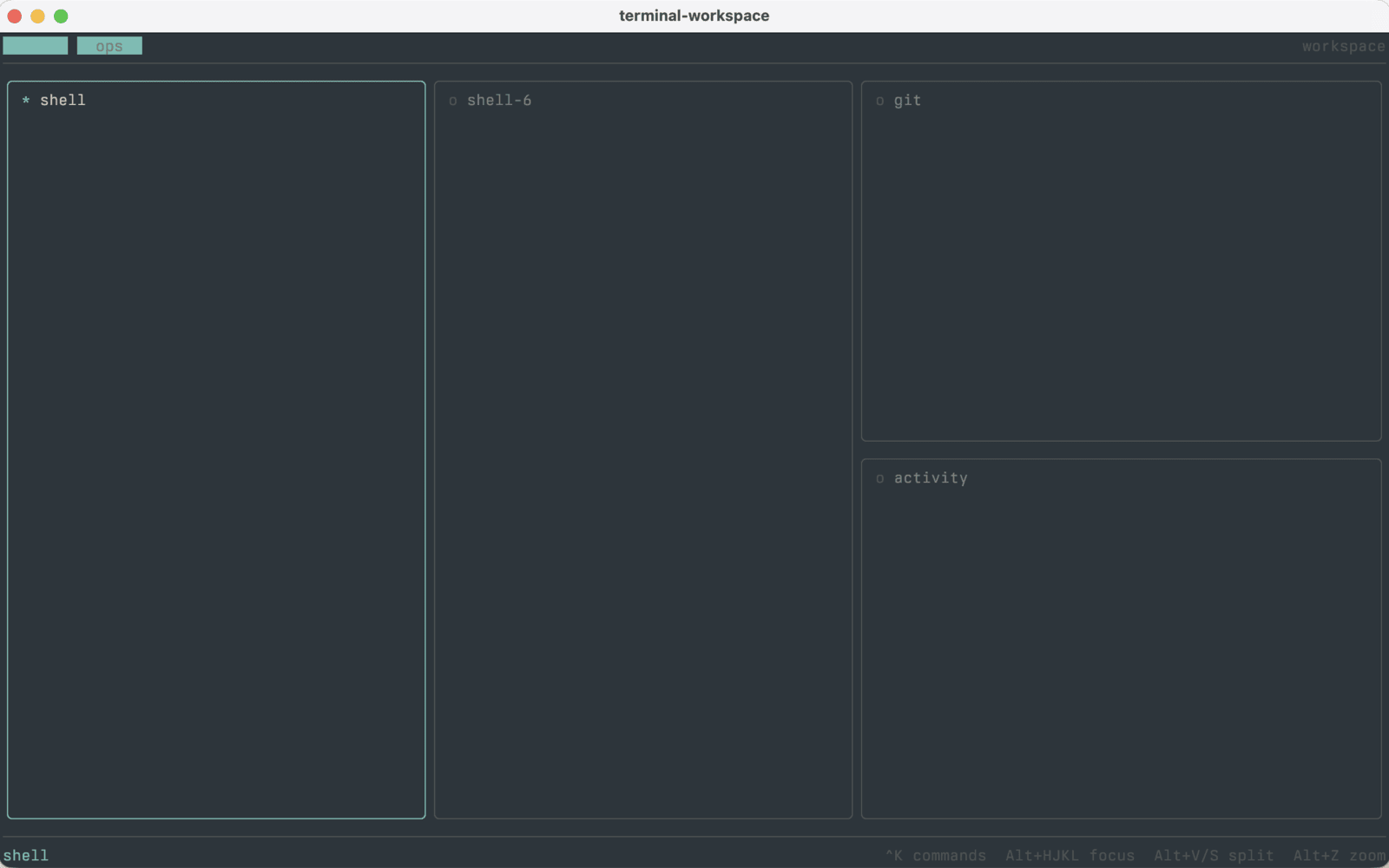
| Terminal Workspace — tabs, splits, and a command palette over embedded terminals | mrkdwn — a responsive Markdown reader, shown reading this README |
Every example runs from a fresh clone of
swift-tui-examples.
Try swift run --package-path gallery gallery-demo for the gallery of SwiftTUI's interactive functionality.
(See more in the showcase)
Building something with SwiftTUI? Add it here. Open a pull request that appends one line below with the project's name, a link, and a short description.
Terminal first, not terminal only. The same App also runs in a browser —
launch it with --web to serve it over localhost, or compile it with the
SwiftTUIWASI product and ship it as a static bundle with
@swifttui/web, which is what the
live demo is — and inside native apps through
swift-tui-swiftui (macOS, iOS)
and swift-tui-android
(arm64 preview). The browser paths paint to Canvas or DOM with a semantic accessibility
tree; none of them is a terminal emulator. For narrower product graphs — the
explicit SwiftTUICLI terminal runner, custom hosts, or one committed frame
rendered without a TTY — start from
Choosing Modules And Platforms;
the full platform-by-product matrix (including the Windows notes) is
Hosts And Platforms.
Shared source can adapt to its input host: visible actions and larger targets for touch, focused commands for keyboards, and native scroll panning. Keep the model and view tree shared while choosing suitable navigation and control styles; see Adapting an Interface to Its Host.
- Introduction guides: https://swifttui.sh/guides/
- DocC documentation: https://swifttui.sh/docs/documentation/
- Questions? Join the community on Discord.
Open an issue for SwiftUI-style APIs you find missing or anything that gets in your way. Shipping something with SwiftTUI? Add it to Projects using SwiftTUI so others can find it.
Small, well-scoped issues and pull requests are easiest to review. The repo
uses the pinned Swift 6.4.0 toolchain through swiftly: swiftly run swift test for the unit tests. Read CONTRIBUTING.md
Please join the Discord to discuss changes.
SwiftTUI first-party code is licensed under the MIT License (MIT). Vendored
third-party code under Vendor/ keeps its own license and provenance notices.
See LICENSE.