Ensure you have the following installed:
- .NET SDK 8.0
- Visual Studio 2022 with
.NET 8.0workload
Clone the Repository
-
Open Visual Studio
-
Git --> Clone Repository
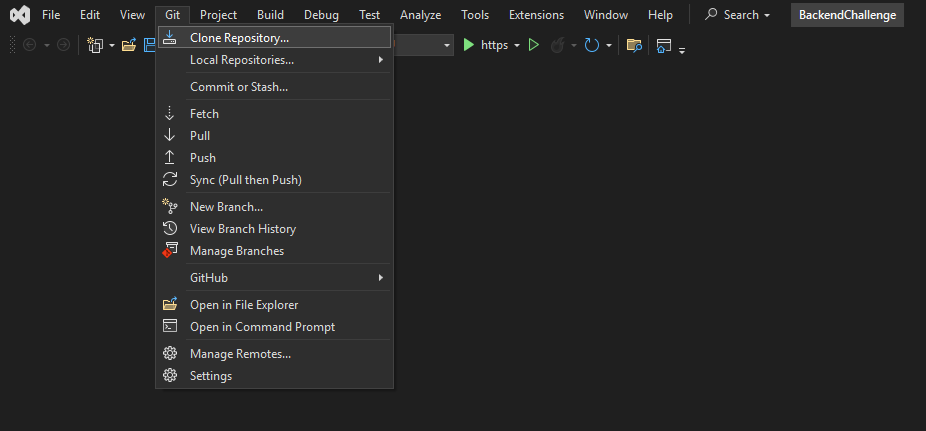
- Enter Repository URLโดยใช้ URL นี้:
https://github.com/Thanarat-DS/BackendChallenge.git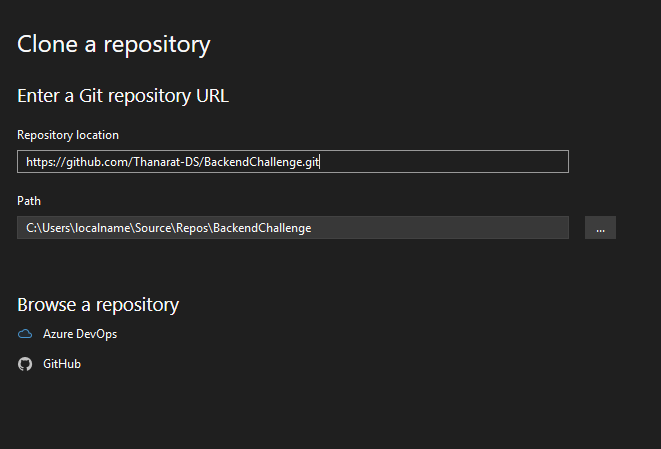
เลือกใช้ SQLite เพราะไม่ต้องเชื่อม Server
ผู้ที่เข้ามาดู Repository นี้ สามารถลองโหลดและ Run โปรเจกต์นี้ได้ทันที
User Model (Extend from IdentityUser)
public class User : IdentityUser
{
    public string Fullname { get; set; } = string.Empty;
}
Book Model
public class Book
{
    [Key]
    [DatabaseGenerated(DatabaseGeneratedOption.Identity)]
    public int BookId { get; set; }

    [JsonProperty("title")]
    public string Title { get; set; } = string.Empty;

    [JsonProperty("subtitle")]
    public string Subtitle { get; set; } = string.Empty;

    [JsonProperty("isbn13")]
    public string Isbn13 { get; set; } = string.Empty;

    [JsonProperty("price")]
    public string Price { get; set; } = string.Empty;

    [JsonProperty("image")]
    public string ImageUrl { get; set; } = string.Empty;

    [JsonProperty("url")]
    public string Url { get; set; } = string.Empty;
}
UserLike Model
public class UserLike
{
    public string UserId { get; set; }
    public User User { get; set; }
    public int BookId { get; set; }
    public Book Book { get; set; }
}
OnModelCreating
protected override void OnModelCreating(ModelBuilder modelBuilder)
{
   base.OnModelCreating(modelBuilder);

   modelBuilder.Entity<UserLike>().HasKey(ul => new { ul.UserId, ul.BookId });

   // relationship between UserLike and User
   modelBuilder.Entity<UserLike>()
       .HasOne(ul => ul.User)
       .WithMany()
       .HasForeignKey(ul => ul.UserId);

   // relationship between UserLike and Book
   modelBuilder.Entity<UserLike>()
       .HasOne(ul => ul.Book)
       .WithMany()
       .HasForeignKey(ul => ul.BookId);

}This is the user authentication API Request: {username: xxx , password: xxxx}
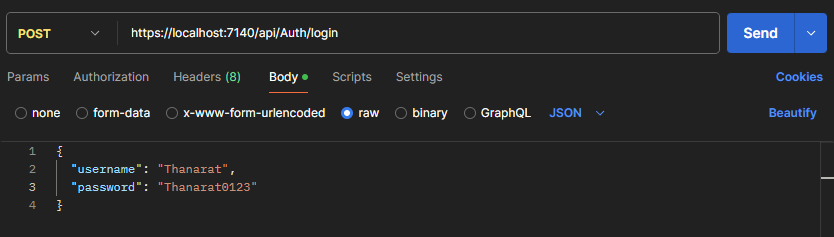
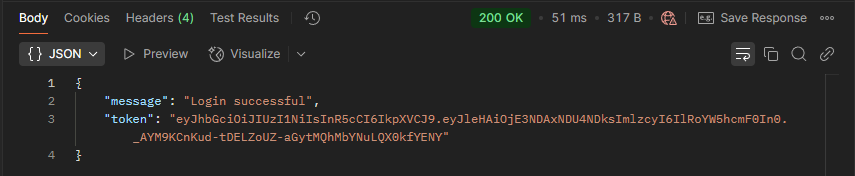
result:
Create a user account and store user information into database Request: {username:xxxx, password: xxxx, fullname:xxxx}
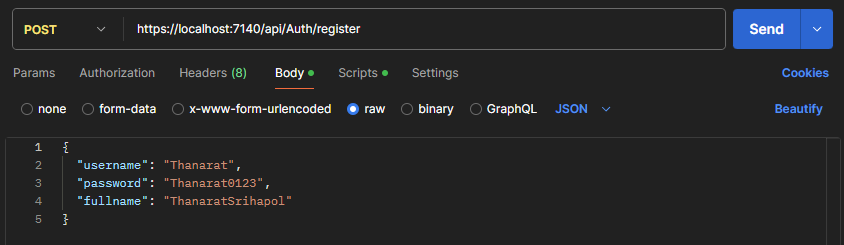
result:

this will save to AspNetUsers Table:

Get the list of books from https://api.itbook.store/1.0/search/mysql and returns the list sorted to alphabet (a-z) by book title

result:
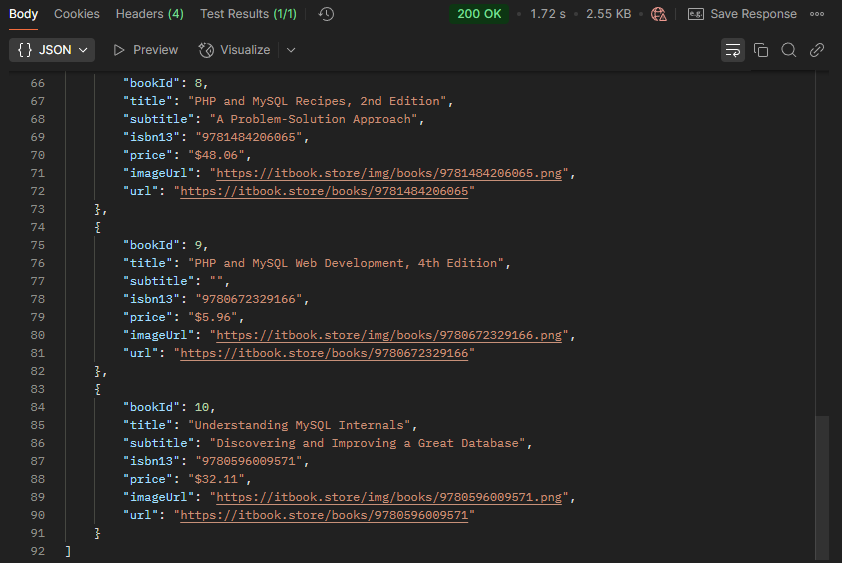
this will save to Book Table:

Like book and store the book that the user like in the database Request: { user_id: xxx , book_id: 1}
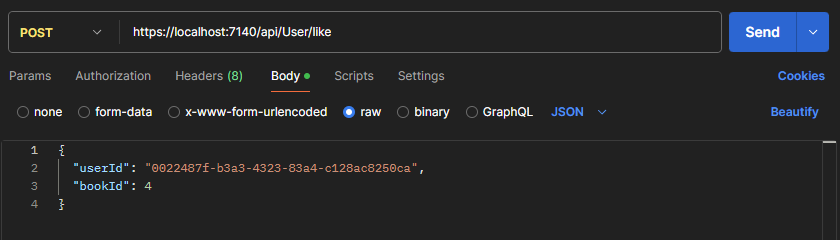
result:

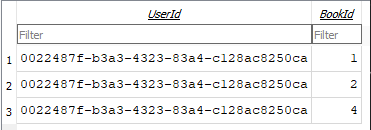
this will save to UserLike Table:
โปรเจคนี้ได้ Implement การสร้าง JWT (JSON Web Tokens) ในการเก็บข้อมูล Login ของผู้ใช้
[HttpPost("login")]
public async Task<IActionResult> Login([FromBody] LoginRequest request)
{
    var user = await _userManager.FindByNameAsync(request.Username);
    if (user != null && await _userManager.CheckPasswordAsync(user, request.Password))
    {
        var authClaims = new List<Claim>
        {
            new Claim(JwtRegisteredClaimNames.Sub, user.UserName!),
            new Claim(JwtRegisteredClaimNames.Jti, Guid.NewGuid().ToString()),
        };

        var token = new JwtSecurityToken(
            issuer: _configuration["Jwt:Issuer"],
            expires: DateTime.Now.AddMinutes(double.Parse(_configuration["Jwt:ExpiryMinutes"]!)),
            signingCredentials: new SigningCredentials(new SymmetricSecurityKey(Encoding.UTF8.GetBytes(_configuration["Jwt:Key"]!)),
            SecurityAlgorithms.HmacSha256
            )
        );

        return Ok(new { message = "Login successful", Token = new JwtSecurityTokenHandler().WriteToken(token) });
    }
    return Unauthorized(new { message = "Invalid username or password" });
result: