Tutorial
Warning
All actions will do in Discord server by the bot and these changes will be applied only on fakeProfile's side server not Discord's. TO SEE CHANGES YOU NEED INSTALL PLUGIN. YOU WILL NOT SEE ANY RESULTS WITHOUT PLUGIN, CHECK INSTALLATION PAGE FOR INSTALLATION INFORMATION.
Click to read
- Go to #command
- Use
/banner uploadcommand like image below:
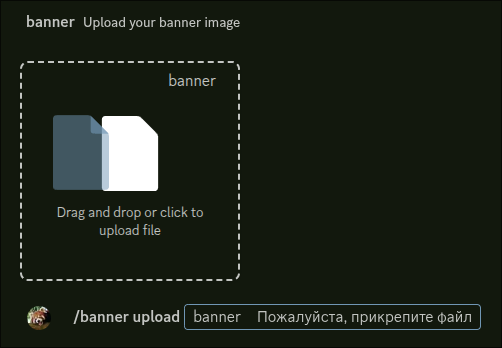
- All that's left for you is to wait until your request is approved in the #fakeprofile-logs and wait 2 mins or reload manually and done.
Click to read
- Go to #command
- Use
/avatar uploadcommand like image below:
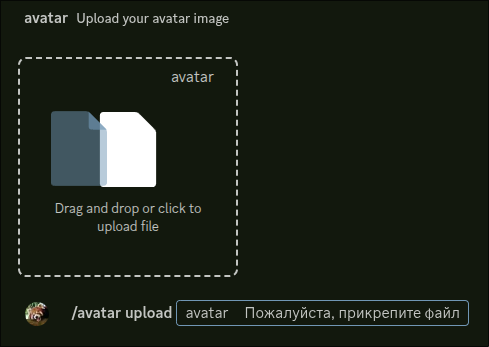
- All that's left for you is to wait until your request is approved in the #fakeprofile-logs and wait 2 mins or reload manually and done.
Click to read
-
Go to #command
-
Use command
/profile effectseffects: Effect in optionslike this: -
When you feel the effect is suitable, press the
Applybutton to apply that effect. -
After that wait 2 mins or reload manually and done.


Warning
You can request(add) badges only limited to 5.
Choose default badges
- Go to #command
- Use command
/badges selectnamelike this:

- Wait 2 mins or reload manually and done.
Request custom badges
- Go to #command
- Use command
/badges addnametooltipimagelike this:

Where
imageyou need choose badge image.
- All that's left for you is to wait until your request is approved in the #fakeprofile-logs and wait 2 mins or reload manually and done.
Click to read
- Go to #command
- Use
/badges viewlike this image:

- You can manage with badges like that:

- Wait 2 mins or reload manually and done.
Click to read
-
Go to #command
-
Use command
/profile decorationsdecoration: Decoration in optionslike this: -
When you feel the decoration is suitable, press the
Applybutton to apply that decoration. -
After that wait 2 mins or reload manually and done.


Click to read
-
Go to your profile settings
-
Choose your own colors in the Nitro preview
-
Click the "Copy 3y3" button
-
Paste the 3y3 text anywhere in your About Me

Click to read
-
Go to #command
-
With avatar use
/profile avatar removecommand: -
With banner use
/profile banner removecommand: -
After send that commands wait 2 mins or reload manually is done.


Click to read for apply
-
Go to #command
-
Type command
/profile nameplates:
-
Choose any nameplate(type name of nameplate) what you want and then press to apply.

-
Reload fakeProfile or wait 2 minutes.
- Go to #command
- To remove your nameplate type command
/profile nameplate_remove, then send it and you'll get your nameplate removed. You need also wait 2 minutes or reload it youself.