This guide explains how to set up and connect your Flask backend (running locally) with a Swift iOS app using the provided network connector. It covers installation, configuration, LAN access, endpoint testing, and troubleshooting.
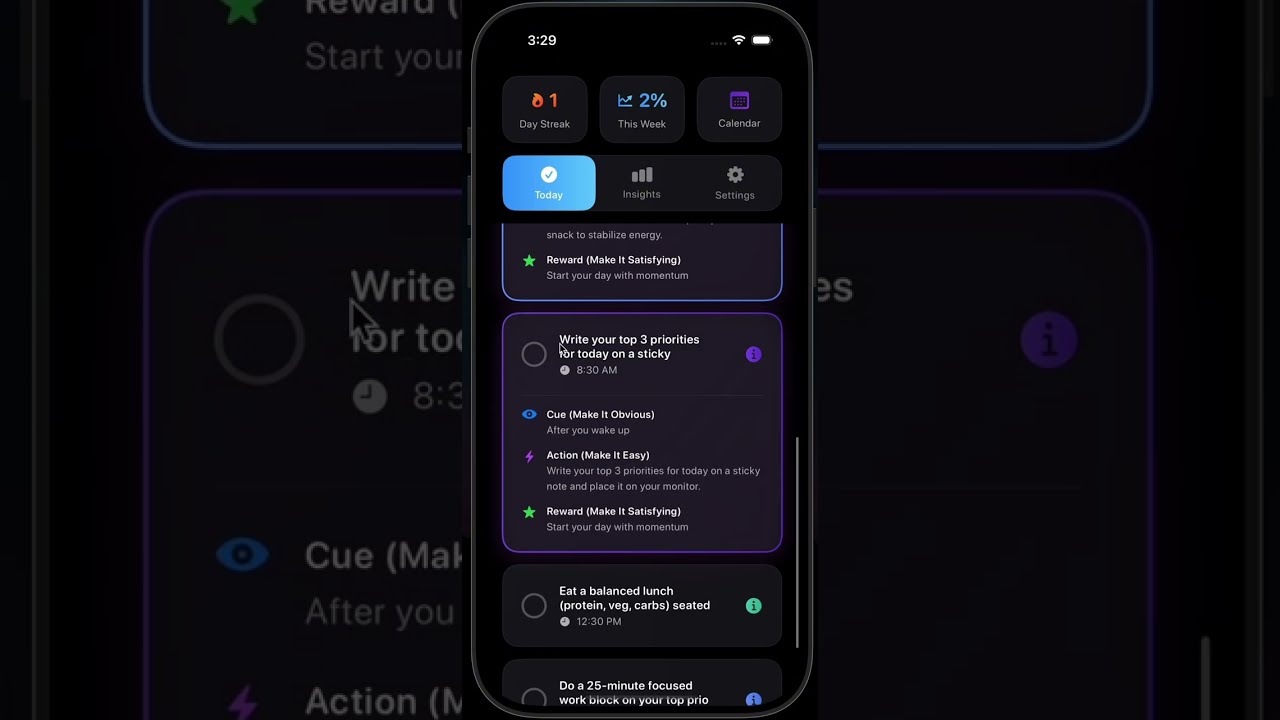
Your Flask app generates personalized 7-day plans using an AI backend (Dedalus MCP server) and serves them via REST endpoints. The Swift app collects user input (like wake-up time, focus habits, etc.) and requests the Flask backend to generate structured daily plans.
/api/create-personalized-plan→ Generates a 7-day structured plan./api/get-tip→ Returns short motivational tips./api/get-routine→ Returns simple 7-day routines.
- Collects user data (name, age, routines, etc.)
- Sends POST requests to Flask via the
NetworkServiceclass. - Displays the returned JSON (plan, tips, intro) as part of the app UI.
pip install flask flask-cors dedalus_labs asyncioMake sure app.py has this at the bottom:
if __name__ == '__main__':
    app.run(host='0.0.0.0', port=8080)
Then run:
python app.pyYou should see something like:
* Running on http://10.29.209.147:8080 (Press CTRL+C to quit)
Note that
10.29.209.147is your local IP — this is what your friend's Swift app must use.
Allow inbound connections on port 8080:
- Windows: Allow the Python process or open TCP port 8080 on Private networks.
- macOS: If prompted, click Allow incoming connections.
Send a POST request to:
http://10.29.209.147:8080/api/create-personalized-plan
Body (JSON):
{
  "name": "Ricardo",
  "age": 22,
  "wakeUpTime": "8:00 am",
  "sleepTime": "7:00 pm",
  "eatingHabits": "I try, but I'm inconsistent",
  "exerciseRoutine": "I am very consistent",
  "deepFocus": "I am somewhat inconsistent",
  "timeManagement": "I am very consistent",
  "notificationStyle": "Firm and direct"
}
If you get a structured JSON response with intro, days, and tips, your Flask app is ready.
private let baseURL = "http://10.29.209.147:8080"
⚠️ Do not usehttps://127.0.0.1— that points to your friend's local machine.
Swift calls:
let url = URL(string: "\(baseURL)/api/create-personalized-plan")!That sends the POST request to your running Flask app.
Your Swift connector builds the JSON using:
struct FlaskUserData: Encodable {
    let name: String
    let age: Int
    let wakeUpTime: String
    let sleepTime: String
    let eatingHabits: String
    let exerciseRoutine: String
    let deepFocus: String
    let timeManagement: String
    let notificationStyle: String
}
This matches exactly what Flask expects — no changes needed.
Your Flask backend returns:
{
  "intro": "...",
  "days": [
    {"day": 1, "morning": ["..."], "afternoon": ["..."], "evening": ["..."]},
    ...
  ],
  "tips": ["...", "..."]
}
Swift decodes it using:
struct FlaskPlanResponse: Codable {
    let intro: String
    let days: [FlaskDay]
    let tips: [String]
}

struct FlaskDay: Codable {
    let day: Int
    let morning: [String]
    let afternoon: [String]
    let evening: [String]
}
The models are fully compatible.
To allow your friend's device to reach Flask:
-
Both must be connected to the same Wi-Fi network.
-
Use your local IP address (not 127.0.0.1).
-
Ensure your firewall allows external access to port 8080.
-
Test from your friend's browser:
http://10.29.209.147:8080/It should display:
API is running
If that works, the Swift app will also work.
| Issue | Cause | Fix |
|---|---|---|
❌ Connection refused |
Firewall blocked port | Allow Flask through firewall on 8080 |
❌ Network unreachable |
Using 127.0.0.1 or wrong IP | Replace with your LAN IP |
❌ Failed to decode response |
JSON format mismatch | Ensure Swift request fields match Flask keys |
NSAppTransportSecurity error on iOS |
iOS blocks HTTP by default | Add ATS exception in Xcode plist (see below) |
In your app's Info.plist, add:
<key>NSAppTransportSecurity</key>
<dict>
  <key>NSAllowsArbitraryLoads</key>
  <true/>
</dict>
This allows HTTP connections for local development. You can remove it when deploying via HTTPS.
When you want to make it accessible outside your LAN, use one of these:
ngrok http 8080It gives you a temporary HTTPS URL like:
https://yourapp.ngrok-free.app
Update Swift's baseURL to this URL.
- Render.com
- Railway.app
- Fly.io
- Google Cloud Run / AWS / Azure
These platforms provide free HTTPS endpoints and persistent hosting.
| Step | Description | Done |
|---|---|---|
| 1️⃣ | Run Flask with host='0.0.0.0' |
✅ |
| 2️⃣ | Find your local IP via ipconfig / ifconfig |
✅ |
| 3️⃣ | Use http://<your-ip>:8080 in Swift baseURL |
✅ |
| 4️⃣ | Open port 8080 on your firewall | ✅ |
| 5️⃣ | Test endpoint with Postman | ✅ |
| 6️⃣ | Test Swift app call | ✅ |
Once all boxes are checked, your local Flask API and Swift connector will talk seamlessly over LAN.
🧩 Author Note: This setup is ideal for local development and iteration. When you're ready for production, switch from http:// to https:// using ngrok or a proper deployment host.