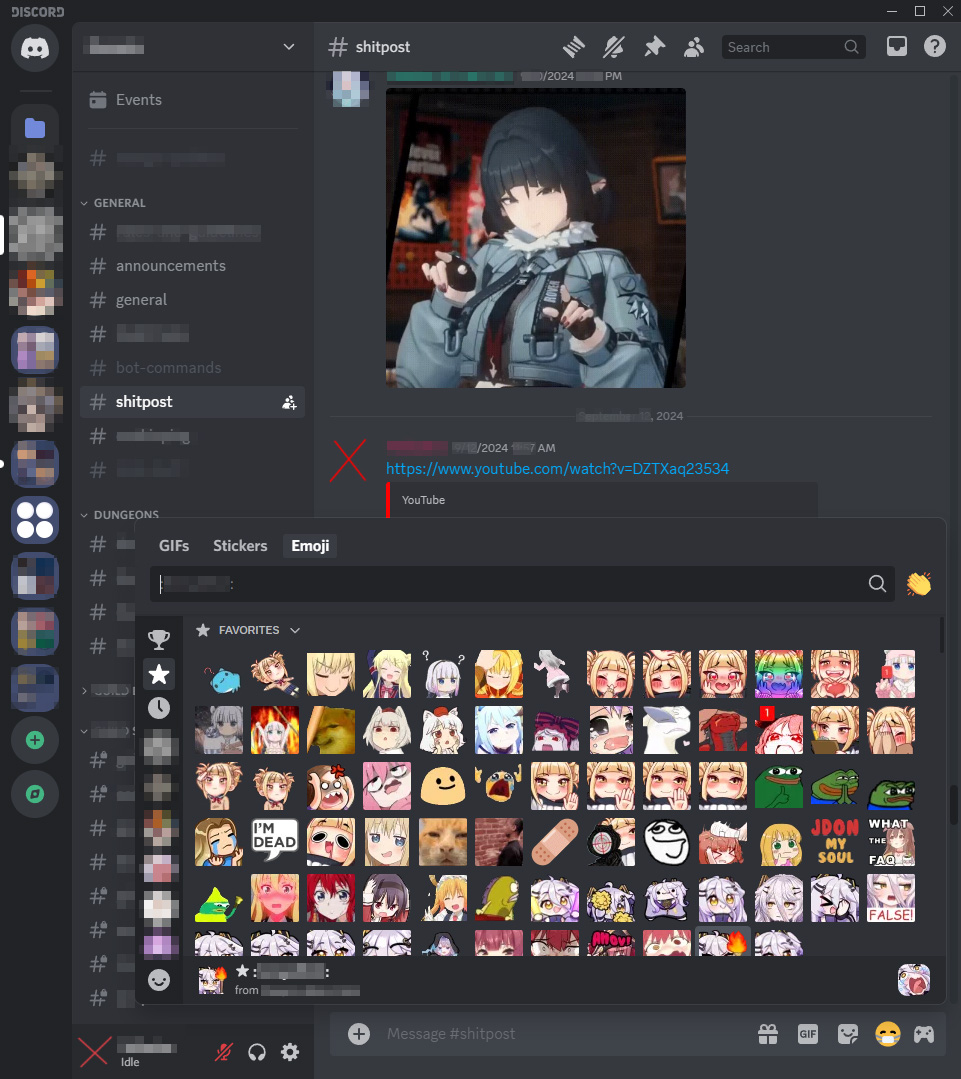
A theme for Discord that brings the 2023 UI back
Profile effects, profile colors, emoji panel, pings, avatar decorations, general layout, color scheme, and banners should appear as they did in mid 2023.
Important
- Enable "Sync Profile Themes" in
Settings > Accessibilityto fix broken profile colors - UI Density should be on default, i wont support the other 2 options (they still kinda work though)
- To have the old gray colors, use the "Ash" theme in appearance settings
- Download 2023cord.theme.css (right-click > "Save As")
- Save the file to the BetterDiscord theme folder:
- Windows:
%appdata%/BetterDiscord/themes - Linux:
~/.config/BetterDiscord/themes
- Download 2023cord.theme.css (right-click > "Save As")
- Move the file to the Vencord theme folder:
Settings > Themes > Open theme folder
Paste the following in Settings > Themes:
https://tiffys.github.io/2023cord/src/main.css
- Paste the following at the top of the CSS file/window:
@import url("https://tiffys.github.io/2023cord/src/main.css");