This repository contains my personal configuration for Arch Linux and some tools written in lua.
See TODO.md for planned features
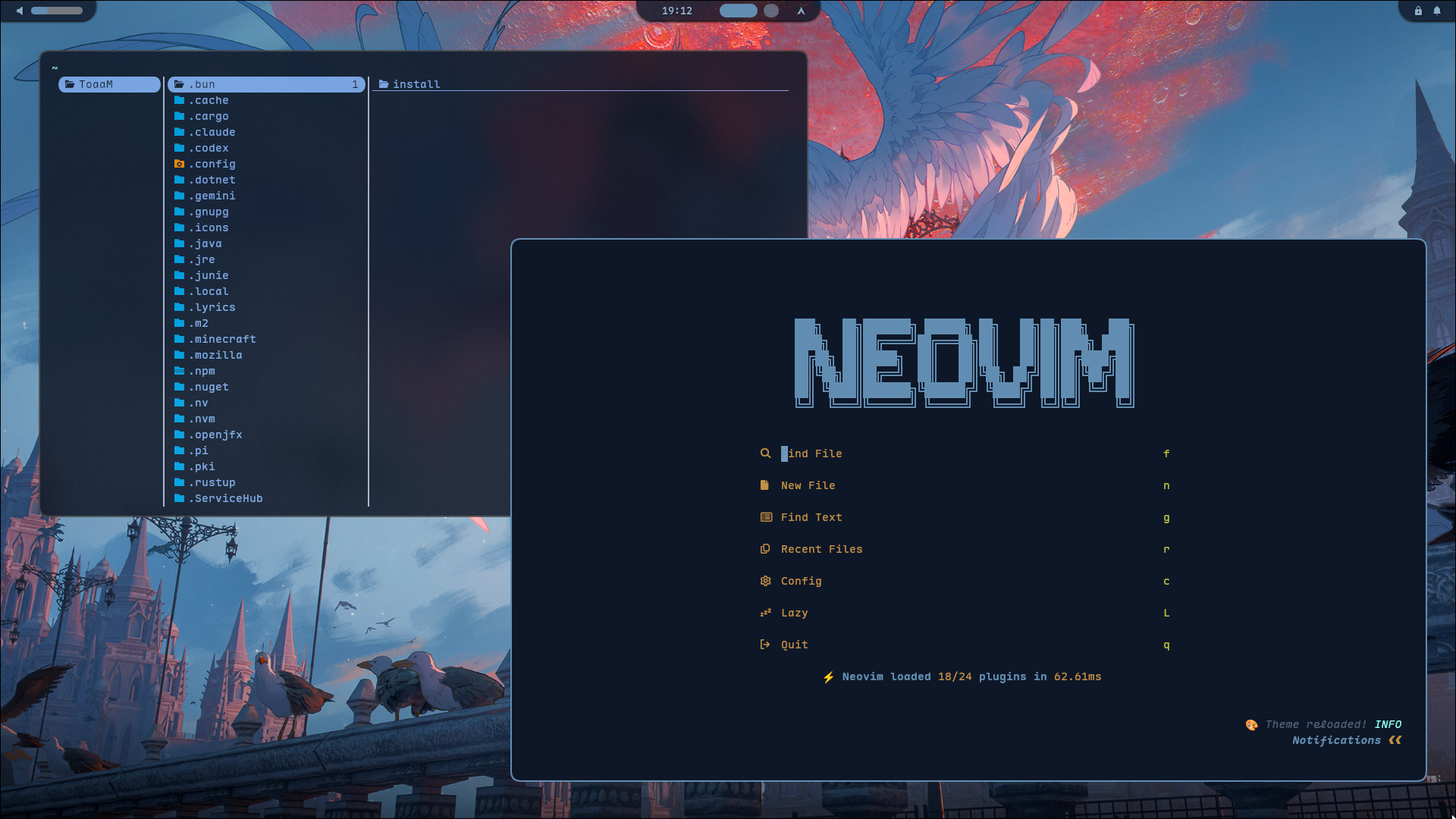
| Component | Description | Official Doc | Repository Folder |
|---|---|---|---|
| hyprland | Wayland compositor | https://wiki.hyprland.org/ | hypr |
| nvim | Text editor | https://neovim.io/ | nvim |
| fastfetch | System info fetcher | https://github.com/fastfetch-cli/fastfetch | fastfetch |
| waybar | Status bar | https://github.com/Alexays/Waybar/wiki | waybar |
| rofi | App launcher | https://github.com/davatorium/rofi | rofi |
| kitty | Terminal | https://sw.kovidgoyal.net/kitty/ | kitty |
| yazi | Tui file manager | https://yazi-rs.github.io/ | yazi |
| mako | Notification | https://github.com/emersion/mako | mako |
| cava | Tui audio visualizer | https://github.com/karlstav/cava | cava |
To apply my configurations, clone the repository to a safe location you like, for example ~/repos, and run ./link ("-s" or "--select" option is recommended).
Important
Make sure to back up any existing configuration files before overwriting them. ./link will also check and ask for overwriting or not.
git clone https://github.com/ToaaMusic/dotfiles.git
cd dotfiles
./link -s
About link
Before running ./link, please check out the content of it and run ./link -h for help.
Simply, it is a script that creates symlinks from the subconfigs in my dotfiles repo to your appropriate configuration directories ($HOME/* and $HOME/.config/*).
Like this:
~/                            ~/repos/dotfiles/
├── .config/                  ├── config/
│   ├── hypr    --------->    │   ├── hypr
│   ├── waybar  --------->    │   ├── waybar
│   ├── rofi    --------->    │   ├── rofi
│   ├── kitty   --------->    │   ├── kitty
│   └── ...     --------->    │   └── ...
│                             │
│                             ├── home/
├── .zshrc      --------->    │   ├── .zshrc
├── .zshenv     --------->    │   ├── .zshenv
└── ...                       └── ...
Note
Don't forget to rerun the ./link after moving this repo. So that .zshenv and hypr/hyprland/env.lua can set the linked repo dir as $TOAAM_DOTFILES, which is the only env var required for running my tool scripts and locating some resources.
Run ./link clean to remove the linked configs or overwrite those linked configs with your own then just remove this repo you cloned.
It's up to you.
After installing the key components to apply, if you want the full experience or just lazy to customize everything, you can simply install the deps all.
sudo pacman -S hyprland neovim fastfetch waybar rofi kitty yazi mako cava hyprpaper hyprlocksudo pacman -S lua grim slurp wl-copy ffmpeglua: for running my tools. (IMPORTANT)hyprpaper: for showing wallpaper.grim,slurp,wl-copy,ffmpeg: Screenshot, Selection, and copy to clipboard. for using color generation tool.
See markdown in config/hypr/ for more.
| Shortcut | Action |
|---|---|
ALT + Q |
Open Terminal |
ALT + C |
Close active window |
ALT + V |
Toggle floating mode |
ALT + M |
Exit Hyprland |
ALT + 1~0 |
Switch workspace 1~10 |
ALT + SHIFT + 1~0 |
Move window to workspace 1~10 |
| Shortcut | Action |
|---|---|
ALT + F |
Open File Manager (Yazi) |
ALT + Z |
Open Music Player (Musicfox) |
ALT + W |
Set a random Wallpaper |
ALT + SHIFT + W |
Open wallpaper gui selection |
ALT + R |
Refresh display / Waybar |
ALT + H |
Toggle Waybar layout |
Print |
Grab screen selection to clipboard |
-
colorscheme/
Give
gen.luaa ppm input and it will output*.g.*to~/.config/*/, then those components will apply the color scheme by themselves.grim -t ppm - | lua gen.luaor
ffmpeg -v error -i "$WALL" -f image2pipe -vcodec ppm - | lua gen.lua
-
todo/
A lightweight Lua-based todo manager with interactive cross-day archive prompts and Markdown storage.
lua todo.lua add "My new task"
lua todo.lua ls
lua todo.lua done 1
lua todo.lua arch