Simple easy-to-read scale bar for MKMapView. Text font, scale bar length and thickness are configurable.
Derived from https://github.com/yoman07/ios-google-maps-scale-bar for Mapkit, using Xcode 15 & Swift 5.
Extra code has been added so that the scale bar is correct now when the map view is rotated.\
ios-mapkit-scale-bar
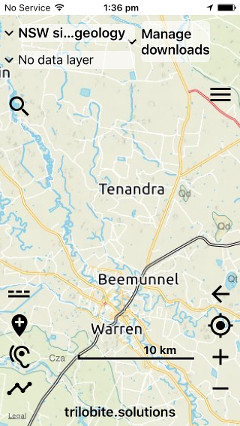
Apple's MKScaleBarView at default location (for comparison)
(distance measurement is very hard to read, can't be enlarged)
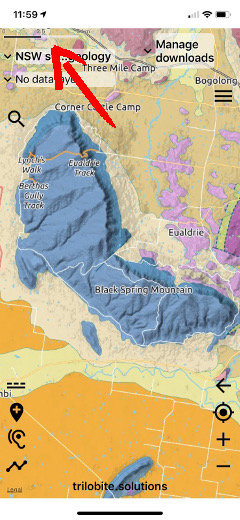
- Add the ScaleBarView XIB to the storyboard for the map, at the required location
- In the storyboard -
- set the background of the XIB to be clear (else it will have a white background)
- untick 'User interacction enabled' if the underlying map is interactive
- Create an outlet for the ScaleBarView, in the map view
@IBOutlet weak var scaleBarView: ScaleBarView!
- create variable to remember the previous span value
var prevSpan: MKCoordinateSpan = MKCoordinateSpan(latitudeDelta: 0.00001, longitudeDelta: 0.00001)
- In the map view in viewDidLoad(), pass the map view object to scaleBarView
  override func viewDidLoad() {
      super.viewDidLoad()
      scaleBarView.mapView = self.myMapView
- In the method that detects changes to the map view region, call setNeedsLayout() when the zoom level has changed significantly
    func mapView(_ mapView: MKMapView, regionDidChangeAnimated: Bool) {

      // Update scale bar - if span changes by more than 2%
      // Note: This can sometimes happen when panning (at broader scale) without zooming
      let rect = mapView.visibleMapRect
      let newRegion = MKCoordinateRegion(rect)
      let newSpan = newRegion.span
      if fabs(prevSpan.longitudeDelta-newSpan.longitudeDelta)/prevSpan.longitudeDelta > 0.02
          || fabs(prevSpan.latitudeDelta-newSpan.latitudeDelta)/prevSpan.latitudeDelta > 0.02 {
          prevSpan = newSpan
          scaleBarView.setNeedsLayout()
      }
- Adjust the boldness of the bar, and the boldness and size of the text by configuring the XIB in Xcode