The time tracking and workflow reporting plugin for Glyphs.app.

TypeSpan runs quietly in the background while you design. It measures how long you spend on each glyph and master, then renders detailed reports in a web dashboard. Helping you understand your workflow, estimate future projects, and share with others.
- macOS
- Glyphs 3 or later
- Python 3 and Vanilla installed via the Glyphs Plugin Manager
Via Plugin Manager (recommended)
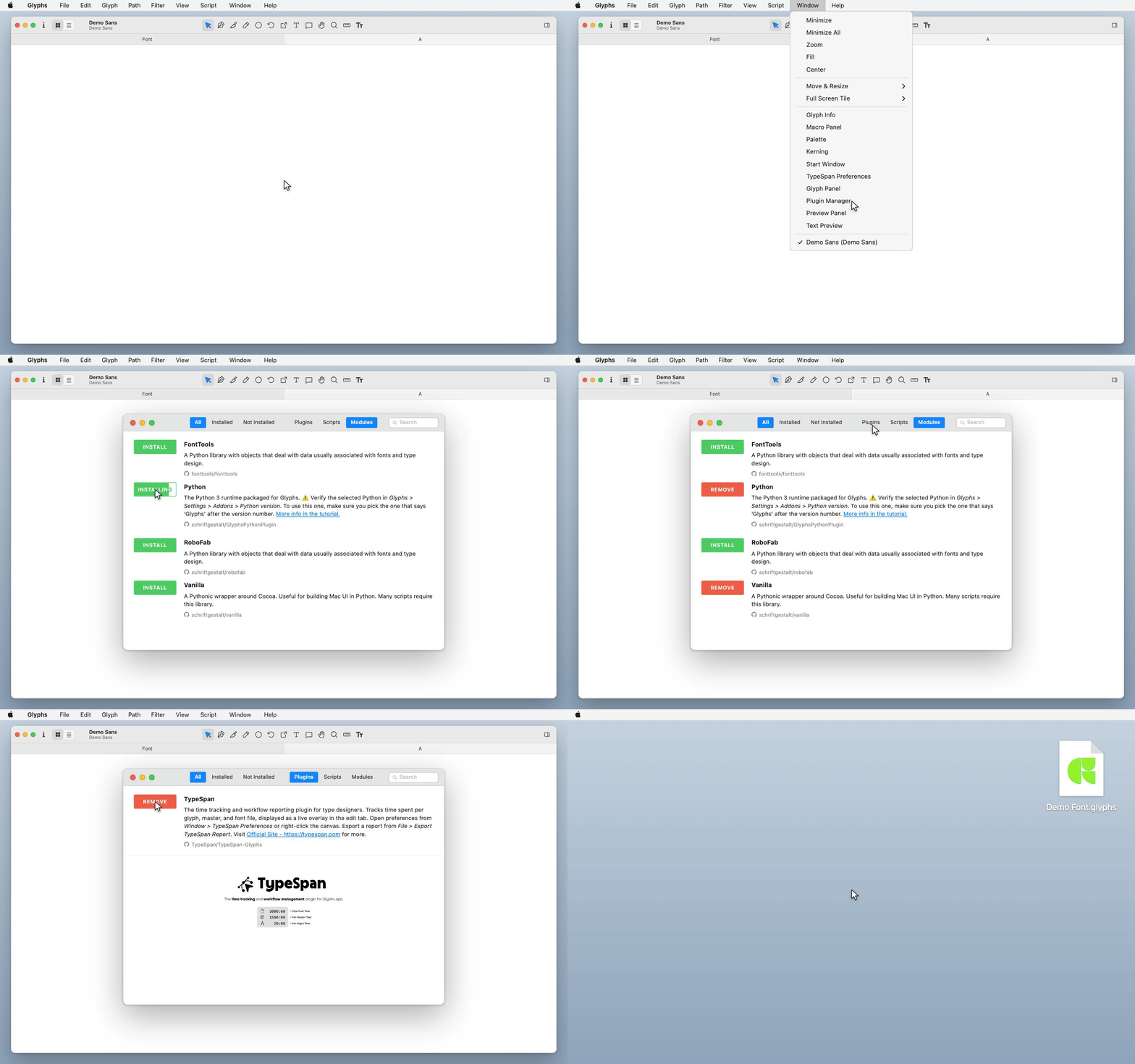
- Open Glyphs.app and go to Window > Plugin Manager
- In the Modules tab, install Python and Vanilla
- In the Plugins tab, search for TypeSpan and click Install
- Restart Glyphs.app
Manual
- In the Modules tab of Plugin Manager, install Python and Vanilla
- Download
TypeSpan.glyphsReporterfrom this repository - Double-click the file. Glyphs.app will install it automatically
- Restart Glyphs.app
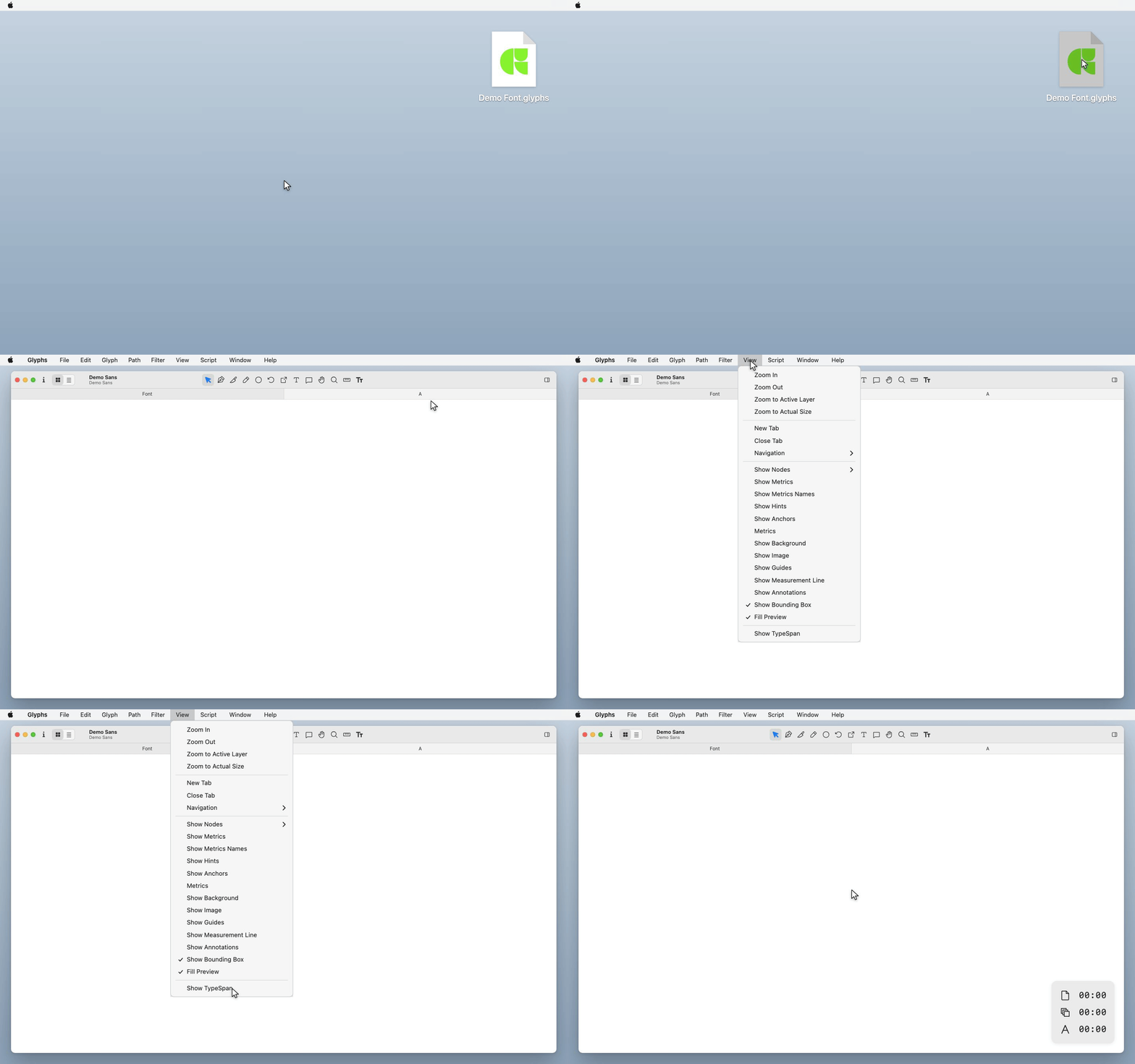
- After restarting, go to View > Show TypeSpan to activate the plugin
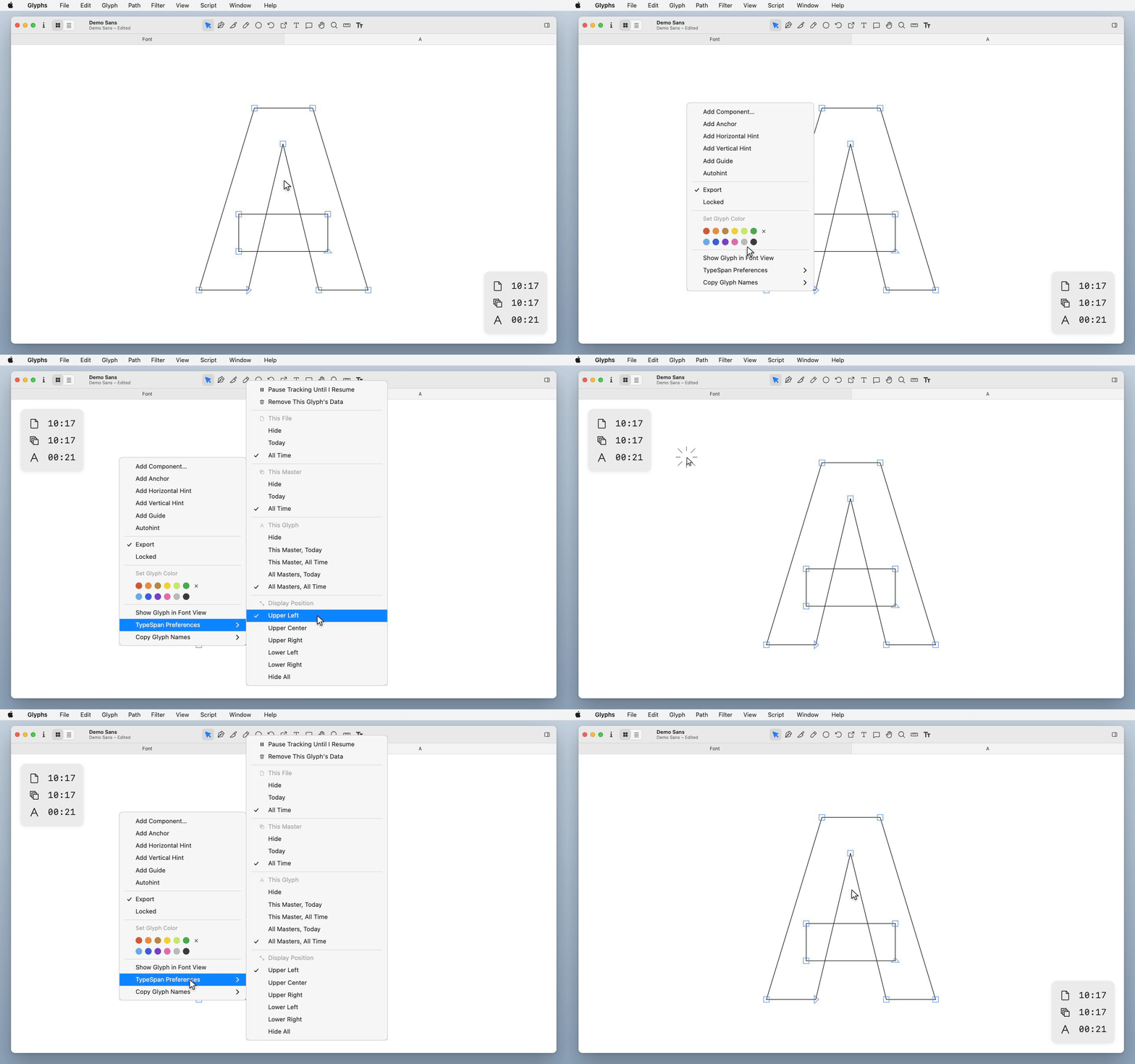
- Open any glyph in Edit view. TypeSpan starts tracking automatically.
- When you switch to another app, tracking pauses. When you return, it resumes seamlessly.
- All tracking data is stored locally inside your Glyphs font files. Nothing leaves your machine until you choose to export.

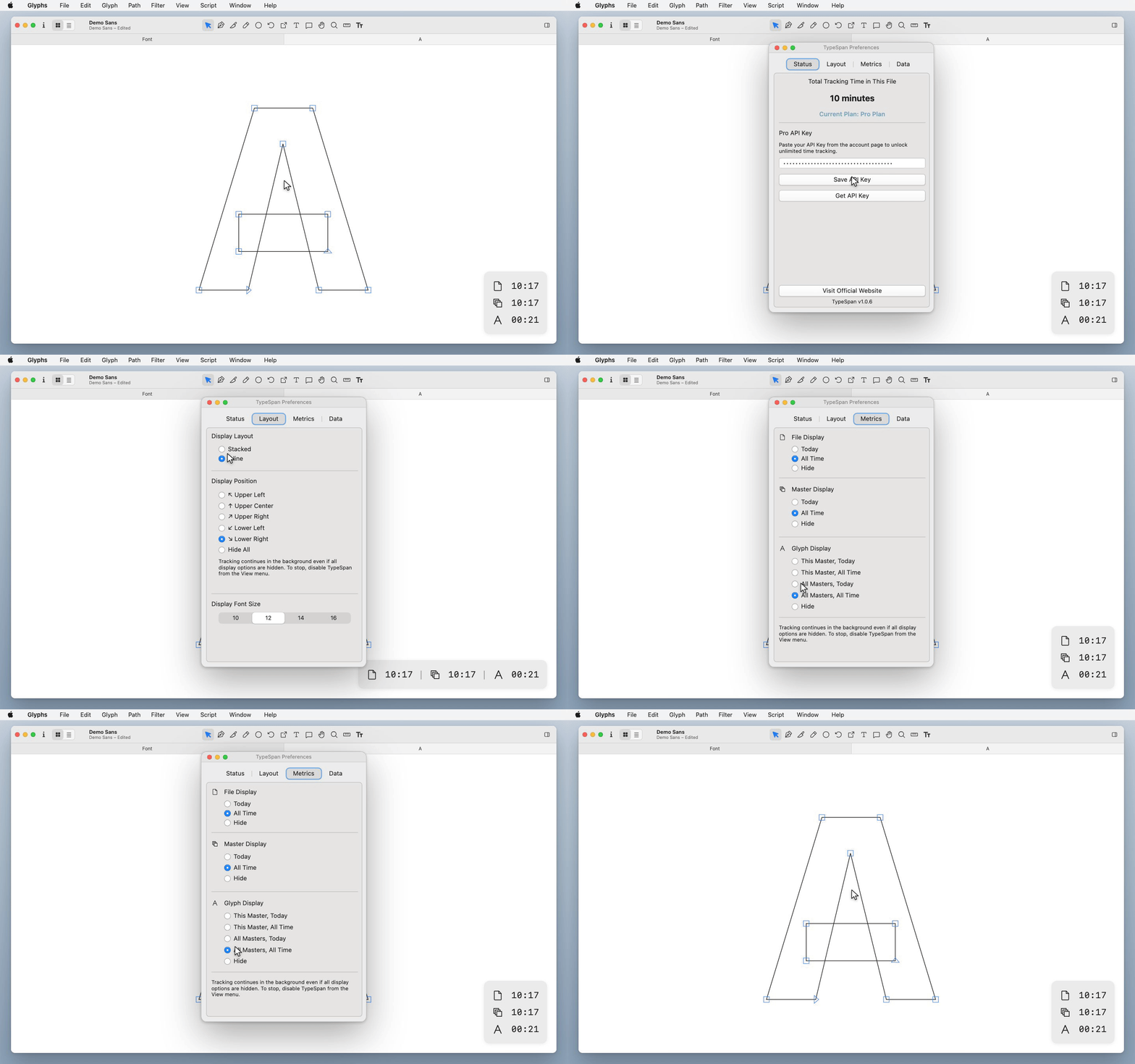
- Right-click anywhere in Edit view and select TypeSpan Preferences from the context menu
- For the full settings panel, go to Window > TypeSpan Preferences
TypeSpan can generate web-based reports showing time spent per glyph, per master, and across your entire project.
- Go to File > Export TypeSpan Report...
- Review the data you'd like to include and click Export
- Your report will be uploaded and a shareable link will be generated
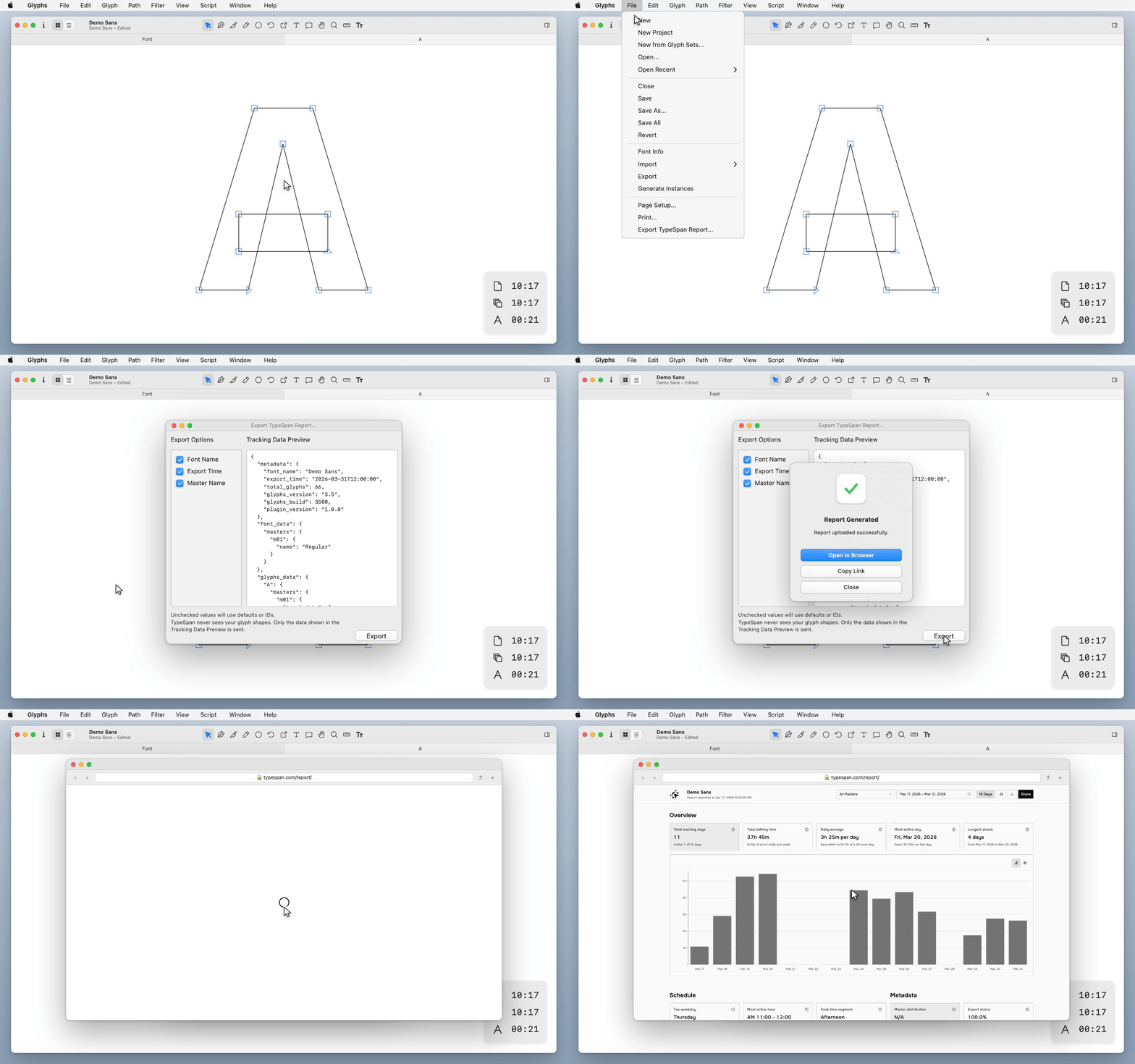
TypeSpan only collects time-tracking data and the minimal font metadata you explicitly permit. It never accesses or transmits your glyph outline data.
- Guide: Getting Started | TypeSpan
- FAQ: Frequently Asked Questions | TypeSpan
- Contact: hello@typespan.com
Copyright (c) 2026 TypeSpan. All rights reserved.