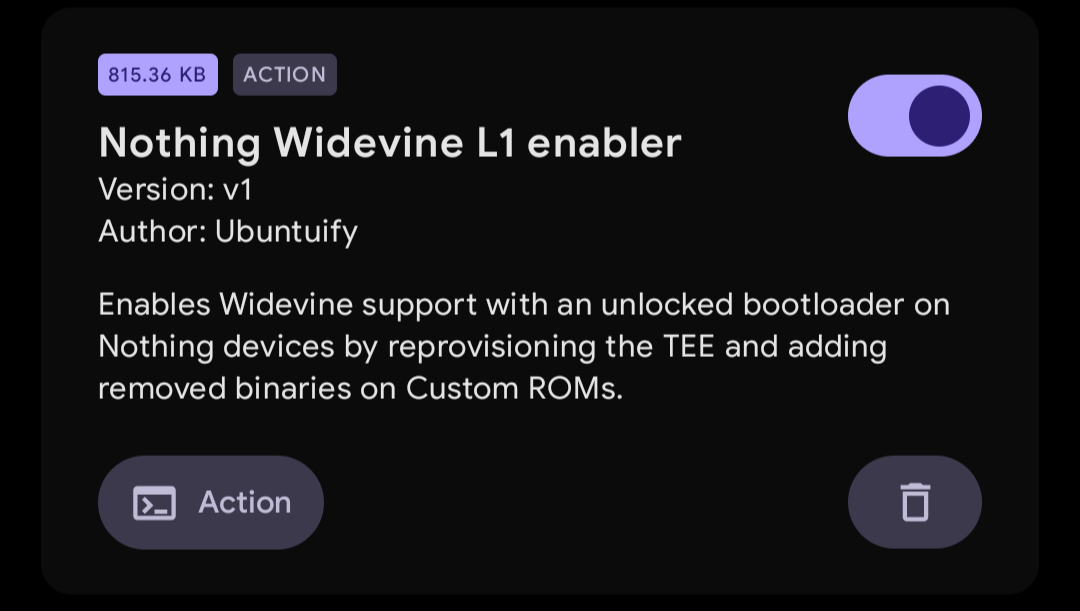
Enables Widevine L1 (HD and/or higher) support on unlocked bootloaders on Nothing devices by reprovisioning the TEE and adding removed binaries on Custom ROMs.
- Tested working primarily on the Nothing Phone (3a) / Pro, however it may work for other Snapdragon devices.
- KernelSU or any of its forks with metamodule (on Custom ROMs) or Magisk.
- Reading comprehension and acceptance of risks.
Caution
I'm not responsible for bricked devices, dead SD cards, thermonuclear war, or you getting fired because the alarm app failed.
YOU are choosing to make these modifications, and if you point the finger at me for messing up your device, I will laugh at you.
Your warranty will be void if you tamper with any part of your device / software.
While this script has been successful on my device, and there have been seemingly no issues with anything else. You are choosing to reprovision your TEE (trusted environment) on your device which may carry costs when you do lock your bootloader again.
Discussion around the Qualcomm TEE states that the unlocked bootloader uses an alternate keystore, but because these devices are proprietary and black-boxes, there is no empirical way to verify this.
Verify your device has RKP to at least verify you'll have Play Integrity when relocking your bootloader. If you choose to use this script and module, you are accepting these risks and the fact that there may be permanent consequences if not done properly.
- Nothing Phone (3a) - both on Stock and Custom ROMs
-
Flash the module in KernelSU or Magisk.
-
After rebooting, press the action button once. You only need to do this once for your device, and doing it multiple times may be harmful to your device. You should see the text say
TEE Done!to verify that the provisioning has been successful. Any deviation should be reported as an issue in this GitHub repository.
- Check with either the DRM info or Netflix apps to see whether you have a 5 digit system ID (or Key Attestation) and you should be finished.
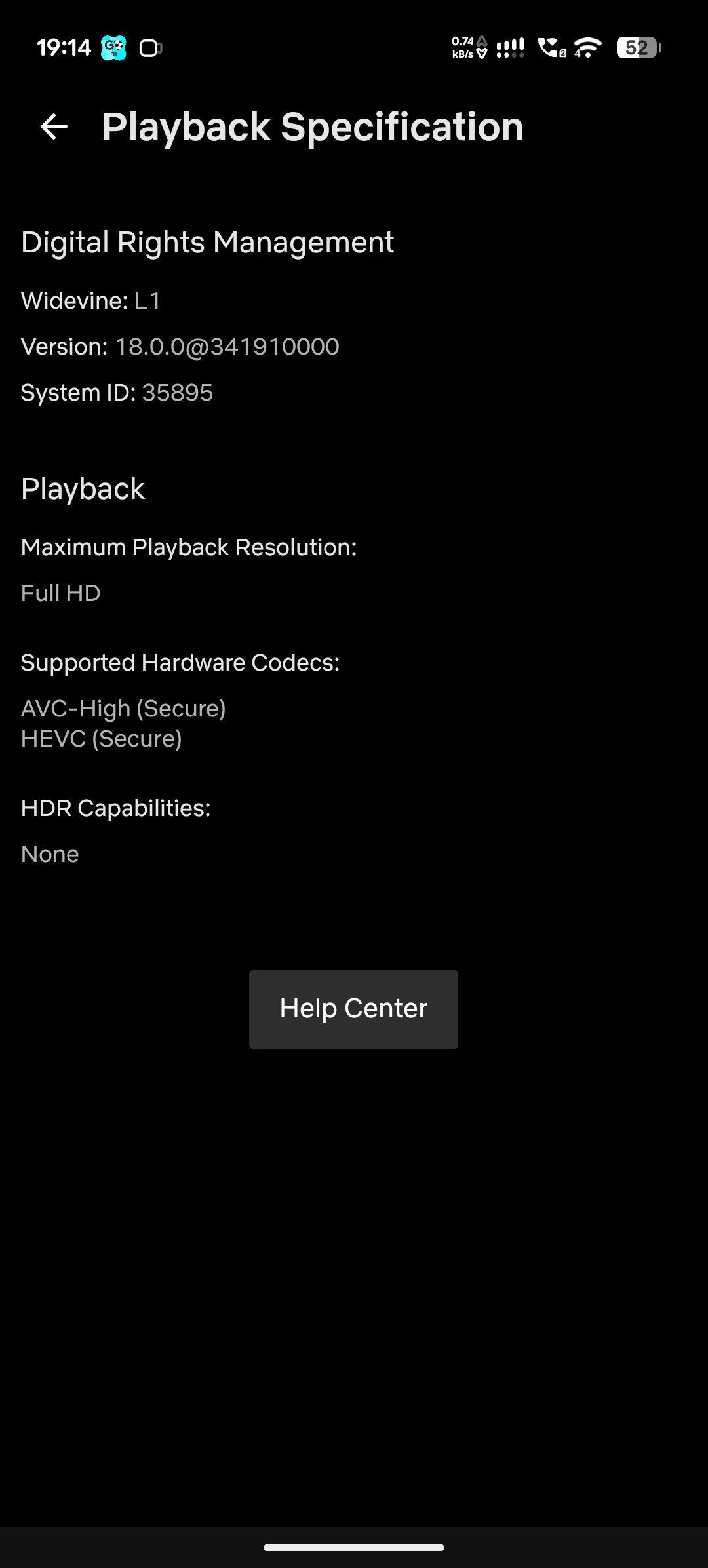
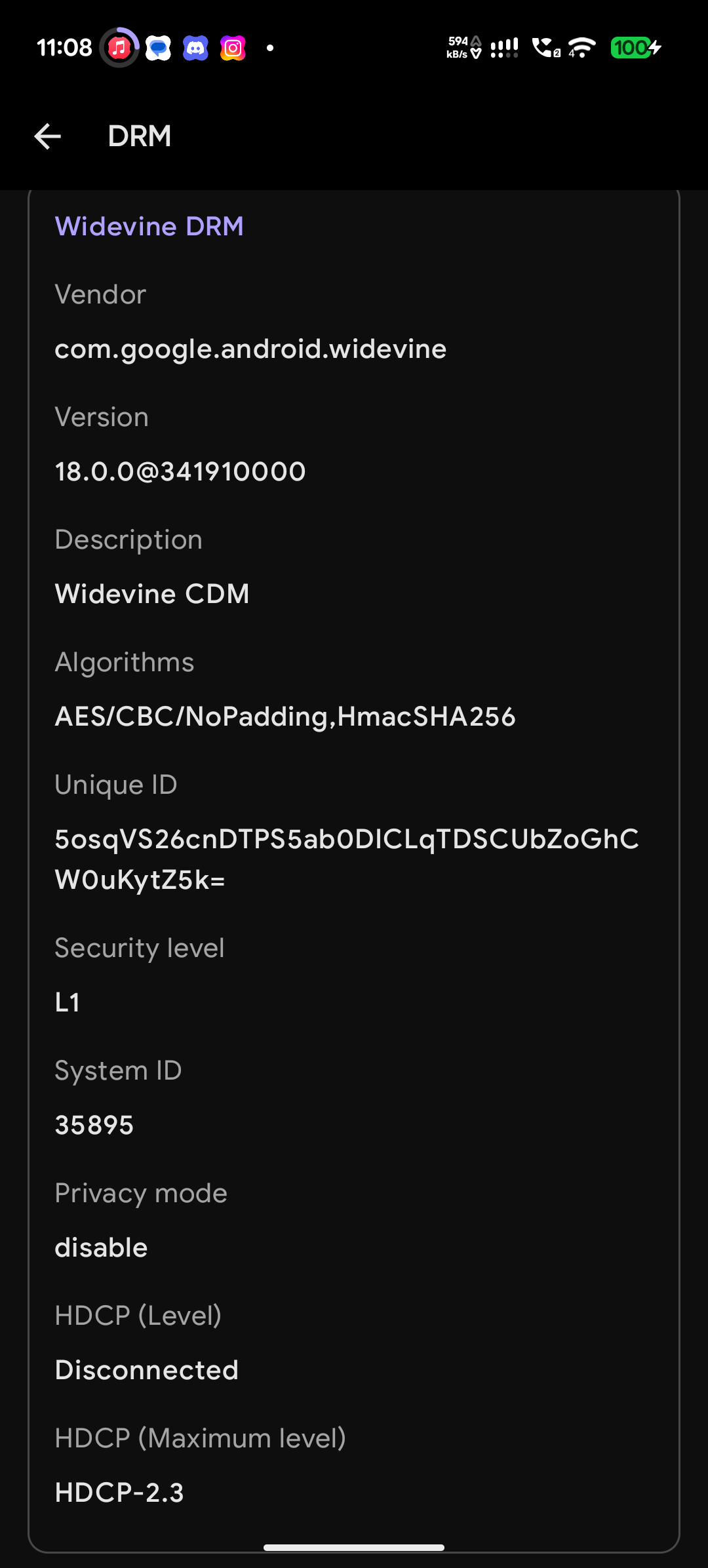
HDR10 support can be enabled through spoofing a device that has it enabled. You can use COPG with Zygisk to achieve this.
This module does not need to mount anything on stock ROMs (at least for the Nothing Phone 3a) as all libraries for Widevine are available, this module can be uninstalled in that case.
Currently on Custom ROMs (for the Nothing Phone 3a), both libraries and system props have to be set to allow for Widevine to work, so this module is required to keep Widevine L1 working.
This will also repair your device's functionality to provision a key from Google's website, allowing it to pass BASIC Integrity with an unlocked bootloader when a keybox is unavailable. Simply remove any modules that may conflict with this, such as Tricky Store, TEESimulator, or its forks.
- This XDA thread about reprovisioning TEE on devices like Nothing, OPPO, OnePlus, and Realme Qualcomm platform devices to get Widevine L1 working again.
- Reprovisioning TEE guide which is related to this guide and script.
- ROM dumps where I took binaries for
KmInstallKeyboxand missing libraries on custom ROMs (for the Nothing Phone 3a)