Vectomancy is a high-performance command-line interface tool designed to parse graphic files and convert them into mathematical parametric equations and rendering scripts. It enables users to transform raster images and vector graphics into mathematically beautiful waveforms.
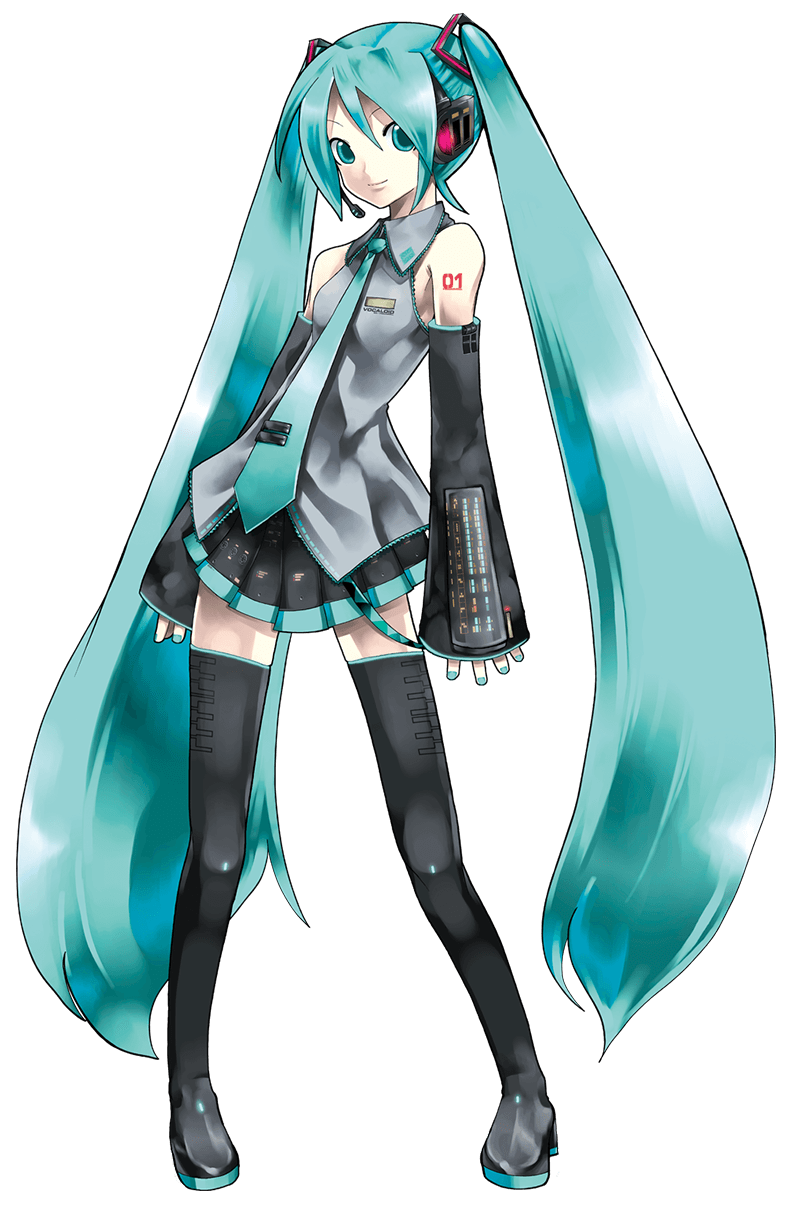
| Original Image | Rendered Output (Uncolored) | Rendered Output (Colored) |
|---|---|---|
 |
 |
 |
 |
 |
 |
 |
 |
 |
 |
 |
 |
- Dolphin: https://en.wikipedia.org/wiki/Guiana_dolphin#/media/File:Descri%C3%A7%C3%A3o_in%C3%ADcio_ou_comportamento.jpg
- Miku: https://storage.moegirl.org.cn/moegirl/commons/3/35/Hatsune_miku_v2.png
- Tux: https://en.wikipedia.org/wiki/File:Tux.svg
- Pyramid: https://en.wikipedia.org/wiki/Pyramid#/media/File:01_khafre_north.jpg



- Multi-format Mathematical Equation Export: Supports Python (Matplotlib), HTML5 Canvas, and native JSON.
- AST Size Optimization: Uses
Zlib + Base64encoding to store massive floating-point matrices. This keeps the generated files compact and prevents editors and rendering engines from freezing or crashing when parsing large files. - Controllable Smoothness and Rendering Modes:
--mode spline: Reconstructs shapes with precise Bezier curve interpolation, combined with the Chaikin algorithm for smoothing to eliminate jagged, staircase-like edges.--mode fourier: Utilizes Fourier series (based on TSP path planning) to approximate a continuous, single-stroke curve of the image.
For a deeper dive into the mathematical algorithms (like Otsu Binarization, Ramer-Douglas-Peucker reduction, Moore Neighborhood Tracing, and FFT), please refer to the User Manual.
You will need the Rust toolchain installed to build from source.
git clone https://github.com/Xuepoo/vectomancy.git
cd vectomancy/vectomancy
cargo build --release
Run via Container (Docker/Podman):
# Build the container image locally
docker build -t vectomancy .
# Mount current directory and run
docker run --rm -v $(pwd):/data vectomancy run --output /data/output.json /data/input.svg
Precompiled binaries for Linux (Debian, Arch, RedHat, openSUSE, NixOS), Windows, and macOS are available in the GitHub Releases.
Vectomancy is split into three main subcommands: image, text, and video.
Process raster (.png, .jpg) or vector (.svg) images:
vectomancy image [OPTIONS] <INPUTS...>Key Options:
-o, --output <OUTPUT>: Path for the generated output file.-f, --format <FORMAT>: Output format (python,html,json,desmos,png,jpg,webp).-m, --mode <MODE>: Fitting mode (fourier,spline,chaikin).-n, --terms <TERMS>: Number of Fourier terms.-c, --chaikin-iters <ITERS>: Number of Chaikin smoothing iterations.--color <true|false>: Enable color sampling.--gpu <true|false>: Enable GPU acceleration (wgpu).--threads <THREADS>: Number of CPU threads.
Extract outlines directly from a font file (.ttf or .otf) and fit to curves:
vectomancy text --font <FONT_PATH> --output <OUTPUT> <TEXT>Process video frames sequentially to extract parametric motion formulas:
vectomancy video --output <OUTPUT> <INPUT_VIDEO>Configuration loads from ~/.config/vectomancy/config.toml following the XDG Base Directory specification.
Q: Will my VSCode freeze when opening the generated Python or HTML files?
A: No. We automatically inject anti-scanning directives (like # pylint: disable=all or <!-- eslint-disable -->) at the beginning of the generated scripts. Via Zlib compression, file sizes stay small, which mainstream IDEs can open safely.
This project is licensed under the MIT License.