AI chatbots or Assistants often give confident, fluent answers that turn out to be completely made up and this is a real problem. The answer needs to be trustworthy, not just convincing.
This project solves that.
I built a backend that answers questions only from a given set of documents, using LangGraph, Pinecone, and FastAPI. Every answer comes with the exact document and section it came from and if the answer genuinely isn't in the documents, it says so instead of guessing.
You give it a folder of documents. It reads them, breaks them into pieces, and stores them so it can search through them fast. Then you can ask it questions over an API, and it:
- Searches for the most relevant pieces of text
- Checks whether what it found is actually good enough to answer the question
- If yes writes an answer and tells you exactly which document and section it came from
- If no says so, instead of guessing
1. Clone and set up a virtual environment
git clone https://github.com/Yamini26284/rag-langGraph.git
cd rag-langgraph
python -m venv venv
venv\Scripts\activate        # Windows
source venv/bin/activate     # macOS/Linux
2. Install dependencies
pip install -r requirements.txt3. Add your API keys
Copy .env.example to .env:
copy .env.example .env        # Windows
cp .env.example .env          # macOS/Linux
Open .env and fill in:
GEMINI_API_KEY: free at aistudio.google.comPINECONE_API_KEY: free at app.pinecone.io
Leave everything else as-is. Note: you don't need to create the Pinecone index yourself, it's created automatically, with the right settings, the first time you run ingest.
4. Load the documents
python ingest/ingest.pyThis reads every file in corpus/, splits them into chunks along section headings, embeds each chunk using Gemini, and saves the vectors to Pinecone with metadata (chunk id, source file, section heading, and text). Safe to run more than once each chunk has a deterministic ID based on its filename and position, so re-running overwrites the same vectors instead of creating duplicates.
5. Start the server
uvicorn app.main:app --reloadThe API is now live at http://127.0.0.1:8000.
(Make sure the server from step 5 is still running in its terminal.)
Open http://127.0.0.1:8000/docs in your browser...
Or from the command line:
curl.exe -X POST http://127.0.0.1:8000/ask -H "Content-Type: application/json" -d "{\"question\": \"What is the notice period in the employment agreement?\"}"A working answer looks like this:
{
  "answer": "60 days",
  "citations": [
    {
      "chunk_id": "c5d17185ae6845fa",
      "source_file": "02_employment_agreement_excerpt.md",
      "heading": "Notice period"
    }
  ],
  "trace": {
    "retries": 0,
    "grade_reason": "passed on similarity alone (avg=0.70, high confidence)",
    "retrieved_chunks": [...]
  }
}
Ask something the documents don't cover (e.g. "What is the capital of France?") and it answers honestly instead of guessing:
{
  "answer": "I can't find this in the provided documents (reason: low similarity (avg=0.45)).",
  "citations": [],
  "trace": { "retries": 2, "grade_reason": "low similarity (avg=0.45)" }
}Every question goes through a small decision flow, not one giant black-box call:
question → search documents → is this good enough?  ──yes──→ write the answer
                                       │
                                      no
                                       │
                          try again (up to 2 times) ──still no──→ say "can't find it"
- Search finds the most relevant chunks of text.
- Check looks at how confident the match is. If it's clearly strong or clearly weak, it decides right away. If it's borderline, it does one extra check — actually reading the passages to see if they answer the question, not just relying on a similarity number.
- Answer is written only from the passages that were actually used, with the exact source cited.
- Give up gracefully, if nothing good turns up after two tries, it says so instead of looping forever or making something up.
Full node-by-node breakdown and a diagram: docs/langgraph.md
The "good enough?" check explains itself. Instead of a plain yes/no, it always records why : "low similarity," "borderline, but passed a closer read," etc. That reasoning is visible in every response, so you can see why an answer was trusted or refused, not just that it was.
It only double-checks when it's actually unsure. Most questions are either an obvious match or an obvious miss, and the confidence score alone is enough. The extra read-through step only kicks in for the genuinely borderline cases, which is both a more honest way to decide, and it means the system isn't burning extra work on questions that were never in doubt.
Chunks follow the document's own structure. Instead of slicing text into arbitrary fixed-size blocks, documents are split along their natural section headings. Each chunk ends up being one complete thought a clause, a section, a note instead of a random cut mid-sentence, which is a big part of why citations point to something actually readable and useful.
| Folder | What's in it |
|---|---|
app/ |
The API server and the question-answering flow |
ingest/ |
Reads the documents and loads them into storage |
eval/ |
15 test questions + an automated pass/fail check |
docs/ |
Diagram and explanation of the flow |
tests/ |
Small dev sanity checks (not the main test suite) |
notes/ |
Personal notes on why certain choices were made not required reading, just here for anyone curious |
corpus/ |
The sample documents used for this project |
With the server running, in a separate terminal:
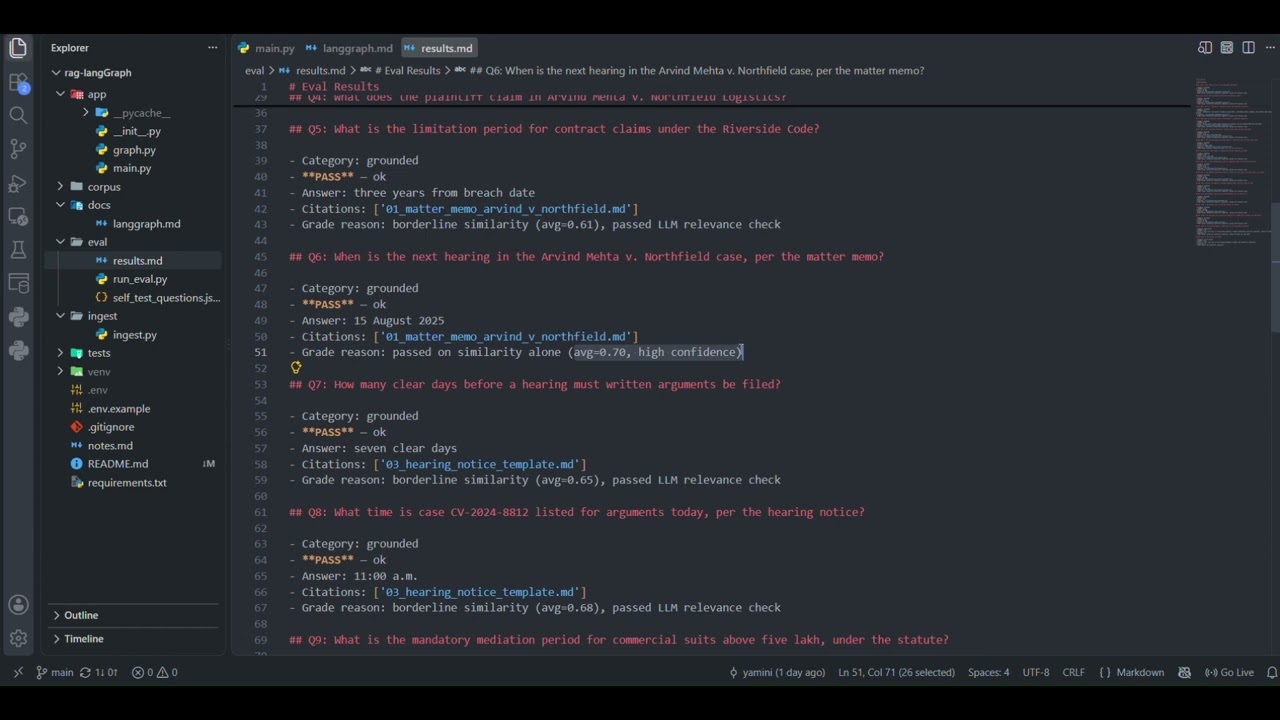
python eval/run_eval.pyThis asks all 15 test questions and writes a pass/fail report to eval/results.md. Currently 15/15 pass, including one question written to sound answerable but that the documents don't actually cover, and one totally unrelated question both correctly refused.
- Free-tier API usage has rate limits, so
eval/run_eval.pyintentionally pauses a few seconds between questions. A single question through the API itself answers in a few seconds, the delay is only in the batch test script. - The document loader currently expects Markdown files with heading structure (
#,##). Other formats would need a different splitting approach.
The index is created automatically the first time you run ingest — no manual setup needed in the Pinecone dashboard. The env vars that control it are all in .env.example:
| Variable | What it does |
|---|---|
PINECONE_INDEX_NAME |
Name of the index (default: rag-langgraph) |
PINECONE_CLOUD |
Cloud provider (default: aws) |
PINECONE_REGION |
Region (default: us-east-1, free tier default) |
EMBEDDING_DIM |
Vector size (default: 768), must match what was used at index creation |