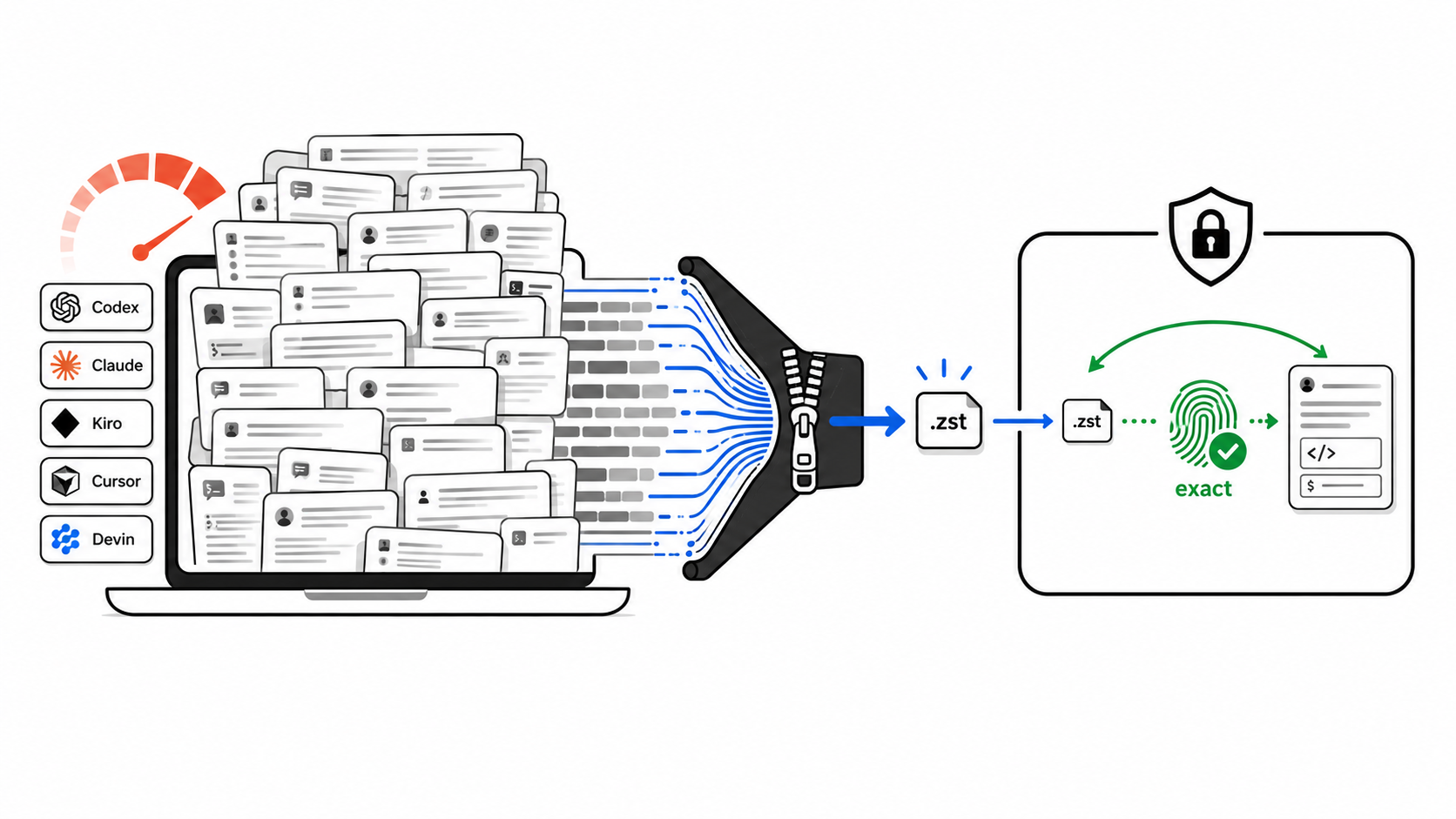
Cold storage for local AI coding-agent sessions.


Agent Session Pack is a Node.js CLI for developers and coding agents whose local OpenAI Codex CLI, Claude Code, Kiro CLI, Cursor, or Devin CLI histories have grown large. It finds local session stores, proves lossless Zstandard compression on copies, and packs cold sessions into a local vault only when you ask it to.
Current status: v0.2.0 ships guided setup, read-only proof, manual pack, and manual
unpack. It does not install a daemon, timer, pack-on-close hook, restore-on-launch hook,
web app, cloud sync, or lossy conversation summarizer.
Run the safest proof from anywhere:
npx --yes agent-session-pack checkcheck scans supported local provider stores, copies one eligible session per provider
into a temp proof workspace, compresses the copy, restores it, compares hashes, and prints
a before/after savings table. Real session files stay untouched.
For coding agents and automation, ask for the command map first:
npx --yes agent-session-pack guide --jsonFor humans, open the guided terminal menu:
npx --yes agent-session-packInstall globally only if you want the command on your path:
npm install -g agent-session-pack
agent-session-pack
Requirements:
- Node.js 20 or newer.
zstdfor proof, pack, and restore workflows.sqlite3only when discovering Devin session metadata.
provider stores
   |
   | read-only scan
   v
temp proof copy ---------------------> savings table
   |
   | pack --apply only
   v
~/.agent-session-pack/
archives + manifests
   |
   | unpack --apply
   v
original provider paths
The tool works in three explicit phases:
- Prove savings on copied files with
checkorsavings. - Preview cold-session packing with
pack --dry-run. - Apply archive/remove only with
pack --apply, after byte-exact restore verification.
Setup saves configuration only. It does not wait for the threshold and compress later.
Copy-only proof:
npx --yes agent-session-pack check
npx --yes agent-session-pack savings
Review discovered session stores:
npx --yes agent-session-pack scanPreview cold-session packing across supported providers:
npx --yes agent-session-pack pack --all-providers --older-than 7d --dry-runPreview every archive-mode candidate without touching files:
npx --yes agent-session-pack pack --max --dry-runApply after reviewing the dry-run table:
npx --yes agent-session-pack pack --all-providers --older-than 7d --applyNon-interactive apply for automation:
npx --yes agent-session-pack pack --all-providers --older-than 7d --apply --yes --jsonRestore archived sessions back to their original provider paths:
npx --yes agent-session-pack unpack --all-providers --apply--older-than is the cold-session age filter:
12h: shorter cleanup window.1d: skip roughly today's active work.7d: default setup policy.30d: conservative archive pass.--max --dry-run: curiosity preview for every archive-mode session.
npx --yes belongs to npm. It approves
temporary package execution. Agent Session Pack writes are confirmed separately with
--apply and, for automation, app-level --yes.
| Provider | Mode | Notes |
|---|---|---|
| Codex | Archive | Local session files can be packed and restored. |
| Claude Code | Archive | User-level sessions can be packed and restored. |
| Kiro | Archive | CLI sessions can be packed and restored. |
| Cursor | Backup-only | Included in scan/proof output, not destructively packed. |
| Devin | Backup-only | Reads local SQLite metadata from ~/.local/share/devin/cli/sessions.db; does not read credentials. |
Backup-only means the provider can appear in proof output, but native store mutation is disabled until the storage model is safer to change.
Agent Session Pack is built around byte-exact restore, not best-effort cleanup.
checkandsavingsoperate on copied files.pack --all-providersdefaults to dry-run.pack --applyasks for confirmation in a TTY unless--yesis passed.pack --max --applyis refused.- Apply mode writes an archive, restores it to verify SHA-256 equality, writes a manifest, and only then removes the original.
unpack --applyrestores from manifests and skips changed live files instead of overwriting them.- Cursor and Devin are backup-only in
v0.2.0.
This is one machine's evidence, not a universal benchmark.
| Provider | Before | After | Saved |
|---|---|---|---|
| Codex | 2.22 GB | 782 MB | 65.6% |
| Claude | 2.10 GB | 457 MB | 78.7% |
| Kiro | 1.95 GB | 190 MB | 90.5% |
| Cursor backup | 7.27 GB | 957 MB | 87.1% |
| Total | 13.5 GB | 2.3 GB | about 83% |
Committed fixtures in examples/roundtrip show tiny before,
archive, and after files for Codex, Claude, and Kiro. Run agent-session-pack check on
your own machine for real local evidence.
Agent Session Pack is intentionally narrow: it archives cold local AI session files and verifies byte-exact restore before removing originals. It pairs well with usage, search, and general disk-analysis tools.
| Tool | Main focus | Difference |
|---|---|---|
ccusage |
Coding-agent token and cost reports | Explains usage; does not pack local session stores. |
claude-code-history-viewer |
Offline browsing and search for AI coding histories | Views histories; does not own archive/remove/restore. |
claude-code-cleaner |
Claude Code disk cleanup | Claude-focused cleanup; not a multi-provider verified vault. |
zstd, tar, backups, disk analyzers |
Generic storage tools | Compress or locate bytes; do not understand provider sessions or restore manifests. |
Does setup automatically compress sessions later?
No. Setup writes config only. It does not start a daemon, timer, cron job, or lifecycle hook. Sessions are compressed only when you run a pack command such as:
npx --yes agent-session-pack pack --all-providers --older-than 7d --applyCan agents still resume sessions after packing?
The archive is byte-exact, but a provider can only resume from its native file location.
Use unpack --apply to restore archived sessions before resuming them. Automatic
restore-on-launch is not installed in v0.2.0.
Is this context compaction or summarization?
No. Agent Session Pack does not summarize, rewrite, truncate, or semantically compress a conversation. It uses lossless archive compression and verifies byte-exact restore.
How do I pack old sessions but skip today?
Use --older-than 1d to pack only sessions modified more than 24 hours ago:
npx --yes agent-session-pack pack --all-providers --older-than 1d --applyDoes it read credentials or upload sessions?
No. The tool is local-first. It scans local provider stores and writes local proof workspaces or local archives. Devin support reads SQLite metadata from the local sessions database and does not read credentials.
How is this different from deleting old session files?
Deletion is one-way. Agent Session Pack writes an archive, verifies the archive can restore the exact original bytes, writes a manifest, and only then removes the original in apply mode.
Full documentation is maintained in English. These short summaries help discovery and quick orientation.
日本語
Agent Session Pack は、ローカルの AI コーディングエージェントのセッション履歴を圧縮して
ディスク使用量を減らす CLI ツールです。check はコピーだけで検証し、元のセッションは変更しません。
עברית
Agent Session Pack הוא כלי CLI שמקטין שימוש בדיסק של היסטוריית סשנים מקומית של סוכני
קוד. check עובד על עותקים בלבד ולא משנה קבצים מקוריים.
Español
Agent Session Pack es una CLI para reducir el espacio usado por historiales locales de
agentes de programación con IA. check prueba la compresión sobre copias.
中文(简体)
Agent Session Pack 是一个 CLI 工具,用于压缩本地 AI 编程代理的会话历史并减少磁盘占用。
check 只处理副本,不修改原始会话。
Agent Session Pack is written in TypeScript with Effect Schema for runtime contracts, citty for command parsing, and Clack for the interactive TTY. The repo uses pnpm and GitHub Actions.
pnpm install
pnpm check:ci
pnpm typecheck
pnpm test
pnpm build
Project intent lives in PROJECT.md. Agent editing rules live in AGENTS.md. Code style and command contracts live in CODE-STYLE.md. Architecture decisions live in docs/adr/current. The public AI index lives in llms.txt, following the llms.txt convention.