
Self-hosted, open-source, AI-powered email client — IMAP/SMTP, multi-account, rich editor






Active Development — Functional and production-deployed. APIs may change between versions.
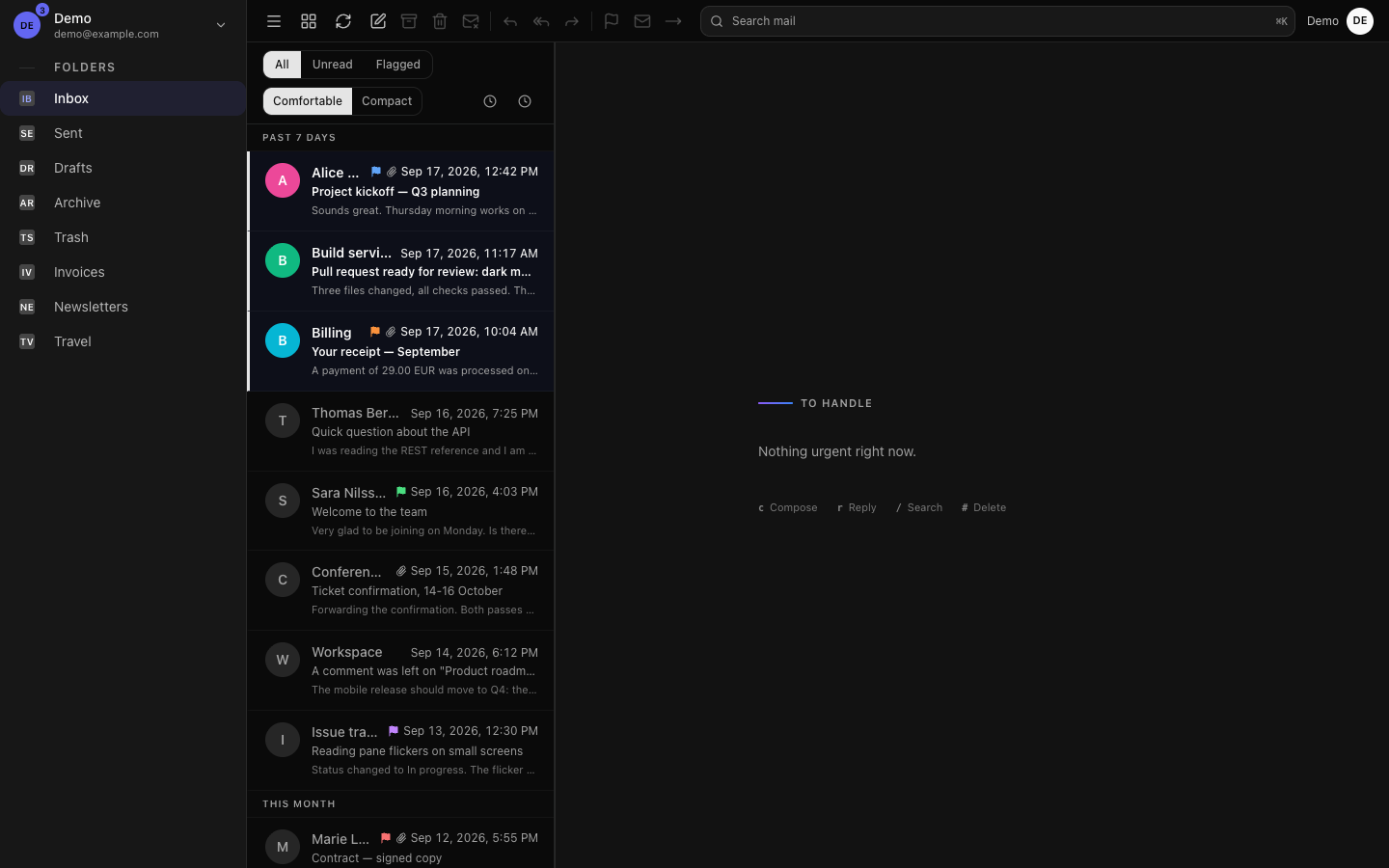
- Three-column layout — Sidebar / Message list / Reading pane, fully responsive (mobile + tablet + desktop)
- Collapsible sidebar — Icon-only mode (w-14 ↔ w-64), resizable columns via drag handle, persisted in localStorage
- Thread view — Conversation grouping by normalized subject (Gmail-style)
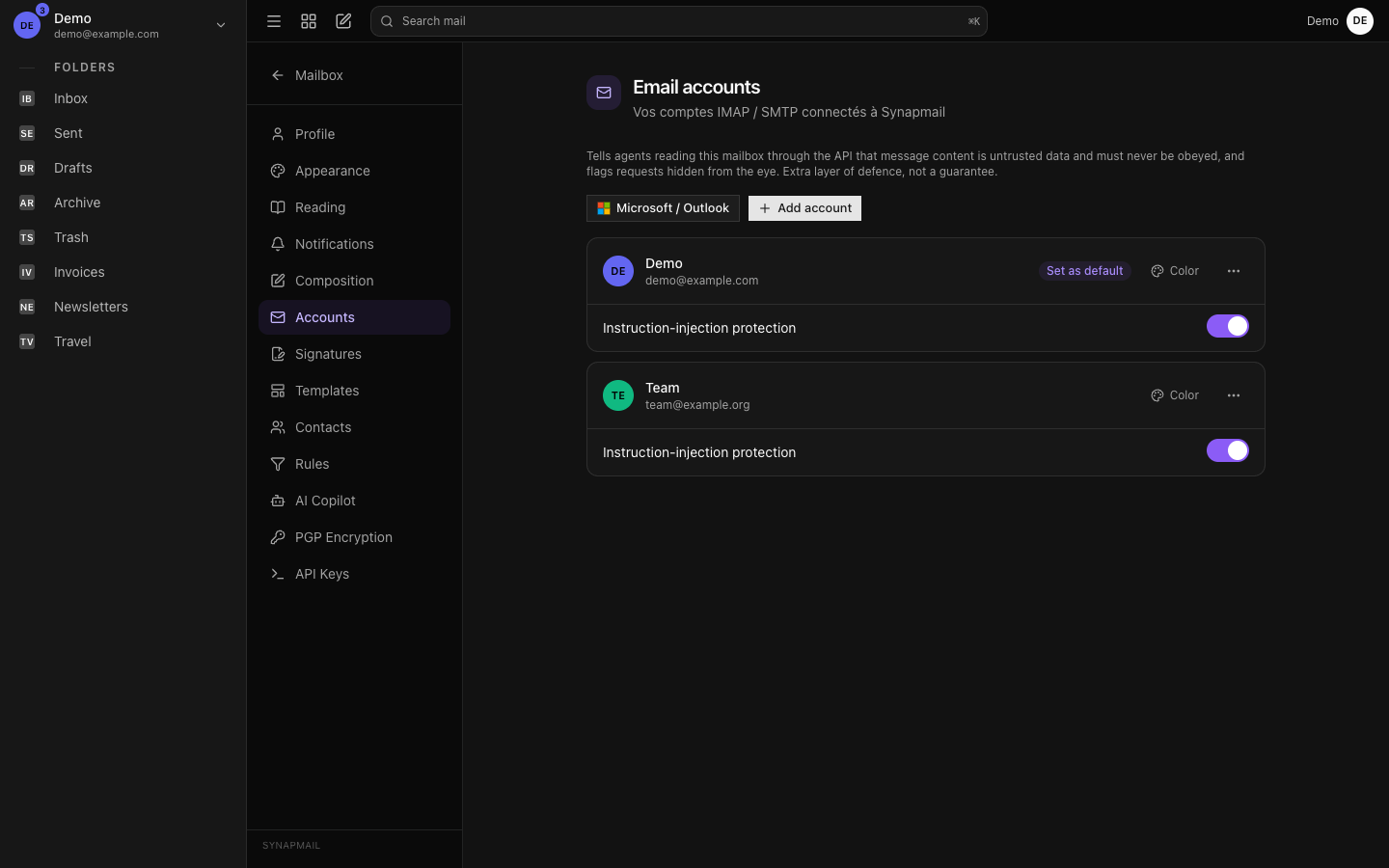
- Multi-account — Connect any number of IMAP/SMTP mailboxes; folder list updates instantly per account
- Account setup wizard — Auto-configures Gmail, Outlook, Yahoo, iCloud, Proton Mail, OVH/Orange/Free and custom servers; detects provider from email domain
- Bulk selection — Hover avatar → checkbox; select multiple messages and apply actions in one click
- Bulk mark read / unread — With optimistic local update
- Bulk move to folder — Dropdown of all IMAP folders
- Bulk delete
- Drag & drop to folder — Drag one or multiple messages onto any sidebar folder; highlighted drop target
- Right-click context menu — Mark read/unread, star/unstar, move to folder (hover submenu), delete
- Keyboard shortcuts —
ccompose,rreply,areply all,fforward,Delete/#delete,umark unread,/search,Escapeclose compose - Star / flag messages
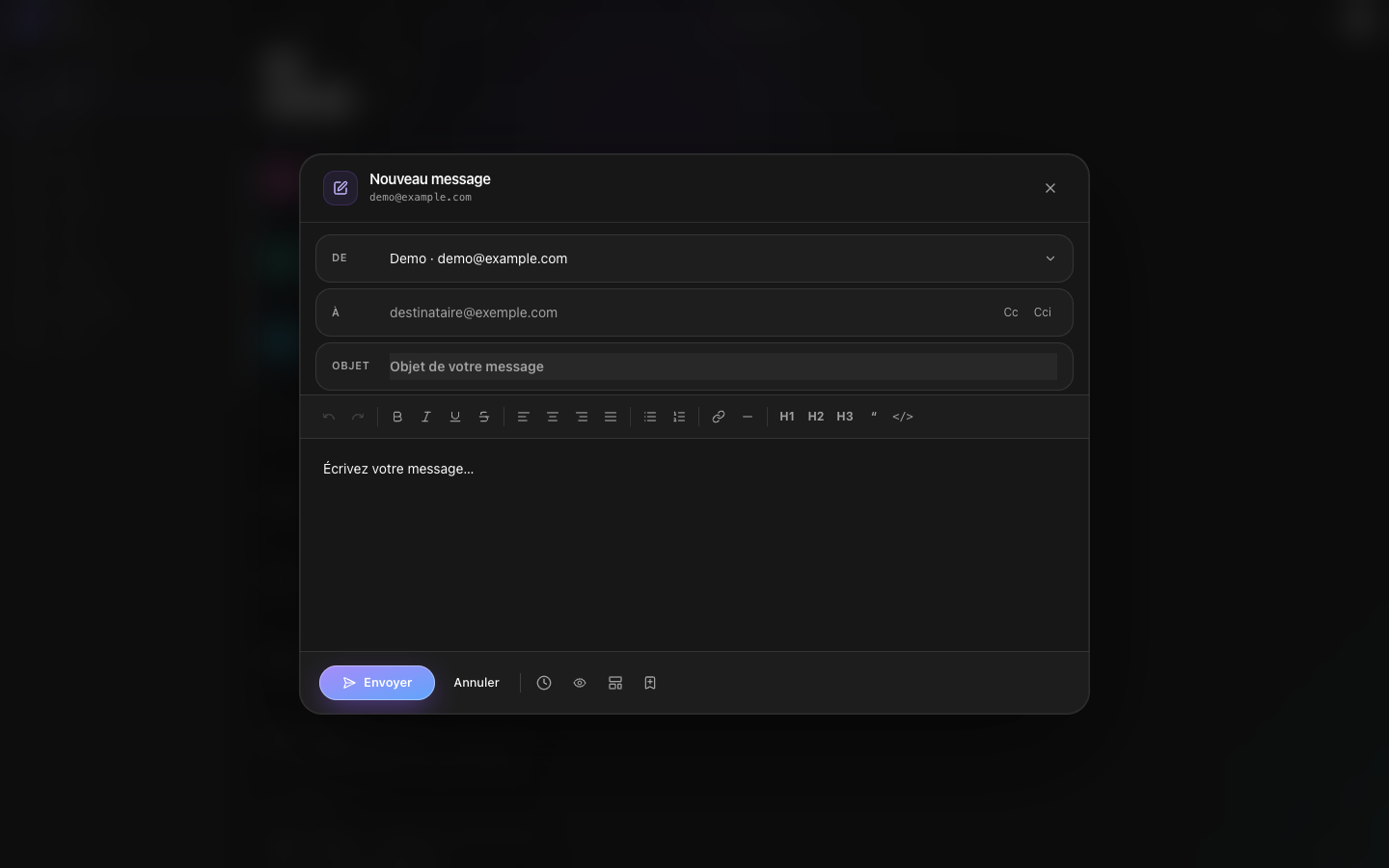
- Rich editor — Tiptap: bold, italic, underline, strikethrough, alignment, lists, links, headings, blockquote, code, HR
- Reply / Reply All / Forward
- CC and BCC — Toggle fields individually
- Forward with attachments — Original attachments pre-listed as removable chips; re-fetched from IMAP server-side and sent
- Auto-save to Sent folder — Every sent email (immediate or scheduled) is automatically appended to the IMAP Sent folder; works with any server (Gmail, Outlook, Stalwart, etc.)
- Contact autocomplete — Addresses auto-extracted from sent/received emails; typeahead in To/Cc/Bcc fields
- Email signatures — Per-account rich-text signatures with switcher; auto-insert on compose
- Compose templates — Save and reuse email templates with
{{variable}}placeholders; resolved via inline form before sending - Draft auto-save — Compose window auto-saves to localStorage every 3 s; restored on next open with "Brouillon restauré" badge
- Scheduled send — Pick a date and time to send later; emails queued in DB and sent by a background worker even without an active user session
- Undo send — Configurable countdown (disabled / 5 s / 10 s / 30 s); "Sending in Xs… Cancel" toast; app fully usable during countdown
- Inline attachment preview — Images as lightbox thumbnails, PDFs in native browser viewer
- To / CC recipients visible in message header
- Auto mark-as-read on open
- Read receipts — Optional per-email tracking combining a 1×1 pixel tracker and the MDN standard header (
Disposition-Notification-To); eye icon + timestamp shown in Sent list when opened
- End-to-end PGP encryption — Generate an OpenPGP keypair entirely client-side (openpgp.js); the private key lives only in browser IndexedDB, protected by your passphrase, and never touches the server. Import contacts' public keys to send inline-PGP-encrypted mail (an "Encrypt" toggle appears once every recipient has a known key); a received PGP message prompts for your passphrase and decrypts locally. Settings → PGP Encryption for key generation, backup/restore and contact key management.
- Phishing detection — Parses
Authentication-Resultsheader (SPF / DKIM / DMARC); detects display-name spoofing for 30+ brands; shows a color-coded security banner (green / orange / red) and highlights the sender address in red when suspicious - Lookalike domain detection — Levenshtein distance against known brand domains (amaz0n.com, arnazon.com…); flags visually similar domains
- Deceptive link detection — Parses email HTML before rendering; warns when visible text says one domain but the href points to another
- Dangerous attachment warning — Badges
.exe,.scr,.vbs,.bat,.js,.jar,.ps1attachments with a red warning - Urgency keyword detection — Highlights subjects containing words like "URGENT", "suspended account", "immediate refund"
- Encrypted credentials — Email passwords AES-256-GCM encrypted at rest
- Email rules engine — Full Gmail/Outlook-style filter system: multi-condition rules (from, to, subject, body, size, date, List-Unsubscribe, X-Priority), actions (move, mark_read, star, delete, forward), AND/OR logic, drag-and-drop priority, auto-run every 5 min, "create from message" shortcut, JSON import/export, Sieve export, per-rule execution stats
- Scheduled emails view — Clock icon with badge in toolbar; popover lists pending scheduled emails with per-item cancel
- Contact management — Contacts auto-extracted from emails (one per unique message, noreply-filtered); searchable list in Settings → Contacts; can be edited or deleted
- Desktop notifications — Browser Notification API; click opens the message directly in the app
- Server-Sent Events — Real-time new mail polling (30 s per account); notifies scheduled emails sent
- MDN toast — 30-second toast when a read-receipt response (MDN email) is received for a tracked sent message
- Full settings UI — Sidebar-nav settings: Profile, Appearance, Reading, Notifications, Composition, Email Accounts, Signatures, Rules, Templates, Contacts, PGP Encryption, API Keys
- Appearance — Dark / Light / System theme, language (EN/FR), persisted server-side and applied on load
- Reading — Reading pane on/off default
- Notifications — Enable/disable desktop notifications
- Composition — Undo send delay configuration
- User profile — Name and password change
- API Keys — Bearer tokens for scripts/agents, scoped to a read+write subset of the REST API, revocable at any time
- Full i18n — English and French built-in, easy to extend
- Admin panel — User management (create, role toggle, delete)
- Microsoft OAuth2 — Connect Outlook/Live/Hotmail via XOAUTH2 (no password stored)
- No third-party fonts or trackers — system font stack only, no external font/CDN dependency; all preferences and drafts persisted server-side (no
localStoragefor app state)
Four supported methods — choose the one that fits your setup.
Requires: Docker + Docker Compose. Pulls the latest image from
ghcr.io— no compilation needed.
curl -O https://raw.githubusercontent.com/bryan1993-HA/synapmail/main/docker-compose.yml
curl -O https://raw.githubusercontent.com/bryan1993-HA/synapmail/main/.env.example
cp .env.example .env
Edit .env:
NEXTAUTH_URL=https://mail.yourdomain.com
NEXTAUTH_SECRET=$(openssl rand -base64 32)
ENCRYPTION_KEY=$(openssl rand -hex 32)
NEXT_PUBLIC_APP_URL=https://mail.yourdomain.com

# PostgreSQL password — must match DATABASE_URL
POSTGRES_PASSWORD=a-strong-password
DATABASE_URL=postgresql://synapmail_user:a-strong-password@postgres:5432/synapmail
docker compose up -dThe app will be available at http://localhost:3500.
The database schema is created automatically on first boot.
Pin a specific version: edit
docker-compose.ymland replaceghcr.io/bryan1993-HA/synapmail:latestwith e.g.ghcr.io/bryan1993-ha/synapmail:1.2.0.
Requires: Docker + Docker Compose. Builds the image locally from the cloned repo.
git clone https://github.com/bryan1993-HA/synapmail.git
cd synapmail
cp .env.example .env
# fill in .env values
docker compose up -d --buildRequires: Docker. Use this if you already have a PostgreSQL instance (e.g. Supabase, Railway, or your own server).
docker pull ghcr.io/bryan1993-ha/synapmail:latest
docker run -d --name synapmail -p 3500:3000 --env-file .env ghcr.io/bryan1993-ha/synapmail:latestRequires: Node.js 20+, an existing PostgreSQL instance.
git clone https://github.com/bryan1993-HA/synapmail.git
cd synapmail
npm install
cp .env.example .env   # fill in your values
npm run build
npm start
The app will be available at http://localhost:3000.
Use a process manager like PM2 to keep it running.
Once the app is running, navigate to /register to create your first admin account.
After setup, set REGISTRATION_ENABLED=false in .env and restart to prevent new sign-ups.
| Variable | Required | Description |
|---|---|---|
NEXTAUTH_URL |
Yes | Full public URL (e.g. https://mail.example.com) |
NEXTAUTH_SECRET |
Yes | Random secret for JWT — openssl rand -base64 32 |
DATABASE_URL |
Yes | PostgreSQL connection string — must use postgres as hostname |
ENCRYPTION_KEY |
Yes | 32-byte hex key for email password encryption — openssl rand -hex 32 |
NEXT_PUBLIC_APP_URL |
Yes | Same as NEXTAUTH_URL, exposed to client |
POSTGRES_PASSWORD |
Yes | Password for the PostgreSQL container (must match DATABASE_URL) |
REGISTRATION_ENABLED |
No | true to allow new registrations (default: true) |
| Key | Action |
|---|---|
c |
New compose |
r |
Reply |
a |
Reply all |
f |
Forward |
Delete / # |
Delete current message |
u |
Mark as unread |
/ |
Focus search |
Escape |
Close compose |
Shortcuts are inactive when an input field or the editor is focused.
All endpoints require authentication. Responses follow { data?, error? } shape.
Quick index below — for full request/response schemas, query params, and every session-only route (admin, rules, PGP, AI, settings, etc.), see docs/API.md.
Two ways in:
- Session cookie — the normal browser login, used by the app itself.
- API key (Bearer token) — for scripts and external agents. Create one in Settings → API Keys (the raw key is shown once, at creation) and send it as
Authorization: Bearer syn_.... Keys are scoped to the endpoints marked Bearer ✓ below (accounts, folders, messages, contacts) — everything else stays session-only for now.
curl -H "Authorization: Bearer syn_..." https://your-instance/api/accounts| Method | Path | Bearer | Description |
|---|---|---|---|
GET |
/api/accounts |
✓ | List email accounts |
POST |
/api/accounts |
Add email account | |
PATCH |
/api/accounts/[id] |
Update account | |
DELETE |
/api/accounts/[id] |
Remove account | |
POST |
/api/accounts/test |
Test IMAP + SMTP connection |
| Method | Path | Bearer | Description |
|---|---|---|---|
GET |
/api/messages?account=&folder=&page=&filter= |
✓ | List messages |
GET |
/api/messages/[id]?account=&folder= |
✓ | Get full message |
PATCH |
/api/messages/[id] |
✓ | Mark read/unread or star |
DELETE |
/api/messages/[id] |
✓ | Delete message |
PATCH |
/api/messages/bulk |
✓ | Bulk mark read/unread or move |
DELETE |
/api/messages/bulk |
✓ | Bulk delete |
GET |
/api/messages/[id]/attachment/[partId]?inline= |
Download or inline-preview attachment | |
POST |
/api/messages/[id]/mdn |
Register received MDN (read receipt response) | |
GET |
/api/messages/search?q=&account= |
✓ | Full-text IMAP search |
GET |
/api/messages/thread?subject=&account= |
✓ | Fetch thread messages |
| Method | Path | Bearer | Description |
|---|---|---|---|
GET |
/api/folders?account= |
✓ | List IMAP folders |
POST |
/api/messages/send |
✓ | Send email (supports scheduled + forwarded attachments) |
| Method | Path | Description |
|---|---|---|
GET |
/api/api-keys |
List your API keys (name, prefix, last used, 24h request count) |
POST |
/api/api-keys |
Create an API key — returns the raw key once |
DELETE |
/api/api-keys/[id] |
Revoke an API key |
GET |
/api/api-keys/[id]/logs |
Recent requests logged for one key (method, path, IP, time) |
| Method | Path | Description |
|---|---|---|
GET |
/api/drafts?accountId= |
Get the current compose draft for an account |
PUT |
/api/drafts |
Save (upsert) the compose draft for an account |
DELETE |
/api/drafts?accountId= |
Delete the compose draft for an account |
| Method | Path | Description |
|---|---|---|
GET |
/api/scheduled |
List pending scheduled emails |
DELETE |
/api/scheduled/[id] |
Cancel a scheduled email |
| Method | Path | Bearer | Description |
|---|---|---|---|
GET |
/api/contacts?account=&q= |
✓ | List / search contacts |
PATCH |
/api/contacts/[id] |
Update contact | |
DELETE |
/api/contacts/[id] |
Delete contact |
| Method | Path | Description |
|---|---|---|
GET |
/api/rules?account= |
List rules |
POST |
/api/rules |
Create rule |
PATCH |
/api/rules/[id] |
Update rule |
DELETE |
/api/rules/[id] |
Delete rule |
POST |
/api/rules/[id]/test |
Test rule on a folder |
POST |
/api/rules/run |
Run all rules now |
GET |
/api/rules/export |
Export rules as JSON |
POST |
/api/rules/import |
Import rules from JSON |
GET |
/api/rules/sieve |
Export rules as Sieve script |
| Method | Path | Description |
|---|---|---|
GET |
/api/templates?account= |
List compose templates |
POST |
/api/templates |
Create template |
PATCH |
/api/templates/[id] |
Update template |
DELETE |
/api/templates/[id] |
Delete template |
| Method | Path | Description |
|---|---|---|
GET |
/api/track/[token] |
Pixel tracking endpoint (read receipt) |
GET |
/api/track/status?messageId= |
Get tracking status for a sent message |
POST |
/api/unsubscribe |
Handle List-Unsubscribe clicks |
GET |
/api/settings |
Get user settings |
PATCH |
/api/settings |
Update user settings |
GET |
/api/profile |
Get current user |
PATCH |
/api/profile |
Update name or password |
GET |
/api/stream |
Server-Sent Events — new mail + scheduler events |
- First user registers at
/register. - Promote to admin:
UPDATE users SET role = 'admin' WHERE email = 'your@email.com';
- Admin can manage users at
/admin/users. - Set
REGISTRATION_ENABLED=falsewhen done. - Each user independently manages their IMAP/SMTP accounts under Settings → Email accounts.
- Node.js 20+
- PostgreSQL 16+
git clone https://github.com/bryan1993-HA/synapmail.git
cd synapmail
npm install
cp .env.example .env.local
# Edit .env.local with your values
npm run dev
App runs at http://localhost:3000.
npm run dev        # Start dev server
npm run build      # Production build
npm run lint # ESLintdocker compose up -d --build
docker compose logs -f synapmail
docker compose downSynapmail uses next-intl.
| Language | Code | File |
|---|---|---|
| English | en |
locales/en.json |
| French | fr |
locales/fr.json |
To add a language:
- Create
locales/[code].jsonmatching the structure ofen.json - Add the locale code to the
localesarray inmiddleware.ts
See CONTRIBUTING.md.
- Fork the repository
- Create a feature branch:
git checkout -b feat/my-feature - Commit using Conventional Commits
- Open a Pull Request
MIT — Bryan Thoury, 2025–present.