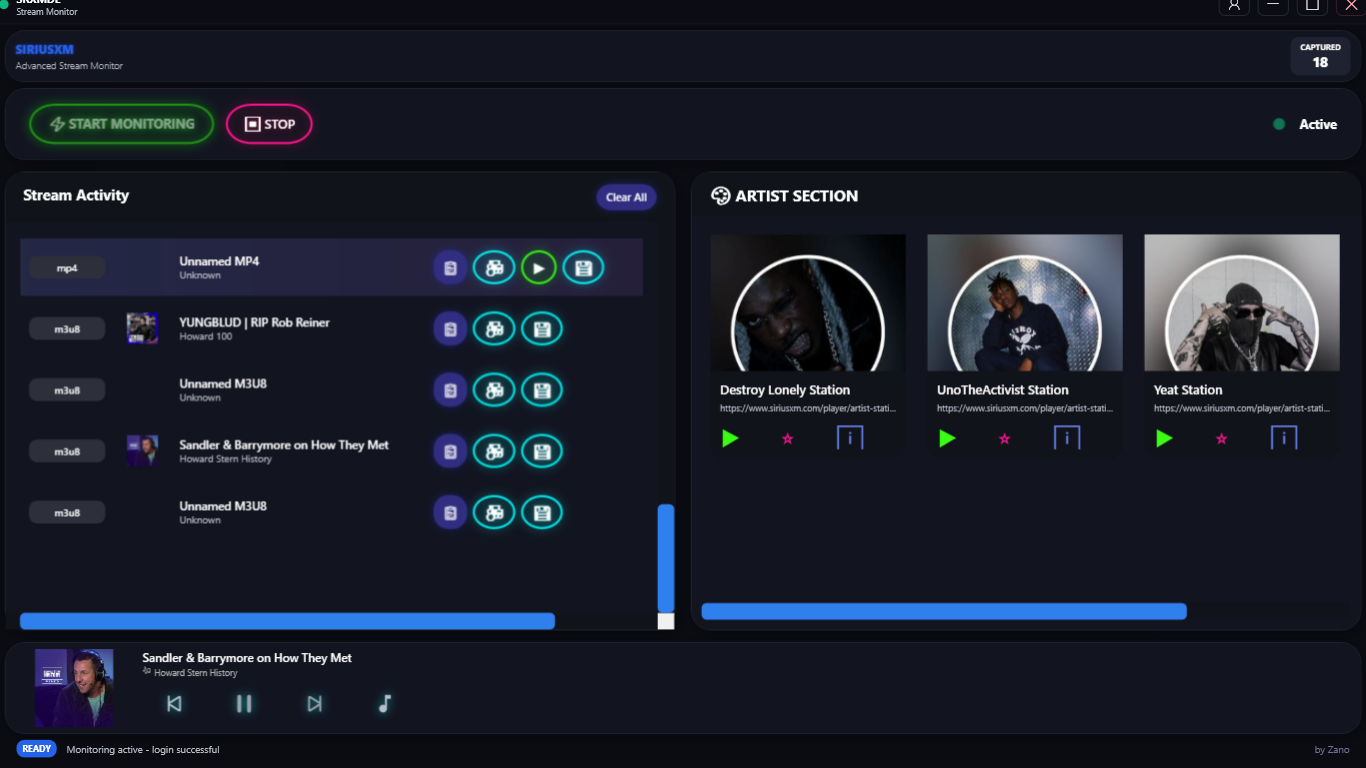
Application to Download Podcast & Music Content From Sirius XM 📻
- Active SiriusXM subscription 📻
- .NET 10 SDK (for build/run) 🟪
- WebView2 Runtime (usually preinstalled on Windows 10/11) 🌐
- ffmpeg (for playback, downloads & conversions) ♻
- yt-dlp (For Podcast downloads & Video Downloads) ⬇
- pycryptodomex (optional but yt-dlp will download AES protected m3u8's faster if installed) ⚠
Download and install the .NET SDK for Windows:
Verify installation:
dotnet --versionMost Windows 10/11 systems already have this. If the embedded player fails to load:
Download and install yt-dlp for Windows:
- Option 1: Download the
.exefile from yt-dlp Releases and place it in your PATH - Option 2: Install via pip:
pip install yt-dlp
For faster AES-protected m3u8 downloads:
pip install pycryptodomexInstall ffmpeg for Windows:
- Option 1: Download from ffmpeg.org
- Option 2: Use Windows Package Manager:
winget install ffmpeg
After installing all prerequisites:
dotnet rundotnet build- Launch the app — one wide window opens with the SiriusXM Player embedded on the left half and your capture panel on the right half. Sign in directly in the player, or save credentials via the login button for optional auto sign-in.
- Click Start Monitoring to begin recording captured streams to the list (network capture itself is always attached in the background, so nothing is missed while you're signing in or already playing).
- Switch between the Stream Activity and Artists tabs on the right half. Streams support copy, download, play, and metadata actions.
- Visit artist pages in the player to populate the Artists tab.
- Use the download window for quality/format options; ffmpeg and yt-dlp handle conversions.
Currently Working & Improving on :
🛠Better Metadata Captures
🛠Full Channel Track list coming soon
🛠Mac OS Version
🛠CLI commands