A web app built to collect rss feed data and provide a centrallized location to see webcomic updates! I built this to have a way to see comic updates from all over the web in one place. Version 1.0 is a simple proof of concept for my ideas and mainly allowed me to see how I could go about utilizing RSS feed data.
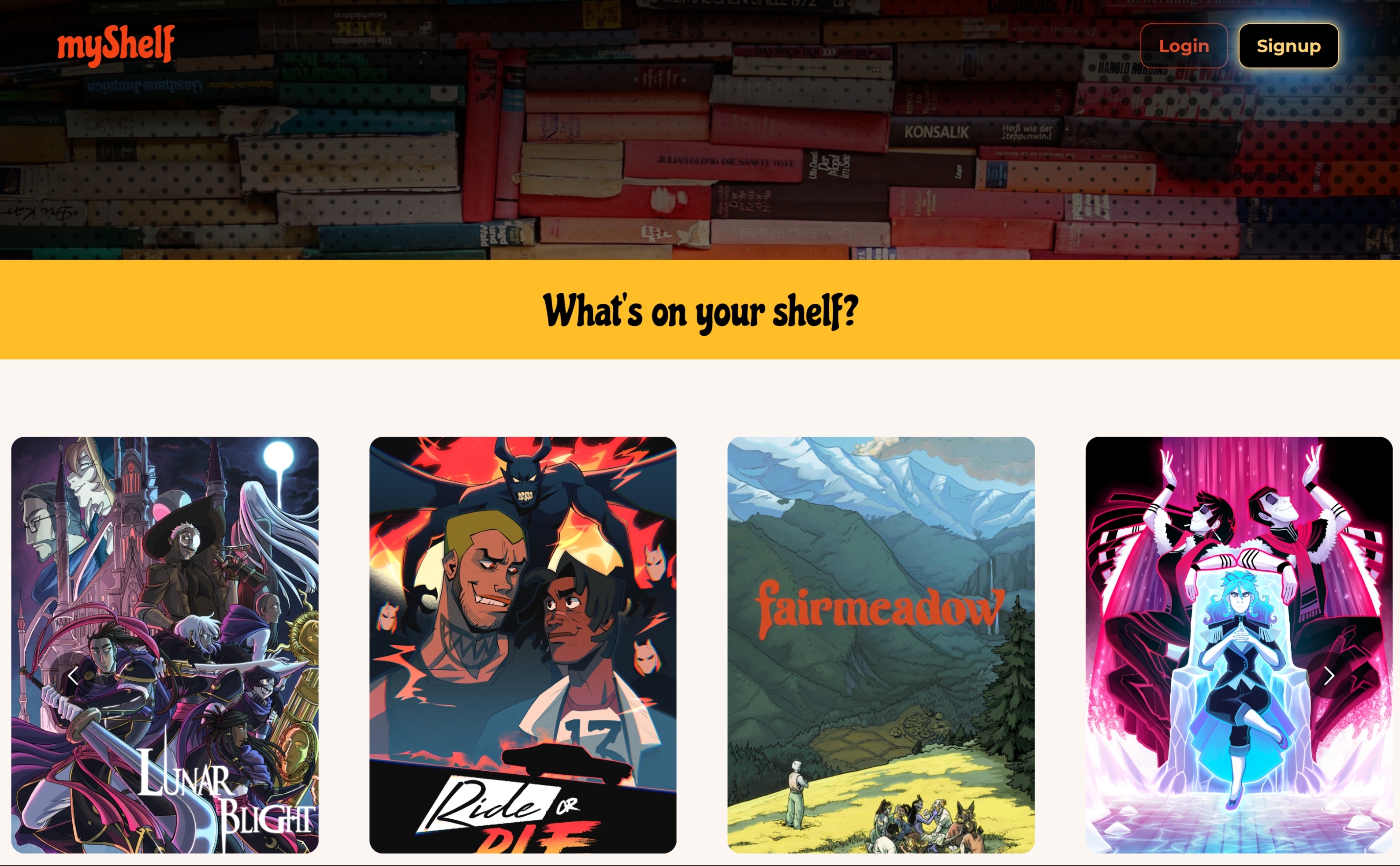
Visit the deployed page here! On load, you will see the currently archived comics load on the front page. The scrollers will move automatically however you can click the arrows on either side of the screen to look through it yourself. When you click on a comic's title you'll be taken to a page with more information on that comic including links to where you can read the comic and find the creators!
To keep a list of your favorite comics, click the sign up button at the top right. Upon creating an account you'll be taken to your empty profile page. Clicking the "myShelf" link at the top left will bring you back to the home page. Now when you click into a comic's page a button will appear that will allow you to save a comic to your profile. Navigating back to your profile, your comics will appear along with the most recent updates published to its homepage!
To remove a comic from your page simply click the "Unshelve" button below each comic thumbnail on your profile page.
-
Here is where I got code for decorative profile elements.
-
This post helped me format the footer element.
-
This video helped me utilize rss-parser.
-
Header photo by Robert Anasch on Unsplash
-
Icons by Abby Johnson
- Vite
- Bootstrap
- MongoDB
- Render
- React
- React Router
- JWT
- NPM
- react-multi-carousel
- react-scroll-to-top
- rss-parser
- dayjs
- react-loader-spinner
- nodemon
MIT