


A premium, modern theme for Home Assistant inspired by WebAwesome.
Focused on semantic colors, dynamic shadows, and elegant typography.
Table of Contents
Light Mode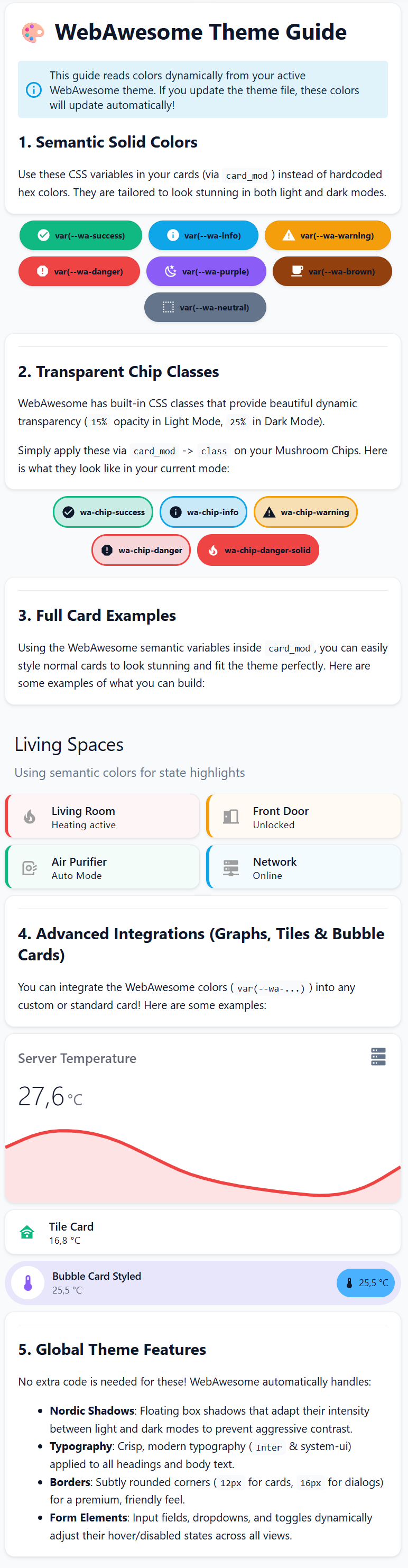 |
Dark Mode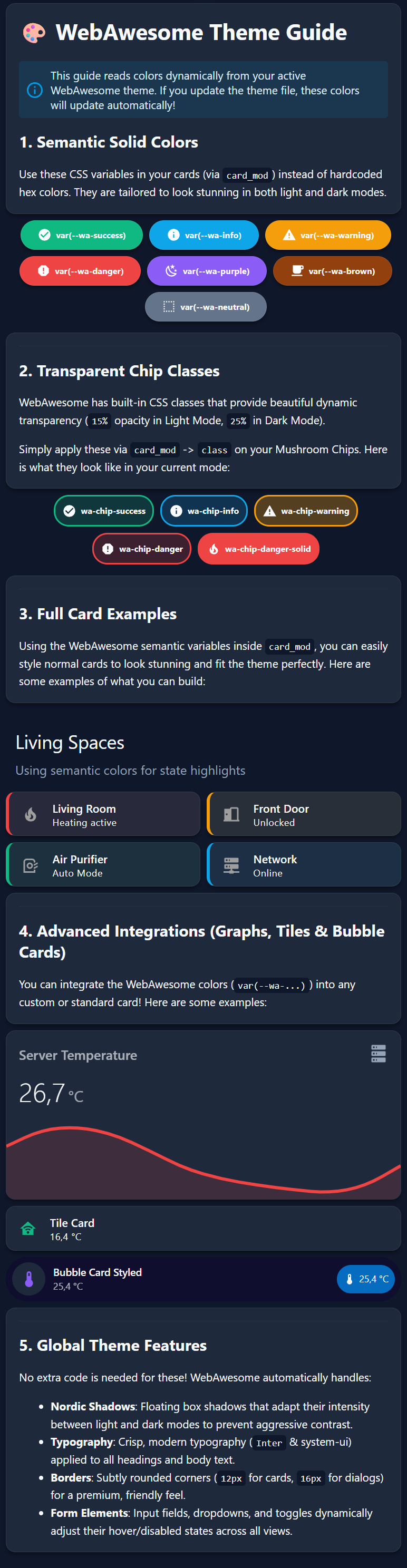 |
- Semantic Color System: Built-in variables for success, warning, danger, and info states.
- Dynamic Nordic Shadows: Soft floating shadows that adjust intensity between modes.
- Inter Typography: Uses the crisp Inter font family for a professional look.
- Soft UI: Balanced border-radius (12px-16px) across all cards and dialogs.
- Mushroom Optimized: Advanced styling for chips and template cards.
- Go to HACS -> Frontend.
- Click the three dots -> Custom repositories.
- Add
adnansarajlic/webawesome-ha-themewith type Theme. - Click Download.
- Download
themes/webawesome.yaml. - Place it in your
themes/folder. - Add the following to your
configuration.yaml:
frontend:
themes: !include_dir_merge_named themesWebAwesome includes custom CSS classes for Cards and Chips. Use these via card_mod -> class for consistent semantic styling.
For status indicators (like Mushroom Chips):
wa-chip-success: Pulsing green with dynamic transparency.wa-chip-success-static: Static green with dynamic transparency (no pulse).wa-chip-info: Pulsing blue.wa-chip-info-static: Static blue (no pulse).wa-chip-warning: Pulsing amber.wa-chip-warning-static: Static amber (no pulse).wa-chip-danger: Pulsing red.wa-chip-danger-static: Static red (no pulse).wa-chip-danger-solid: Solid high-visibility red for critical alarms.
Example:
type: custom:mushroom-chips-card
chips:
  - type: template
    icon: mdi:fire
    card_mod:
class: wa-chip-dangerApplies a subtle semantic background, colored icon, and a left border accent to full cards:
wa-card-success: Green accent.wa-card-info: Blue accent.wa-card-warning: Amber accent.wa-card-danger: Red accent.
Example:
type: custom:mushroom-template-card
primary: Living Room
secondary: Heating active
icon: mdi:fire
card_mod:
class: wa-card-dangerThese variables stay consistent across modes and are used for status indicators.
| Variable | Light/Dark Hex | Swatch |
|---|---|---|
--wa-success |
#10b981 |
 |
--wa-info |
#0ea5e9 |
 |
--wa-warning |
#f59e0b |
 |
--wa-danger |
#ef4444 |
 |
--wa-purple |
#8b5cf6 |
 |
--wa-brown |
#92400e |
 |
--wa-neutral |
#64748b |
 |
Based on the WebAwesome Slate/Zinc palette.
| Variable | Hex Code | Swatch |
|---|---|---|
primary-background |
#f8fafc |
 |
secondary-background |
#f1f5f9 |
 |
card-background |
#ffffff |
 |
primary-text |
#0f172a |
 |
Deep slate backgrounds with high-legibility text.
| Variable | Hex Code | Swatch |
|---|---|---|
primary-background |
#0f172a |
|
secondary-background |
#020617 |
 |
card-background |
#1e293b |
 |
primary-text |
#f8fafc |
|
Created by Adnan Sarajlic with inspiration from the WebAwesome team.