


Use the CPU, RAM, and GPU of another computer from your own. Run terminal processes securely, with local models coming next.
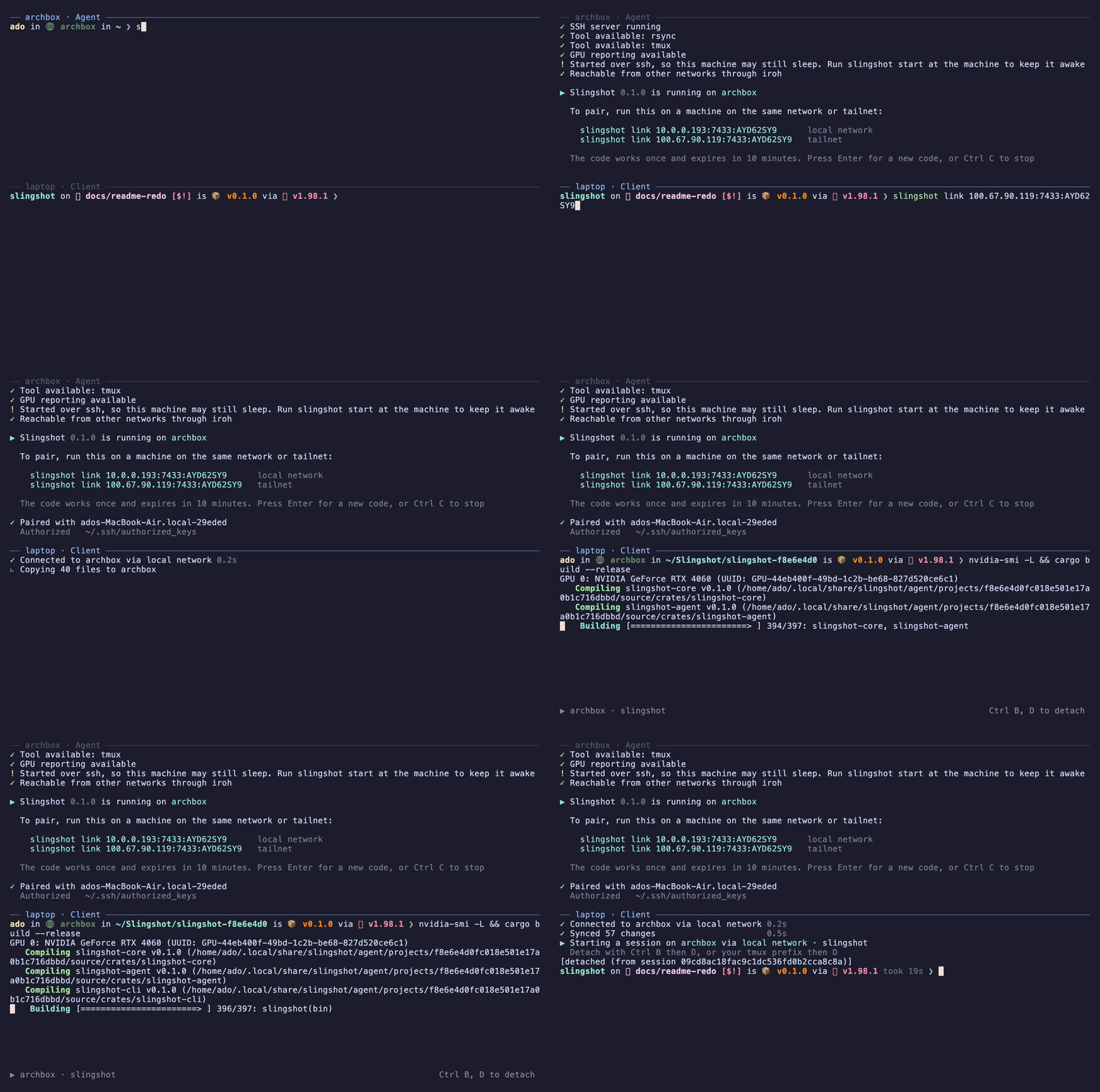
- Remote power. Builds, servers, containers, and coding agents run on the powerful machine, started from your laptop.
- Feels local. Typing, colors, Ctrl C, and exit codes work as they do on your own machine.
- Your tools. You keep your own editor, terminal, and browser. Nothing new to learn.
- Light sync. Only source files are copied. Build output such as
targetandnode_modulesstays on the powerful machine. - Lasting sessions.
slingshot attachopens a terminal that keeps running when you close the laptop. - Works anywhere. At home, over a VPN such as Tailscale, or from any network, with no account and no router setup.
- Secure. The pairing code never crosses the network, each laptop gets its own ssh key, and nothing runs as another user.
- The Client is the machine you work on. The Agent is the powerful machine.
-
Install Slingshot on both machines. It needs Rust and
rsync, and the Agent also needstmuxand an ssh server. See A Linux Agent below, or the install guide for other systems.cargo install slingshot-cli
-
On the Agent, start Slingshot. It prints a pairing code.
slingshot start
-
On the Client, run the line it printed. Both machines must be on the same network or VPN for this step only.
slingshot link 192.168.1.9:7433:K7QW9ZR2
-
From a project folder on the Client, run anything on the Agent:
slingshot run cargo build
-
Install what Slingshot needs. On Arch Linux:
sudo pacman -S --needed base-devel rsync tmux openssh rustup
rustup default stable
On Ubuntu or Debian:
sudo apt install build-essential rsync tmux openssh-server curl
curl --proto '=https' --tlsv1.2 -sSf https://sh.rustup.rs | sh
-
Turn on the ssh server, which the Client uses to log in. It is
sshdon Arch and Fedora, andsshon Ubuntu and Debian.sudo systemctl enable --now sshd -
Add Rust's folder to your PATH, so the
slingshotcommand is found. Use~/.zshrcinstead if your shell is zsh. Then open a new terminal.echo 'export PATH="$HOME/.cargo/bin:$PATH"' >> ~/.bashrc
-
ssh keys need no setup.
slingshot linkmakes a key for the Client and installs it in the Agent's~/.ssh/authorized_keys, named soslingshot unlinkcan remove it. Password login is never used.
| Command | Does |
|---|---|
slingshot run <command> |
Copies your changes, then runs the command on the Agent. |
slingshot attach |
Opens a terminal on the Agent that keeps running when you disconnect. |
slingshot sync --pull |
Brings edits made on the Agent back to the Client. |
slingshot health |
Shows the Agent's hardware and use. Add --watch to keep it live. |
slingshot ps |
Lists running jobs. slingshot stop <id> stops one. |
- Every command and option is in USAGE.md.
- On a Mac,
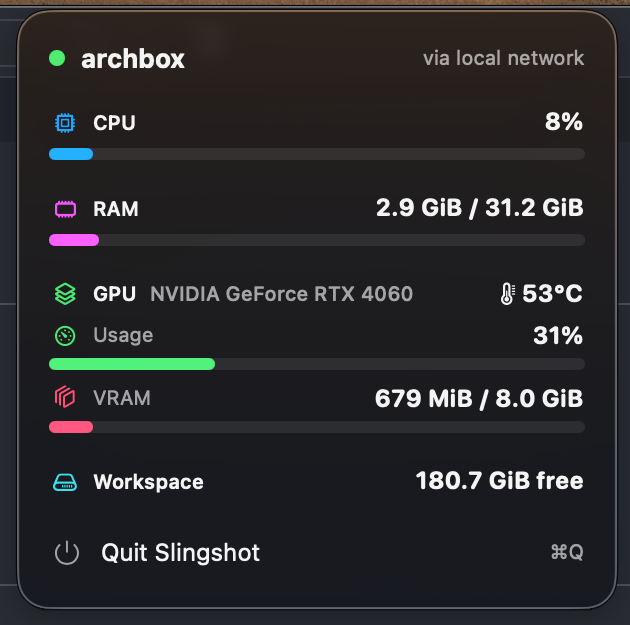
linkoffers a menu bar app that shows the Agent's live use and notifies you when a run finishes.
- Early. Tested between a Mac and an Arch Linux machine.
- What works is in the roadmap. Planned work is in the issues.
- Licensed under MIT or Apache 2.0, at your choice.