
A mod menu for Claude Code and Codex.
Auto continue after the usage limit is reset, and auto ping to line your
5-hour limit windows up with your workday.


Getting started · Auto continue · Auto ping · FAQ
This is the Node/TypeScript port. If you would rather not have a native dependency, the Python original is at adrielmendes28/automode and behaves identically. Same features, same tests, same decisions. Pick whichever runtime you already trust.
You keep the normal Claude Code / Codex interface: same colors, same shortcuts, same
everything. ctrl+g opens the mod menu on top of it, wearing the color of whichever
agent it is covering.
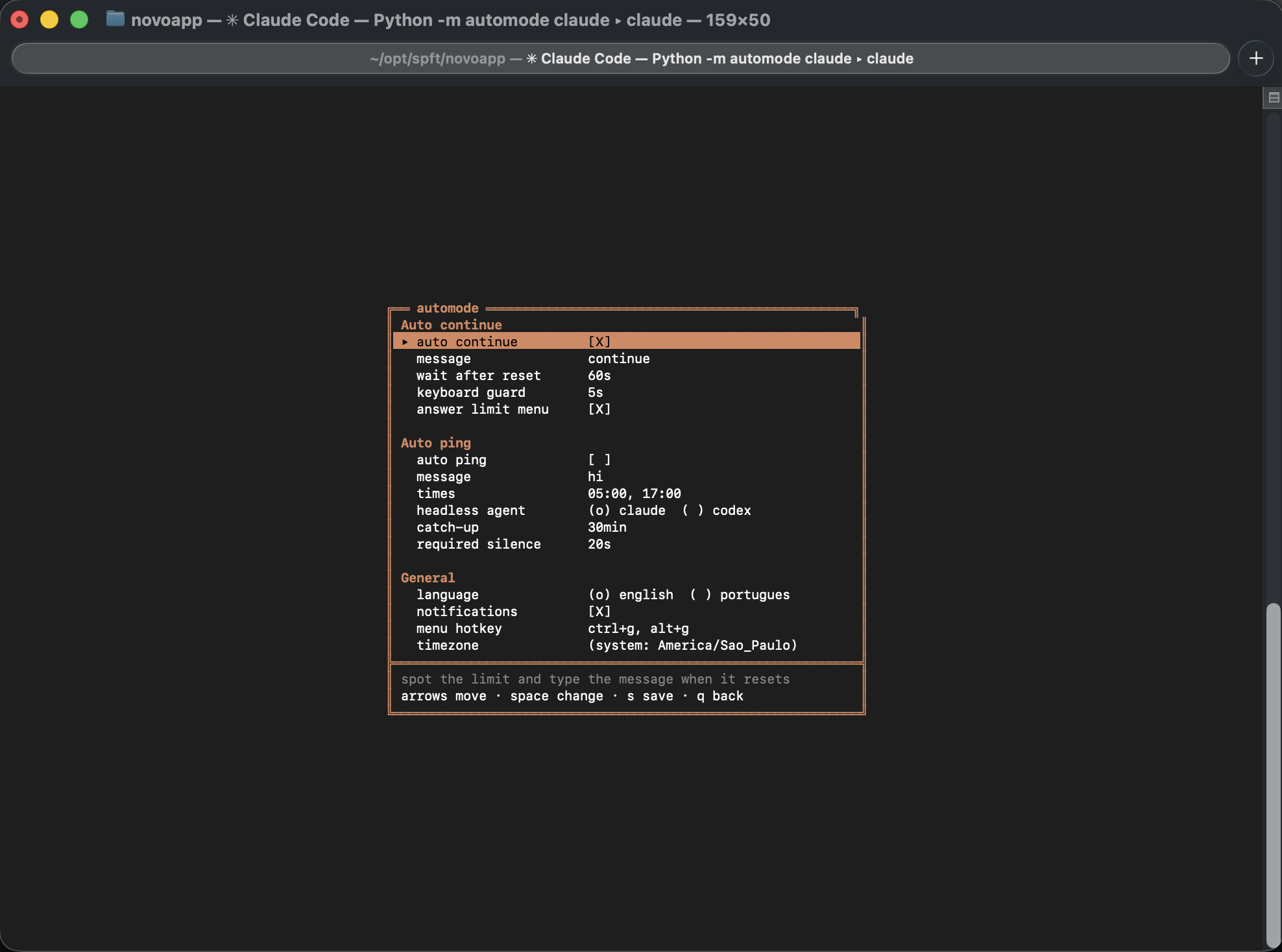
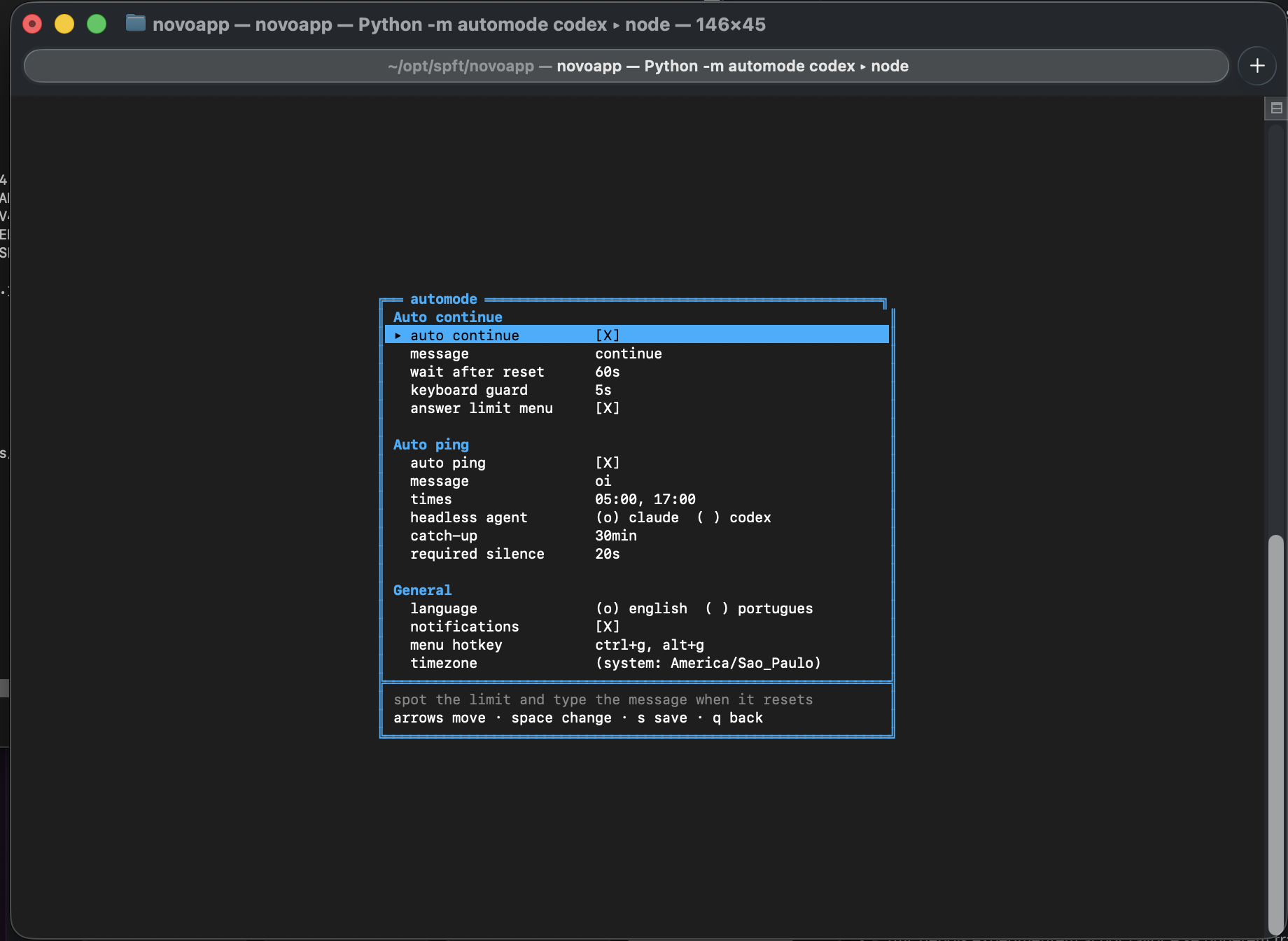
You hit the limit at 2pm. The message says it resets at 6:20pm. At 6:20pm you are not
at your desk, so the work just sits there until you remember to come back and type
continue.
automode reads the message, works out the reset time, waits, and types it for you.
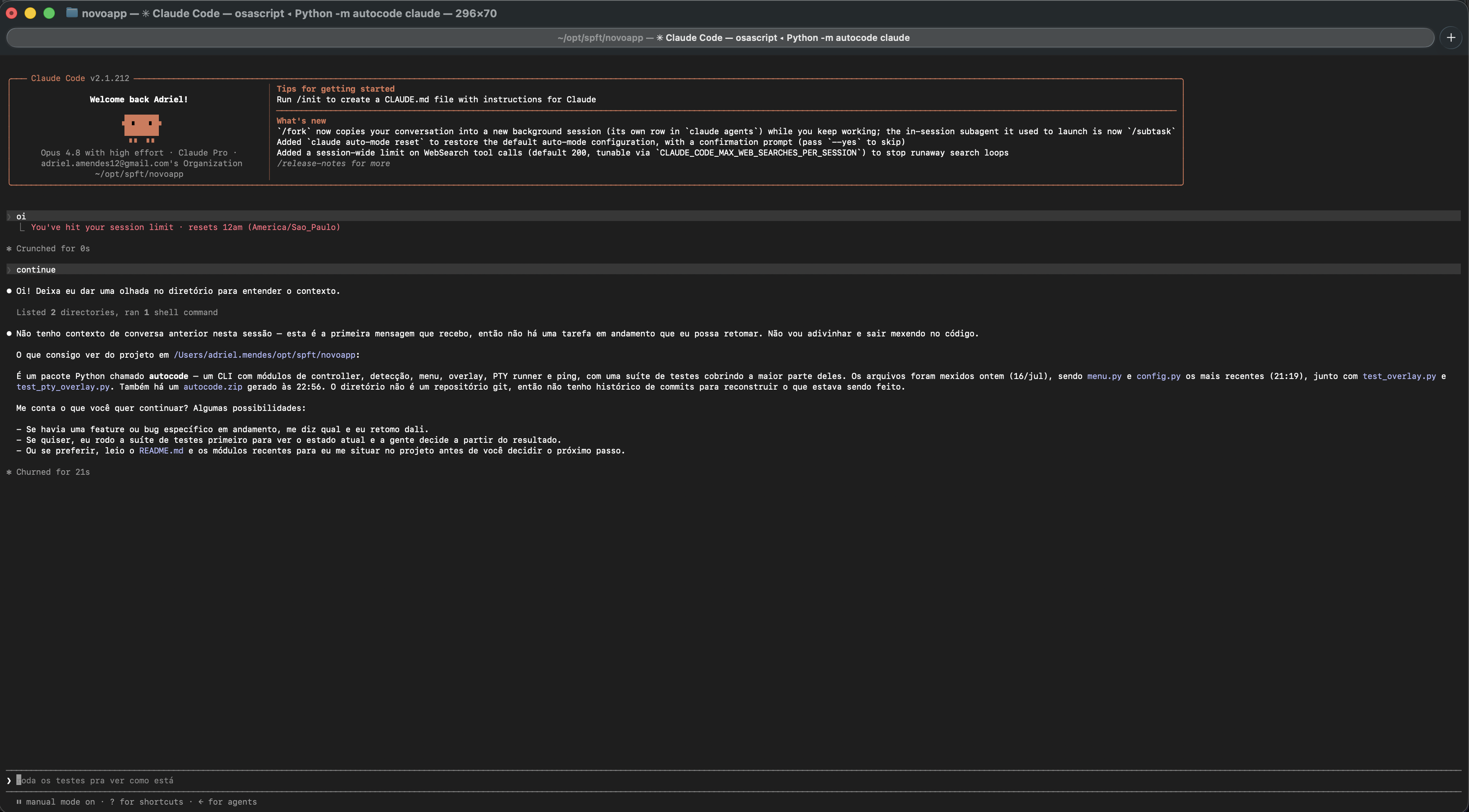
It also answers the menu the agent leaves on screen. That part matters more than it
sounds: hitting the limit does not just print a message, it parks the agent on a
blocking choice. Typing continue at that screen does nothing at all. The answer has
to come first. automode picks the option that costs nothing and waits for the reset
(Stop and wait for limit to reset on Claude, Keep current model on Codex), reading
the option number out of the screen rather than assuming it.
This is the one that changes your day.
Your 5-hour window starts on your first prompt, not at a fixed hour. So if your first "hi" of the morning is at 8:00, your window ends at 13:00, right in the middle of the workday. You run out at lunch and wait.
Send that first prompt at 5:00 instead and the whole thing shifts:
| first prompt | window resets | resets again | |
|---|---|---|---|
| without automode | 08:00 | 13:00 🙃 | 18:00 |
| with automode | 05:00 | 10:00 ✅ | 15:00 ✅ |
Both renewals land while you are at the keyboard instead of while you are asleep or gone for the day.
Nobody wakes up at 5am to type "hi". automode does it for you, on both Claude and Codex, with the terminal closed and you asleep.
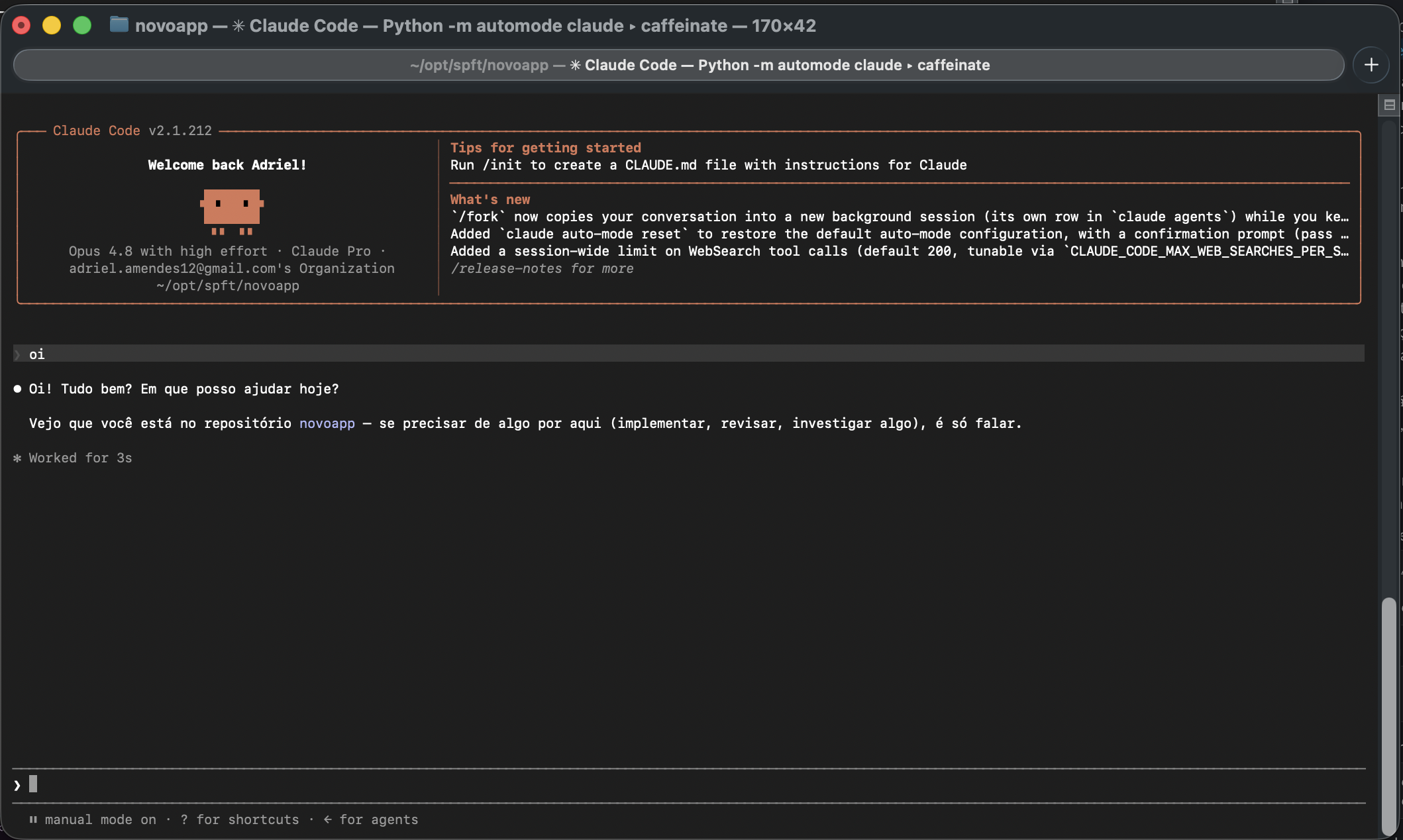
npm install -g automode
automode install
That adds two aliases to your shell:
alias claude='automode claude'
alias codex='automode codex'
Open a new terminal, and that is it. claude now has the mods.
claude          the agent, with the mods
\claude         the agent, bare (the backslash skips the alias)
ctrl+g          the mod menu, from inside a session
automode menu   the same menu, from outside
Requires Node 20+ and macOS or Linux.
automode menu               # turn on auto ping, set your times
automode schedule install   # schedule it with launchd (macOS)
launchd does not wake your Mac. If the machine is asleep at 5:00 the ping only fires once it wakes, which defeats the whole point. Schedule the wake as well.
automode schedule installprints the exact command:sudo pmset repeat wakeorpoweron MTWRFSU 04:58:00
automode claude [args...]     run claude with the mods (args pass through)
automode codex  [args...]     same for codex
automode -- <cmd> [args...]   wrap any other command

automode install              install the aliases
automode menu                 open the settings menu
automode status               show settings and what is scheduled
automode doctor               check the detector against known limit messages
automode ping                 send the ping now, with no session open
automode schedule install     schedule the ping with launchd (macOS)
automode uninstall            remove the aliases
The menu writes ~/.config/automode/config.toml, the same file the Python version
uses, so the two can share it:
language = "en"             # "en" or "pt", also switchable from the menu
auto_continue = true
continue_message = "continue"
answer_limit_prompt = true  # answer the blocking menu the limit leaves on screen
grace_seconds = 60          # how long to wait past the reset time
idle_guard_seconds = 5      # never type while you are typing
timezone = ""               # empty = system timezone
notify = true
hotkey = "ctrl+g, alt+g"

[ping]
enabled = false
message = "hi"
times = ["05:00", "17:00"]
agent = "claude"
catchup_minutes = 30
idle_seconds = 20your keyboard ──> automode ──> PTY ──> claude (normal interface, untouched)
your terminal <── automode <── PTY <──┘
│
├─> copy of the output ──> detector ──> auto continue
└─> clock ────────────────────────────> auto ping
The agent runs inside a real pseudo-terminal, so it never knows it is wrapped: colors, mouse, resize and exit codes all pass through byte for byte.
- Timezones. Python hands you
zoneinfoand naive datetimes, so "the next time the clock in Sao Paulo reads 18:20" is a one-liner. Node has no inverse forIntl: it will tell you what an instant looks like in a zone, never the other way round. Socore/timeutil.tsbuilds that inverse by guessing, measuring the offset there, correcting, and measuring again in case the correction crossed a DST boundary. The tests pin a 23-hour night, a 25-hour night, and a wall time that never existed. node-pty's spawn-helper. node-pty makes the PTY through a small helper binary it ships prebuilt. Depending on how npm unpacks it, that helper arrives without its executable bit, and then every spawn dies with a bareposix_spawnp failedthat says nothing about permissions. A postinstall puts the bit back.- No
select. The Python original is one loop. Node gets the same shape out of events plus a timer the controller re-arms.
The sentence never arrives in one piece. The TUI repaints constantly and wraps the message inside its borders, and an ANSI escape can be cut in half between two reads. So before any regex runs, the text is flattened: escapes stripped (holding back partial ones), borders blanked, whitespace collapsed. Then matching happens in two steps, a trigger first and a time within the next 400 characters, because one big regex would fire on any "resets 6pm" elsewhere on screen.
Run automode doctor to watch every known message parse.
Claude Code hit the usage limit in the middle of a task. Can it continue by itself
after the limit is reset?
Yes, that is auto continue. It reads the reset time out of You've hit your session limit · resets 6:20pm, waits, answers the What do you want to do? menu with Stop and wait for limit to reset, and types continue.
When does the Claude 5-hour window start? On your first prompt of the window, not at a fixed hour. That is why the reset time drifts every day, and why sending a prompt early moves every renewal after it.
Does this raise my usage limit, or get around it? No. It changes when your window starts and picks the work back up when the window you already pay for renews. Same quota, same limits, same plan.
Python or Node?
Same behaviour. Node needs node-pty, a native module; Python needs nothing but its
standard library. If you already run Claude Code you already have Node.
- It types for you. With auto continue on, the agent goes back to work by itself when the limit renews, and may run tools while you sleep. Turn it off in the menu and use auto ping only if that bothers you.
- The ping costs a little quota, which is precisely its job.
- The detector depends on a sentence Anthropic and OpenAI can change whenever they
like.
automode doctorruns in CI, so a change breaks the build loudly instead of breaking auto continue silently at 3am. - macOS and Linux. The scheduler currently only speaks launchd; on Linux, point
cron or a systemd timer at
automode ping.
npm install
npm test           # 79 tests, including a real PTY
node dist/src/cli.js doctor
node dist/src/cli.js -- bash    # exercise the wrapper, no quota spent
The clock is injectable (new Controller(config, log, state, clock)), which is what
lets the scheduling tests wait until 5am in milliseconds. tests/pty.test.ts drives a
real terminal; anything about the menu opening or closing belongs there, because mocks
will not catch it.
A new limit message goes in detect.SAMPLES, a new blocking menu in dialogs.PROMPTS,
and both are covered by automode doctor. A new language is a copy of the en block
in core/i18n.ts.
MIT